Tools / Power Tools
User Manual for Bosch AdvancedImpactDrive 18 Cordless Impact Driver
Quick guide for the Bosch AdvancedImpactDrive 18 cordless impact driver. Includes assembly, operation, maintenance, and technical specifications.
Quick answers from the manual
Quick answer
- The Bosch AdvancedImpactDrive 18 is a cordless impact driver intended for driving and loosening screws and bolts, as well as tightening and loosening nuts. p. 7, 13
Key actions
- Insert battery p. 8, 13
- Change tool p. 8, 13
First start
- Charge the battery fully before first use. p. 8, 13
Problems and fixes
Tool stops automatically
Overload protection or battery temperature too high.
p. 8, 13Technical specifications
| Parameter | Value | Meaning | Pages |
|---|---|---|---|
| Max. torque | 130 Nm | Maximum torque for hard screwdriving application | p. 7, 13 |
Where to find it in the PDF
- Technical Data p. 7, 13
Table of contents
Manual images
Click an image to enlargeProduct Description
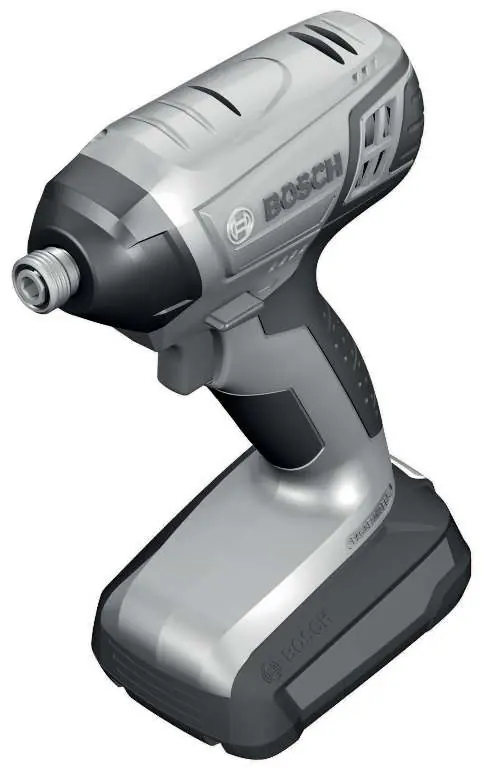
The Bosch AdvancedImpactDrive 18 is a cordless impact driver designed for driving and loosening screws and bolts, as well as tightening and loosening nuts within the specified dimension range.
Assembly
Important: Always remove the battery from the power tool before carrying out any work (e.g., maintenance, changing tools, etc.) and before transport or storage to prevent accidental activation.

Battery Charging
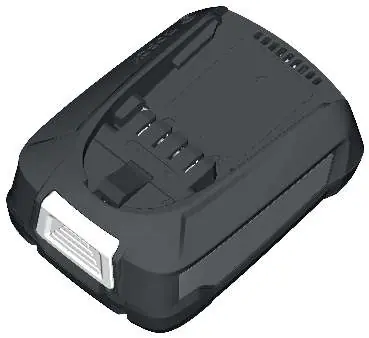
The battery is supplied partially charged. To ensure full capacity, charge the battery fully in the charger before using the tool for the first time. The lithium-ion battery can be charged at any time without reducing its service life.
Changing the Tool
To insert an application tool:
- Pull the locking sleeve forward.
- Guide the application tool into the tool holder up to the stop.
- Release the locking sleeve to lock the tool.
- Use only screwdriver bits with a ball catch (DIN 3126-E6.3).
To remove the tool, pull the locking sleeve forward and remove the application tool.
Operation
Starting Operation
Set the rotational direction switch to the middle position to prevent accidental switching on. Insert the charged battery into the handle until it engages and is flush with the handle.
Setting the Rotational Direction
Use the rotational direction switch to change the tool's direction. This cannot be done while the on/off switch is pressed.
- Right rotation: For driving in screws and tightening nuts, press the switch to the left stop.
- Left rotation: For loosening or unscrewing screws and nuts, press the switch to the right stop.
Switching On/Off
To start the tool, press and hold the on/off switch. To switch off, release the switch. The speed can be adjusted by varying the pressure on the on/off switch.
Maintenance and Cleaning
Regularly clean the air vents on your power tool. The motor's fan draws dust into the housing, and excessive accumulation of powdered metal may cause electrical hazards. Always keep the power tool and ventilation slots clean for safe and efficient operation.
Manufacturer information
Bosch
Practical help
Common problems
Tool stops automatically
Overload protection or battery temperature is too high. Wait until the tool returns to the optimal operating temperature range.
Battery does not charge
Ensure the charger is compatible. Note that AL 1814 CV, AL 1820 CV, and AL 1860 CV chargers are not compatible with PBA batteries.
Tool does not start
Check if the rotational direction switch is in the middle position.
Before use
- Charge the battery fully before the first use.
- Ensure the rotational direction switch is in the correct position.
- Check that the screwdriver bit is securely locked in the tool holder.
- Wear appropriate personal protective equipment, such as eye protection.
Specs in practice
- Rated voltage
- 18V
- No-load speed
- 0–2600 min-1
Images and diagrams
- (1) Tool holder
- (2) Locking sleeve
- (3) Battery release button
- (5) Rotational direction switch
- (6) On/off switch
Model compatibility
- Compatible with PBA 18V batteries.
- Not compatible with AL 1814 CV, AL 1820 CV, AL 1860 CV chargers.

Manual page author
Emily Carter
User documentation editor
Prepares concise manual descriptions and highlights the most useful setup, operation, and maintenance information for readers.