Tools / Power Tools
User Manual for Bosch UniversalSander 18V-10 Cordless Sander
Quick guide for the Bosch UniversalSander 18V-10. Learn how to operate, change sanding plates, manage dust extraction, and maintain your cordless sander safely.
Quick answers from the manual
Quick answer
- The Bosch UniversalSander 18V-10 is a cordless sander for dry sanding and polishing. It uses an SDS system for tool-free plate changes and includes a microfilter dust box. p. 8
Key actions
- Change sanding plate p. 11
- Empty dust box p. 10
First start
- Insert battery and switch on p. 9, 12
Problems and fixes
Tool stops unexpectedly
Thermal overload protection may have activated; allow the tool to cool.
p. 12Maintenance and reset
- Clean filter p. 10
Technical specifications
| Parameter | Value | Meaning | Pages |
|---|---|---|---|
| Voltage | 18V | Battery voltage | p. 9 |
| Oscillation rate | 11000–22000 min⁻¹ | No-load oscillation rate | p. 9 |
Where to find it in the PDF
- Safety Instructions p. 6, 7, 8
- Technical Data p. 9
- Operation p. 12
Table of contents
Manual images
Click an image to enlargeQuick guide from the manual
The Bosch UniversalSander 18V-10 is a cordless sander designed for dry sanding and polishing of wood, plastic, metal, filler, and painted surfaces. It is particularly suited for profiles, corners, and hard-to-reach areas. Always ensure the battery is removed before performing any maintenance or changing accessories.
Product Description
Key components include:
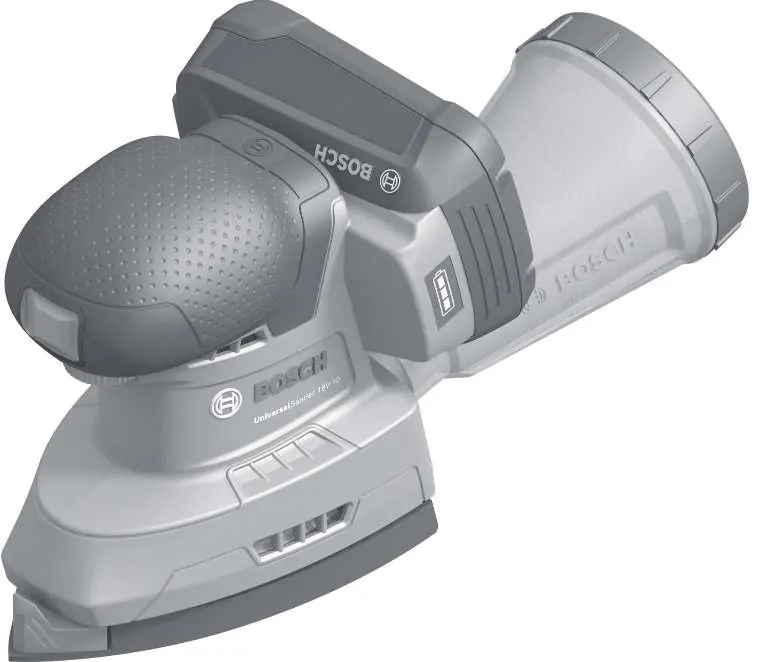
- (1) Oscillation rate preselection wheel
- (2) On/off switch
- (3) Battery release button
- (4) Battery
- (7) Dust box (microfilter system)
- (9) SDS slider for tool-free plate release
- (10/11/12) Sanding plates (front, rear, rectangular)
Battery and Charging
Insert the charged battery into the battery holder until it clicks into place. The charge level indicator on the tool shows the remaining capacity when the tool is switched on. If the tool stops due to thermal overload or low battery, allow it to cool or recharge the battery.
Dust Extraction
For cleaner operation, use the integrated dust box or an external vacuum cleaner.
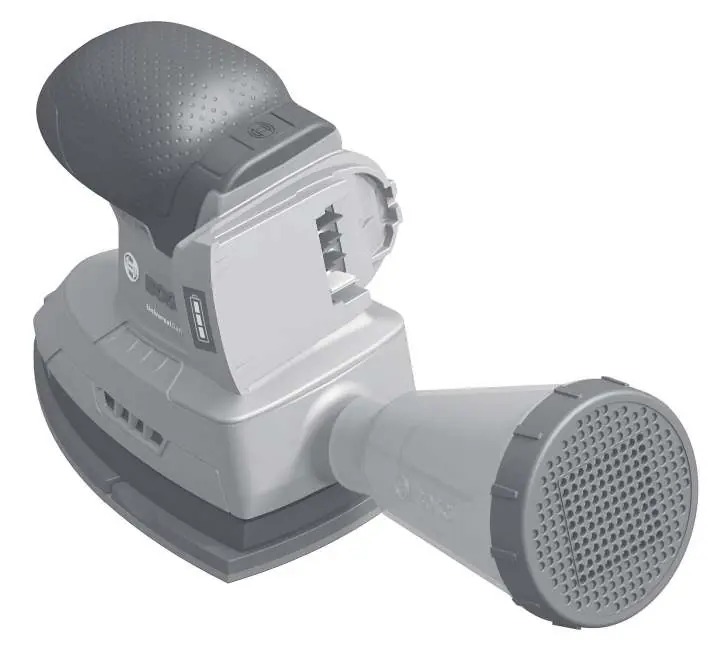
- Dust box: Attach the dust box (7) to the outlet (14). To empty, pull the box backward and remove the filter (6) to shake out dust.
- External vacuum: Use the adapter (16) and suction hose (15) to connect the sander to a compatible vacuum cleaner.
Sanding Plates and Sheets
The tool features a tool-free SDS system for changing sanding plates.
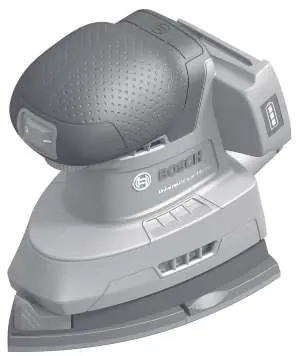
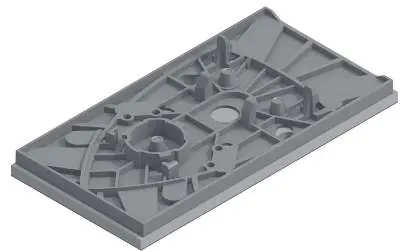
- Changing plates: Move the SDS slider (9) to the right to release the plate. To install, align the plate and move the slider to the left to lock.
- Sanding sheets: Ensure the sanding sheet holes align with the plate holes for effective dust extraction. Press the sheet firmly onto the velcro surface.
Operation
To switch on, move the on/off switch (2) to position 'I'. To switch off, move it to position 'O'. Use the preselection wheel (1) to adjust the oscillation rate based on the material being sanded.
Maintenance
Keep the tool and ventilation slots clean for safe operation. Always remove the battery before cleaning or servicing. Use only original Bosch accessories.
Manufacturer information
Bosch
Practical help
Common problems
Tool stops during operation
The tool may be overloaded or the battery temperature is out of range. Allow the tool to cool down.
Poor dust extraction
The dust box may be full or the filter clogged. Empty the box and clean the filter.
Sanding sheet detaches
Ensure the velcro surface on the sanding plate is clean and free of dust before attaching the sheet.
Before use
- Ensure the battery is fully charged.
- Check that the correct sanding plate is securely locked in place.
- Verify the sanding sheet is properly aligned with the plate holes.
- Ensure the dust box is empty or the vacuum hose is securely connected.
Specs in practice
- Oscillation rate
- 11000–22000 min⁻¹; controls how fast the sander vibrates.
- Oscillation diameter
- 1.6 mm; determines the size of the sanding pattern.
Images and diagrams
- The SDS slider (9) is the key mechanism for releasing and locking sanding plates.
- The dust box (7) attaches directly to the rear outlet (14).
Model compatibility
- Compatible with Bosch PBA 18V series batteries.
- Use only original Bosch sanding accessories.

Manual page author
David Miller
Documentation analyst
Organizes user manual content into clear summaries, with attention to model details, product context, and everyday usability.