Optics / Telescope Accessories
User Manual for Celestron StarSense Explorer 102AZ Telescope
Quick guide for setting up and using your Celestron StarSense Explorer 102AZ telescope. Learn how to align your smartphone, use the StarSense Explorer app, and navigate the night sky.
Table of contents
Manual images
Click an image to enlargeQuick Guide from the Manual
This document provides instructions for aligning your smartphone with your Celestron StarSense Explorer telescope and using the companion app to navigate the night sky. It is recommended to perform the initial alignment steps during daylight hours.
Aligning Your Phone to Your Telescope
Follow these steps to ensure your phone's camera view is correctly aligned with the telescope's optics:

- Insert the low-powered eyepiece into the telescope.
- Place your phone securely into the StarSense Dock.
- Center your phone over the StarSense Dock's mirror. Use the knobs at the bottom of the bracket to adjust the view until the camera sees the mirror clearly and unobstructed.
- Point the telescope at a distant object, at least 1/4 mile (400m) away, such as a streetlight, stop sign, car license plate, or the top of a tree.
- Center the chosen object in the telescope's eyepiece.
- Slide the camera view on your phone screen until the same object is centered in the crosshairs.
Using the StarSense Explorer App
Once aligned, you can use the app to find celestial objects:
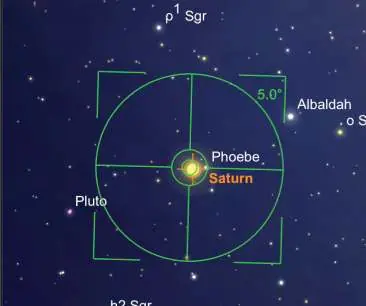
- Start: Tap the StarSense icon. If you have removed your phone from the dock, you may need to perform the alignment process again.
- Select: Tap any celestial object in the planetarium view to select it. If you are unsure what to observe, tap the Star icon to view "Tonight's Best" objects.
- Navigate: Use the telescope's slow-motion controls to follow the on-screen arrows.
- Locate: As you approach the target, pause for a few seconds to allow the telescope to sense the stars. If the bullseye is yellow, continue following the arrows. When the bullseye turns green, the object is located and ready to view in the eyepiece.
Manufacturer information
Celestron
Practical help
Common problems
Bullseye is yellow
The telescope has detected stars but is not yet over the target. Continue following the arrows.
Phone alignment lost
If you removed the phone from the dock since the last alignment, you must complete the alignment process again.
Before use
- Set up the telescope according to the Quick Setup Guide.
- Practice the alignment steps during the day.
- Choose a distant object (at least 1/4 mile or 400m away) for alignment.
- Ensure the phone is securely placed in the StarSense Dock.
Images and diagrams
- The manual provides a 6-step visual guide for aligning the phone to the telescope.
- The app interface guide shows how to select objects and follow navigation arrows.
Model compatibility
- Requires StarSense Explorer app.
- Best practiced during daylight hours.

Manual page author
Emily Carter
User documentation editor
Prepares concise manual descriptions and highlights the most useful setup, operation, and maintenance information for readers.