Home Appliances / Small Kitchen Appliances
User Manual for Dash SmartStore 2-Slice Toaster DST200
Quick guide for the Dash SmartStore 2-Slice Toaster (DST200). Learn how to operate, clean, and maintain your toaster, including safety precautions and usage tips.
Quick answers from the manual
Quick answer
- The Dash SmartStore 2-Slice Toaster (DST200) is a kitchen appliance for toasting bread, bagels, and waffles. It features a safety lid that must be removed before operation. p. 1, 8
Key actions
- Remove the lid before toasting p. 8
First start
- Run the toaster on high without bread to burn off manufacturing residues. p. 7
Problems and fixes
Toaster won't turn on
Remove the lid.
p. 8Where to find it in the PDF
- Parts and Features p. 6
- Using Your Toaster p. 7, 8, 9, 10
Table of contents
Manual images
Click an image to enlargeQuick guide from the manual
The Dash SmartStore 2-Slice Toaster (DST200) is designed for household use. Important: The toaster features a safety lid that must be removed before the appliance can power on. Always ensure the toaster is placed on a dry, stable surface.
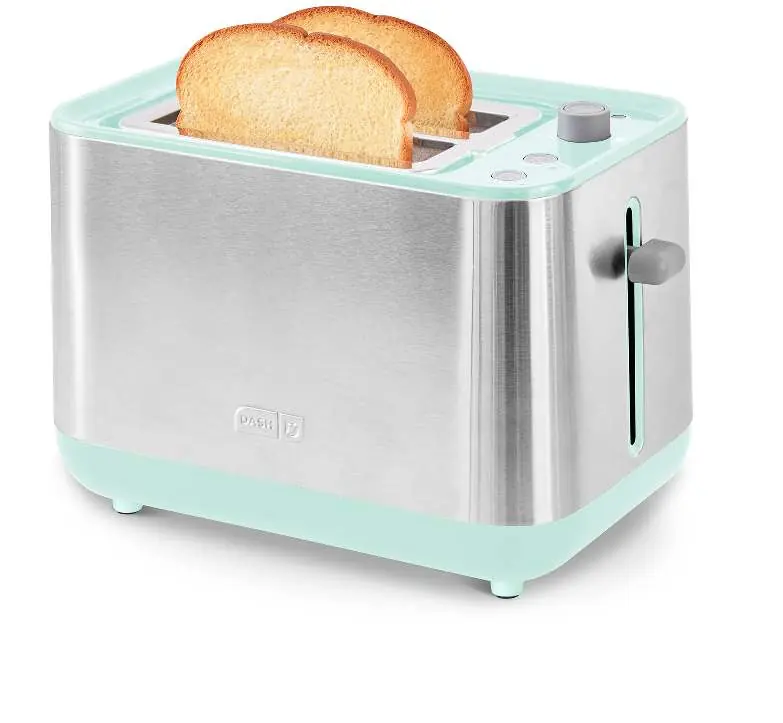
Parts and Features
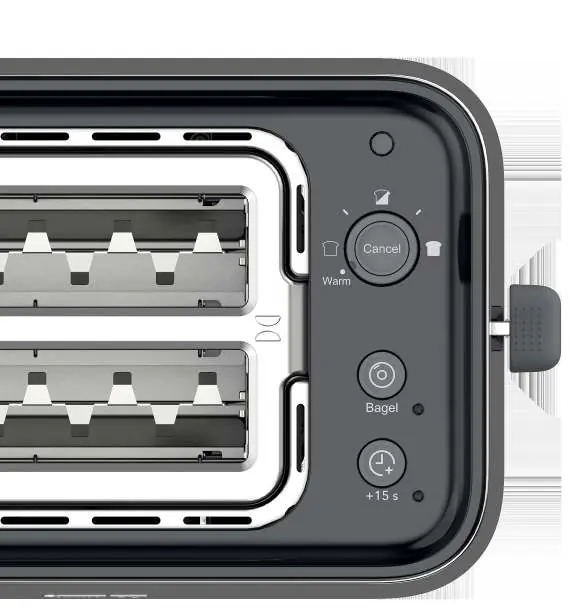
- Toasting Slots: For bread, bagels, and waffles.
- Browning Dial: Adjusts the toast color from light to dark.
- Cancel Button: Stops the toasting process immediately.
- Bagel Button: Optimizes toasting for bagels.
- +15 Seconds Button: Adds extra time to the selected setting.
- Lever: Starts the toasting process.
- Crumb Tray: Located at the bottom for easy cleaning.
Using Your Toaster
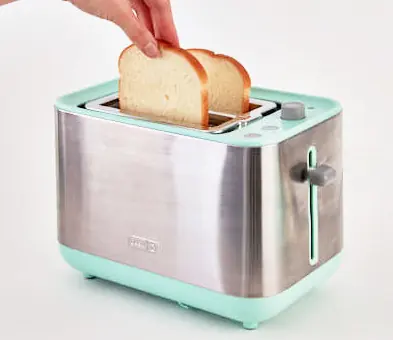
- Remove the lid from the toaster. The unit will not power on if the lid is attached.
- Place the bread into the toasting slots.
- Turn the Browning Dial to your desired setting.
- Press the lever down until it locks into place to start the heating process.
- The bread and lever will pop up automatically when toasting is complete.
Toasting a Bagel
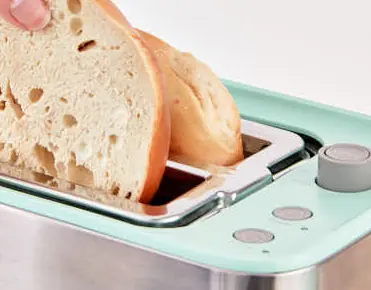
When toasting a bagel, insert it so that the flat edges face outward. This allows the inside of the bagel to toast without overcooking the outside. Press the lever down, then press the Bagel Button to begin.
Cleaning and Maintenance
- General Cleaning: Always unplug the appliance and allow it to cool completely before cleaning. Do not submerge the toaster in water. Use a damp cloth to wipe the exterior.
- Crumb Tray: Slide the tray out from the bottom of the toaster. Wash with warm, soapy water, rinse, and dry thoroughly before returning. Clean after each use to avoid odors.
- Lid: The lid is top-rack dishwasher safe. Ensure it is dry before placing it back on the toaster.
Safety Precautions
- Do not use metal utensils to remove food from the toaster.
- Never leave the toaster unattended while in use.
- Do not use the appliance for defrosting food other than bread, bagels, and waffles.
- Do not place wet foods inside the toaster.
- If the toaster jams, unplug the unit and remove the bread. Slice the bread thinner if necessary.
Technical Specifications
- Voltage: 120V ~ 60Hz
- Power Rating: 850W
Manufacturer information
Dash
Practical help
Common problems
Toaster will not turn on
Ensure the lid has been removed. The lid triggers a safety switch that prevents operation.
Bread is stuck in the slot
Unplug the toaster and use non-metal, heat-resistant tongs to remove the bread.
Toaster jams frequently
The bread may be too thick. Remove the bread and slice it more thinly.
Before use
- Remove all packaging material and stickers.
- Clean the appliance and all components.
- Ensure no loose objects have fallen inside the toaster.
- Run the toaster on high without bread to eliminate manufacturing residues.
Specs in practice
- Power Rating
- 850W
Images and diagrams
- The control panel features a Browning Dial, Cancel button, Bagel button, and +15 Seconds button.
- The lid must be removed to operate the toaster.
Model compatibility
- For household use only.
- Do not use with wet foods.
- Only toast food meant for slot toasters.

Manual page author
David Miller
Documentation analyst
Organizes user manual content into clear summaries, with attention to model details, product context, and everyday usability.