Electronics / Projectors
User Guide for Dell 2200MP, 3300MP, and 4100MP Projectors
Quick guide and technical specifications for Dell 2200MP, 3300MP, and 4100MP micro-portable projectors. Learn about connectivity, environmental requirements, and bulb maintenance.
Quick answers from the manual
Quick answer
- This document is a specification sheet for the Dell 2200MP, 3300MP, and 4100MP micro-portable projectors, detailing their technical capabilities, connectivity, and maintenance requirements. p. 1, 2
Key actions
- Replace the bulb when brightness degrades. p. 2
Maintenance and reset
- Replace the bulb after 1500-3000 hours depending on the model. p. 2
Show 2 more answers Show less
Technical specifications
| Parameter | Value | Meaning | Pages |
|---|---|---|---|
| Brightness (2200MP) | 1200 ANSI Lumens | Maximum brightness output | p. 2 |
| Brightness (3300MP) | 1500 ANSI Lumens | Maximum brightness output | p. 2 |
| Brightness (4100MP) | 2200 ANSI Lumens | Maximum brightness output | p. 2 |
Where to find it in the PDF
- Product Overview and Features p. 1
- Technical Specifications Table p. 2
Table of contents
Quick guide from the manual
This document provides technical specifications and features for the Dell 2200MP, 3300MP, and 4100MP micro-portable projectors. These devices are designed for business, education, or personal use, featuring DLP technology for bright, clear images.
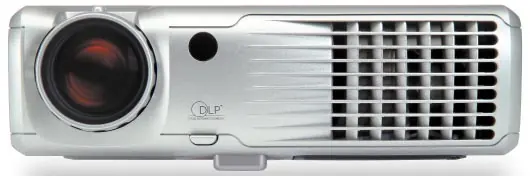
Features
- DLP Technology: Uses Digital Light Processing technology for consistent brightness and high contrast.
- Ease of Use: Features automatic synchronization to detect input types and plug-and-play compatibility.
- Mobility: Lightweight design with a sturdy magnesium casing, suitable for desktop or ceiling mounting.
- Versatility: Supports front and rear projection.
Technical Specifications Overview
Brightness and Resolution
- 2200MP: 1200 ANSI Lumens, SVGA (800 x 600) native resolution.
- 3300MP: 1500 ANSI Lumens, XGA (1024 x 768) native resolution.
- 4100MP: 2200 ANSI Lumens, XGA (1024 x 768) native resolution.
Connectivity
The projectors support a wide range of video sources, including NTSC, PAL, SECAM, and HDTV (480i/P, 576i/P, 720P, 1080i). Input options vary by model but generally include M1-DA, D-sub, Composite, and S-Video.
Maintenance
Bulb Replacement: Bulb brightness degrades with usage. Dell recommends replacing the bulb based on the following usage intervals:
- 2200MP: After 2000 hours.
- 3300MP: After 3000 hours (up to 5000 hours in Eco-mode).
- 4100MP: After 1500 hours (up to 3000 hours in Eco-mode).
Environmental Requirements
- Operating Temperature: 5°C to 35°C (41°F to 95°F).
- Storage Temperature: -20°C to 60°C (-4°F to 140°F).
- Humidity: 80% maximum.
Manufacturer information
Dell Inc.
Practical help
Common problems
Bulb brightness degradation
Replace the bulb after 1500-3000 hours of usage depending on the specific model and mode.
Image adjustment
Use the built-in digital keystone correction and zoom features to adjust the image for optimal viewing.
Before use
- Ensure the projector is placed on a stable surface or mounted securely (desktop or ceiling).
- Verify the input source is compatible (NTSC, PAL, SECAM, HDTV).
- Check that the power supply matches the requirements (Universal 100-240V AC).
- Ensure proper ventilation for the projector during operation.
Show more Show less
Specs in practice
- Native Resolution
- The fixed number of pixels the projector uses to display an image.
- Contrast Ratio
- The ratio of the luminance of the brightest color to that of the darkest color.
Model compatibility
- Compatible with most computers, including Dell Latitude and Inspiron notebooks.
- Supports NTSC, NTSC 4.43, PAL, PAL-M, PAL-N, SECAM, and HDTV video standards.

Manual page author
Michael Turner
Technical manual editor