Hvac / Air Conditioners
User Manual for Della 048-GM-48265 Portable Air Conditioner
Quick guide for the Della 048-GM-48265 portable air conditioner, covering installation, operation, drainage, maintenance, and troubleshooting.
Table of contents
Manual images
Jump to the sectionQuick guide from the manual
This document provides essential instructions for the Della 048-GM-48265 portable air conditioner. Key requirements include keeping the unit upright for at least 2 hours before first use, ensuring it is placed on a flat surface, and maintaining at least 50cm of clearance from walls or objects. The unit is for indoor use only and must not be operated in wet environments like bathrooms.
Installation and Adjustment
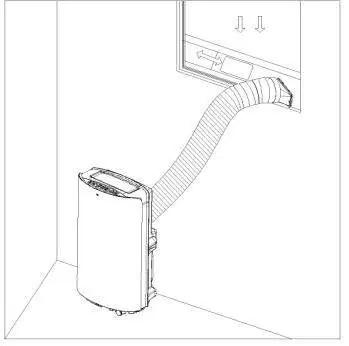
The unit requires the installation of an exhaust hose assembly to vent hot air. Steps:
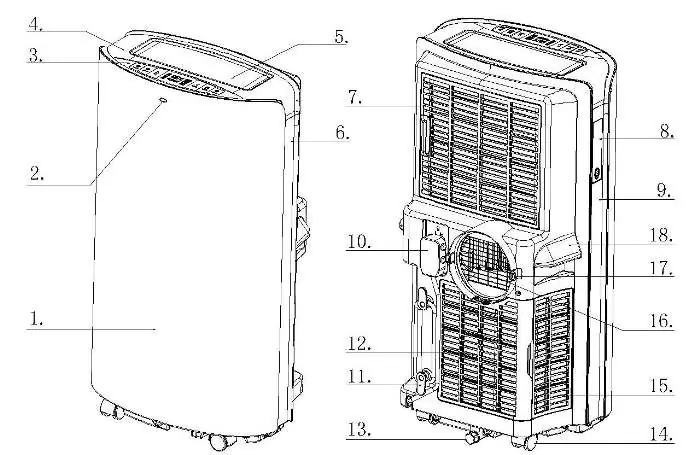
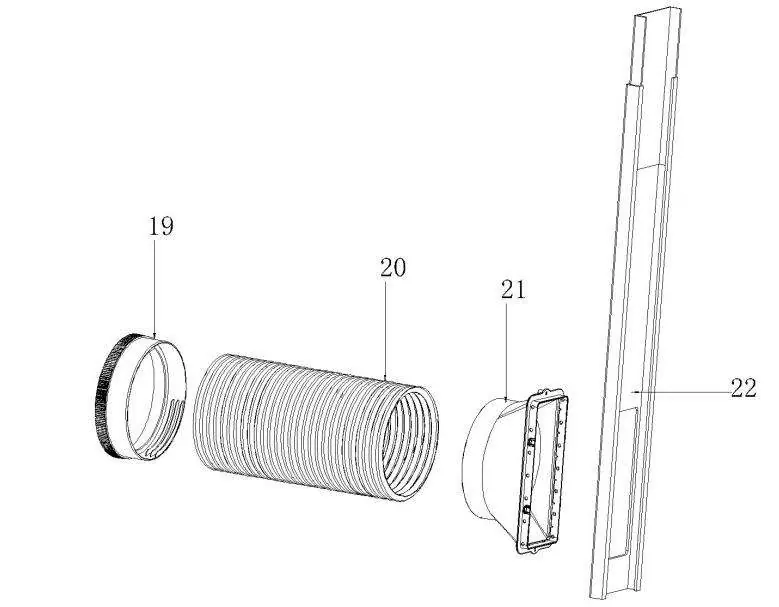
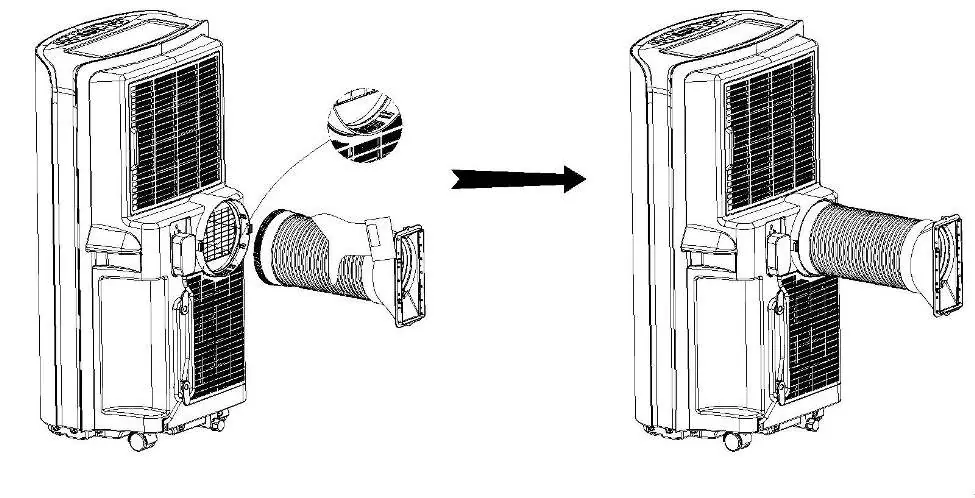
- Screw the round connector onto one end of the exhaust hose (anticlockwise, at least 3 laps).
- Screw the adapter onto the other end of the hose (anticlockwise, at least 3 laps).
- Attach the exhaust hose assembly to the back panel of the unit by aligning it with the outlet and locking it with the fasteners.
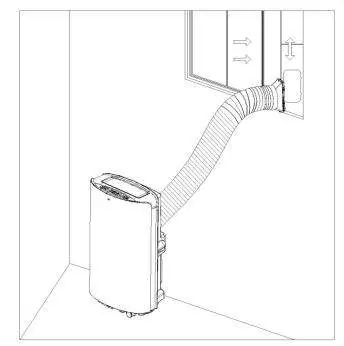
- Install the window seal-plate into your window, adjust it to the window length, and fix it with screws.
- Connect the rectangle end of the exhaust hose to the window seal-plate.
Operations and Settings
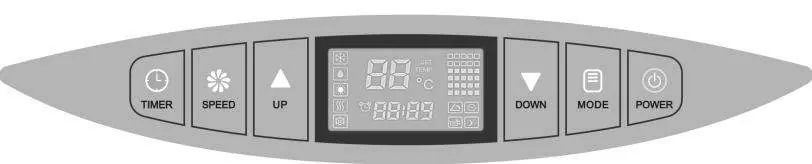
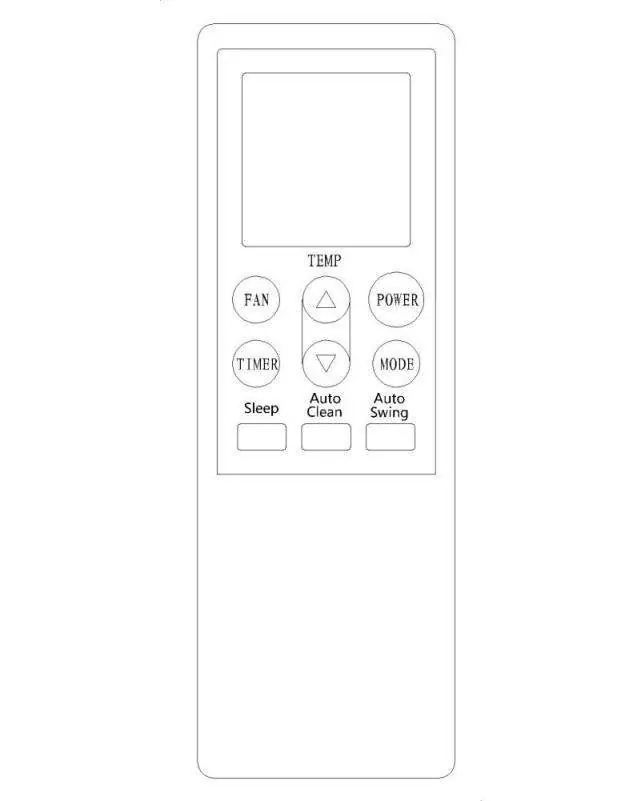
The unit features cooling, heating, dehumidifying, fan, and energy conversation modes. Use the control panel or remote control to adjust settings. Key functions:
- Power: Turns the unit on/off.
- Mode: Cycles through available operating modes.
- Temperature: Adjustable between 16°C–30°C (60°F–86°F).
- Fan Speed: Adjustable between Low, Medium, and High (in Cool/Fan modes).
- Timer: Allows setting auto-on/off times (0.5–24 hours).
- Auto-Swing: Enables automatic horizontal louver movement.
Drainage Instructions
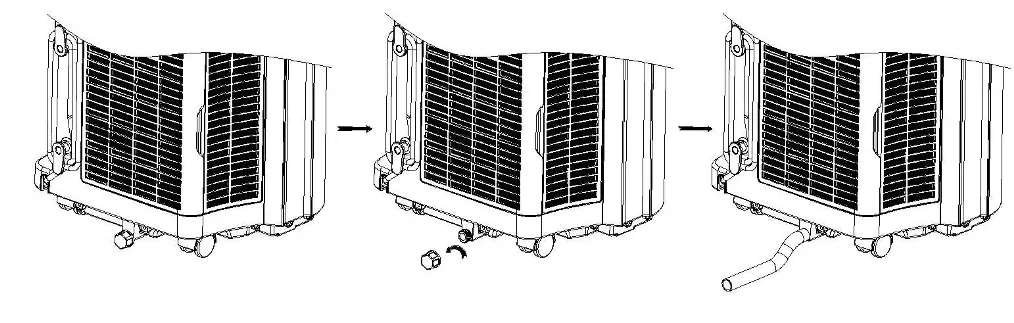
Manual Drainage: When the unit shuts down due to a full water tank, turn it off, place a tray under the drain outlet, remove the drain cover and water stopper, and allow the water to drain. Continuous Drainage: Remove the drain cover and stopper, connect a 12mm drain hose to the outlet, and lead it to a drain or outdoor area.
Maintenance and Cleaning
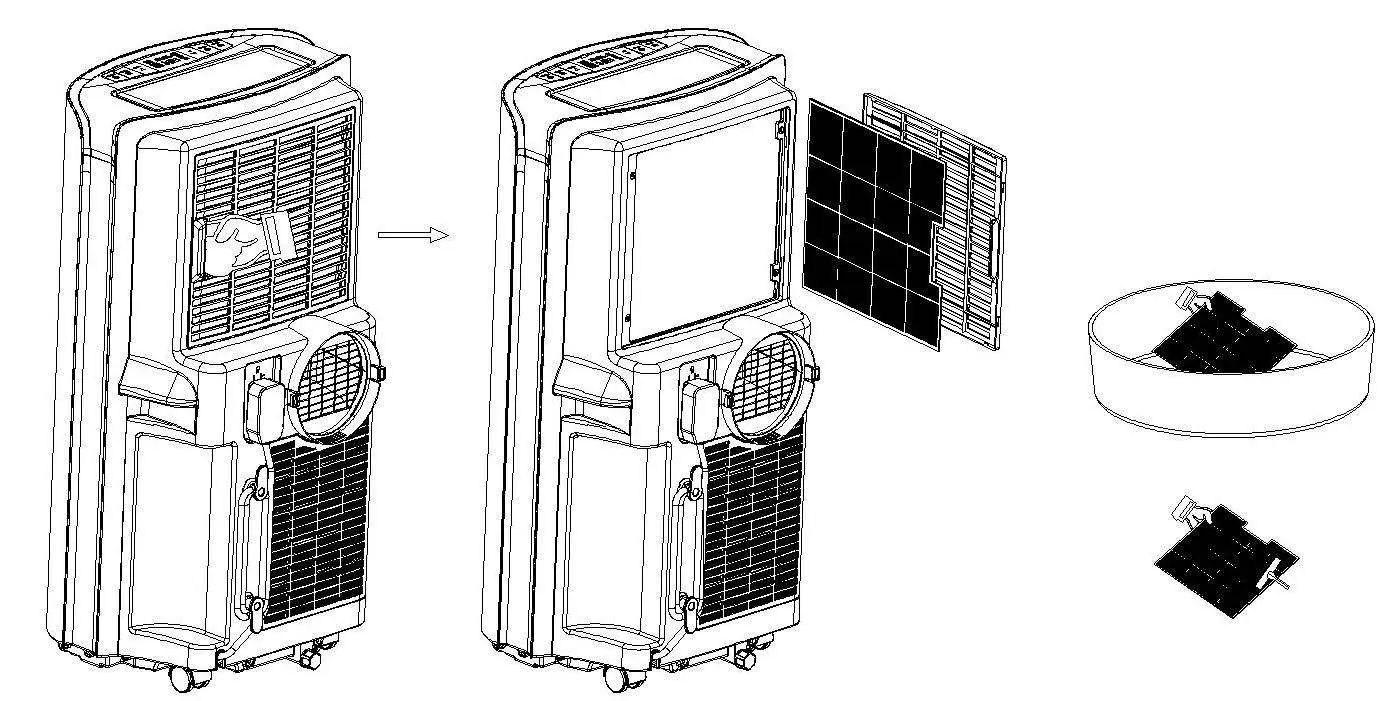
- Surface: Clean with a wet soft cloth. Do not use chemical solvents.
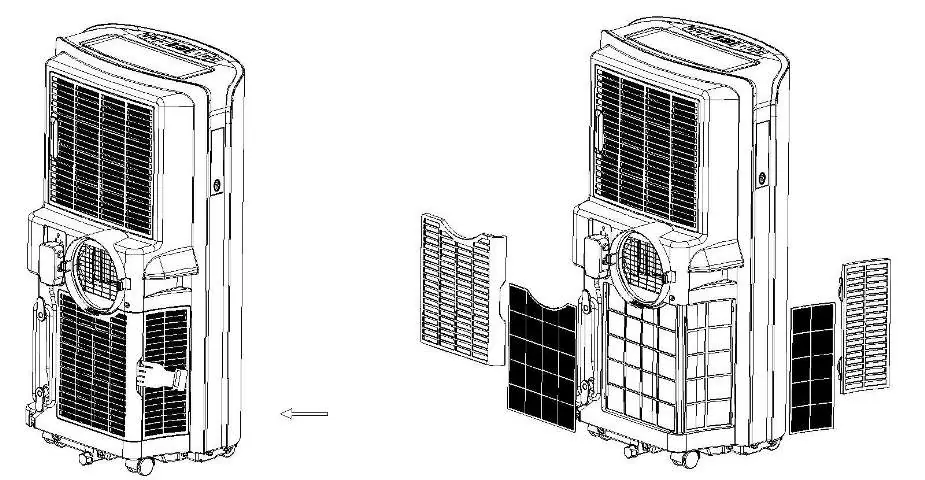
- Filter: Clean every two weeks. Remove the filter, wash in warm water (approx. 40°C) with neutral cleaner, rinse, and dry in the shade.
- Storage: Drain all water, run in fan mode for half a day to dry the interior, wrap the power cord, remove batteries from the remote, and store in a dry place.
Manufacturer information
Della
Practical help
Common problems
Unit fails to start
Check power supply, drain water if the full-tank icon is lit, or adjust temperature settings.
Bad cooling or heating effects
Close doors/windows, remove heat sources, clean dirty filters, or clear air inlet/outlet obstructions.
High noise level
Ensure the unit is placed on a flat, firm surface.
Remote control not working
Ensure you are within range, aiming at the signal receptor, and that batteries are fresh.
Before use
- Keep unit upright for at least 2 hours before first installation.
- Ensure the unit is on a flat surface with less than 5 degrees inclination.
- Maintain at least 50cm clearance from walls or objects.
- Install exhaust hose assembly correctly with at least 3 laps of threading.
- Ensure the power outlet is properly grounded and not shared with other appliances.
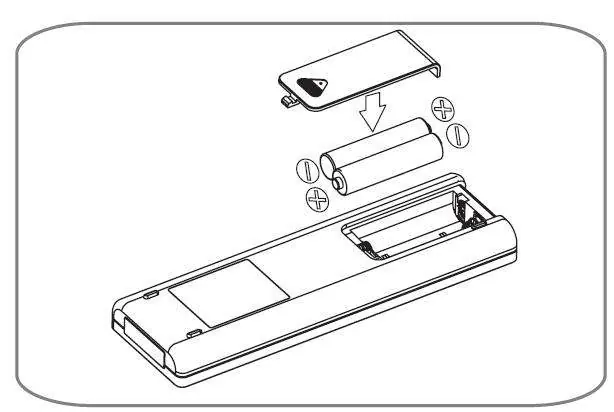
- Install two new alkaline AAA batteries in the remote control.
Specs in practice
- Temperature Range
- 16°C–30°C (60°F–86°F) for cooling, heating, and energy conversation modes.
- Exhaust Hose Length
- 280mm–1500mm; do not extend or replace with other hoses.
- Fuse Parameter
- Type FSD or 50F, 250V, 3.15A.
Images and diagrams
- Figure 1 & 2: Exhaust hose assembly and connection to the main unit.
- Figure 3 & 4: Window seal-plate installation in vertical or horizontal windows.
- Figure 5: Minimum clearance requirements (50cm).
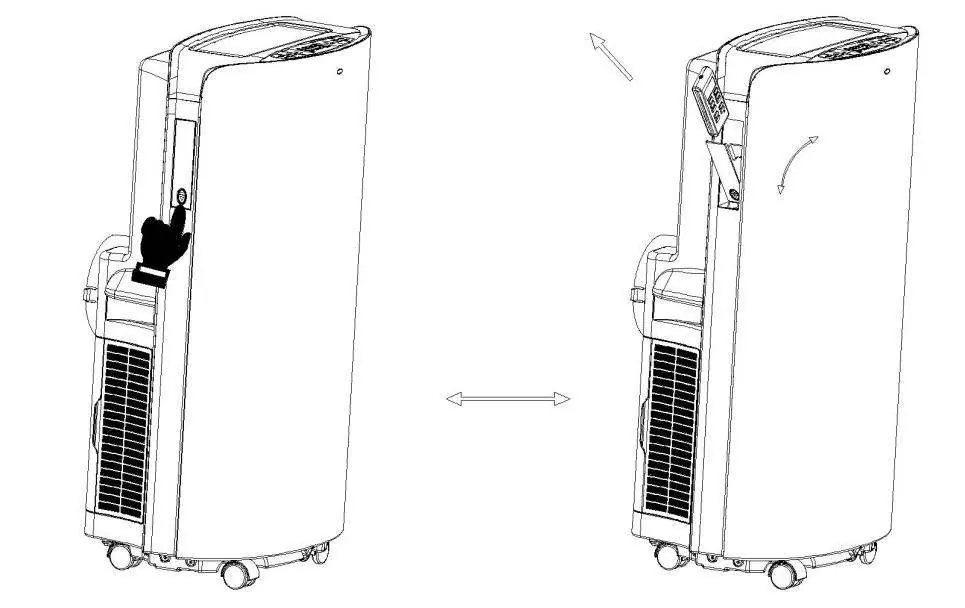
- Figure 8: Remote control storage compartment location.
Model compatibility
- Do not use in wet environments like bathrooms.
- Do not use cooling mode if ambient temperature is >35°C.
- Do not use heating mode if ambient temperature is <7°C.

Manual page author
David Miller
Documentation analyst
Organizes user manual content into clear summaries, with attention to model details, product context, and everyday usability.