Power / Batteries Chargers
Instruction Manual for GÜDE 18V Lithium-Ion Battery Pack and Charger
Quick guide for GÜDE 18V, 25.2V, and 36V battery packs and chargers. Includes charging instructions, safety warnings, technical specifications, and troubleshooting.
Table of contents
Manual images
Jump to the sectionQuick guide from the manual
This document provides essential operating instructions for GÜDE battery packs and chargers (18V, 25.2V, and 36V series). Always read the full safety instructions before use. Ensure the charger is used only in dry, indoor environments and that the battery surface is clean and dry before charging.
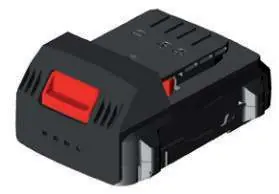
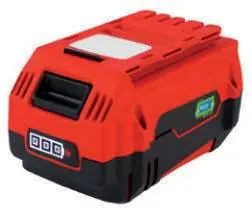
Charging
To charge the battery, connect the charger to a power outlet and slide the battery into the charging slot. Ensure the charger's cooling slots are not covered. The charging status is indicated by LED lights on the charger or battery (refer to the specific model diagrams in the manual). Do not charge damaged or deformed batteries.
Safety
- Protect batteries from heat, fire, and moisture.
- Do not store or use batteries in temperatures above 40°C.
- Do not short-circuit battery contacts with metal objects.
- Only use original GÜDE chargers and replacement batteries.
- Children over 8 years old may use the device only under supervision or after proper instruction.
Maintenance and Disposal
Li-ion batteries must be disposed of at designated collection points. Do not dispose of them in household waste. Before disposal, ensure the battery is discharged and cover the poles with adhesive tape to prevent short circuits. Do not open the battery.
Technical Data
The manual covers various battery models (18V, 25.2V, 36V) with capacities ranging from 1.5Ah to 4.0Ah. Charging times vary depending on the battery capacity and charger model (e.g., 1.5A/18L, 3A/36L). Refer to the technical data table in the manual for specific charging times and power ratings for your model.
Troubleshooting and Service
If the device does not function correctly, check the battery and charger connections. For technical questions, claims, or spare parts, visit the GÜDE website at www.guede.com. In case of a claim, have your serial number, article number, and year of production ready, which can be found on the device's type label.
Official resources from the manual
Practical help
Common problems
Battery does not charge or charger indicates error
Ensure the battery is clean and dry. Check if the charger is plugged into a working outlet and that cooling slots are not blocked. If the battery is damaged or deformed, do not attempt to charge it.
Significantly shorter operating time
This indicates the battery is worn out and must be replaced with an original spare battery.
Device runs slowly or stops
The battery may be low; recharge the battery immediately.
Before use
- Read the entire instruction manual carefully.
- Ensure the battery surface is clean and dry.
- Verify that the mains voltage matches the charger's type plate specifications.
- Ensure the charger is used only in indoor, dry conditions.
- Check that the battery is not damaged, defective, or deformed.
Specs in practice
- Battery Capacity (Ah)
- Indicates the energy storage capacity of the battery; higher values generally mean longer runtimes.
- Charging Time
- The approximate time required to fully charge a battery, which varies based on the specific charger and battery model.
- Protection Class II
- The device is double-insulated and does not require a safety connection to electrical earth.
Images and diagrams
- The manual provides diagrams for different charger models (18V, 25.2V, 36V) showing the correct insertion of the battery into the charging station.
- LED indicators are explained: Green light typically indicates charging status or ready, while Red light indicates charging in progress or error status depending on the model.
Model compatibility
- Chargers are exclusively suitable for specific GÜDE battery series (18L, 25L, 36L).
- Do not attempt to charge non-rechargeable batteries with these chargers.

Manual page author
Emily Carter
User documentation editor
Prepares concise manual descriptions and highlights the most useful setup, operation, and maintenance information for readers.