General / Service Manuals
HiKOKI DS 12DA and DV 12DA Cordless Driver Drill / Combi Drill User Manual
Quick guide for the HiKOKI DS 12DA and DV 12DA cordless drills, covering safety, battery charging, operation, maintenance, and troubleshooting.
Table of contents
Manual images
Jump to the sectionQuick guide from the manual
This manual provides essential instructions for the HiKOKI DS 12DA (Cordless Driver Drill) and DV 12DA (Cordless Combi Drill). Always read the safety warnings before use.
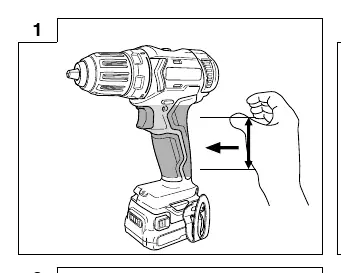
Device Description
The tools feature a rechargeable battery, trigger switch, mode-switching dial, clutch dial (DS12DA), and LED light. The DV12DA includes a hammer mode for masonry drilling.
Charging
- Connect the charger power cord to a receptacle. The pilot lamp will blink in red.
- Insert the battery firmly into the charger.
- Charging starts automatically; the pilot lamp will light continuously in red.
- When fully charged, the pilot lamp blinks in red.
- Disconnect the charger and remove the battery.
Operation
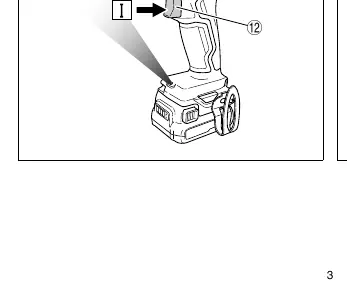
- Battery: Insert/remove by operating the latch. Check remaining power using the indicator switch.
- Mode Selection: Use the mode-switching dial to select between drilling, driving, or impact drilling (DV12DA).
- Torque Adjustment: Use the clutch dial to set the tightening torque.
- Speed: Use the shift knob to change between High (Hs) and Low (Ls) speeds.
- Rotation: Use the trigger switch and direction selector.
Safety and Maintenance
Important: Always use genuine HiKOKI batteries. Do not short-circuit the battery terminals. Keep the tool and battery terminals free of dust and metal shavings. Store the tool in a place where the temperature is below 40°C and out of reach of children. If the tool is overloaded or overheated, the protection circuit will stop the motor; allow the tool to cool before resuming.
Troubleshooting
If the LED light blinks, a safeguard function has been triggered. Overload Protection: Adjust shift knob to LOW or remove the cause of overload. Temperature Protection: Allow the tool and battery to cool. Low Voltage Protection: Recharge the battery.
Manufacturer information
HiKOKI
Practical help
Common problems
Motor stops during operation
Check if the battery is depleted (recharge) or if the tool is overloaded (release switch and remove cause of overload).
Battery does not charge
Check for foreign objects in the charger connector, ensure the battery is fully inserted, or allow the battery to cool if overheated.
LED light blinks
A protection function is active. Check Table 3 in the manual for specific corrective actions (Overload, Temperature, or Low Voltage).
Before use
- Ensure the work area is clean and well-lit.
- Check that the battery is fully charged.
- Verify the correct mode (drill/driver/impact) is selected.
- Ensure the bit is securely mounted in the chuck.
- Check that the rotation direction is set correctly.
Specs in practice
- n0 (No-load speed)
- The rotational speed of the tool without any load.
- Bpm (Impact rate)
- The number of impacts per minute during hammer/impact drilling.
Images and diagrams
- Fig 2: Battery removal and insertion.
- Fig 3: Battery charging procedure.
- Fig 4: Mode selection dial.
- Fig 5: Tightening torque adjustment.
- Fig 10: Mounting a bit into the keyless chuck.
Model compatibility
- Use only genuine HiKOKI batteries.
- DV12DA is suitable for brick and concrete block drilling.
- DS12DA is for screw driving and metal/wood drilling.

Manual page author
David Miller
Documentation analyst
Organizes user manual content into clear summaries, with attention to model details, product context, and everyday usability.