Toys / Ride-on Toys
User Manual for Homcom Bookcase 311-048V80
Quick guide for the Homcom Bookcase 311-048V80. Includes assembly instructions, safety warnings, and maintenance tips to ensure proper setup and use.
Table of contents
Manual images
Click an image to enlargeQuick guide
This bookcase is designed for children aged 3-12 years old. The maximum weight capacity is 30 kg. Assembly is required, and it is recommended to perform the assembly on a flat, clean surface.
Safety warnings
- Choking Hazard: Contains small parts. Keep children away during assembly.
- Supervision: To be used under the direct supervision of an adult.
- Installation: Only allowed for adults to install.
- Placement: Place on a flat and clean floor. Check that all parts are well connected before use.
Parts list
The package includes hardware labeled A through H and panels labeled 1 through 15. Please verify all parts against the list on page 11 before beginning assembly.
Assembly instructions
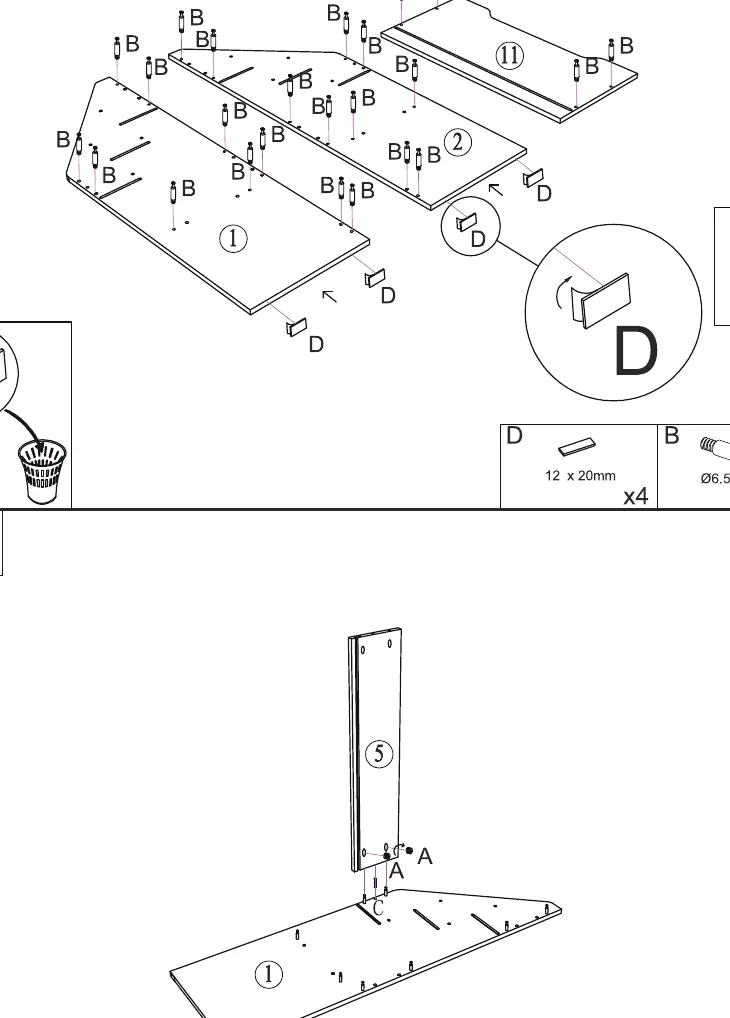
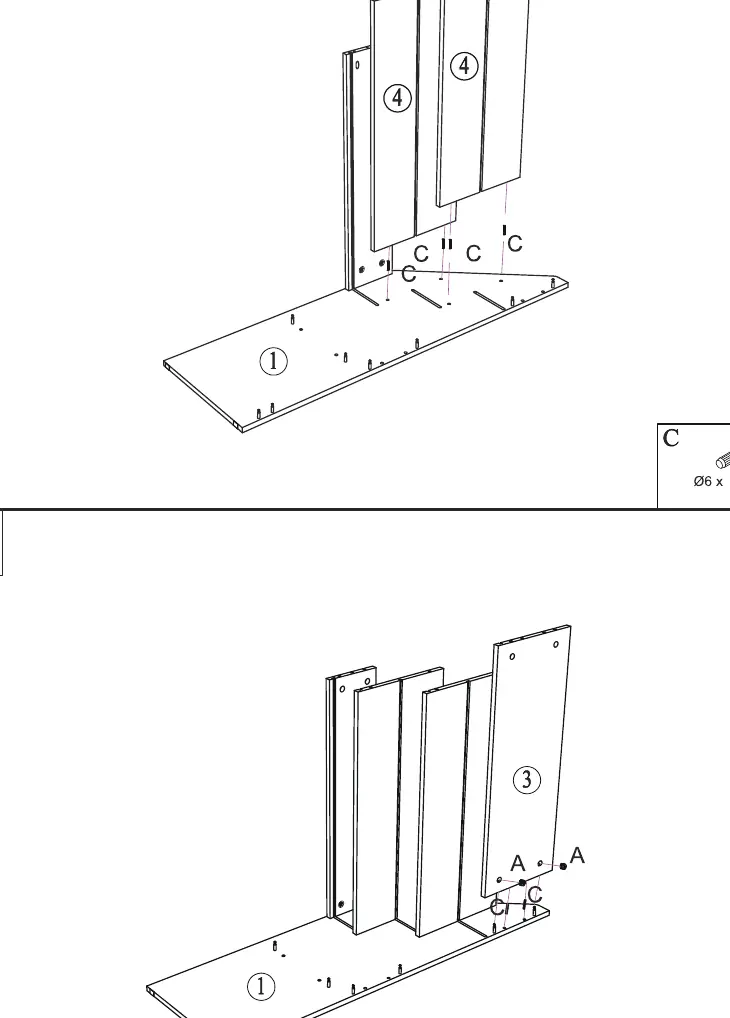
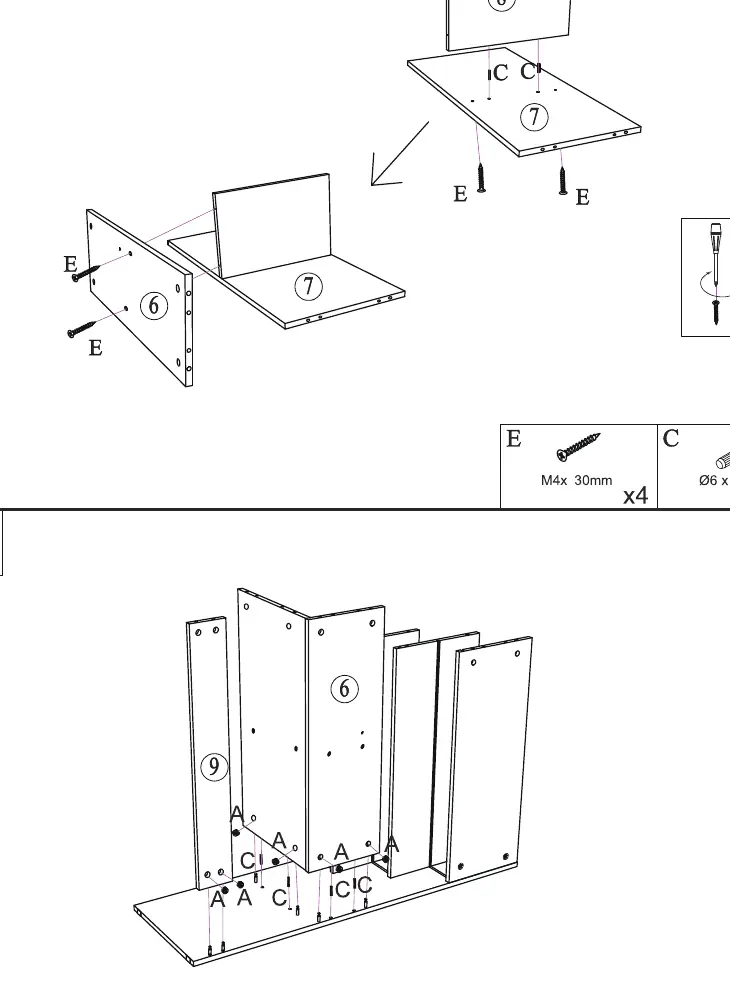
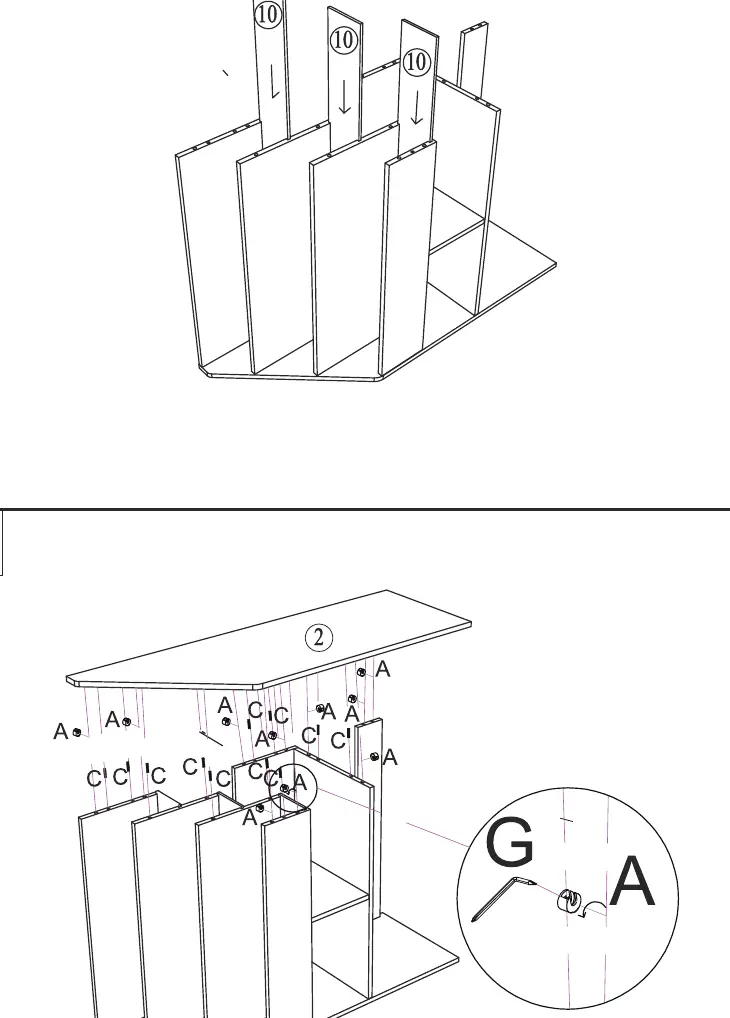
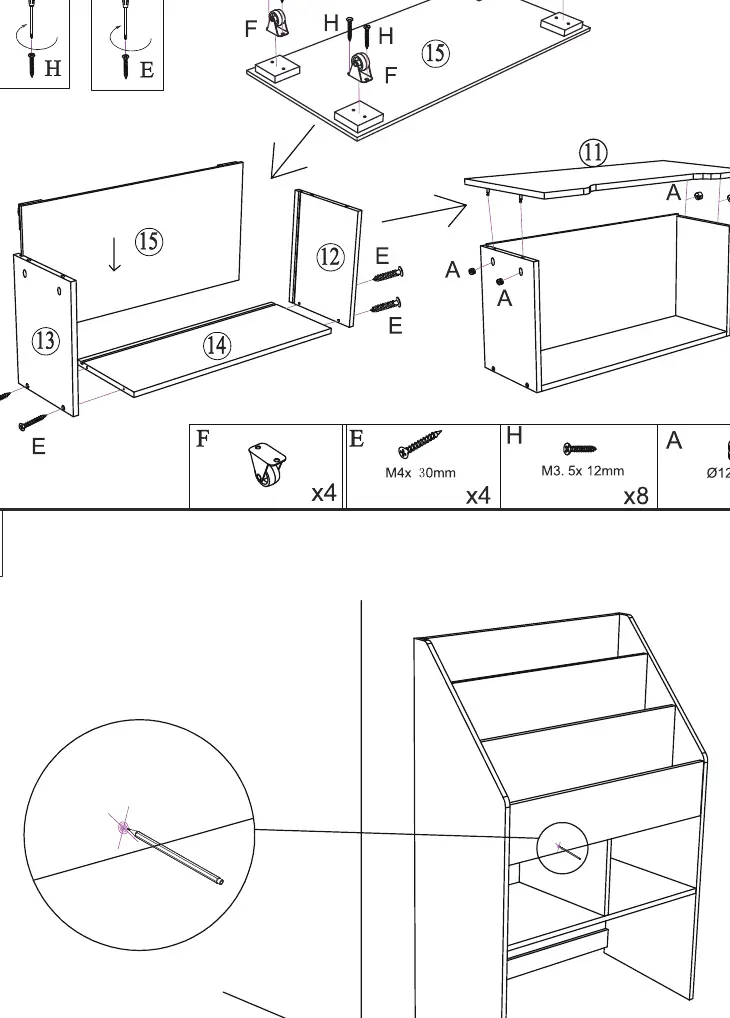
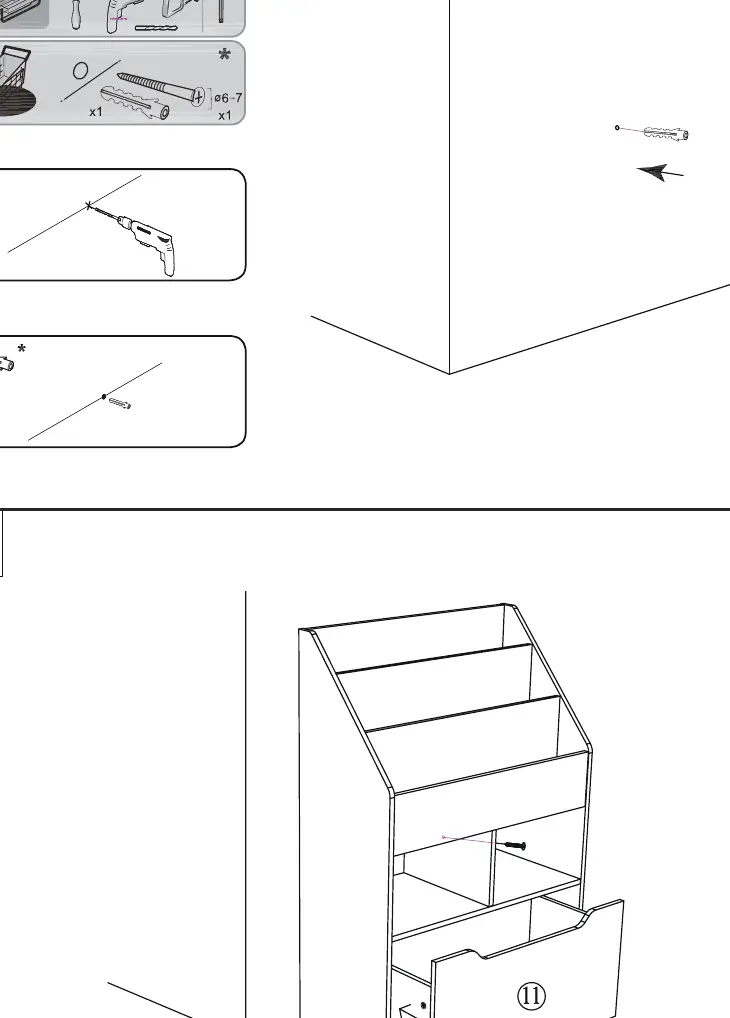
Follow the steps 1 through 12 to assemble the bookcase. Use the provided hardware (screws, dowels, cam locks) as indicated in the diagrams. Ensure all cam locks are tightened correctly.
Maintenance
Keep all instructions and parts relating to this product for future reference. Please wipe the unit down with a dry or damp cloth to clean.
Customer support
If you have any questions, please contact the customer care center for your region. Contact details are provided in the manual for the UK, US, CA, FR, DE, ES, and IT.
Manufacturer information
HOMCOM
Practical help
Common problems
Instability or wobbling
Ensure all screws and cam locks are fully tightened and the unit is placed on a flat, level floor.
Missing parts
Check the parts list on page 11. If any parts are missing, contact customer support using the details provided in the manual.
Before use
- Verify all parts (A-H) and panels (1-15) are present.
- Ensure you have a screwdriver available for assembly.
- Clear a flat, clean area for assembly.
- Check that the floor surface is level.
- Keep children away during the assembly process due to small parts.
Images and diagrams
- Steps 1-10 illustrate the assembly of the main frame, shelves, and dividers.
- Steps 11-12 show the final assembly and positioning.

Manual page author
David Miller
Documentation analyst
Organizes user manual content into clear summaries, with attention to model details, product context, and everyday usability.