Computers / Desktop Computers
PRAM Battery Replacement Guide for iMac G4 17-inch
Step-by-step guide for replacing the PRAM battery in an iMac G4 17-inch (EMC 1936). Includes tool requirements, safety precautions, and disassembly instructions.
Table of contents
Manual images
Click an image to enlargeQuick Guide: PRAM Battery Replacement
This guide provides instructions for replacing the PRAM battery in an iMac G4 17-inch (EMC 1936). Ensure you have the correct replacement battery (1/2 AA Lithium 3.6V) before starting.
Tools and Parts Required
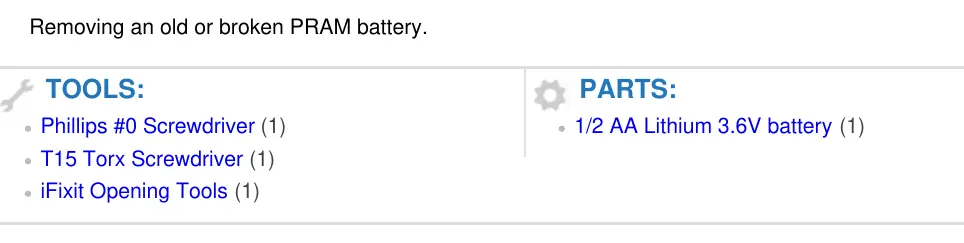
- Phillips #0 Screwdriver
- T15 Torx Screwdriver
- iFixit Opening Tools
- 1/2 AA Lithium 3.6V battery
Preparation
Before beginning the replacement, unplug all cables from the computer, including the power cable. Lay the computer face-down on a soft cloth to protect the screen and support the neck and base.
Disassembly and Battery Replacement
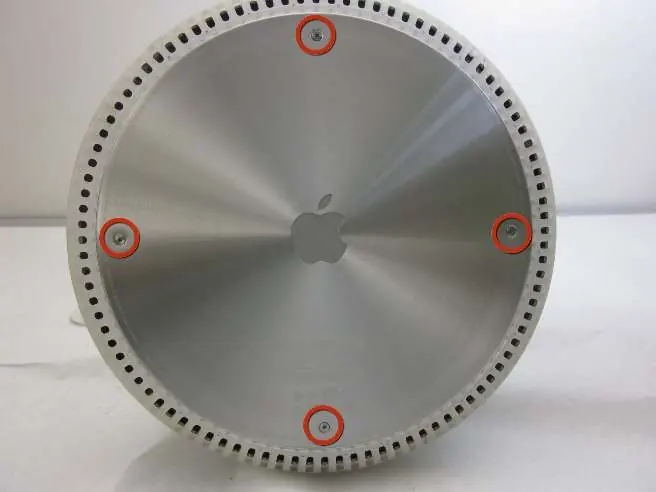
- Remove Bottom Plate: Loosen the four Phillips #0 screws on the bottom plate. Carefully remove the base access panel.
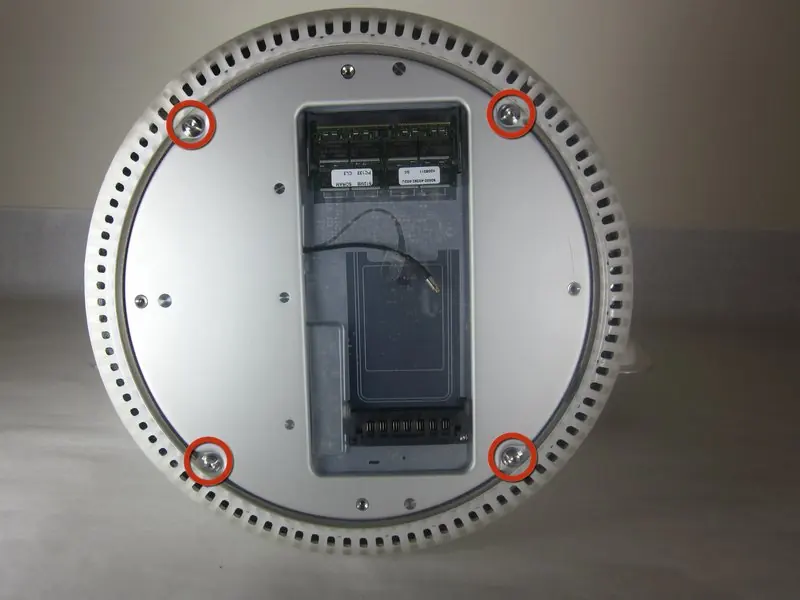
- Access Housing: Remove the four 25mm T-15 screws securing the bottom plate housing.
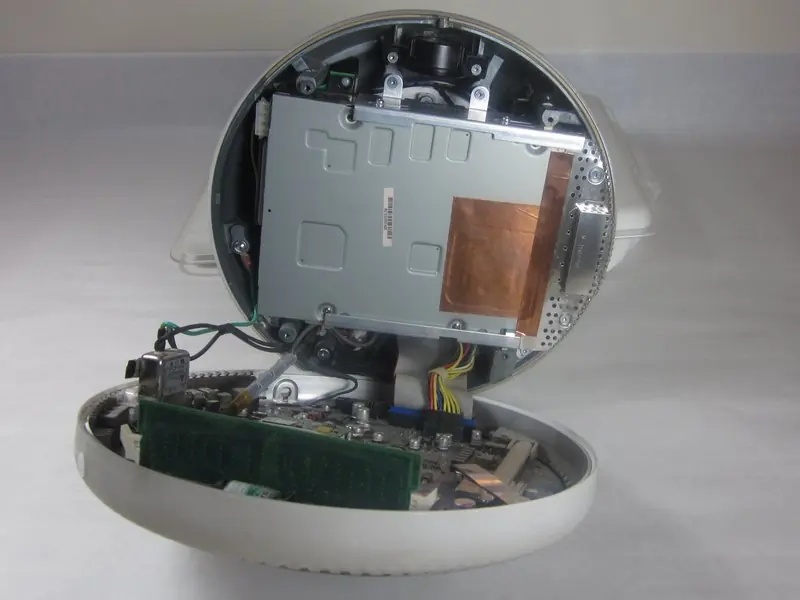
- Open Housing: Open the housing plate. Be gentle with the wires connected to the logic board to avoid damage. Note that a fixed plug connector between the logic board and upper unit may cause resistance; pull gently but firmly.
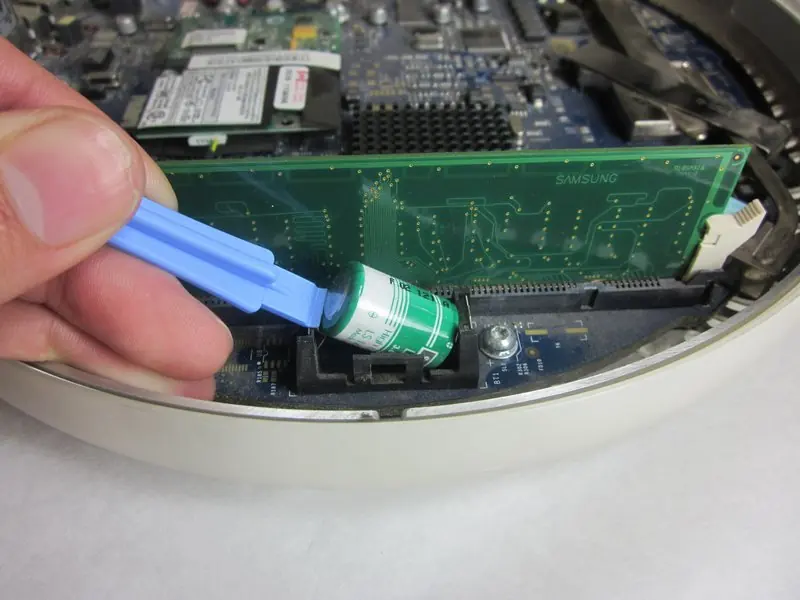
- Replace Battery: Locate the PRAM battery. Gently remove the old battery from its holder using the plastic opening tool. Insert the new 1/2 AA Lithium 3.6V battery.
Reassembly
To reassemble your device, follow the disassembly instructions in reverse order.
Manufacturer information
iFixit
Practical help
Common problems
Resistance when opening the housing
A fixed plug connector exists between the logic board and upper unit. Pull gently but firmly to separate.
Before use
- Unplug all cables from the computer
- Lay the computer face-down on a soft cloth
- Phillips #0 screwdriver
- T15 Torx screwdriver
- iFixit Opening Tools
- 1/2 AA Lithium 3.6V battery
Specs in practice
- Battery Type
- 1/2 AA Lithium 3.6V
Images and diagrams
- The guide uses visual markers to identify screw locations and battery placement.
Model compatibility
- Specific to iMac G4 17-inch 800 MHz EMC 1936.

Manual page author
David Miller
Documentation analyst
Organizes user manual content into clear summaries, with attention to model details, product context, and everyday usability.