Home Appliances / Refrigerators
InAlto 20L Microwave IOMW20B Quick Start Guide
Quick start guide for the InAlto 20L Microwave (IOMW20B). Learn how to install, set the clock, use express cooking, and activate the child lock.
Quick answers from the manual
Quick answer
- The InAlto 20L Microwave (IOMW20B) features 11 power levels, a 99-minute timer, and 6 auto-cooking menus. It requires 30cm clearance above and 20cm from side walls for proper ventilation. p. 1, 2
Key actions
- Set the clock by pressing CLOCK, entering the time, and pressing CLOCK again. p. 2
- Enable/Disable Child Lock by holding the STOP/CANCEL button for 3 seconds. p. 2
Technical specifications
| Parameter | Value | Meaning | Pages |
|---|---|---|---|
| Dimensions | 440 x 328 x 259 mm | External dimensions (W x D x H) | p. 2 |
Show 1 more answers Show less
Where to find it in the PDF
- Features and Model p. 1
- Installation and Operation p. 2
Table of contents
Quick Start Guide
This guide provides essential information for operating your InAlto 20L Microwave (Model IOMW20B). For detailed operating instructions, please refer to the full user manual.
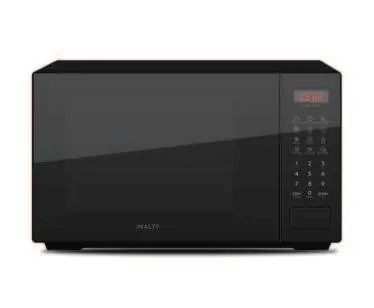
Installation Requirements
Proper ventilation is required for the safe operation of the microwave:
- Clearance above: Maintain a minimum of 30cm of space above the unit.
- Clearance sides: Maintain a minimum of 20cm of space between the microwave and any adjacent walls.
Setting the Clock
- Press the CLOCK button; the display will show 00:00.
- Use the number keys to enter the current time (e.g., for 12:10, press 1, 2, 1, 0).
- Press CLOCK again to finish setting. The colon will flash to indicate the clock is set.
Note: If the input is outside the 0:00–23:59 range, the setting will be invalid.
Express Cooking
You can quickly start cooking at 100% power level using these methods:
- Timed Cooking: From standby mode, press any number key between 1 and 6 to cook for that many minutes.
- 30-Second Increments: Press the START/+30 button from standby mode. Each press adds 30 seconds to the cooking time.
Child Lock Function
To prevent accidental operation:
- Enable: From standby mode, press and hold the STOP/CANCEL button for 3 seconds. A long beep will sound, and the unit will enter Child Lock mode.
- Disable: Repeat the same process (press and hold STOP/CANCEL for 3 seconds).
Auto Menu Functions
The microwave includes 6 pre-programmed auto-cooking functions: Popcorn, Potato, Pizza, Frozen Veg, Warm Drink, and Warm Plate. Refer to the Auto Cooking Table in the full user manual for recommended weights.
Technical Specifications
- Dimensions (W x D x H): 440 x 328 x 259 mm
- Warranty: 12 Months
Support
For further assistance, contact the support team:
- Telephone: 1300 11 4357
- Email: [email protected]
Manufacturer information
InAlto
Practical help
Common problems
Clock setting is not accepted
Ensure the time entered is within the valid 0:00–23:59 range.
Microwave will not start
Check if Child Lock is enabled. If so, press and hold STOP/CANCEL for 3 seconds to disable it.
Before use
- Ensure there is at least 30cm of clearance above the microwave.
- Ensure there is at least 20cm of clearance between the microwave and adjacent walls.
- Verify the power supply is connected.
- Set the clock before initial use.

Manual page author
David Miller
Documentation analyst