Electronics / Audio
JBL BAR 1300MK2 Soundbar User Guide
Quick guide for the JBL BAR 1300MK2 soundbar, covering setup, wireless speaker connection, calibration, playback modes, and troubleshooting.
Table of contents
Manual images
Jump to the sectionQuick guide from the manual
The JBL BAR 1300MK2 is a 11.1.4-channel soundbar system with detachable wireless rear speakers and a subwoofer. This guide covers initial setup, wireless connectivity, sound calibration, and playback options. Ensure you update the device firmware via the JBL One app for optimal performance.
Product Overview
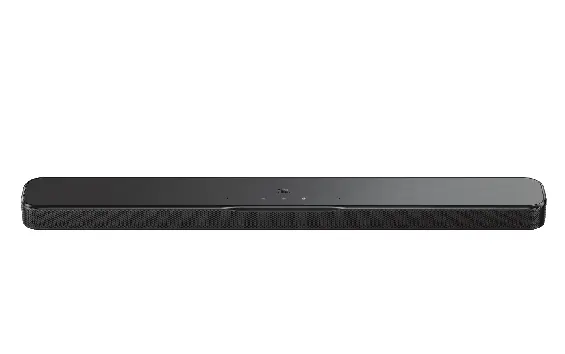
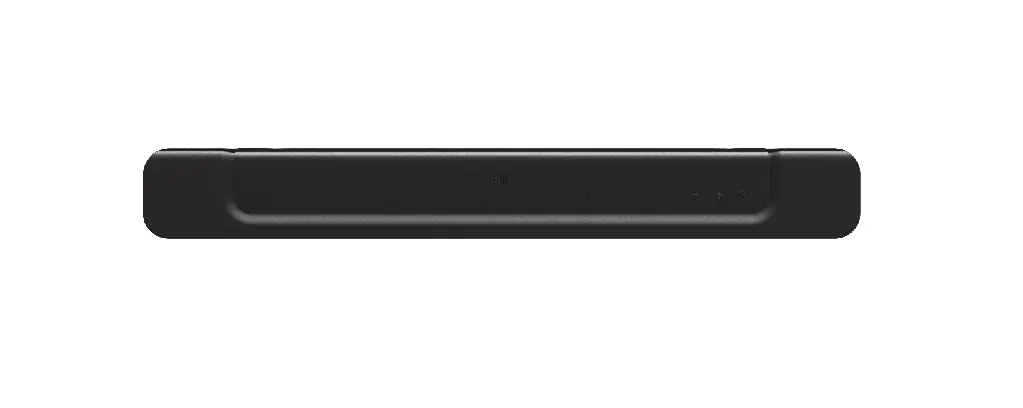
The system consists of the main soundbar, two detachable battery-powered rear speakers, and a wireless subwoofer. The soundbar features HDMI eARC/ARC, optical input, and Ethernet connectivity. The detachable speakers can be used as rear surround speakers or as standalone Bluetooth speakers.
Setup and Installation


- Placement: Place the soundbar and subwoofer on a stable surface. Ensure the detachable speakers are charged before first use.
- Wall Mounting: Use the provided wall-mount template and brackets to mount the soundbar and rear speakers. Ensure the wall can support the weight.
- Connections: Connect the soundbar to your TV via HDMI eARC/ARC for the best Dolby Atmos experience. Use the JBL One app to connect the system to your home Wi-Fi network.
Configuration
- Wireless Pairing: The subwoofer and detachable speakers should pair automatically upon power-up. If not, follow the manual pairing procedures for the subwoofer and rear speakers.
- Sound Calibration: Use the CALIBR button on the remote to optimize 3D surround sound for your specific room layout.
- Charging: Detachable speakers charge automatically when docked to the soundbar. They can also be charged via USB-C.
Playback
You can stream audio via Bluetooth, Google Cast, AirPlay, Spotify Connect, and Tidal Connect. Use the JBL One app to manage music services and customize sound settings.
Troubleshooting
- No Sound: Check power connections, ensure the system is not muted, and verify the correct source is selected.
- Bluetooth Issues: Move the source device closer to the soundbar and remove obstacles. Reset Bluetooth if pairing fails.
- Wi-Fi Issues: Ensure the router is active and the soundbar is on the same network as your mobile device.
Manufacturer information
JBL
Practical help
Common problems
Soundbar does not respond to buttons
Perform a factory reset by holding the power, volume +, and volume - buttons for over 5 seconds.
No sound from soundbar
Ensure the system is not muted, select the correct source on the remote, and verify all cable connections.
Bluetooth connection drops
Move the source device closer to the soundbar and remove any physical obstacles between them.
Subwoofer not pairing
Hold the pairing button on the subwoofer until it flashes white, then use the remote to trigger pairing on the soundbar.
Before use
- Unpack all components and check for damage.
- Charge detachable speakers for at least 4 hours before first use.
- Ensure the wall can support the weight if wall-mounting.
- Download the JBL One app for configuration.
- Verify TV supports HDMI-CEC/eARC for best audio performance.
Specs in practice
- 11.1.4-channel
- Advanced surround sound configuration with 11 main channels, 1 subwoofer channel, and 4 height channels for 3D audio.
- Battery life
- Detachable speakers provide up to 10 hours of playback depending on content and volume.
Images and diagrams
- The soundbar features a status indicator, volume controls, and a source button on the top panel.
- The rear panel includes power, Ethernet, HDMI inputs, and HDMI eARC/ARC output.
- Detachable speakers have a USB-C port for charging and a power button.
Model compatibility
- HDMI eARC is recommended for full Dolby Atmos support.
- USB playback is limited to specific regions (USA/APAC).
- Requires iOS 13.4+ or Mac OS 10.15.4+ for full AirPlay functionality.

Manual page author
David Miller
Documentation analyst
Organizes user manual content into clear summaries, with attention to model details, product context, and everyday usability.