Electronics / Speakers & Soundbars
User Manual for JBL Partybox Encore Essential Wireless Speaker
Quick start guide for the JBL Partybox Encore Essential wireless speaker. Learn how to power on, pair via Bluetooth, use TWS mode, connect microphones, control light shows, and understand battery and charging specifications.
Table of contents
Manual images
Click an image to enlargeQuick guide from the manual
This document serves as a quick start guide for the JBL Partybox Encore Essential. It covers essential setup procedures, including power management, Bluetooth pairing, TWS (True Wireless Stereo) connection, and basic operation controls. For detailed safety information and warranty terms, please refer to the full documentation available on the official JBL website.
Power and battery
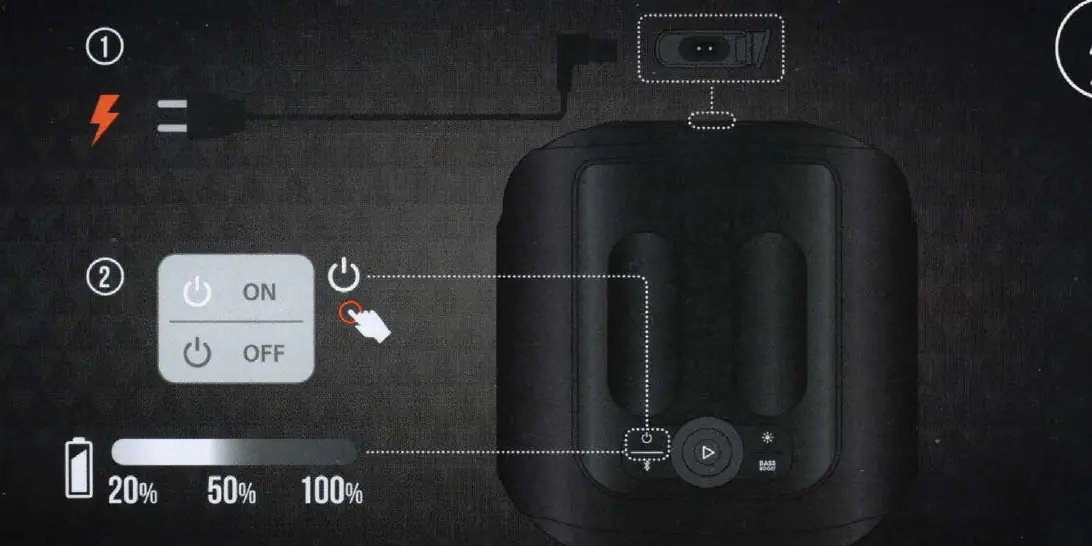
To power on the device, use the power button located on the top panel. The battery status is indicated by the LED bar on the front of the speaker. Ensure the device is charged before first use. The speaker supports charging via the provided power cord.
Bluetooth and TWS connection
To pair your device via Bluetooth:
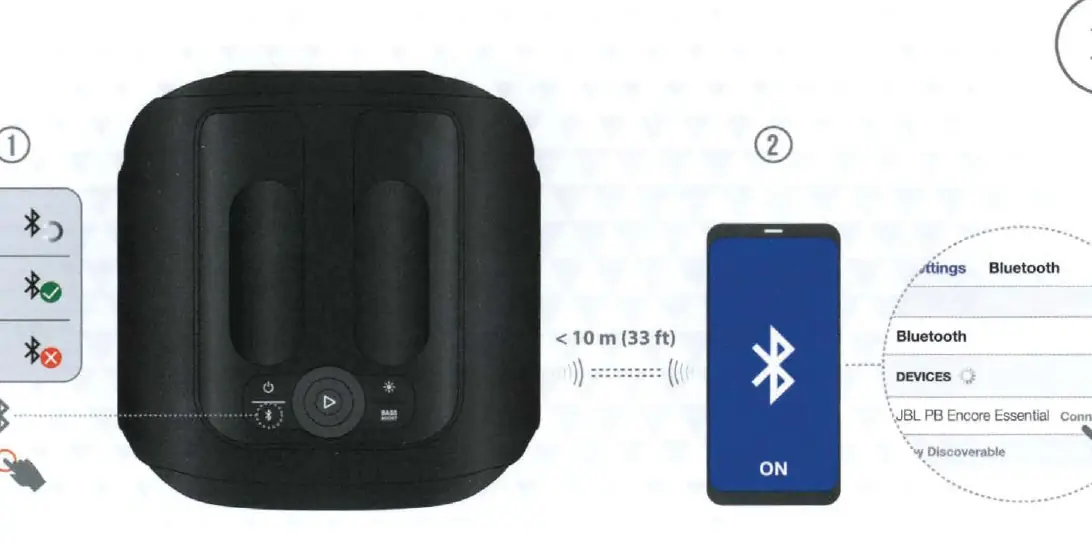
- Ensure the speaker is powered on.
- Press the Bluetooth button to enter pairing mode.
- Select 'JBL PB Encore Essential' from your device's Bluetooth settings.
- Keep the device within 10 meters (33 ft) for a stable connection.
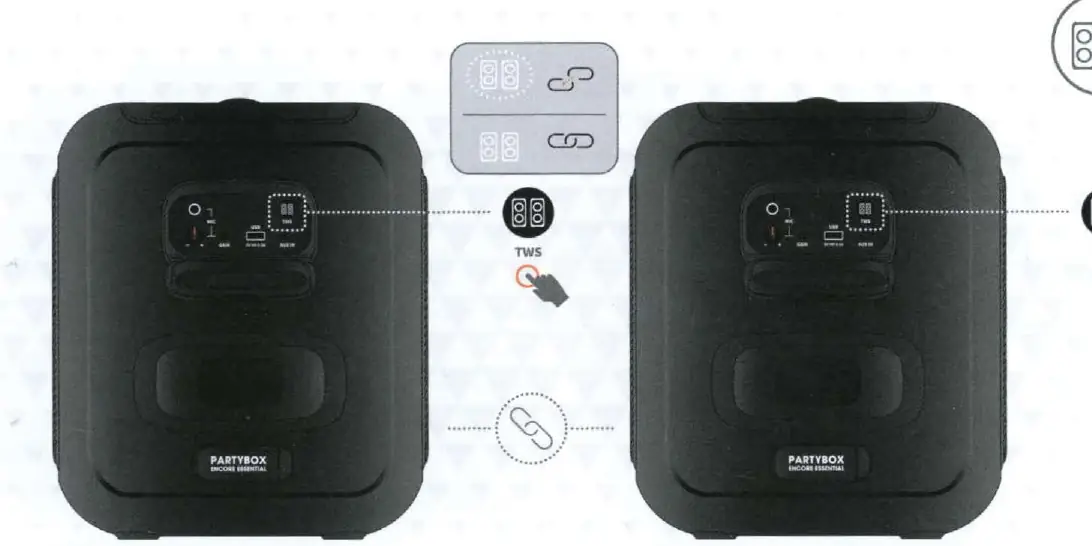
To use TWS (True Wireless Stereo) mode for connecting two speakers:
- Power on both speakers.
- Press the TWS button on both units to establish a wireless connection between them.
Music and light controls
The top panel features playback controls:
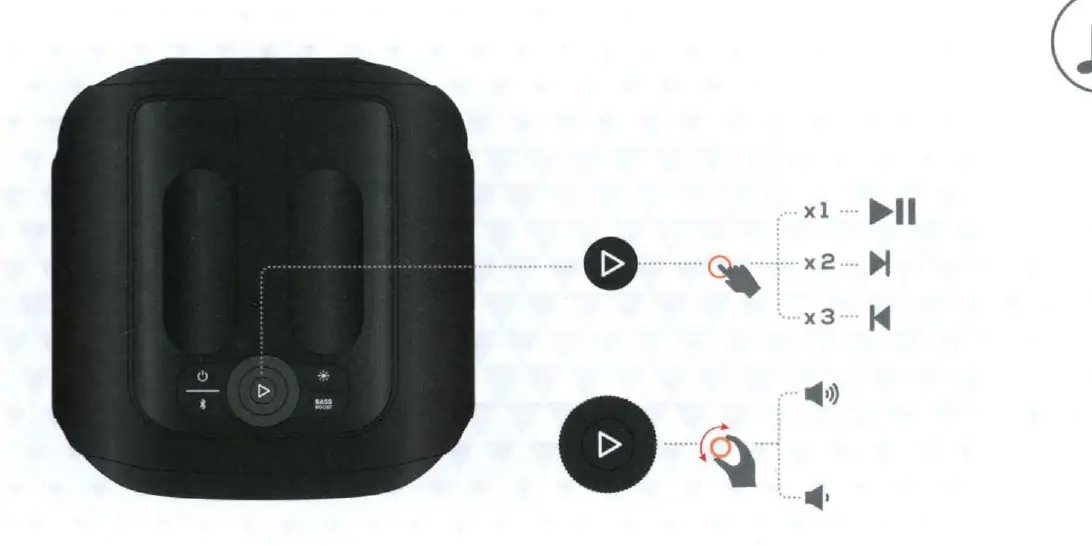
- Play/Pause: Press the play button once.
- Skip Forward: Press the play button twice.
- Skip Backward: Press the play button three times.
- Volume: Use the volume up/down buttons.
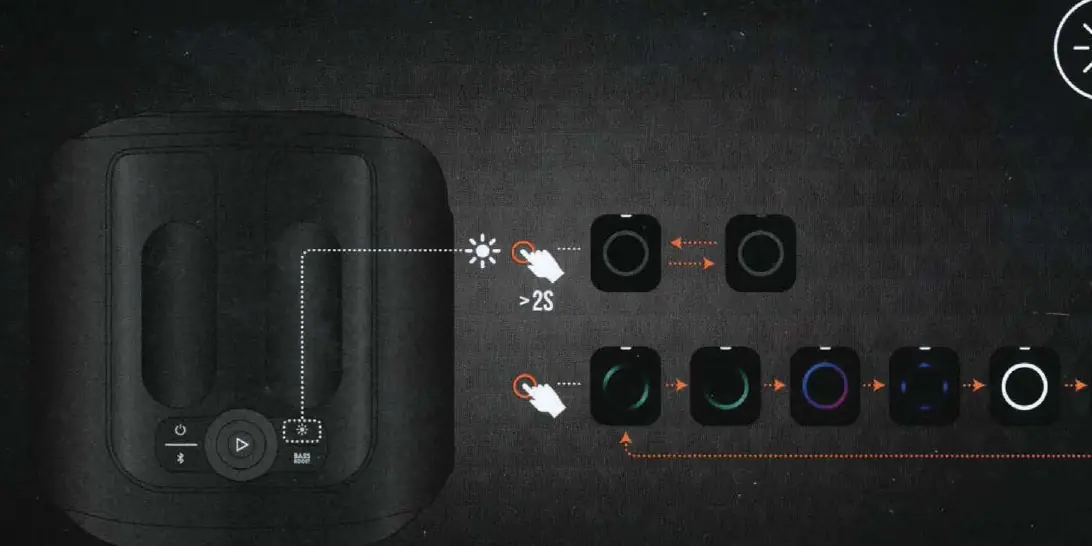
- Light Show: Press and hold the light button for more than 2 seconds to cycle through different light patterns.
Inputs and connections
The speaker supports various inputs:
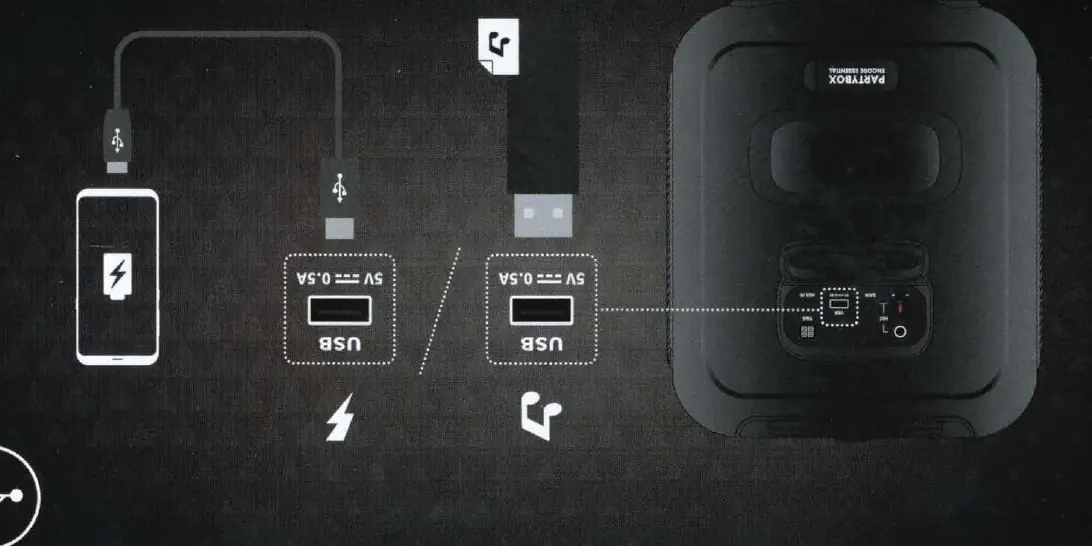
- USB: Supports FAT16 and FAT32 formats for MP3, WMA, and WAV files. The USB port also provides 5V/0.5A charging output for external devices.
- Microphone: Connect a wired microphone to the MIC input on the rear panel.
- AUX: Connect external audio devices using a 3.5mm AUX cable.
Safety and IPX4
The JBL Partybox Encore Essential is rated IPX4 splashproof. Important: To ensure water resistance, remove all cable connections and close the cap tightly before exposing the speaker to liquid. Never expose the charging port to water while the power cord is connected.
Technical specifications
Key specifications include:
- Output power: 100W RMS
- Transducers: 1 x 5.25 inch woofer, 2 x 1.75 inch tweeter
- Frequency response: 50 Hz - 20 kHz @ -6 dB
- Battery: Li-ion polymer 17.76 Wh (equivalent to 3.7 V 4800 mAh)
- Music play time: Up to 6 hours (depending on volume and audio content)
- Bluetooth version: 5.1
Manufacturer information
JBL
Practical help
Common problems
Bluetooth connection fails
Ensure the device is within 10 meters (33 ft) and the speaker is in pairing mode.
TWS pairing not working
Ensure both speakers are powered on and the TWS button is pressed on both units.
USB playback issues
Ensure the USB drive is formatted as FAT16 or FAT32 and contains supported files (MP3, WMA, WAV).
Before use
- Charge the speaker battery fully.
- Download the JBL Partybox App for enhanced features.
- Ensure the charging port cap is closed if using near water.
- Check that the power cord is compatible with your region's outlet.
Images and diagrams
- The top panel contains the Power, Bluetooth, Play/Pause, Bass Boost, and Light Show buttons.
- The rear panel houses the MIC, USB, and AUX IN ports.
- The battery indicator bar shows charge levels at 20%, 50%, and 100%.
Model compatibility
- USB drives must be formatted as FAT16 or FAT32.
- Supported USB file formats: MP3, WMA, WAV.
- Bluetooth 5.1 compatible devices.

Manual page author
David Miller
Documentation analyst
Organizes user manual content into clear summaries, with attention to model details, product context, and everyday usability.