Electronics / Headphones Earbuds
User Manual for JBL Tune 230NC TWS
Quick guide for JBL Tune 230NC TWS earbuds. Learn about features, technical specifications, battery life, charging, and usage tips.
Table of contents
Quick guide from the manual
The JBL Tune 230NC TWS are true wireless noise-cancelling earbuds designed for daily use. This document provides an overview of the product features, technical specifications, and package contents. The earbuds feature Active Noise Cancelling, Smart Ambient technology, and 4-microphone technology for clear voice calls.
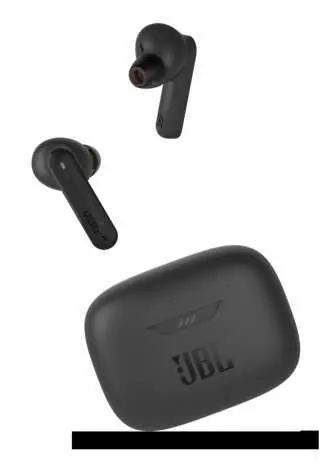
What is in the box
- 1 x JBL Tune 230NC TWS headphones
- 1 x Charging case
- 1 x USB Type-C charging cable
- 1 x 3 sizes of eartips
- 1 x Warranty/Warning documentation
- 1 x Quick Start Guide/Safety Sheet
Features and benefits
- JBL Pure Bass Sound: 6.0mm drivers designed for deep, pulsing bass.
- Active Noise Cancelling with Smart Ambient: Minimize audio distractions with Active Noise Cancelling. Use Ambient Aware to stay aware of surroundings or TalkThru for quick chats without removing the earbuds.
- 4-Mic Technology: Equipped with 4 microphones for clear, hands-free stereo calls.
- Battery Life: Up to 40 hours of total battery life (10 hours in earbuds + 30 hours in the case with ANC off). Speed Charge provides 2 hours of playtime from a 10-minute charge.
- Water Resistance: IPX4 rating makes them sweatproof and resistant to bad weather.
- JBL Headphones App: Allows for personalization of the listening experience, finding the best fit, and adjusting settings.
Technical specifications
The device operates on Bluetooth 5.2 and supports profiles A2DP 1.3, AVRCP 1.6, and HFP 1.7. The earbuds are powered by Lithium-ion polymer batteries. The maximum operation temperature is 45°C.
Manufacturer information
JBL
Practical help
Common problems
Low battery during the day
Use the Speed Charge feature: charge for 10 minutes to get 2 hours of playtime.
Need to hear surroundings
Activate Ambient Aware mode via the JBL Headphones App or earbud controls.
Before use
- Charge the case and earbuds fully before first use
- Select the correct eartip size from the 3 included options for optimal comfort and sound
- Download the JBL Headphones App to customize settings
- Ensure Bluetooth is enabled on your playback device
Show more Show less
Specs in practice
- Charging time
- 2 hours to charge from empty
- Bluetooth version
- 5.2 for stable wireless connectivity
Model compatibility
- Compatible with JBL Headphones App
- Bluetooth 5.2 connectivity

Manual page author
Michael Turner
Technical manual editor