Toys / Ride-on Toys
Kidzone 060-ROT-20 Ride On Recycle Truck User Guide
Quick guide for the Kidzone 060-ROT-20 Ride On Recycle Truck. Includes assembly instructions, safety warnings, battery charging procedures, and troubleshooting tips for your electric ride-on toy.
Table of contents
Manual images
Click an image to enlargeImportant Safety Information
This ride-on toy is intended for children 18 months or older. The maximum weight capacity is 77.2 lb (35 kg). Adult supervision is required at all times. Do not use the vehicle on roadways, near motor vehicles, steep inclines, steps, or swimming pools. Always ensure the child wears a helmet and that the seatbelt is securely fastened. Never allow more than one rider at a time.
Assembly Instructions
The vehicle must be assembled by an adult. Keep small parts away from children during assembly.
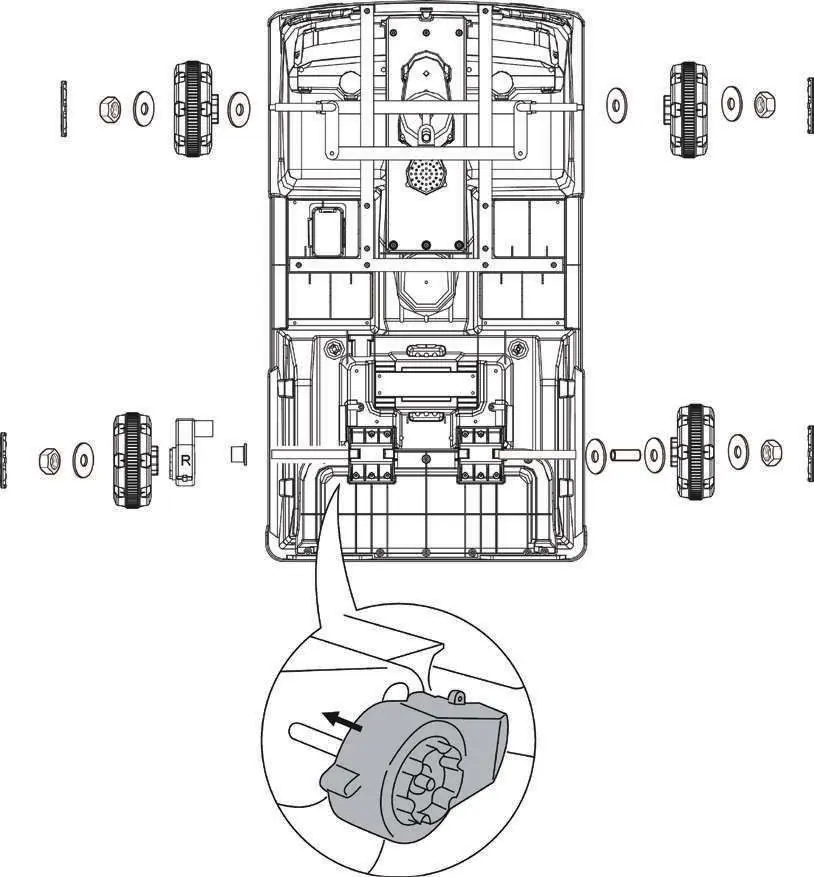
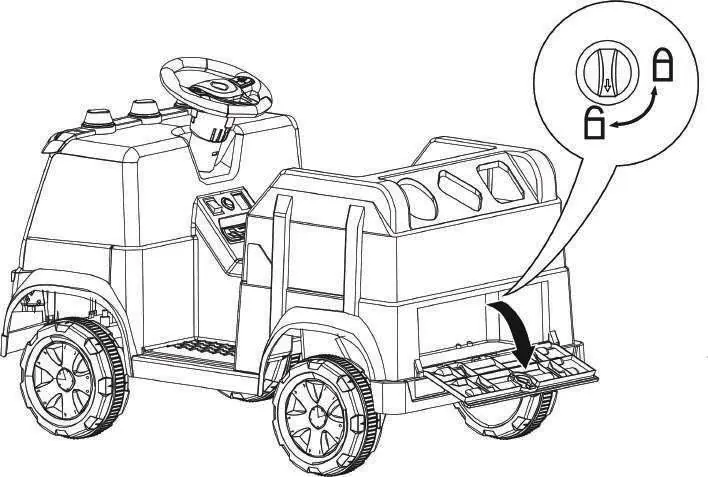
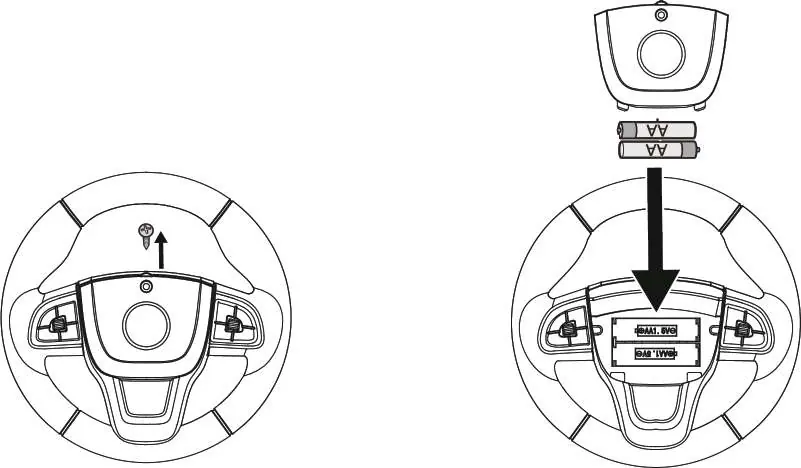
- Wheels: Assemble the front wheels to the steering bracket using washers and M10 nuts. For the rear drive wheels, insert the rear axle through the holders, assemble the motor bushing, motor, and wheel, then secure with a washer and nut.
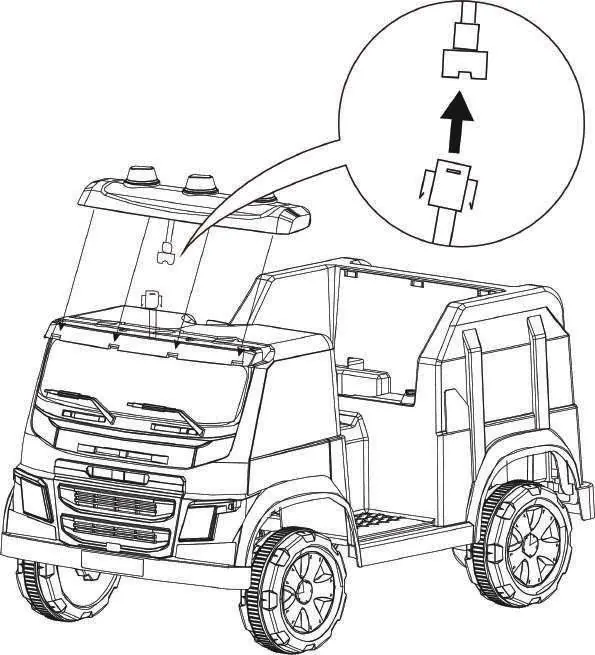
- Light Bar: Connect the electrical plug from the light bar to the vehicle, then attach the light bar module to the top of the vehicle.
- Steering Wheel: Align the steering wheel with the steering shaft and attach it to the vehicle.
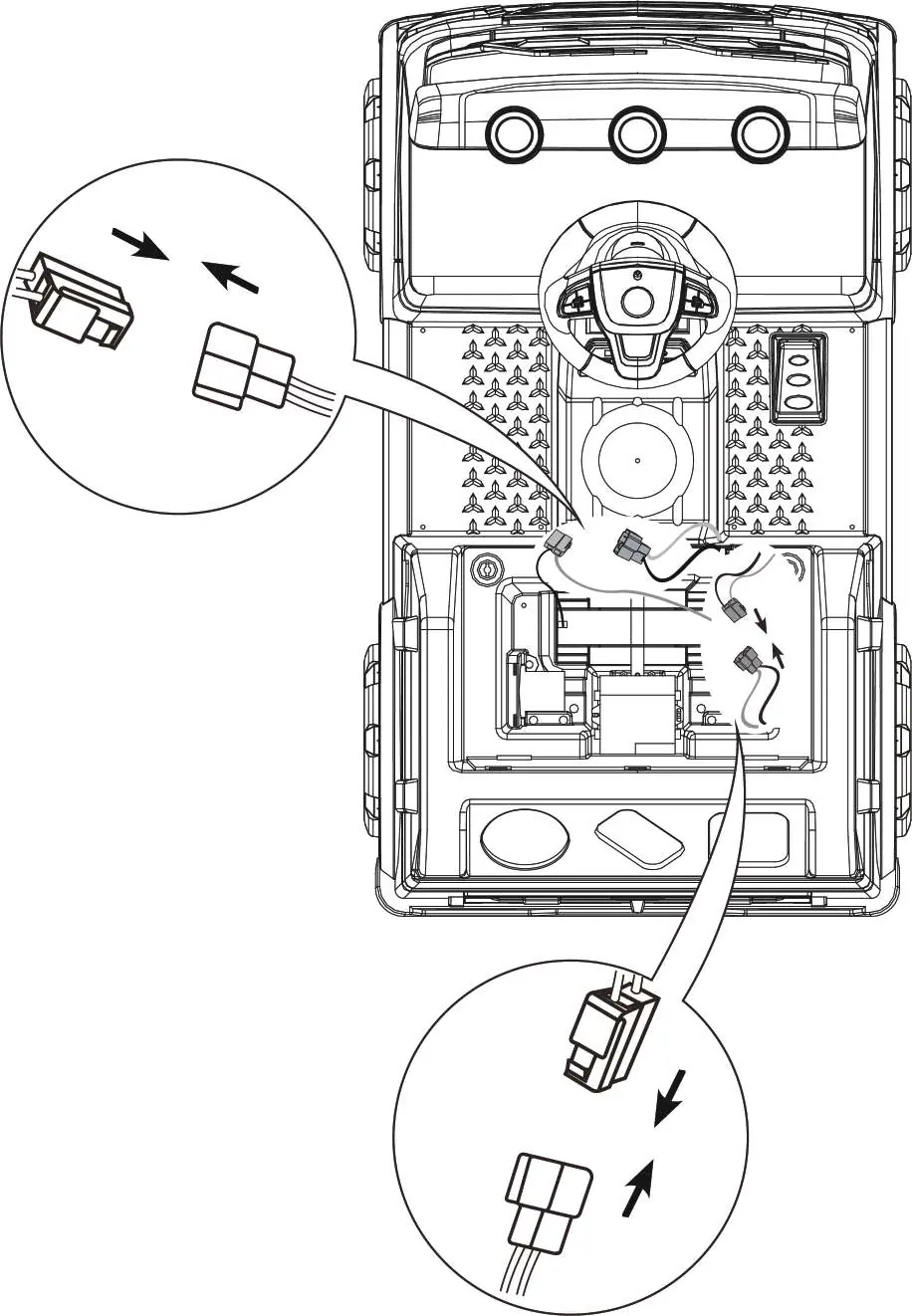
- Battery: Connect the electric plugs from the battery to the vehicle and the motor. Match red to red and white to white.
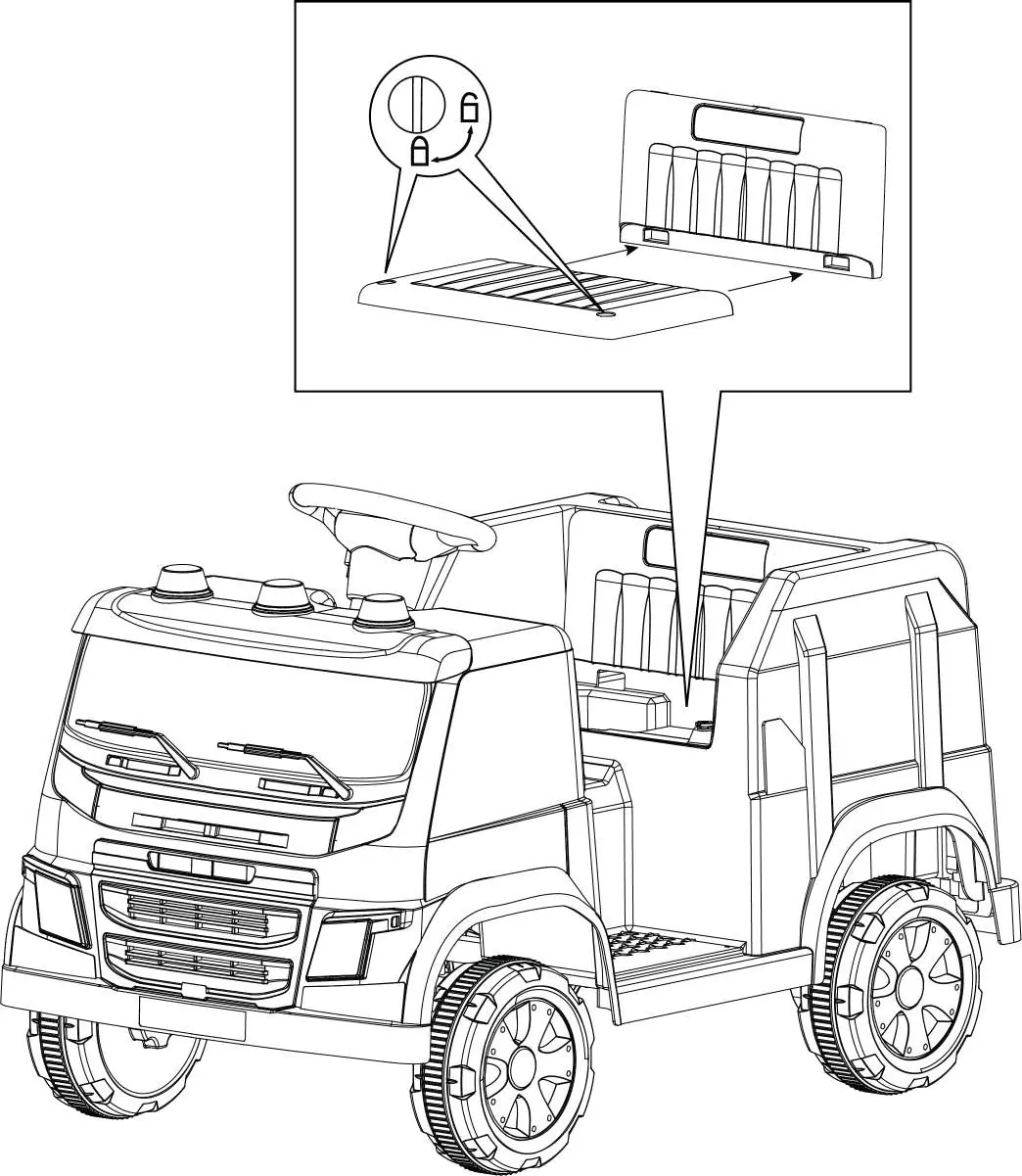
- Seat: Attach the seat to the vehicle and turn the locking knob to secure it in place.
Operation
Use the power switch to turn the vehicle ON or OFF. The forward, neutral, and reverse switch changes the direction of travel; ensure the vehicle comes to a complete stop before changing direction. Press the pedal to move the vehicle and release it to stop. Use the horn and engine sound buttons for audio effects.
Media Player
The media player features a power display to estimate battery life. You can play music via a flash drive (MP3 only, max 16GB), radio, or Bluetooth. To connect via Bluetooth, turn on the vehicle's Bluetooth and select 'Kidzone Ride-On' on your mobile device.
Charging the Battery
The battery is not replaceable and must be charged by an adult. Locate the charging port under the seat. Plug the charger into a wall outlet. The indicator on the charger will turn red during charging and green when complete. Charge for 8-12 hours; do not exceed 20 hours. Recharge the battery if the vehicle operates slowly or if it has not been used for a long time.
Maintenance and Troubleshooting
Regularly check the charger, supply cord, and connector for wear or damage. Clean the vehicle with a cloth; do not use a hose or immerse in water. If the vehicle does not move, check the battery connections or wait for the fuse to reset (approx. 10 seconds). If the vehicle runs slowly, check if it is overloaded or if the battery needs charging.
Manufacturer information
Kidzone Toys
Practical help
Common problems
Vehicle does not move
Check battery connections, charge the battery, or wait 10 seconds for the fuse to reset.
Vehicle runs very slow
Charge the battery, check if the vehicle is overloaded (max 35 kg), or avoid harsh environments.
Battery does not charge
Ensure the charger is firmly plugged into the power source and the charging port.
Vehicle needs a push to go forward
Check for poor wire connections or contact customer service for potential motor issues.
Before use
- Charge the battery for 8-12 hours before first use.
- Verify the child is 18+ months old.
- Ensure the child's weight is under 35 kg (77.2 lb).
- Check that all parts are securely fastened and not loose.
- Connect the battery plugs (red to red, white to white).
- Ensure the helmet is worn correctly.
Specs in practice
- Operation Time
- 40-50 minutes on a full charge.
Images and diagrams
- Assembly diagrams show the correct placement of wheels, washers, and nuts on the axles.
- The media player diagram identifies the flash drive port, radio, music, and Bluetooth buttons.
- The charging diagram illustrates connecting the charger to the port under the seat.
Model compatibility
- Flash drive must be MP3 format and not exceed 16 GB.
- Only use the supplied charger and battery.
- Not for use on slippery, wet, or rugged terrain.

Manual page author
David Miller
Documentation analyst
Organizes user manual content into clear summaries, with attention to model details, product context, and everyday usability.