Toys / Games
User Manual for Kidzone 060-ROT-23L 12V Mercedes Benz AMG GT 2 Seater Ride On
Comprehensive user guide for the Kidzone 060-ROT-23L 12V Mercedes Benz AMG GT 2-seater ride-on toy. Includes assembly instructions, safety warnings, charging procedures, remote control pairing, and troubleshooting tips.
Table of contents
Manual images
Jump to the sectionImportant Information
This ride-on toy is designed for children aged 37 to 72 months with a maximum weight capacity of 88 lb (40 kg). Adult supervision is required at all times. The vehicle is packed with the battery disconnected; you must connect the battery before the first use. Always ensure the child wears a helmet and shoes while operating the vehicle.
Assembly Instructions
The vehicle must be assembled by an adult. Follow these steps to prepare the ride-on:
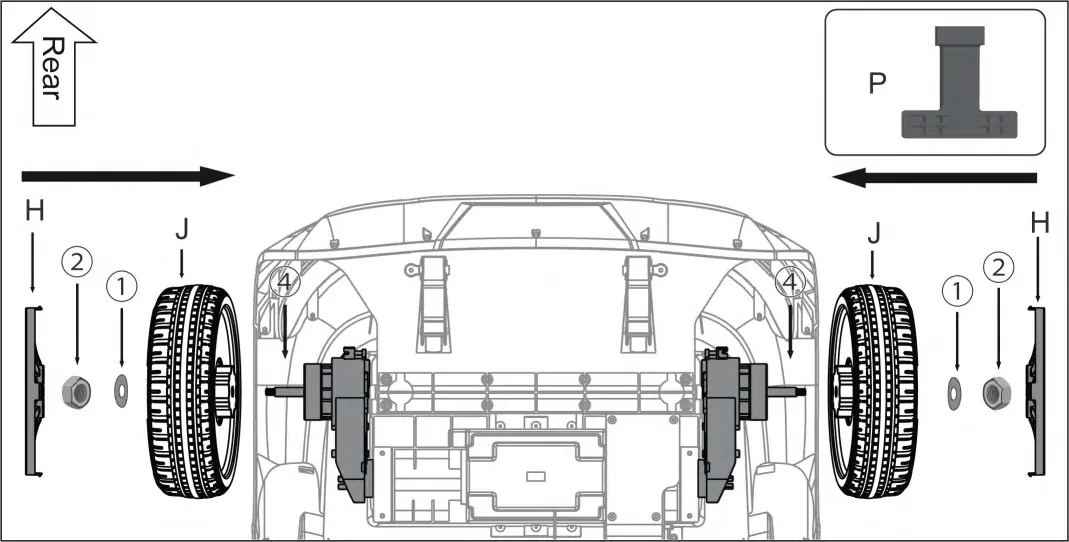
- Rear Wheels: Use the provided spanner (P) to loosen the M8 nut and gasket from the rear axle. Remove the protective cover. Install the wheel (J) onto the axle, secure it with the gasket (1) and nut (2), and attach the wheel cover (H).
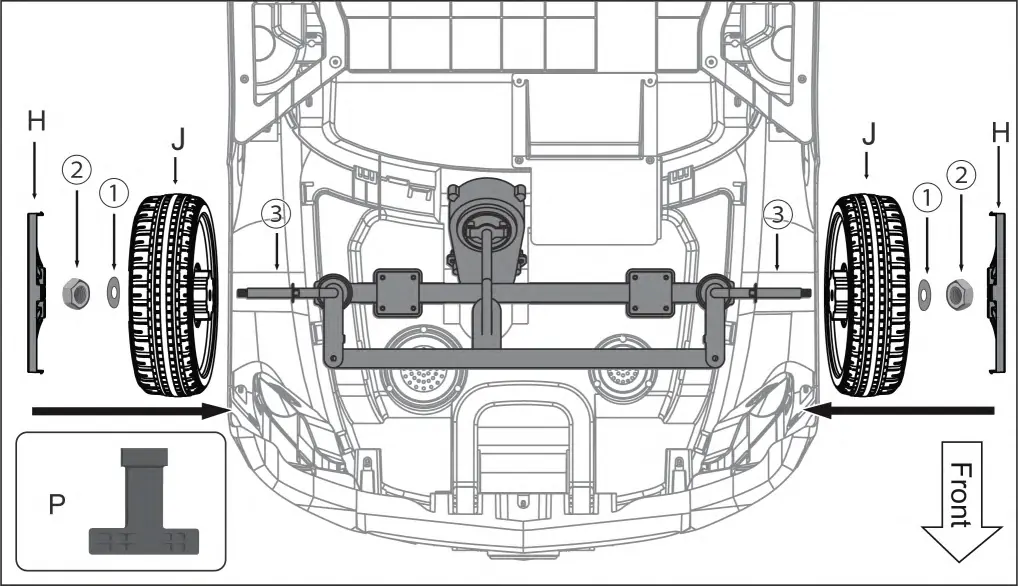
- Front Wheels: Similarly, loosen the hardware from the front axle, slide the wheels (J) on, and secure them with the gasket (1), nut (2), and wheel cover (H).
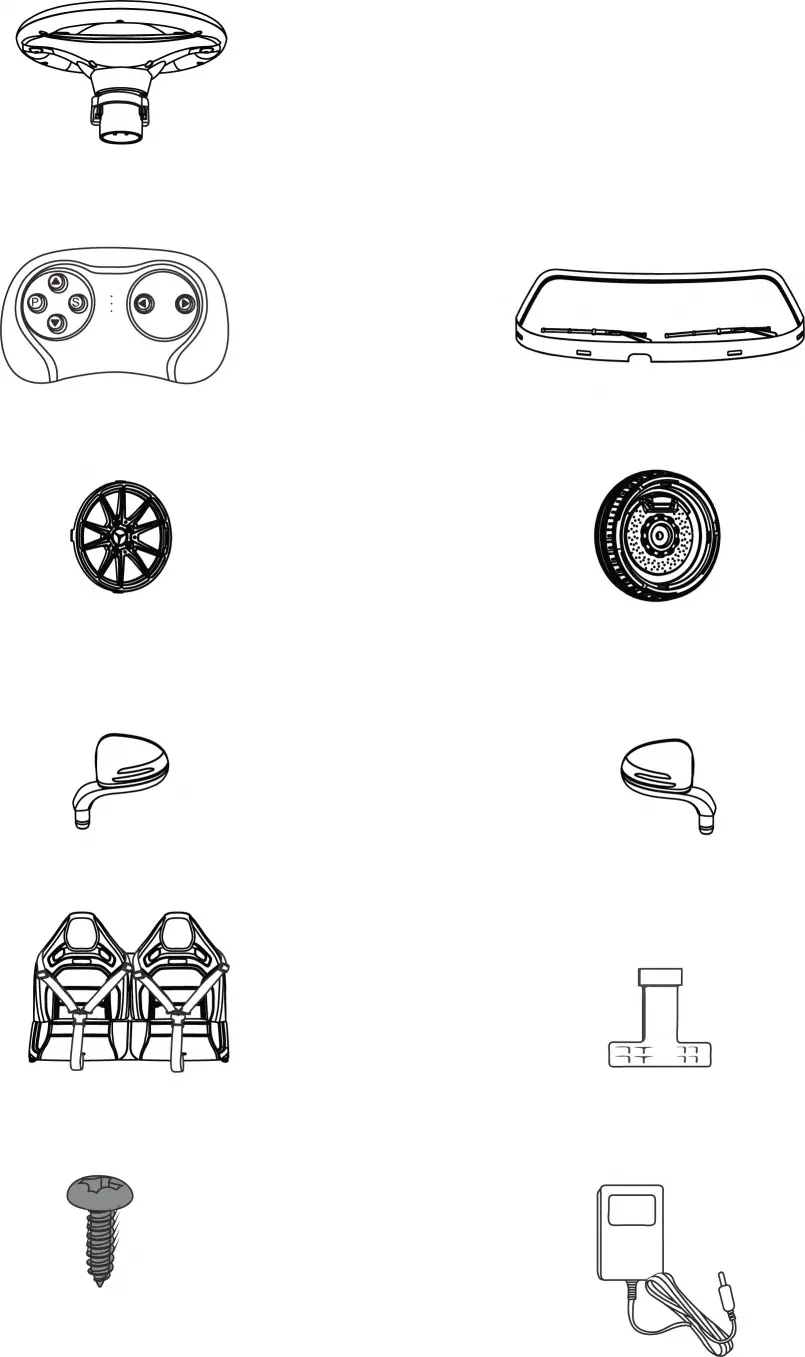
- Steering & Body: Connect the steering wheel terminal (M) to the body terminal (S), then align and attach the steering wheel (A) to the steering column. Assemble the windshield (F) into the grooves on the car body and insert the rear-view mirrors (C, D).
- Battery & Seat: Locate the two red power terminals under the seat and connect them. Secure the seat (N) to the car body using the provided self-tapping screws (X).
Operating the Vehicle
The vehicle features several controls located on the dashboard:
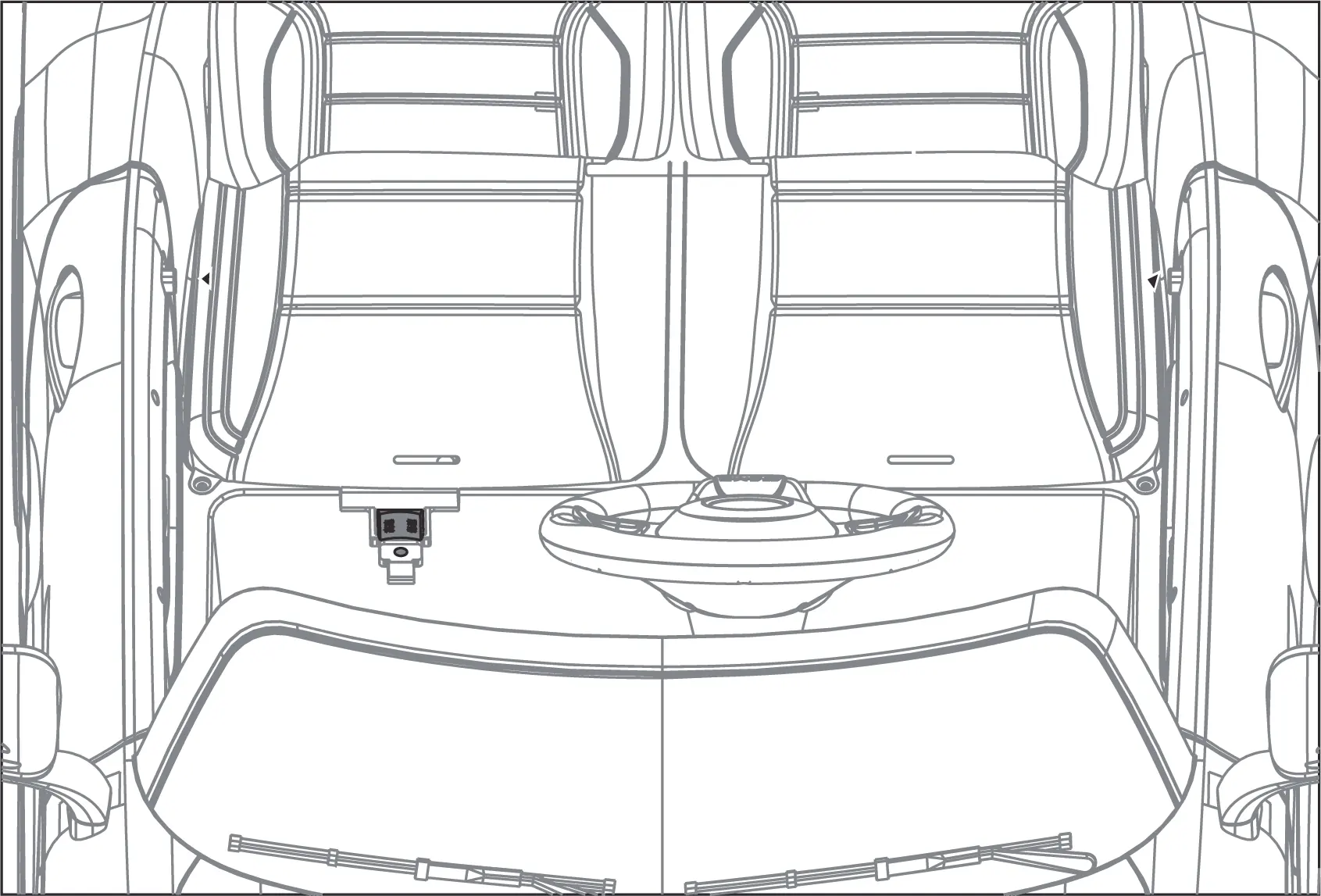
- Start Switch: Turns the vehicle on and off.
- Light Switch: Controls the vehicle lights.
- Music/Horn: Buttons for audio features and volume control.
- Forward/Reverse Switch: Controls the direction. Warning: Do not change speed or direction until the vehicle comes to a complete stop.
- Speed Switch: Toggles between slow and fast speeds. Note that the vehicle only operates in slow speed when in reverse.
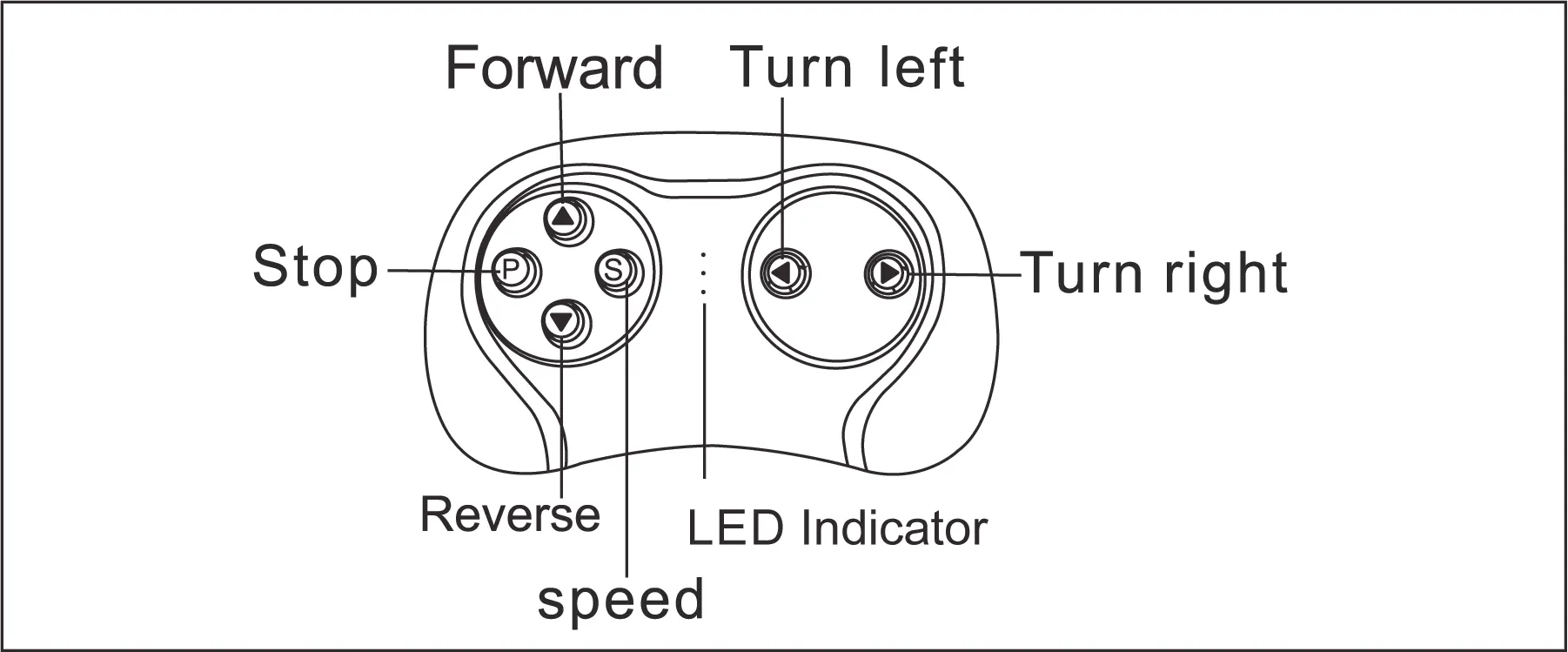
Remote Control: The remote should only be used by an adult. To pair, insert batteries into the remote, turn on the vehicle, and wait for the LED indicator to stop flashing. Use the 'P' button for the emergency brake and 'S' to adjust speed.
Charging the Battery
The battery must be charged by an adult. Follow these guidelines to maintain battery health:
- Insert the charging cable into the port located below the vehicle seat.
- Plug the charger into a wall outlet.
- The vehicle must be turned OFF during charging.
- Charging time is 8-12 hours. Do not exceed 20 hours of charging.
- Charge the battery at least once a month, even if the vehicle is not in use, to maximize battery life.
Care and Maintenance
- Regularly check for loose parts and re-tighten if necessary.
- Clean the vehicle with a cloth; do not use a hose or immerse in water.
- Use non-wax furniture polish to restore the shine of plastic parts.
- Occasionally lubricate moving parts with lightweight oil.
- Disconnect the battery if the product will not be used for a long period.
Troubleshooting
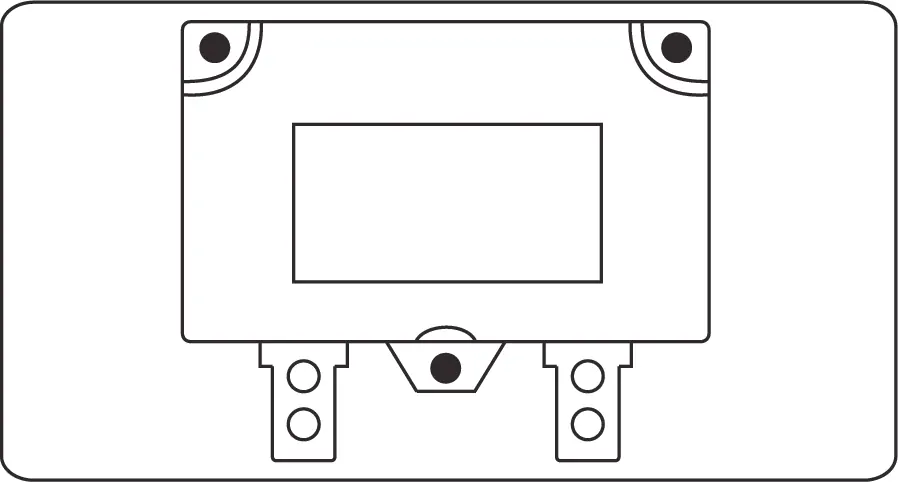
If the vehicle does not move, check the battery connection, ensure the battery is fully charged, or check if the resettable fuse has tripped. If the vehicle runs slowly, verify that the user weight is within the 88 lb limit and that the battery is charged. For persistent issues like grinding sounds or charging failures, contact customer service.
Manufacturer information
Kidzone Toys
Practical help
Common problems
Vehicle does not move
Check battery connection, fully charge the battery, or replace the fuse.
Vehicle runs very slow
Ensure user weight is under 88 lb (40 kg) and the battery is fully charged.
Battery does not charge
Ensure the charger is firmly plugged into the power source and the charging port.
Loud grinding or clicking sound
The motor or gearbox may be damaged; contact customer service.
Before use
- Charge the battery for 8-12 hours before first use.
- Ensure the product is assembled by an adult.
- Verify the child is between 37 and 72 months old.
- Check that the user weight does not exceed 88 lb (40 kg).
- Ensure the child wears a helmet and shoes.
- Verify all parts are tightened and secure.
Images and diagrams
- Assembly steps for rear and front wheels using the spanner.
- Wiring diagram for connecting the battery terminals under the seat.
- Remote control button layout for pairing and operation.
- Dashboard controls layout including start, light, and speed switches.
Model compatibility
- Only use the provided charger and battery.
- Do not mix old and new batteries.
- Do not mix alkaline, standard, or rechargeable batteries.

Manual page author
David Miller
Documentation analyst
Organizes user manual content into clear summaries, with attention to model details, product context, and everyday usability.