Toys / Ride-on Toys
User Manual for Kidzone 060-ROT-10 Ride-on SUV
Quick guide for the Kidzone 060-ROT-10 Ride-on SUV. Includes assembly instructions, remote control pairing, charging steps, safety warnings, and troubleshooting.
Table of contents
Manual images
Click an image to enlargeQuick guide from the manual
This ride-on SUV is designed for children aged 37 to 95 months with a maximum weight capacity of 66 lb (30 kg). Assembly must be performed by an adult. Before first use, the battery must be fully charged for 8-12 hours. The vehicle features a 12V battery, remote control operation, and a control panel for music and speed settings.
Safety Instructions
WARNING: Failure to follow safety instructions may result in serious injury or death.
- Supervision: Constant adult supervision is required.
- Environment: Do not use on roadways, near motor vehicles, steep inclines, steps, or swimming pools. Use only on smooth, flat surfaces.
- Weight Limit: Maximum user weight is 66 lb (30 kg).
- Age Limit: Suitable for children 37-95 months old.
- Electrical Safety: Do not modify electrical wiring. Do not bypass the fuse. Keep the battery dry and away from heat.
- Protective Gear: Always wear shoes and a helmet while operating.
Product Specifications
- Battery: 12V 4.5AH
- Charger Input: 100-240V AC
- Charger Output: 12V 500mA
- Speed: 1.3 - 2 mph (2.1 - 3.25 km/h)
- Charge Time: 8-12 hours (do not exceed 20 hours)
- Operation Time: Approximately 40 minutes
Assembly Instructions
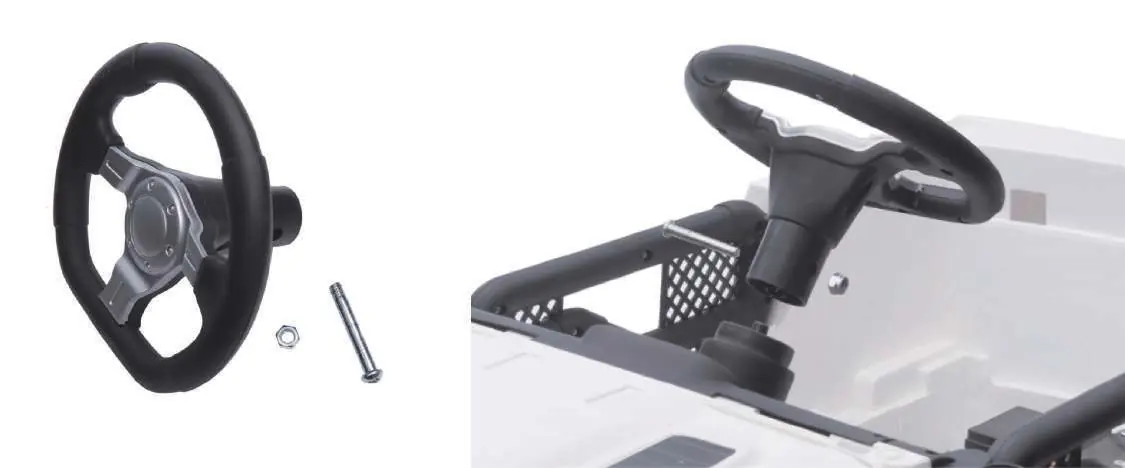
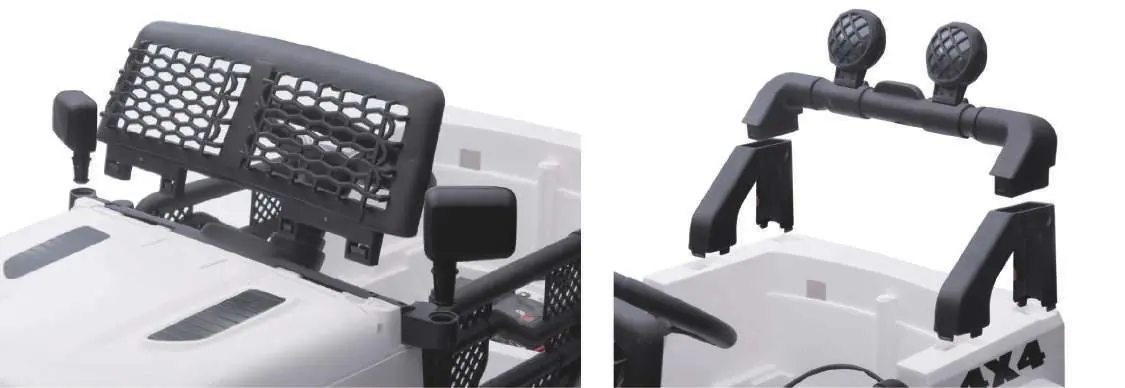
The vehicle requires assembly of the front axle, wheels, rear bracket, motors, doors, steering wheel, and lights. Ensure all parts are securely fastened using the provided screws and nuts. The battery is packed disconnected and must be connected before use.
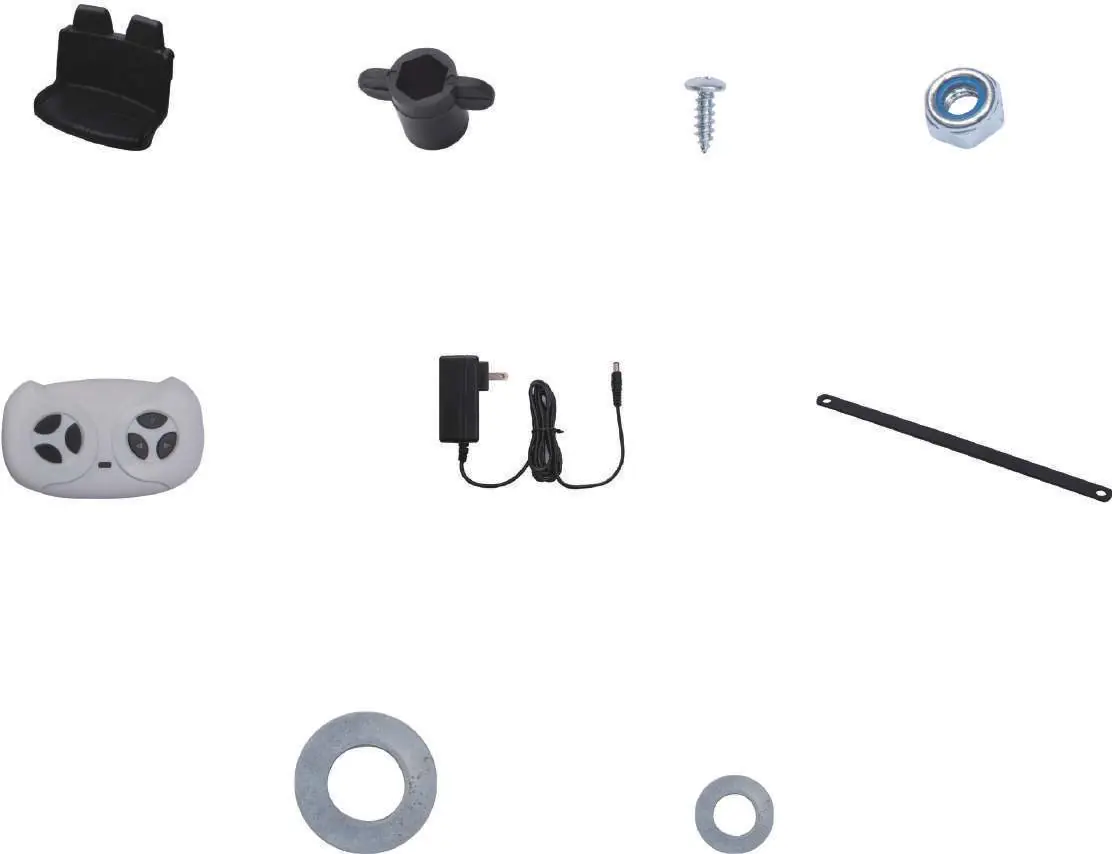
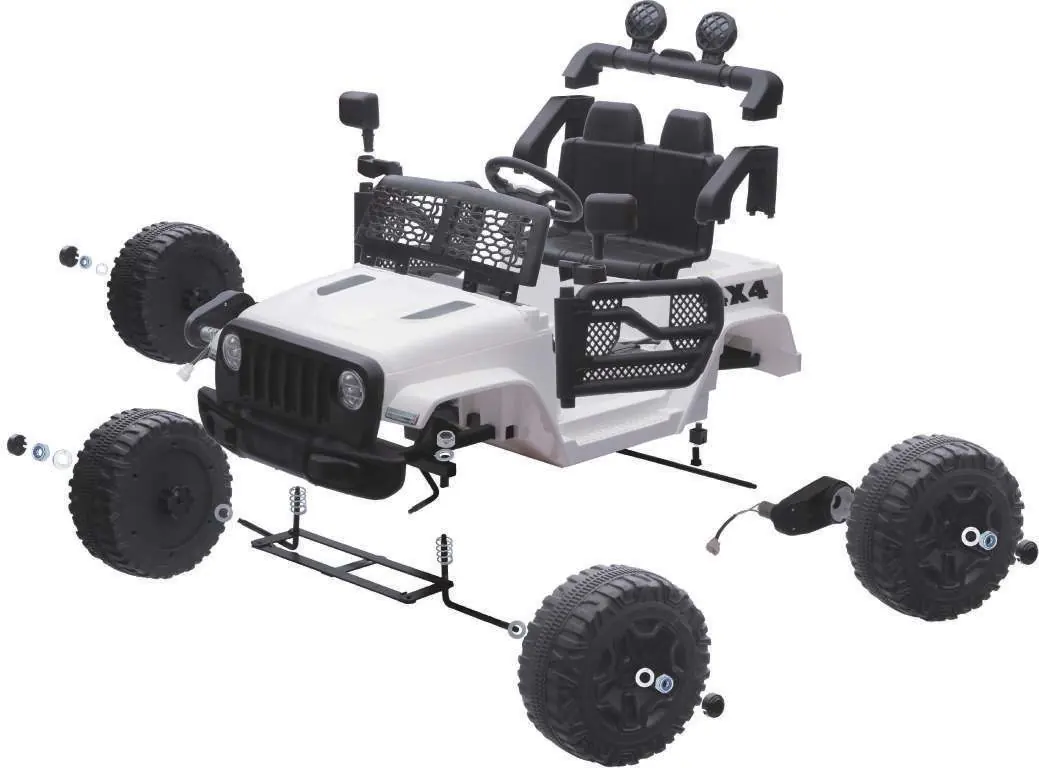
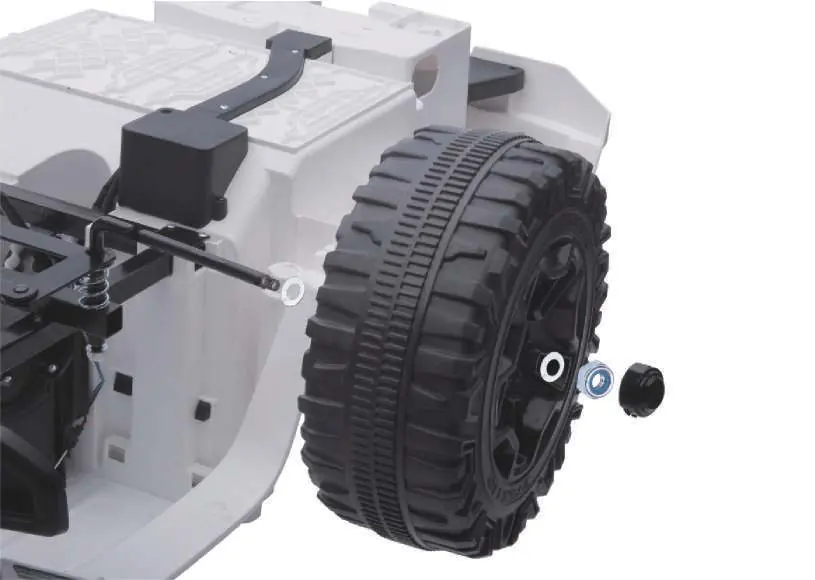
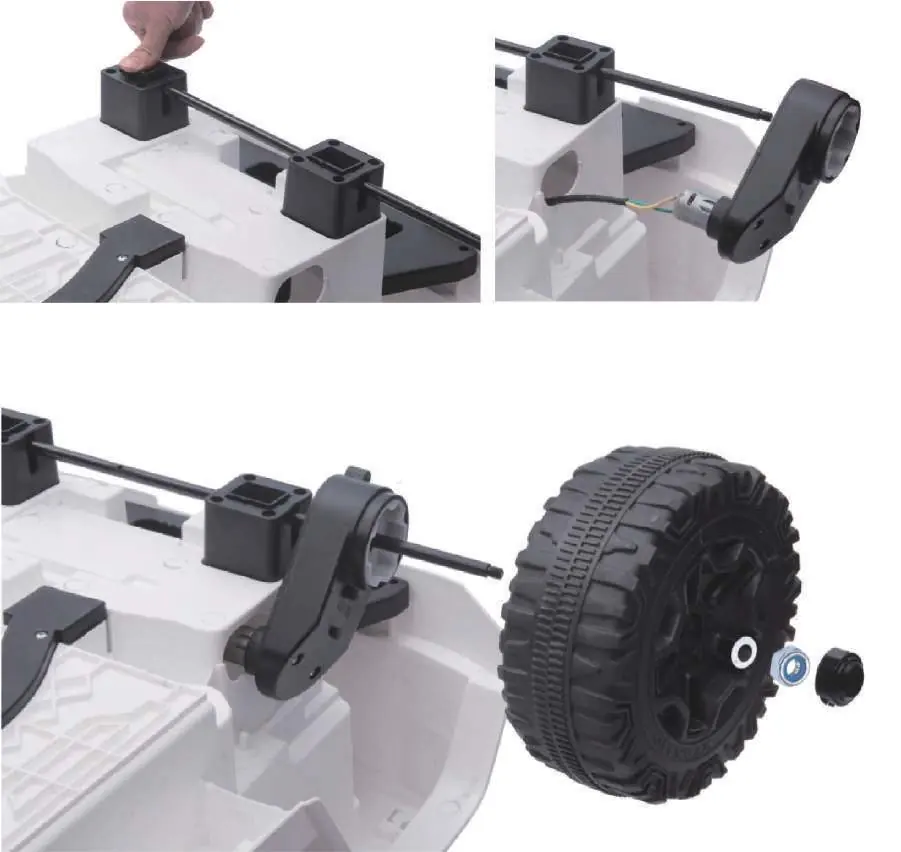
Control Panel Operation
The control panel allows the user to:
- Power/Lamp: Press and hold 2-3 seconds to turn on/off.
- Speed: Toggle between high and low speed.
- Horn: Press for a beeping sound.
- Music: Play/pause music, adjust volume, and switch tracks.
- Mode: Switch between Bluetooth, flash drive, and MP3.
- Voltage Display: Shows current battery voltage.
Remote Control Operation
The remote control overrides vehicle input. To pair: press Forward and Reverse buttons simultaneously until the indicator light flashes, then turn on the vehicle power. The light will stay on after successful pairing.
Charging the Battery
- Locate the charging port on the control panel.
- Connect the charger to the port and plug into a wall outlet.
- The charger indicator will be red while charging and turn green when complete.
- Charge at least once a month to maximize battery life.
Care and Maintenance
Regularly check for loose parts and tighten if necessary. Clean the vehicle with a cloth and non-wax furniture polish. Do not wash with a hose or immerse in water. Occasionally use lightweight oil to lubricate moving parts.
Troubleshooting
If the vehicle does not move, check for a low battery, fuse protection (wait 7-10 seconds), or disconnected battery terminals. If the vehicle runs slow, check for overload or an old battery. For grinding sounds or charging issues, contact customer service.
Manufacturer information
Kidzone Toys
Practical help
Common problems
Vehicle does not move
Check for low battery, fuse protection (wait 7-10 seconds), or disconnected battery terminals.
Vehicle runs very slow
Ensure the battery is fully charged, not old, the vehicle is not overloaded, and is not being used in harsh environments.
Battery does not charge
Check if the battery and charger are firmly connected. If the charger is not working, contact customer service.
Loud grinding or clicking sound
This indicates a damaged motor or gear box; contact customer service.
Before use
- Charge the battery for 8-12 hours before the first use.
- Ensure all parts are assembled by an adult.
- Check that the battery is connected.
- Verify the child's weight is under 66 lb (30 kg).
- Ensure the seatbelt is securely fastened.
- Check for any loose parts or damaged wires.
Specs in practice
- Operation Time
- Approximately 40 minutes of continuous use.
Images and diagrams
- Control panel layout showing buttons for speed, music, and power.
- Remote control layout showing directional buttons and speed selection.
- Front axle assembly diagram.
- Motor and wheel installation steps.
Model compatibility
- Suitable for children aged 37 to 95 months.
- Maximum weight capacity is 66 lb (30 kg).
- Only use the provided charger and battery.

Manual page author
Emily Carter
User documentation editor
Prepares concise manual descriptions and highlights the most useful setup, operation, and maintenance information for readers.