Toys / Ride-on Toys
User Manual for Kidzone 060-ROT-13L Ride-On Toy
Quick guide for the Kidzone 060-ROT-13L Lamborghini ride-on toy. Includes assembly instructions, charging procedures, remote control pairing, and troubleshooting tips.
Table of contents
Manual images
Click an image to enlargeQuick guide from the manual
This ride-on toy is designed for children aged 37 to 72 months with a maximum weight capacity of 66 lb (30 kg). Adult assembly is required. Before first use, charge the battery for 4-6 hours. Always ensure the child wears protective equipment, such as a helmet, and is supervised at all times. Do not operate the vehicle in slippery conditions, near water, or in the dark.
Assembly Instructions
The vehicle requires assembly by an adult. Ensure all small parts are kept away from children during this process.
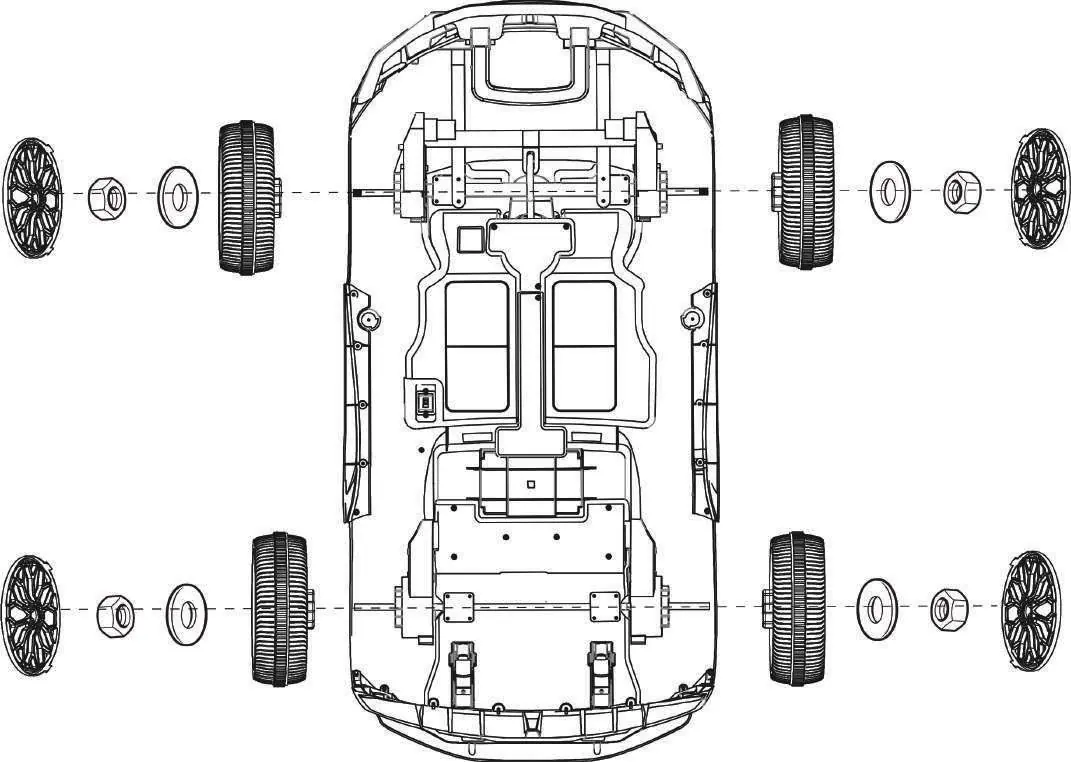
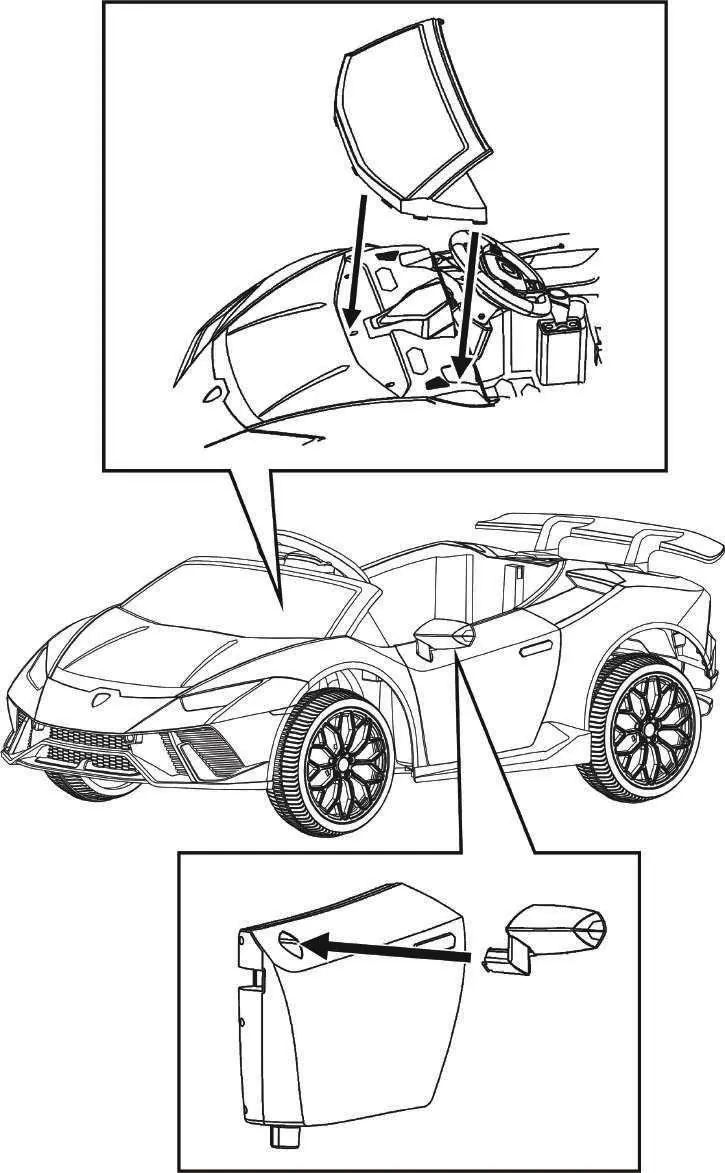
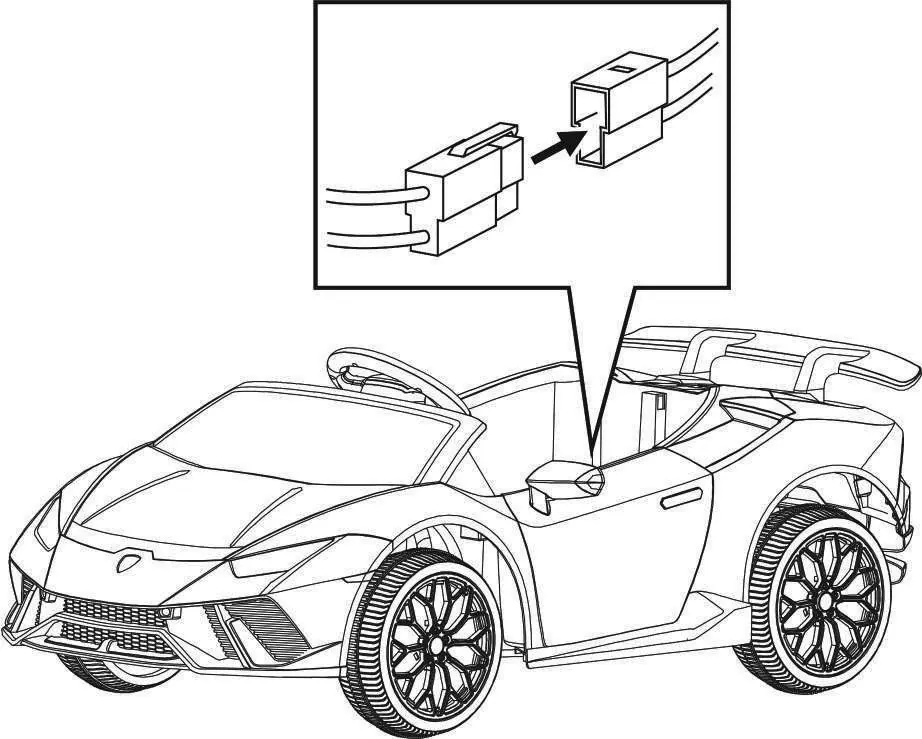
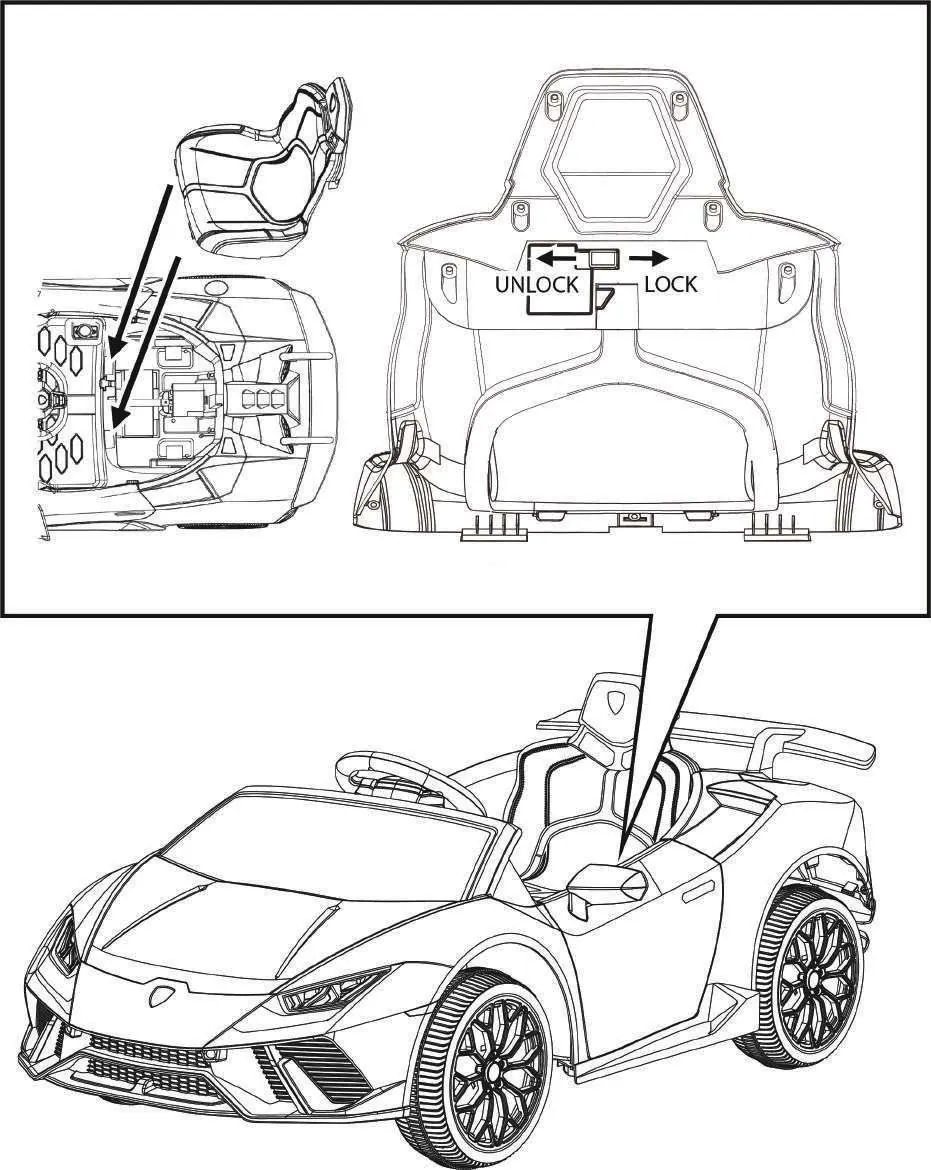
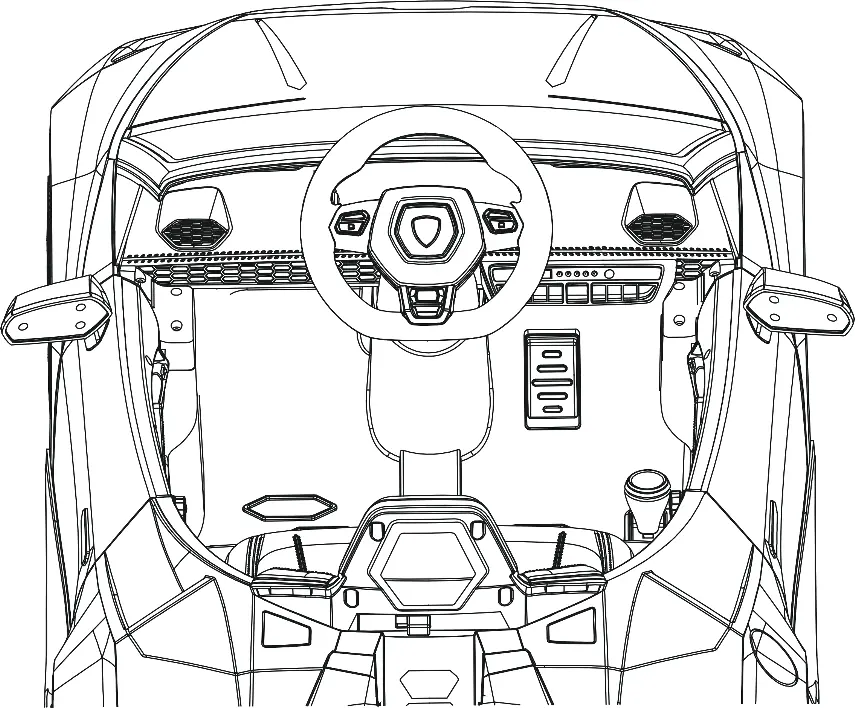
- Wheels: Slide wheels onto the axles, secure with washers and nuts, and attach wheel covers.
- Steering Wheel: Connect electrical wires, insert the steering wheel onto the column, and secure with the pre-installed screw and nut.
- Rear Spoiler: Align and install into the slots on the back of the vehicle.
- Windshield and Mirrors: Attach the windshield by fitting tabs into grooves until they click. Insert mirrors into the sides of the vehicle.
- Battery: Connect the electrical wire from the car to the battery before use.
- Seat: Fit the seat tabs into the grooves on the vehicle body and lock into place.
Operating the Vehicle
The vehicle is controlled via the foot pedal and shift lever for forward/backward movement. The control panel allows for:
- Power: Press and hold the power button for 3 seconds.
- Speed: Select high or low speed modes.
- Music/Media: Play/pause music, skip tracks, adjust volume, and connect via Bluetooth or use a flash drive.
- Lights: Turn lights on or off.
- Radio: FM radio functionality with channel search.
Remote Control
The remote control must be used by an adult. To pair: insert 2 AAA 1.5V batteries, press the 'M' (pairing) button for 2-4 seconds until the indicator flashes, then turn on the vehicle. The indicator should turn solid. Use the remote to steer, control speed, and engage the emergency brake.
Charging the Battery
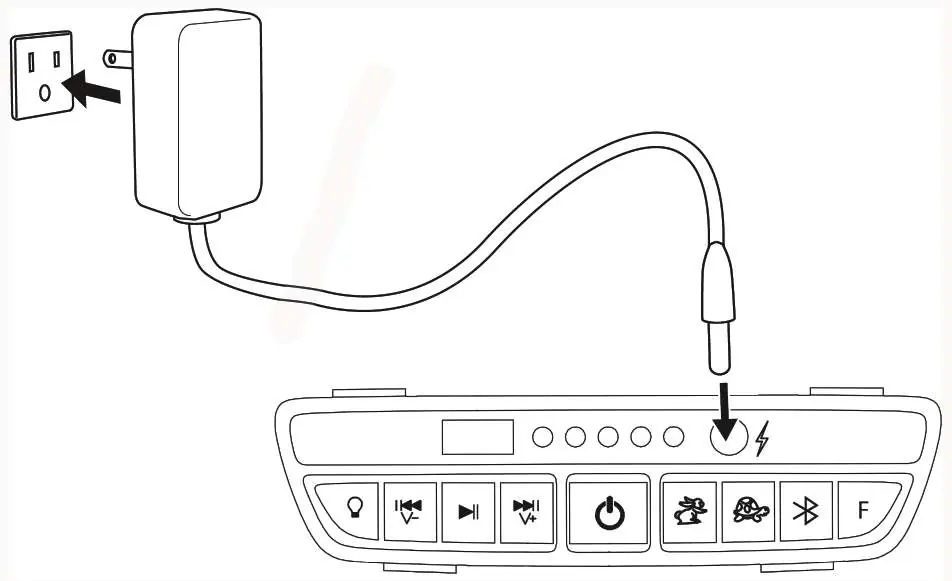
The vehicle must be turned off during charging. Connect the charger to the charging port on the control panel and plug into a wall outlet. The charger indicator turns red when charging and green when complete. Do not charge for more than 20 hours. Charge at least once a month if the vehicle is not in regular use.
Care and Maintenance
Regularly check for loose parts and tighten if necessary. Clean the vehicle with a cloth; do not use a hose or immerse in water. Store away from heat sources and cover when not in use. Lubricate moving parts occasionally with lightweight oil.
Troubleshooting
If the vehicle does not move, check the battery charge, ensure the fuse has not tripped (it resets automatically in about 10 seconds), and verify all battery connections. If the vehicle runs slowly, check the user weight limit and battery charge level. For persistent issues like grinding sounds or charging failures, contact customer service.
Manufacturer information
Kidzone Toys
Practical help
Common problems
Vehicle does not move
Check if the battery is fully charged, verify battery connections, or wait 10 seconds for the fuse to reset.
Vehicle runs very slow
Ensure the user weight is under 66 lb (30 kg), fully charge the battery, or avoid harsh driving environments.
Battery does not charge
Ensure the charger is firmly plugged into the power source and the charging port.
Remote control not working
Replace batteries in the remote and repeat the pairing process.
Before use
- Charge the battery for 4-6 hours before initial use.
- Verify the child is between 37-72 months old.
- Ensure the child weighs less than 66 lb (30 kg).
- Connect the internal battery wire.
- Assemble wheels, steering wheel, and seat securely.
- Ensure the helmet is worn and properly fitted.
Specs in practice
- Remote Batteries
- Requires 2 x AAA 1.5V batteries (not included).
Images and diagrams
- Assembly steps for wheels, steering wheel, spoiler, windshield, and seat.
- Control panel layout showing buttons for lights, music, speed, and power.
- Remote control layout showing directional buttons, speed, and emergency brake.
- Charging port location on the control panel.
Model compatibility
- For residential use only.
- Not for use in traffic or on public roads.
- Do not use in slippery conditions (rain, snow, ice).

Manual page author
Emily Carter
User documentation editor
Prepares concise manual descriptions and highlights the most useful setup, operation, and maintenance information for readers.