Tools / Measuring Tools
User Manual for Laserliner DistanceMaster 50 Laser Distance Meter
Quick guide for the Laserliner DistanceMaster 50 laser distance meter. Includes safety instructions, error code troubleshooting, maintenance tips, and usage limitations.
Table of contents
Manual images
Click an image to enlargeQuick guide from the manual
The Laserliner DistanceMaster 50 is a laser distance meter designed for precise measurements. Before using the device, ensure you have read the safety instructions and understand the environmental limitations for accurate readings.
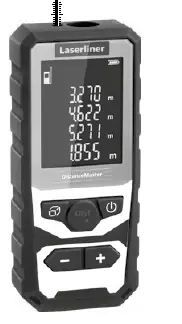
Safety instructions
Laser Safety: This device uses a Class 2 laser (< 1 mW, 635 nm). Do not stare into the direct or reflected beam. Do not point the laser at persons. If the laser hits your eyes, close them immediately and move your head out of the beam path. Do not use optical instruments like magnifying glasses or binoculars to view the laser beam.
Electromagnetic Radiation: The device complies with EMC-Directive 2014/30/EU. Be aware of local operating restrictions in areas such as hospitals, aircraft, petrol stations, or near people with pacemakers.
Important usage notes
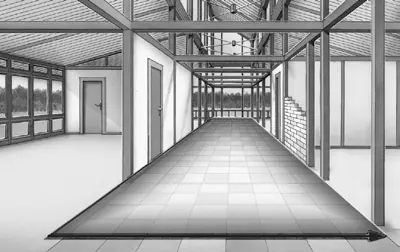
- Measurement Path: Ensure no objects obstruct the laser's line of measurement.
- Temperature Adaptation: Allow the device a brief adaptation period when moving between locations with significant temperature differences.
- Outdoor Use: The device has limited outdoor usability and cannot be used in strong sunlight. Rain, fog, and snow can influence or falsify results.
- Surface Reflectivity: Carpets, upholstery, and curtains do not reflect the laser optimally. Use flat, smooth surfaces for best results.
- Glass: Measurements taken through glass (window panes) may be inaccurate.
- Energy Saving: The device features an automatic shut-off function.
Maintenance and care
Clean all components with a soft, damp cloth. Do not use cleaning agents, scouring agents, or solvents. Ensure no water penetrates the housing. Remove the batteries before storing the device for long periods. Store in a clean, dry place.
Troubleshooting
If the device displays an error code, refer to the following list:
- Er101: Replace the battery.
- Er104: Calculation error.
- Er155: Outside the measuring range.
- Er157: Received signal too weak.
- Er159: Ambient light too strong.
- Er194: Outside the display range.
Calibration
The device should be calibrated and tested regularly to ensure accuracy. A calibration interval of one year is recommended. Contact your distributor or the UMAREX-LASERLINER service department if necessary.
Disposal
This product is an electrical appliance that must be recycled according to European and UK directives for waste electrical and electronic equipment. Do not dispose of it in household waste. Remove batteries before disposal and take them to a public collection point.
Practical help
Common problems
Er101
Replace the battery.
Er104
Calculation error occurred.
Er155
The target is outside the measuring range.
Er157
The received signal is too weak.
Er159
Ambient light is too strong.
Before use
- Ensure the laser path is clear of obstructions.
- Allow the device to adapt to the ambient temperature.
- Use on flat, reflective surfaces for best accuracy.
- Avoid using in strong, direct sunlight.
- Check that the battery is sufficiently charged.
- Clean the device with a soft, damp cloth if necessary.
Specs in practice
- Laser Class 2
- Output power < 1 mW, wavelength 635 nm. Do not stare into the beam.
Images and diagrams
- The device can calculate area (m²) by measuring two dimensions (x and y).
Model compatibility
- Not suitable for use in strong sunlight.
- Measurements through glass may be inaccurate.
- Avoid surfaces like carpets or curtains which do not reflect the laser well.

Manual page author
David Miller
Documentation analyst
Organizes user manual content into clear summaries, with attention to model details, product context, and everyday usability.