Electronics / Digital Signage
User Manual for MuxLab 500799-1080P DigiSign MXC
Quick installation guide for the MuxLab 500799-1080P DigiSign MXC digital signage player. Includes setup instructions, connection diagrams, technical specifications, and troubleshooting tips.
Table of contents
Manual images
Click an image to enlargeQuick guide from the manual
This document provides installation and setup instructions for the MuxLab 500799-1080P DigiSign MXC, a digital signage player capable of streaming 1080p content at 60Hz. The device is managed via the DigiSign CMS software on a PC.
Safety Precautions
- Do not dismantle the housing or modify the module to avoid electrical shock or burns.
- Do not expose the unit to rain, moisture, or install near water.
- Ensure the device is installed in a location with adequate ventilation to prevent overheating.
- Always unplug the power before cleaning; do not use liquid or aerosol cleaners.
- Unplug the power if the device will be left unused for a long period.
Features
- Supports up to 1080p at 60Hz video streams.
- Decodes H.264/265 video streams over the Internet and local network.
- Supports multi-view and PiP (Picture-in-Picture) layouts.
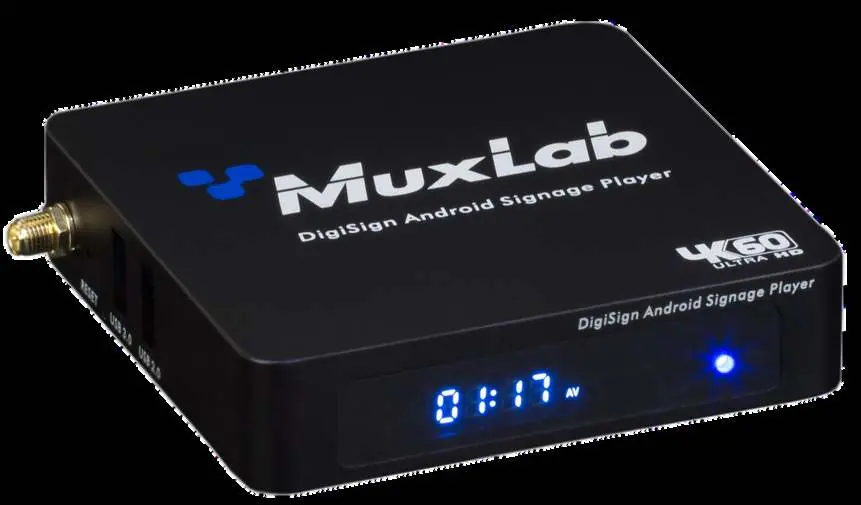
- Includes 1 x USB 3.0 and 2 x USB 2.0 ports.
- Supports PoE or 5VDC power supply.
- Features display rotation and touch gesture support.
Installation
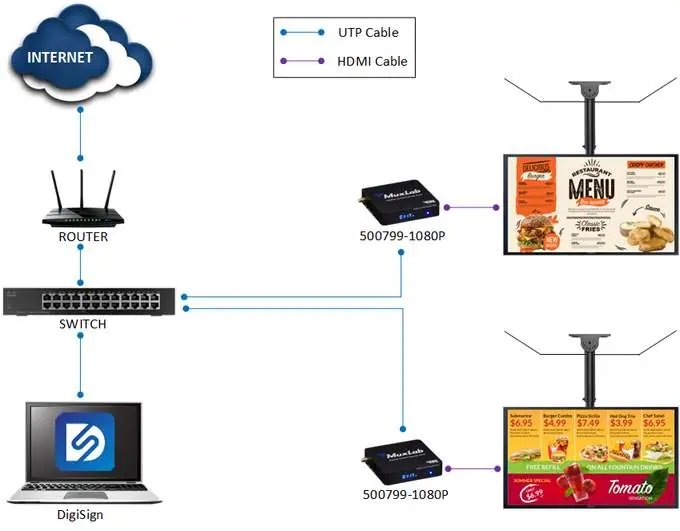
- Connect the player to the HDMI display equipment using an HDMI cable, or connect to an AV over IP Transmitter.
- Connect the Ethernet port of the player to an Ethernet switch using a CAT5/6 cable.
- Connect the power supply to the unit and plug it into an AC outlet. The Power LED will turn on.
- Use the MuxLab DigiSign CMS software on a PC to discover and manage the unit. The unit is configured in DHCP mode by default.
- If audio extraction is required, connect a 3.5mm audio cable or a Digital Optical cable to the respective output ports.
Specifications
- Video Bandwidth: 297MHz
- Network: 25Mbps (typical), supports Multicast & HLS
- Connectors: HDMI output, RJ45 Ethernet, USB 3.0, USB 2.0, MicroSD, OTG, 3.5mm audio, SPDIF, 2.1mm power.
- Power Consumption: 12W
- Dimensions: 3.9" x 3.8" x 0.9" (99mm x 97mm x 24mm)
- Weight: 0.48 lbs (0.21kg)
Troubleshooting
If you encounter issues, refer to the following common solutions:
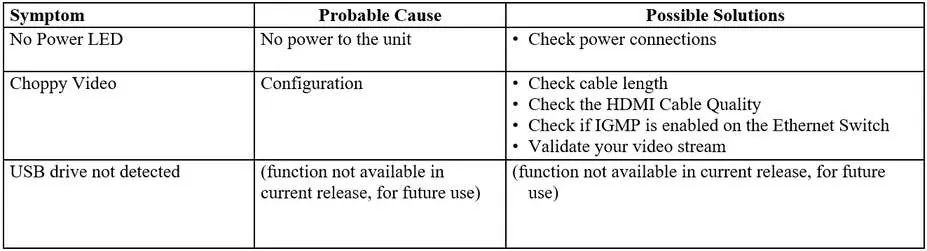
- No Power LED: Check power connections.
- Choppy Video: Check cable length, verify HDMI cable quality, ensure IGMP is enabled on the Ethernet switch, and validate the video stream.
- USB drive not detected: This function is not available in the current release.
For further assistance, contact MuxLab Customer Technical Support at 877-689-5228 (North America) or +1 514-905-0588 (International).
Practical help
Common problems
No Power LED
Check power connections to the unit.
Choppy Video
Check cable length, verify HDMI cable quality, ensure IGMP is enabled on the Ethernet switch, and validate the video stream.
USB drive not detected
This function is not available in the current release.
Before use
- Ensure display supports HDMI.
- Have a CAT5/6 cable ready for network connection.
- Install DigiSign CMS software on a PC.
- Verify power source (5VDC/2.5A adapter included).
Specs in practice
- Video Bandwidth
- 297MHz
- Network Bandwidth
- 25Mbps (typical)
- Power Consumption
- 12W
Images and diagrams
- The installation diagram illustrates connecting the player to a router/switch via Ethernet and to a display via HDMI.
Model compatibility
- Supports PoE or 5VDC power.
- Requires DigiSign CMS software for management.
- HDMI 1.4 and HDCP 1.3 compliant.

Manual page author
Emily Carter
User documentation editor
Prepares concise manual descriptions and highlights the most useful setup, operation, and maintenance information for readers.