Electronics / Cameras
Operating Instructions for Sony FE PZ 16-35mm F4 G Lens
A quick guide for the Sony FE PZ 16-35mm F4 G lens. Learn how to attach the lens, operate the power zoom, adjust focus and aperture settings, and troubleshoot common issues like vignetting or flash shadows.
Table of contents
Manual images
Click an image to enlargeQuick guide from the manual
This lens is designed for Sony E-mount cameras. Before using, ensure you have removed the front and rear lens caps. The lens features a power zoom lever for smooth zooming, an aperture ring with an iris lock, and a focus hold button. Always hold both the camera and the lens firmly when carrying the equipment.
Identifying the parts
The lens includes the following key components:
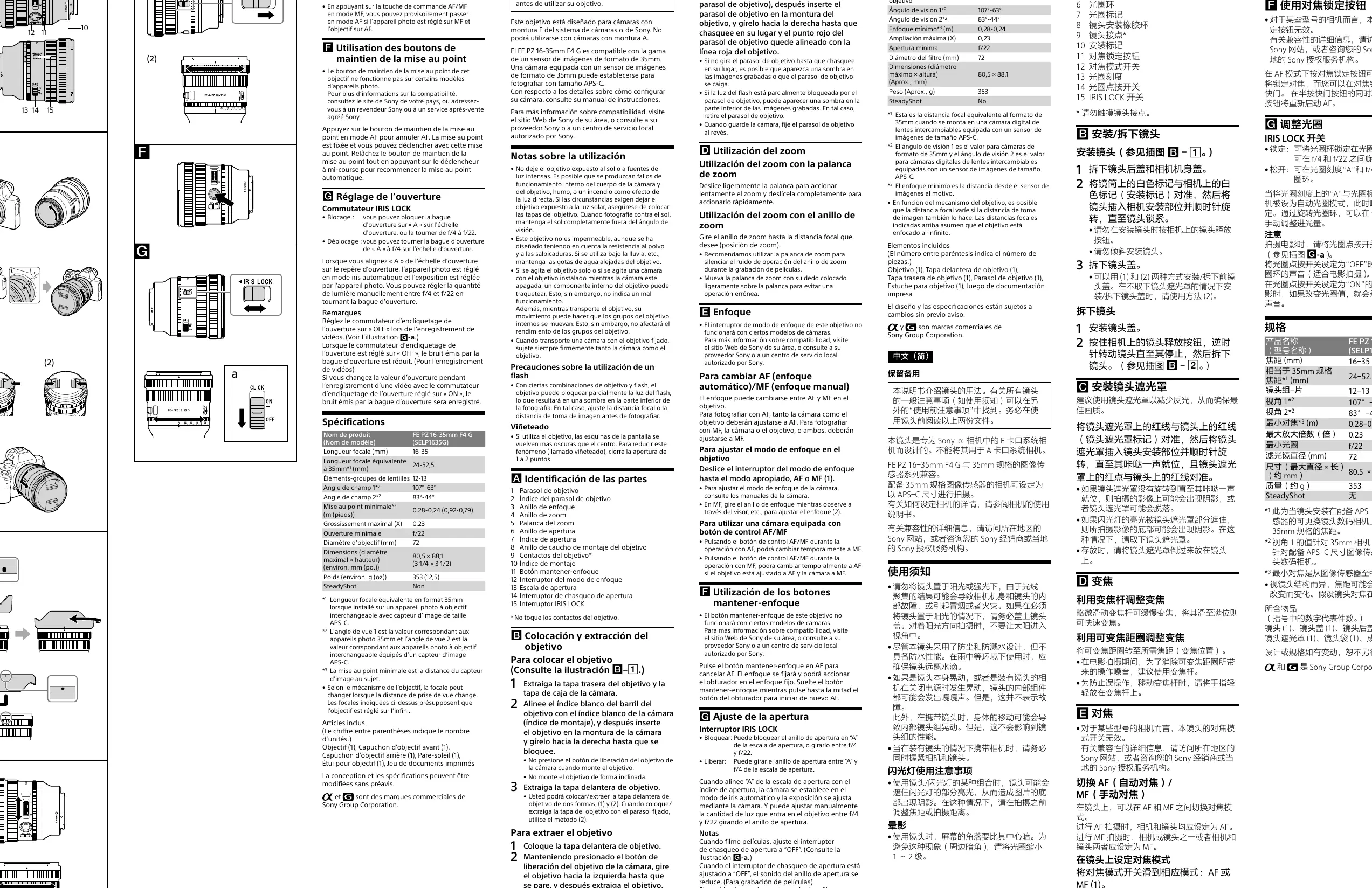
- Zoom lever: Slide for power zooming.
- Zooming ring: Rotate for manual zooming.
- Focusing ring: Used for manual focus.
- Aperture ring: Adjusts the aperture manually.
- Focus hold button: Temporarily stops AF.
- Focus mode switch: Toggles between AF and MF.
- IRIS LOCK switch: Locks the aperture ring.
- Aperture click switch: Turns the aperture ring click sound on or off.
Attaching and detaching the lens
To attach:
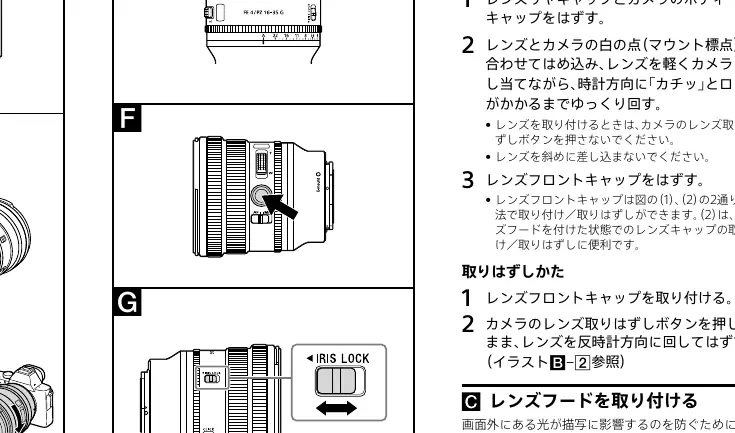
- Remove the rear lens cap and the camera body cap.
- Align the white index on the lens barrel with the white index on the camera mount.
- Insert the lens into the mount and rotate it clockwise until it clicks into place.
- Remove the front lens cap.
To detach:
- Attach the front lens cap.
- While holding down the lens release button on the camera, rotate the lens counterclockwise until it stops, then detach it.
Zooming
You can zoom using the zoom lever or the zooming ring. Slide the zoom lever slightly for slow zooming or fully for fast zooming. Using the zoom lever is recommended during movie recording to minimize operation noise.
Focusing
Use the focus mode switch on the lens to toggle between AF (Auto Focus) and MF (Manual Focus). In MF mode, rotate the focusing ring to adjust the focus. If your camera has an AF/MF control button, you can use it to temporarily switch focus modes.
Adjusting the aperture
The aperture ring allows you to adjust the aperture manually. Use the IRIS LOCK switch to lock the ring at 'A' (Auto) or between f/4 and f/22. For movie recording, set the Aperture click switch to 'OFF' to reduce the sound of the aperture ring.
Specifications
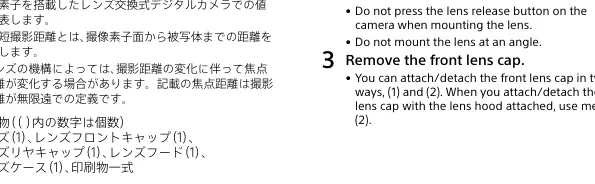
- Focal length: 16-35mm
- Minimum focus: 0.28-0.24m
- Maximum magnification: 0.23x
- Minimum aperture: f/22
- Filter diameter: 72mm
- Mass: Approx. 353g
Manufacturer information
Sony Group Corporation
Practical help
Common problems
Vignetting (dark corners)
Close the aperture by 1 to 2 stops to reduce vignetting.
Rattling sound inside the lens
This is normal when the camera is off or the lens is shaken; it does not indicate a malfunction.
Shadow at the bottom of the picture when using flash
The lens may partially block the flash. Adjust the focal length or shooting distance.
Before use
- Remove the rear lens cap and camera body cap.
- Align the white index on the lens with the camera mount.
- Rotate the lens clockwise until it locks.
- Ensure the camera is an E-mount model.
- Check that the lens hood is properly attached to reduce flare.
Specs in practice
- Focal length (16-35mm)
- The range of zoom available, from wide-angle to standard wide.
- Minimum focus (0.28-0.24m)
- The closest distance the lens can focus on a subject.
- Filter diameter (72mm)
- The size of the filter thread required for attaching lens filters.
Images and diagrams
- The parts diagram identifies the zoom lever, aperture ring, and focus hold button.
- The attachment illustration shows the white index alignment for mounting.
- The iris lock illustration shows how to switch between 'A' and manual aperture settings.
Model compatibility
- Compatible with Sony E-mount cameras only.
- Not compatible with A-mount cameras.
- Supports 35mm format image sensors.

Manual page author
Emily Carter
User documentation editor
Prepares concise manual descriptions and highlights the most useful setup, operation, and maintenance information for readers.