Home Appliances / Small Kitchen Appliances
Sunbeam Digital Retractable Steam Iron 32610015
Quick guide for the Sunbeam Digital Retractable Steam Iron 32610015. Learn how to fill the water reservoir, use steam and dry ironing modes, maintain the soleplate, and troubleshoot common issues.
Table of contents
Quick guide from the manual
This guide provides essential instructions for operating the Sunbeam Digital Retractable Steam Iron. Always ensure the iron is used on a stable, level surface. Before first use, ensure the cord is fully extended. The iron features a 3-way auto-off safety function and a self-cleaning system to maintain performance.
Filling the water reservoir
To fill the iron with water:
- Ensure the steam lever is set to the Dry (off) position.
- Lift the water fill cover.
- Pour water into the reservoir until it reaches the MAX fill line.
- Close the water fill cover completely.
Ironing instructions
Dry Ironing
- Set the steam lever to the Dry position.
- Plug the iron into a 120V AC outlet.
- Press the Fabric Select button to choose your desired setting.
- Wait for the indicator light to stop blinking, indicating the iron has reached the selected temperature.
Steam Ironing
- Follow the filling instructions above.
- Set the steam lever to the Steam position.
- Select the desired fabric setting and wait for the light to stop blinking.
- Use the Steam trigger to release steam as needed.
3-Way Motion Smart Auto-Off
The iron will automatically turn off if left in the following positions:
- Horizontal: After 30 seconds.
- Vertical: After 8 minutes.
- On its side: After 30 seconds.
To reset, move the iron back and forth until the Ready light turns solid blue.
Maintenance and cleaning
Self-Clean
Use the Self-Clean feature once a month to maintain performance:
- Fill the reservoir to the MAX line.
- Set the iron to the highest setting.
- Hold the iron over a sink, press the Self-Clean button, and hold.
- Water will drip from the steam vents. Move the iron back and forth until the reservoir is empty.
Anti-Calcium System
To prolong the life of the iron, use the Anti-Calcium system once a month:
- Mix 1 teaspoon of salt with 1 cup of water.
- Pour into the reservoir and let it sit for 15 minutes.
- Empty the reservoir and rinse with fresh water.
Troubleshooting
If you encounter issues, check the following:
- Iron not heating: Ensure the iron is plugged in and the fabric setting is illuminated.
- Iron not steaming: Check that the water level is at least 1/2 full and the steam lever is switched on.
- Iron leaking: Fill only to the MAX level and ensure the iron is hot before using steam.
- Spots on clothes: Clean the soleplate with a damp cloth or a 50/50 vinegar/water solution.
Manufacturer information
Sunbeam
Practical help
Common problems
Iron not heating
Ensure the iron is plugged into a 120V AC outlet and the fabric setting indicator light is illuminated.
Iron not steaming
Check that the water level is at least 1/2 full and the steam lever is switched to the Steam position.
Iron leaking
Fill the reservoir only to the MAX line and ensure the iron is fully heated before using the steam function.
Spots on clothes
Clean the soleplate using a damp cloth or a 50/50 vinegar and water solution.
Before use
- Ensure the iron is plugged into a 120V AC outlet.
- Check that the water reservoir is filled to the MAX line.
- Select the appropriate fabric setting.
- Ensure the power cord is fully extended.
- Wait for the indicator light to stop blinking before ironing.
Images and diagrams
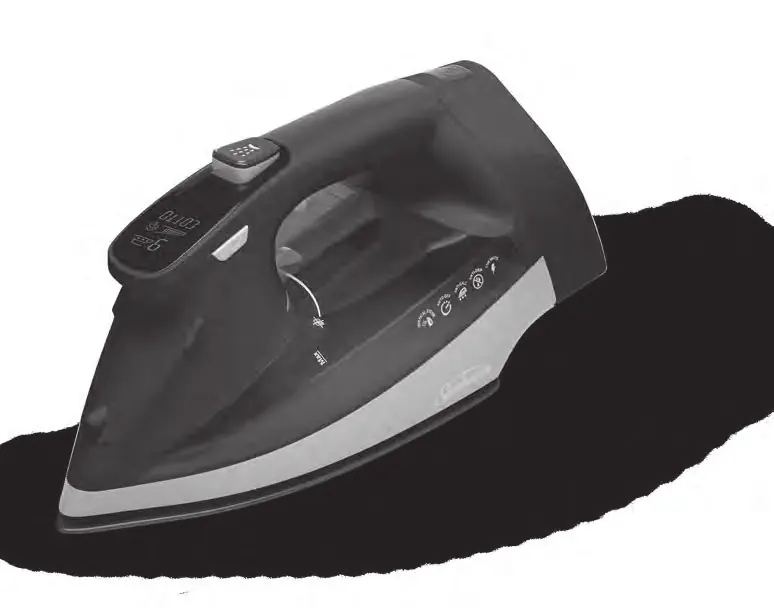
- The iron features a soleplate, spray nozzle, handle, water tank, and a retractable cord.
- The control panel includes a Fabric Select button and a steam lever.
Model compatibility
- Designed for use with standard 120V AC outlets.
- Use tap water for filling; if you have hard water, use the Anti-Calcium system monthly.

Manual page author
Emily Carter
User documentation editor
Prepares concise manual descriptions and highlights the most useful setup, operation, and maintenance information for readers.