HVAC / Towel Warmers
Towelrads 126039TR Smart Thermostatic Heating Element User Manual
Quick guide for the Towelrads 126039TR Smart Thermostatic heating element. Learn how to install, operate, and configure modes like Comfort, Boost, and P1/P2 programs.
Table of contents
Manual images
Click an image to enlargeQuick guide from the manual
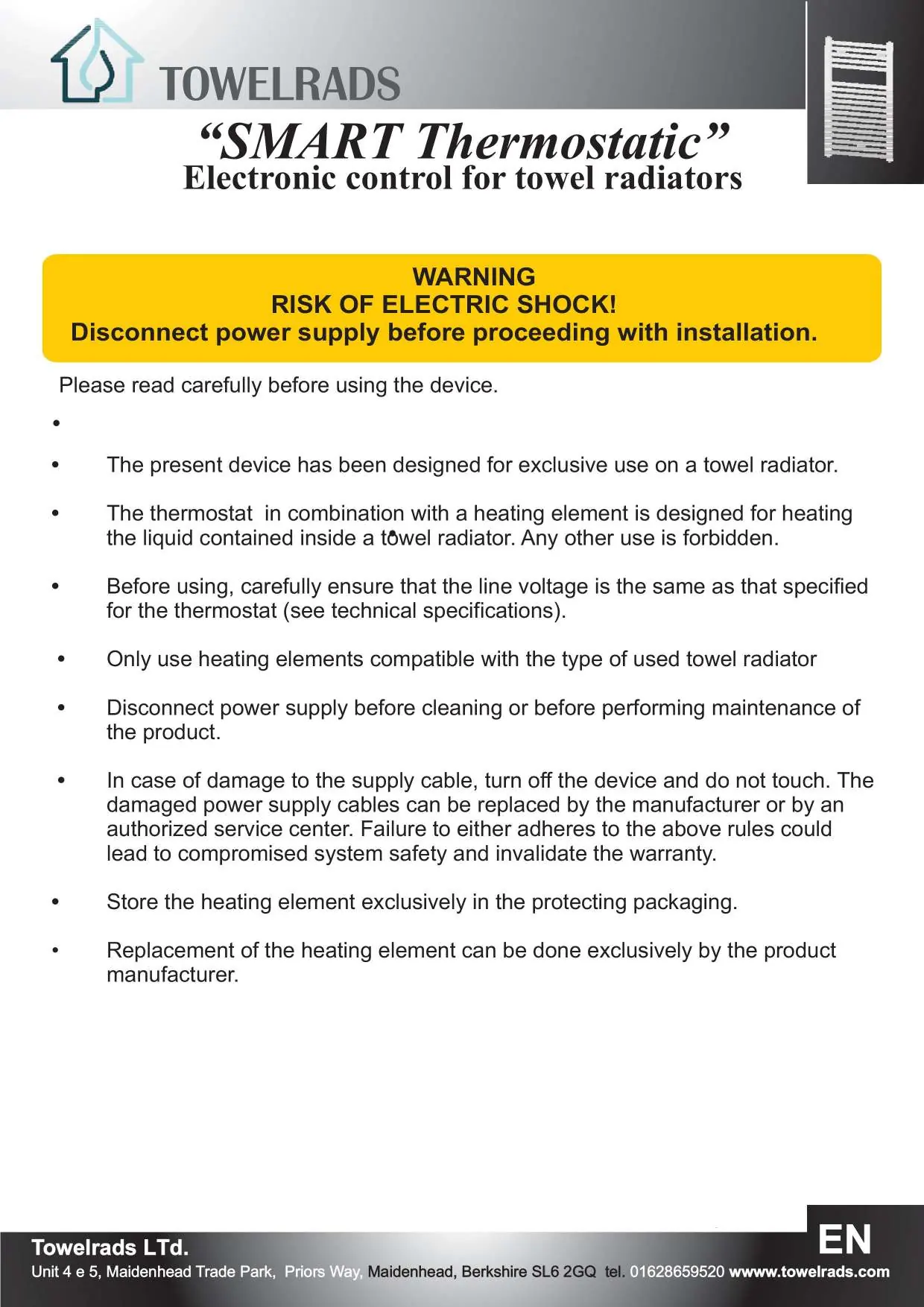
The Towelrads Smart Thermostatic heating element is designed for the automatic control of electric towel radiators. It features multiple operating modes including Comfort, Boost 2h, and programmable P1/P2 cycles. Important: This device must be installed by a qualified electrician and protected by a 30mA RCD circuit breaker.
Installation
Installation must be performed by a qualified professional. Follow these steps:
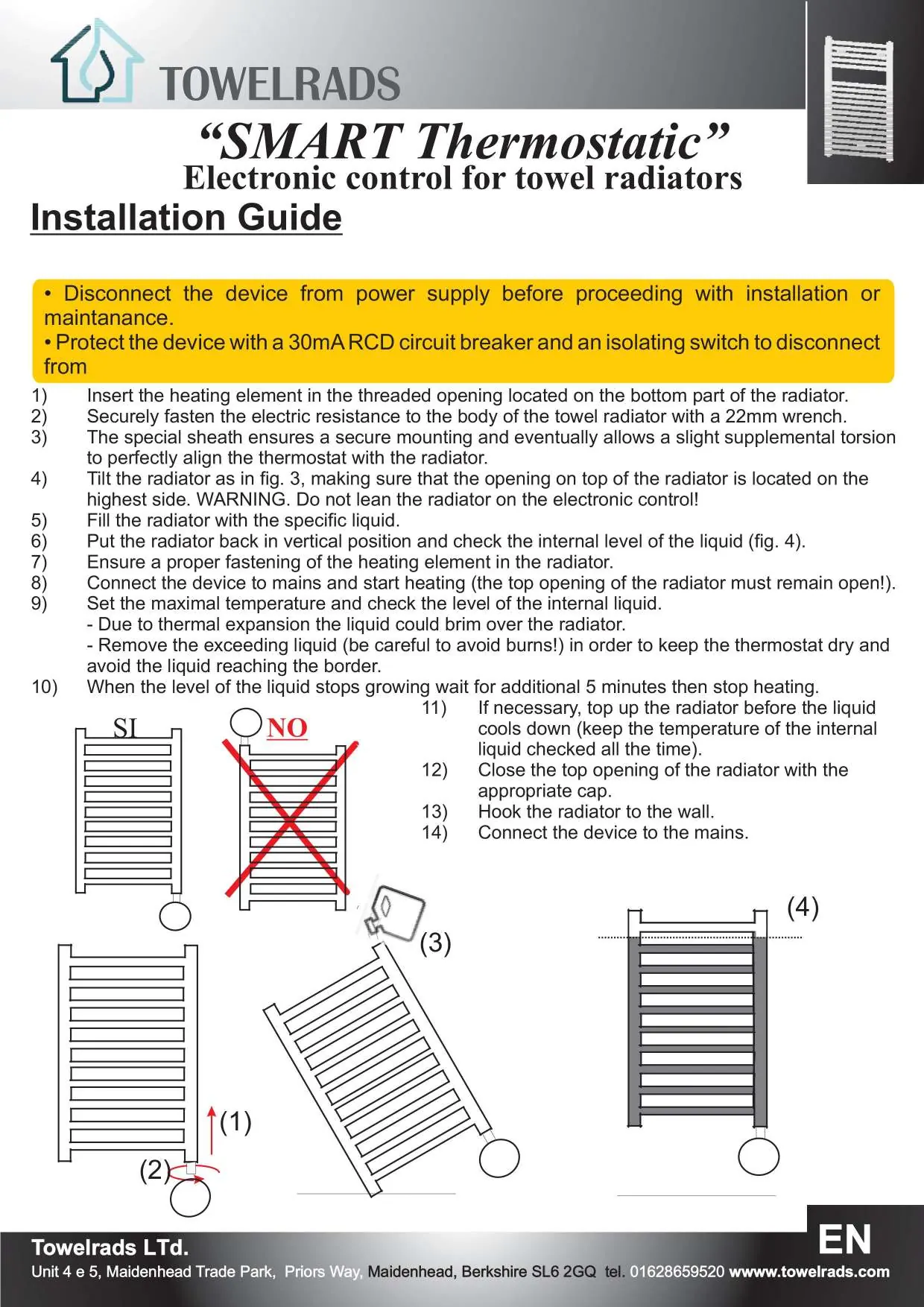
- Disconnect the device from the power supply before starting.
- Insert the heating element into the threaded opening at the bottom of the radiator.
- Fasten the element securely using a 22mm wrench.
- Tilt the radiator to ensure the top opening is at the highest point.
- Fill the radiator with the specific liquid.
- Return the radiator to a vertical position and check the liquid level.
- Connect the device to the mains, keeping the top opening open initially to allow for thermal expansion.
- Remove any excess liquid that may overflow during the initial heating phase.
- Close the top opening with the appropriate cap once the level is stable.
- Hook the radiator to the wall and finalize the electrical connection.
Operating Modes
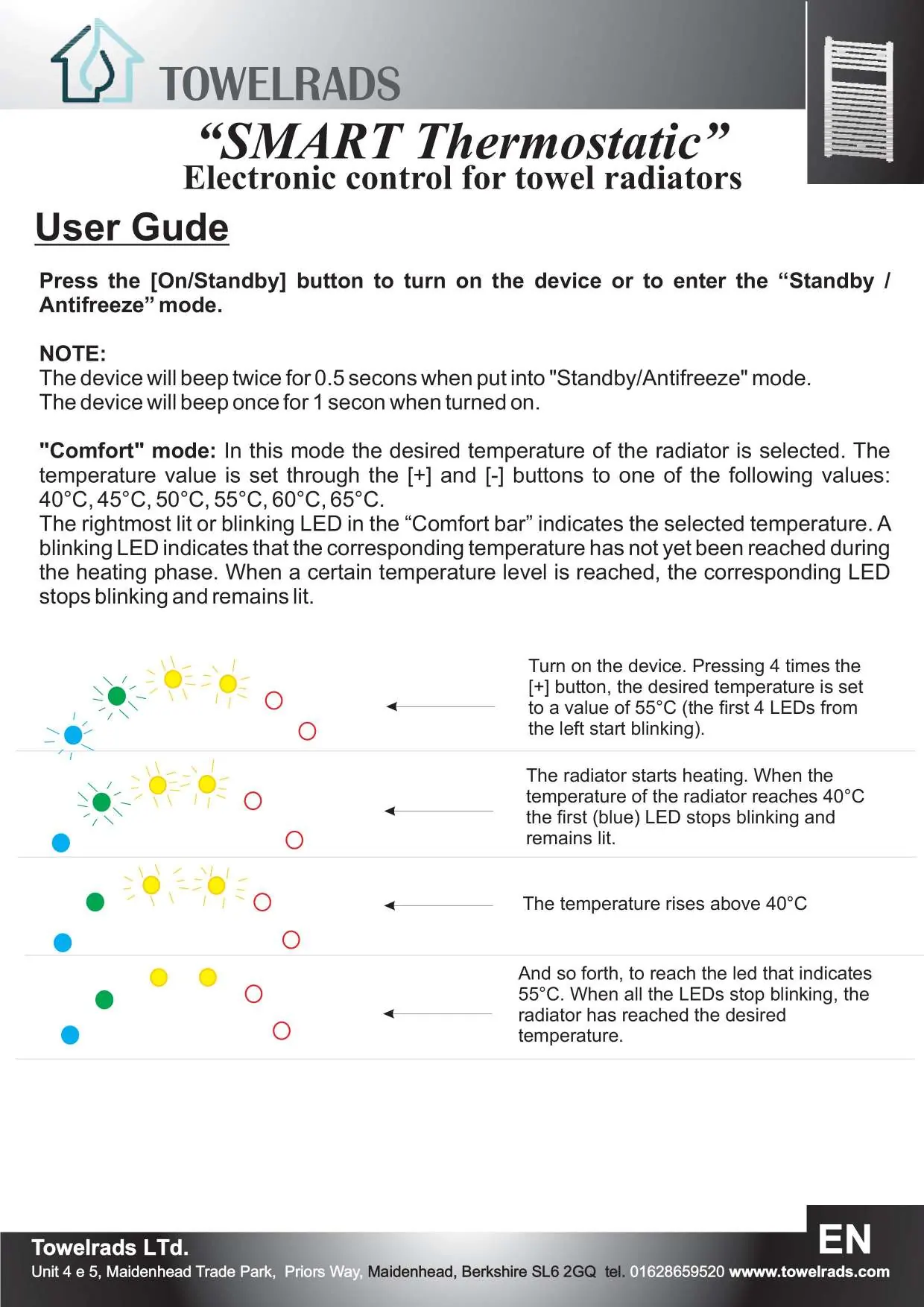
The device is controlled via the On/Stand-by button and the Boost/Program button. The Comfort Bar LEDs indicate the status and selected temperature.
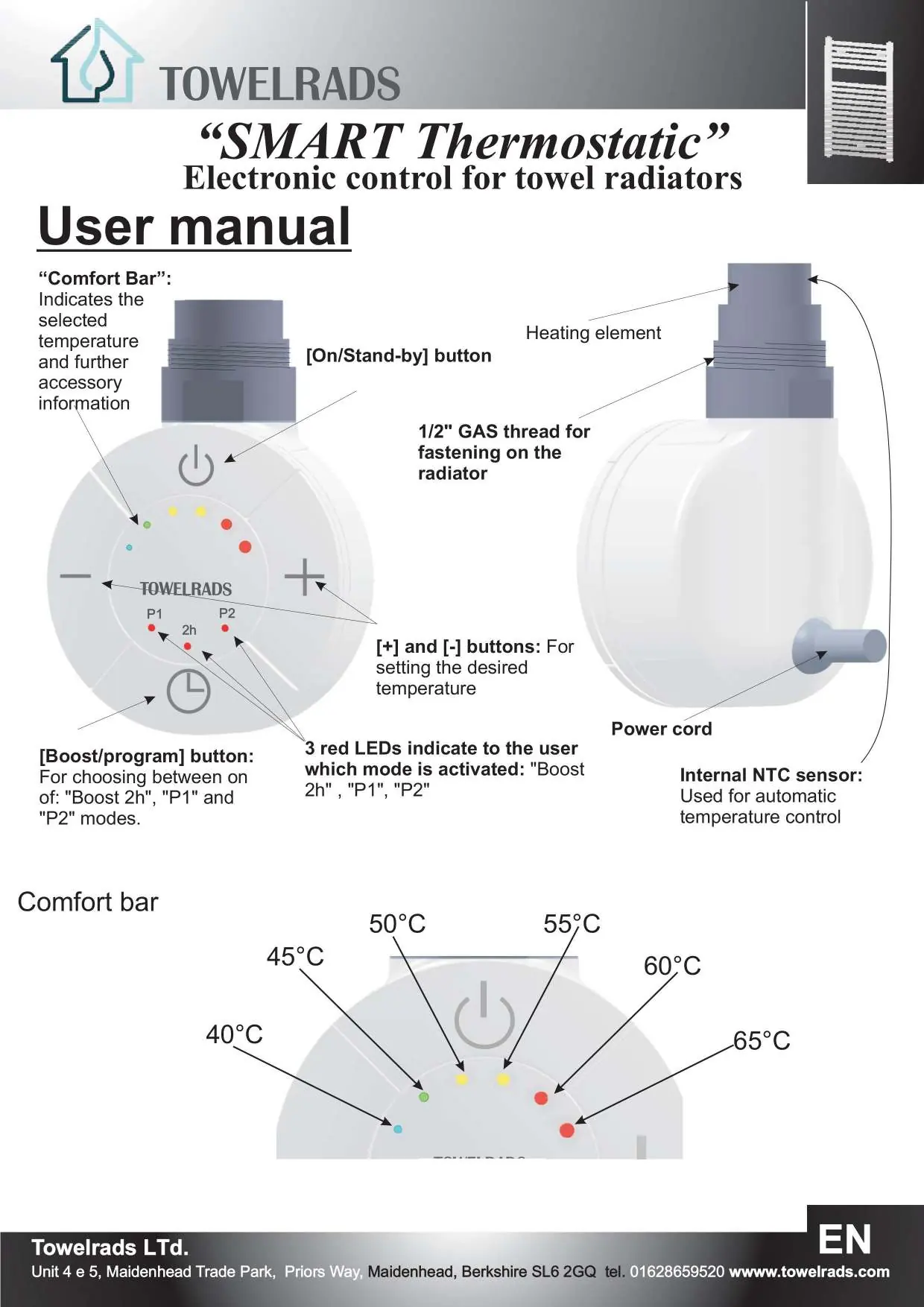
- Comfort Mode: Maintains the radiator temperature at a user-selected level (40°C to 65°C). Use the [+] and [-] buttons to adjust.
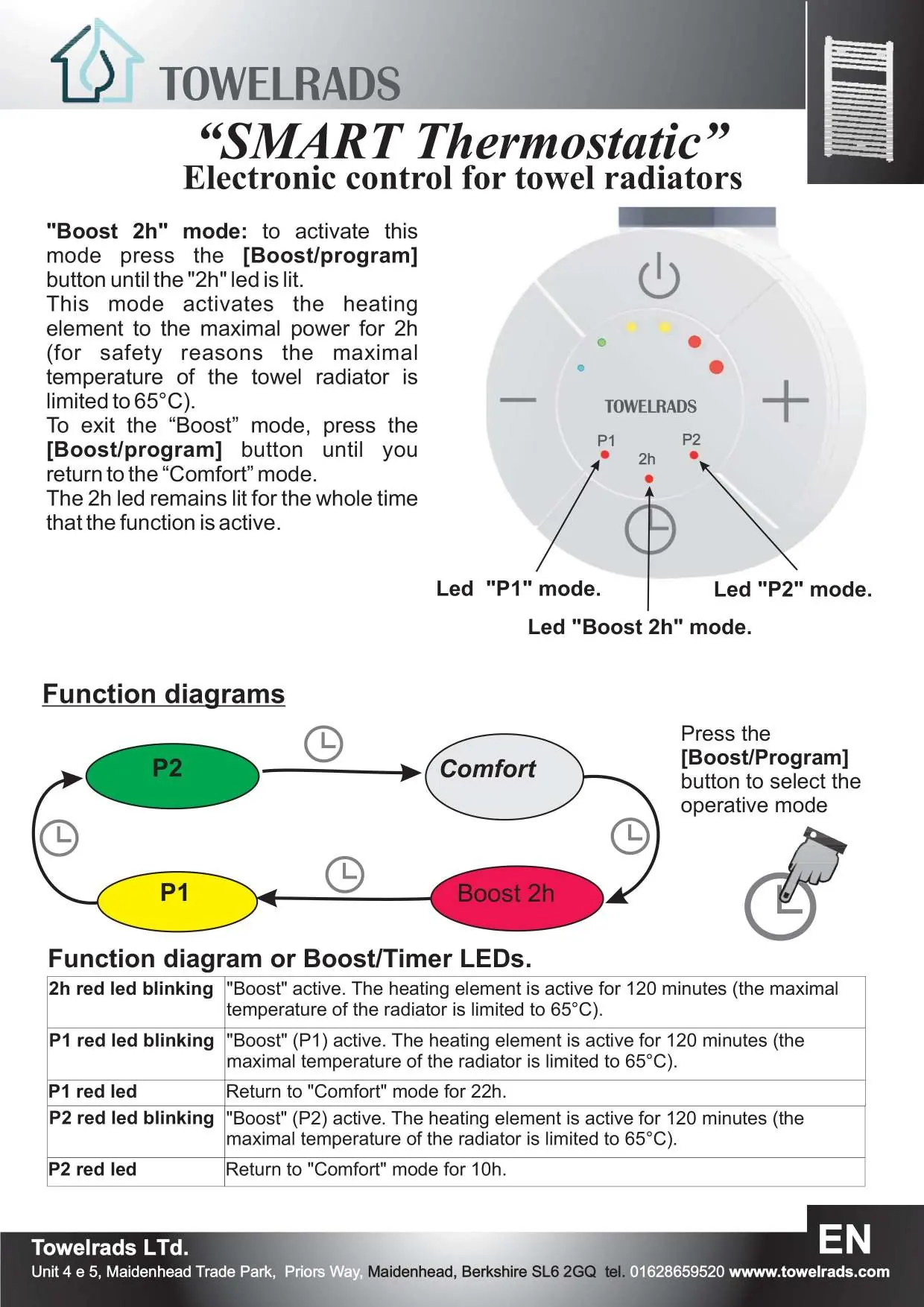
- Boost 2h Mode: Activates the heating element at maximal power for 2 hours. The temperature is limited to 65°C for safety.
- P1 and P2 Modes: Cyclic programs. P1 alternates between 2 hours of Boost and 22 hours of Comfort. P2 alternates between 2 hours of Boost and 10 hours of Comfort.
- Stand-by/Antifreeze: If the temperature drops below 10°C, the device automatically activates to prevent freezing.
Key-lock Function
To activate the key-lock, press the [+] and [-] buttons simultaneously for 3 seconds. The device will beep twice. To deactivate, repeat the procedure; the device will beep four times.
Safety and Maintenance
- Disconnect power before cleaning or maintenance.
- If the supply cable is damaged, do not touch the device; contact an authorized service center.
- The device is designed exclusively for use on towel radiators.
- Do not attempt to replace the heating element yourself; this must be done by the manufacturer.
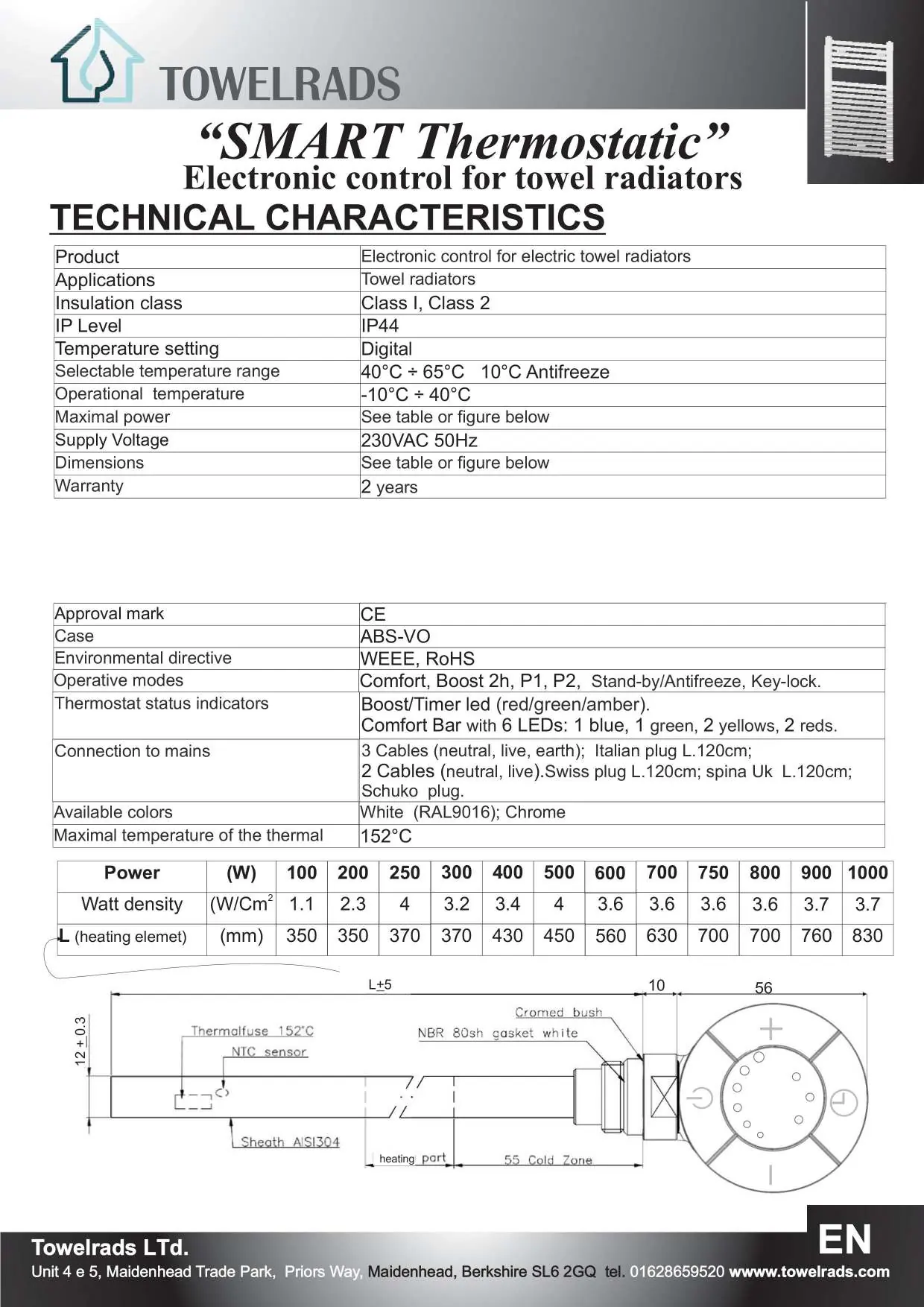
Technical Specifications
- Supply Voltage: 230VAC 50Hz
- IP Level: IP44
- Temperature Setting: Digital, 40°C to 65°C
- Operational Temperature: -10°C to 40°C
- Insulation Class: Class I, Class 2
Practical help
Common problems
Device beeps twice
Key-lock function is active.
External blue and red LEDs blink
Temperature sensor failure; the heating element is deactivated. Contact customer support.
Liquid overflows during initial heating
Carefully remove excess liquid to keep the thermostat dry.
Before use
- Ensure line voltage matches the thermostat specifications.
- Verify the heating element is compatible with the towel radiator.
- Ensure installation is performed by a qualified electrician.
- Protect the device with a 30mA RCD circuit breaker and an isolating switch.
- Ensure the top opening of the radiator remains open during the first heating cycle.
Specs in practice
- Comfort Mode
- Maintains a constant temperature between 40°C and 65°C.
Images and diagrams
- The Comfort Bar LEDs indicate the selected temperature and current mode.
- The installation diagram illustrates the correct orientation of the radiator during filling to prevent airlocks and ensure proper liquid levels.
Model compatibility
- Designed exclusively for use on towel radiators.
- Requires a T-piece for mixed usage (connecting both the heating element and the central heating return line).

Manual page author
Emily Carter
User documentation editor
Prepares concise manual descriptions and highlights the most useful setup, operation, and maintenance information for readers.