Power / Batteries & Chargers
User Manual for Ugreen 10000mAh Mini Magnetic Wireless Power Bank
Quick guide for the Ugreen 10000mAh Mini Magnetic Wireless Power Bank. Learn how to use magnetic and wired charging, activate trickle charging, understand LED indicators, and follow safety precautions.
Table of contents
Manual images
Click an image to enlargeQuick guide from the manual
Before using your Ugreen 10000mAh Mini Magnetic Wireless Power Bank for the first time, it is recommended to fully charge the device. For optimal charging efficiency, use a PD (Power Delivery) fast charger. Keep this manual for future reference.
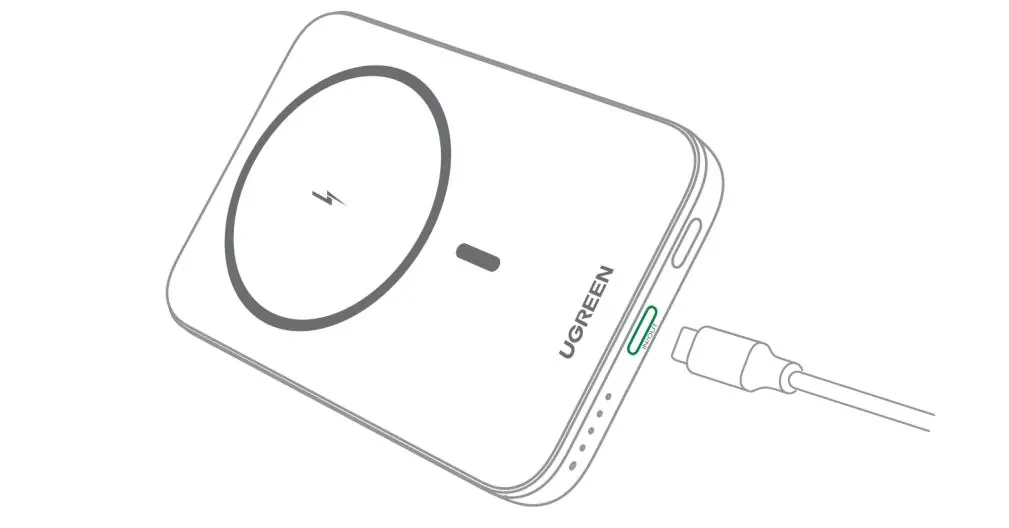
Wireless Charging
This power bank supports magnetic wireless charging for compatible devices.
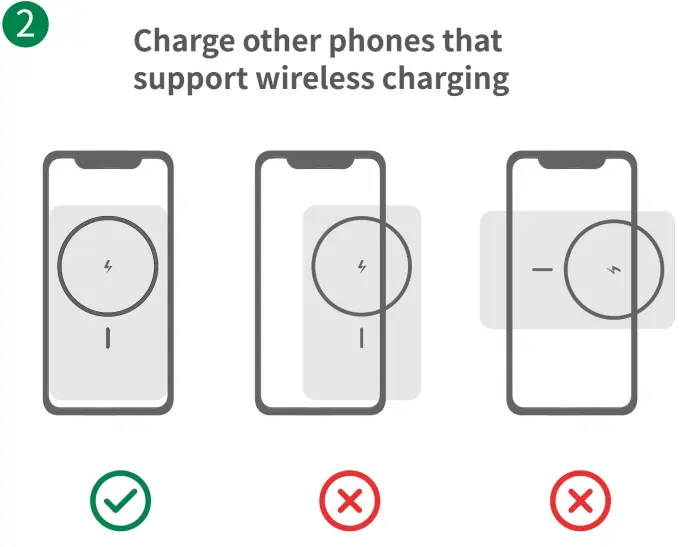
- For iPhones with magnetic wireless charging: Simply snap the phone onto the magnetic area of the power bank.
- To turn off wireless charging: Triple-click the power button.
- To restart wireless charging: Single-click the power button.
- For other wireless charging phones: Adjust the placement of the phone so it is precisely aligned with the wireless charging area.
Wired Charging
You can also charge devices using the USB-C port.
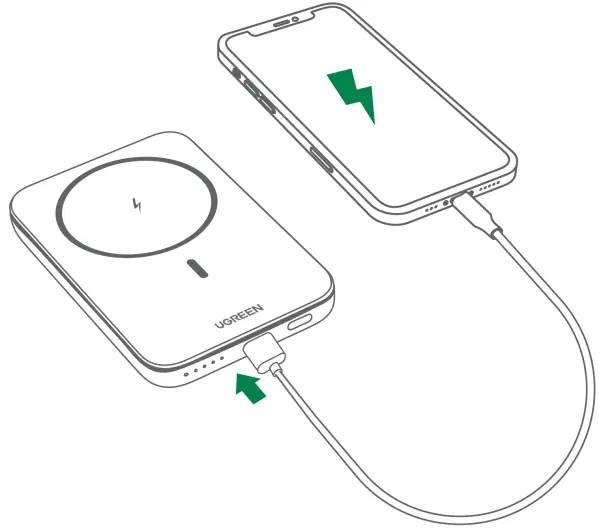
- Connect your device to the power bank using a high-quality charging cable.
- To turn off wired fast charging: Double-click the power button.
- If charging does not start automatically after connecting, single-click the power button.
Trickle Charging
Trickle charging mode is designed for low-power devices like earbuds or smartwatches.
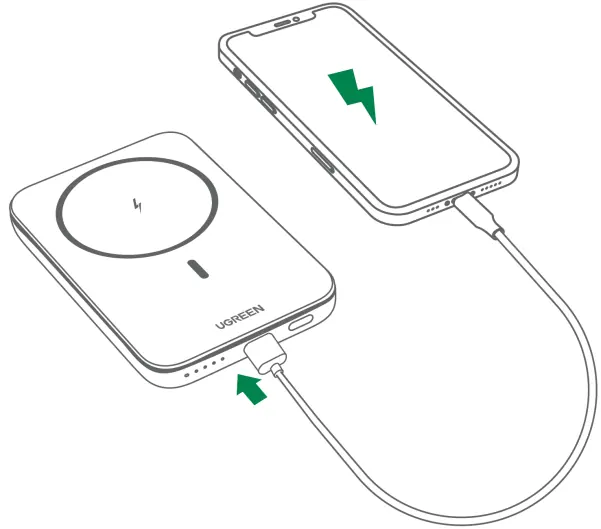
- To enter trickle charging mode: Press and hold the power button for about three seconds.
- To exit trickle charging mode: Press and hold the power button for about three seconds, or wait for 3.5 hours for it to exit automatically.
LED Indicators
The LED lights on the side of the device provide status information:
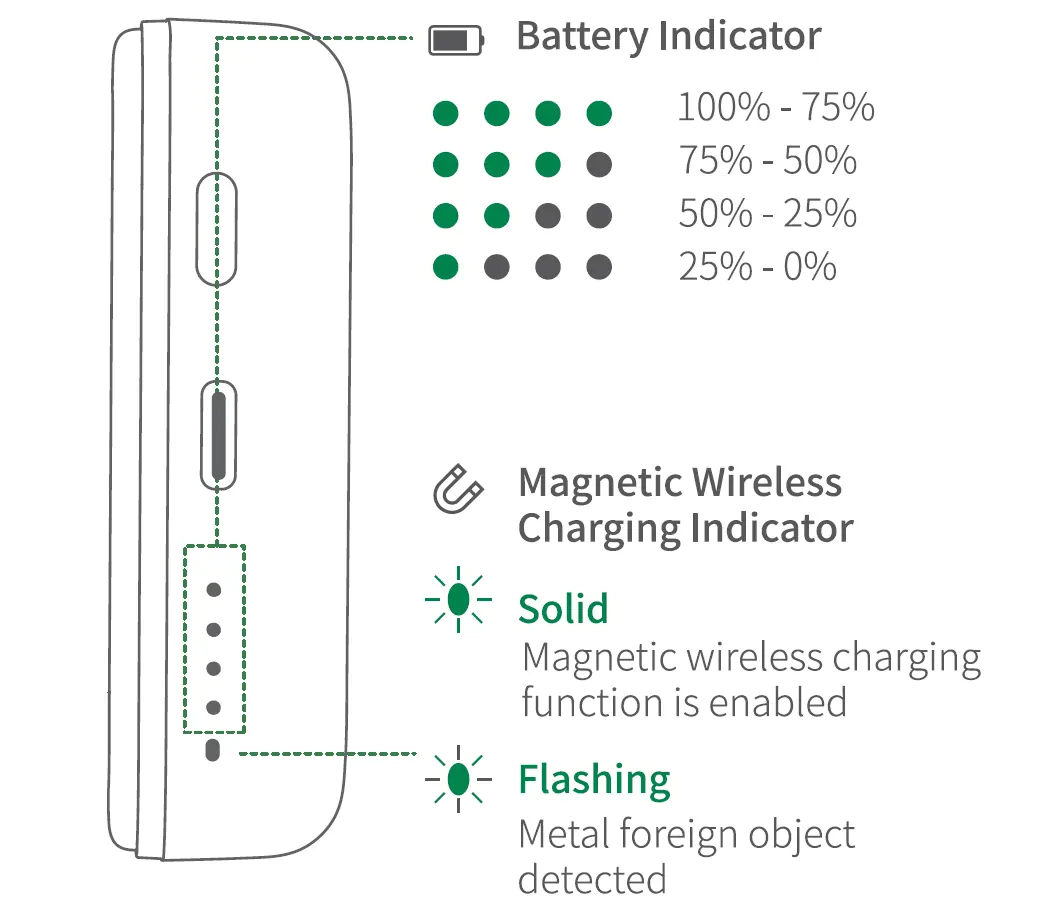
- Battery Indicator: Shows remaining capacity (100-75%, 75-50%, 50-25%, 25-0%).
- Magnetic Wireless Charging Indicator: A solid light indicates the wireless charging function is enabled. A flashing light indicates a foreign metal object has been detected.
Safety and Cautions
- This product is compatible with official Apple MagSafe cases and other certified magnetic cases. Non-certified cases may affect charging performance.
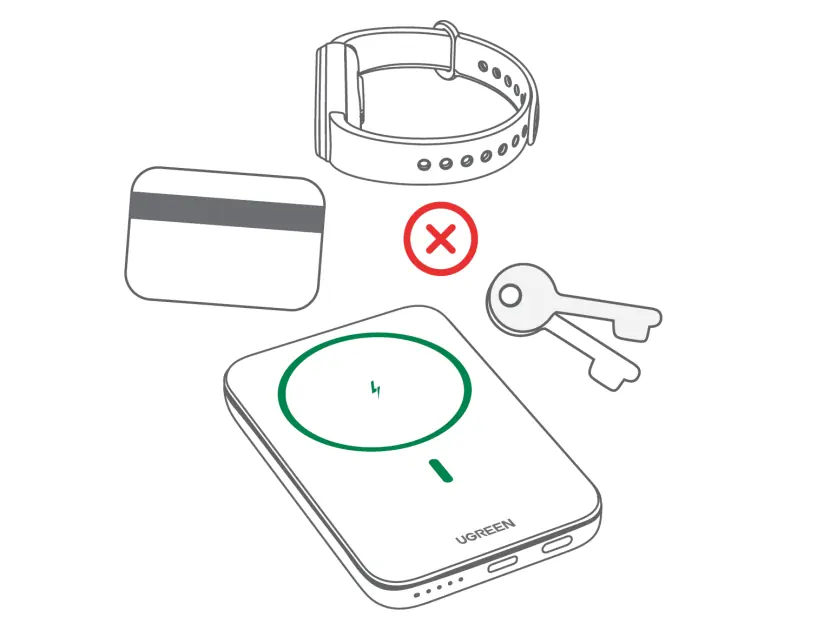
- Do not place metal objects (such as paper clips or coins) or magnetic cards in the charging area to prevent abnormal charging or overheating.
- Do not use multi-in-one data cables to charge multiple devices simultaneously.
- Do not expose the product to excessive heat, such as inside vehicles, near heaters, or in direct sunlight.
- Do not use the product during thunderstorms.
- If the battery is severely swollen, discontinue use immediately.
- Keep out of reach of children.
Specifications
- Battery Type: Polymer lithium-ion battery
- Cell Capacity: 10000 mAh (5000mAh x 2)
- USB-C Input/Output: 5V/3A, 9V/2.22A, 12V/1.67A
- Wireless Output: 15W Max
- Operating Temperature: 0-40°C
- Storage Temperature: 0-50°C
Manufacturer information
UGREEN
Practical help
Common problems
Wireless charging is not working
Ensure the phone is aligned with the charging area, remove non-certified cases, and ensure no metal objects or magnetic cards are present.
Device not charging after connection
Try single-clicking the power button to restart the charging function.
Fast charging is not active
Ensure you are using a compatible PD fast charger.
Before use
- Fully charge the power bank before first use.
- Use a high-quality charging cable.
- Ensure your phone supports magnetic wireless charging.
- Remove metal objects or magnetic cards from the charging area.
Specs in practice
- Trickle Charging
- Low-current mode for small devices like earbuds or smartwatches.
Images and diagrams
- LED Indicators: Shows battery level and wireless charging status.
- Charging Area: The circular magnetic zone on the front.
Model compatibility
- Compatible with official Apple MagSafe cases and other certified magnetic cases.

Manual page author
David Miller
Documentation analyst
Organizes user manual content into clear summaries, with attention to model details, product context, and everyday usability.