Power / Batteries & Chargers
UGREEN 5000mAh Powerbank
A quick guide to using your UGREEN 5000mAh Powerbank, including charging instructions, how to use trickle charging mode, and important safety warnings.
Table of contents
Manual images
Click an image to enlargeQuick guide from the manual
This guide covers the operation of the UGREEN 5000mAh Powerbank. Before first use, ensure the device is fully charged to maximize battery health. Use a charger with a minimum output of 20W for optimal performance. Do not attempt to charge the power bank using both charging methods simultaneously.
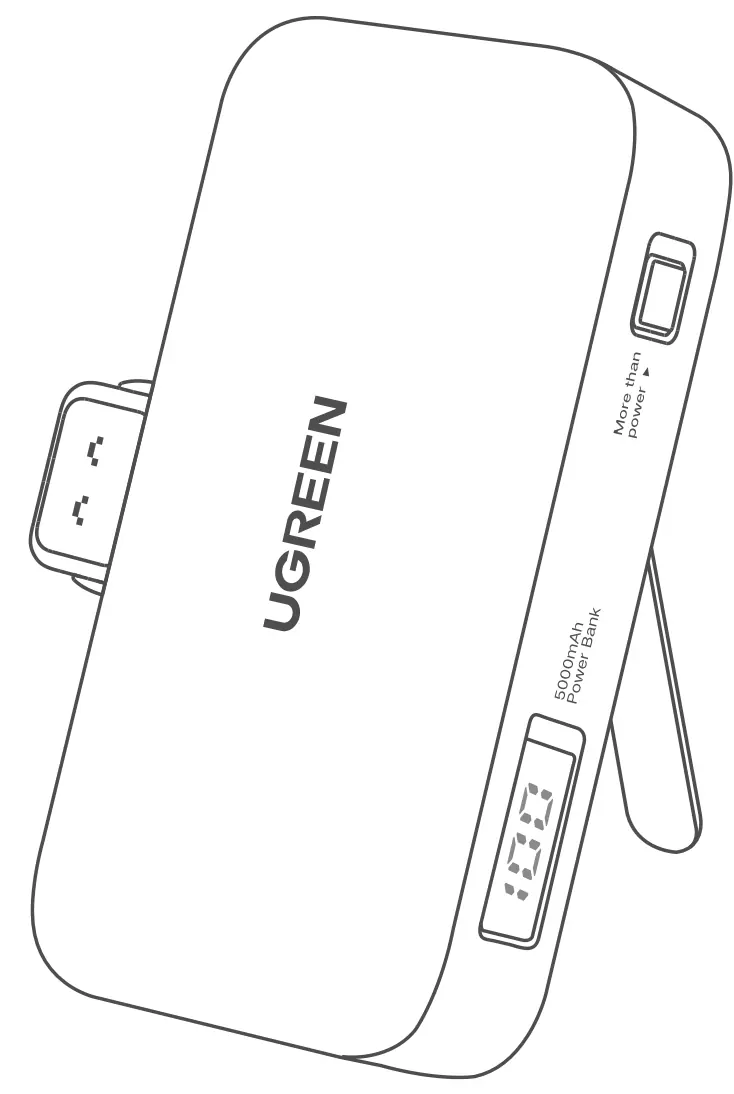
Powerbank Recharging
You can recharge the power bank using two methods:
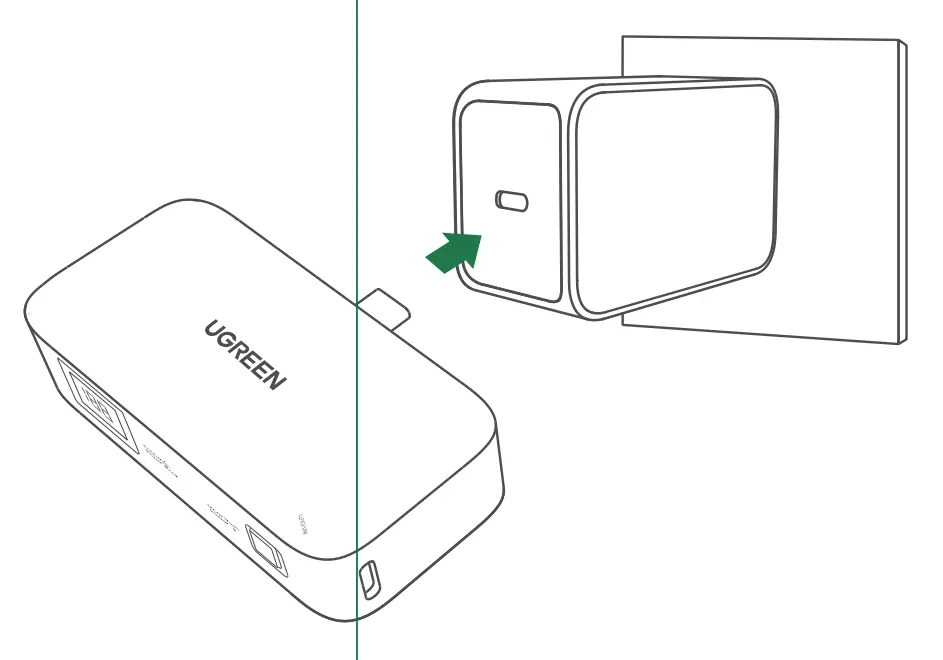
- Option 1: Connect the power bank to a wall charger using a compatible charging cable.
- Option 2: Plug the power bank directly into a wall charger if it features an integrated connector.
Important: Do not use both methods at the same time, as this may cause charging conflicts, reduce efficiency, or damage internal components.
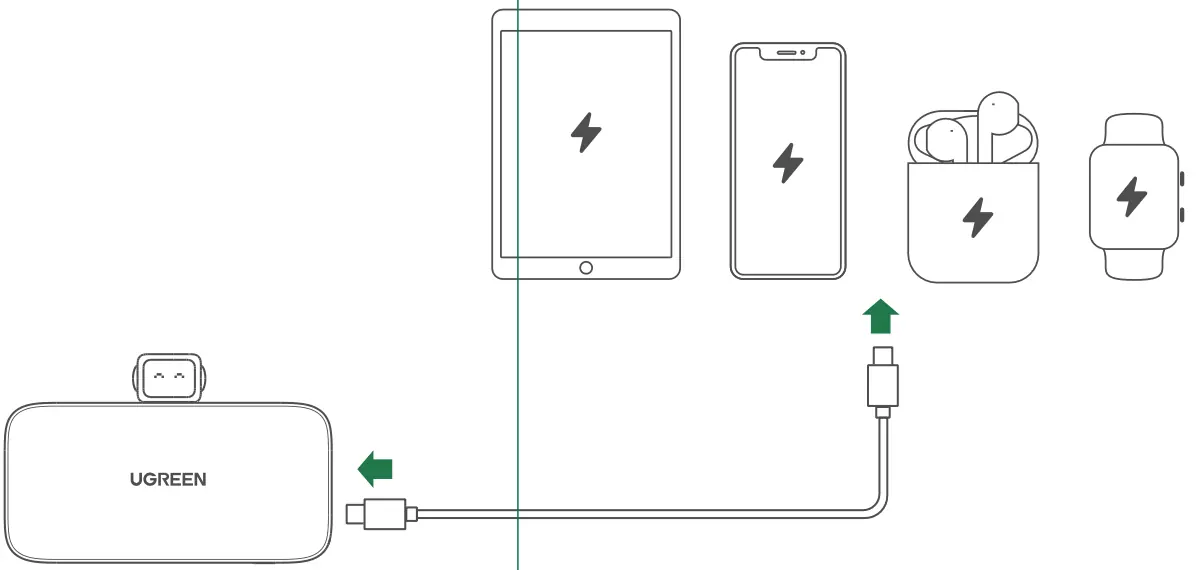
Charging Your Devices
To charge your devices, connect them to the power bank. If charging does not start automatically, press the power button once to activate the power bank.
Trickle Charging Mode
For low-current devices such as Bluetooth earbuds or smartwatches, use Trickle Charging Mode to ensure consistent charging:
- Enable: Press and hold the power button for approximately 3 seconds.
- Disable: Press and hold the power button again for about 3 seconds, or wait 3.5 hours for the mode to deactivate automatically.
Safety and Maintenance
- Storage: If not used for an extended period, store in a dry environment. Fully charge and discharge the power bank at least once every three months to prolong battery life.
- Usage: Avoid using multi-in-one data cables to charge multiple devices simultaneously. Use official UGREEN cables and chargers for best performance.
- Warnings: Keep away from extreme temperatures, direct sunlight, water, and other liquids. Do not disassemble, puncture, or crush the device. If the battery appears swollen, stop using it immediately.
- Disposal: Dispose of the product according to local environmental regulations; do not discard as household waste.
Warranty Conditions
Products purchased in the Alza.cz sales network are covered by a 2-year warranty. For repairs or service, contact the seller directly and provide the original proof of purchase. Warranty claims may be denied if the product is misused, damaged by natural disasters, modified, or if non-original components are used.
Official resources from the manual
Manufacturer information
UGREEN
Practical help
Common problems
Connected device does not start charging.
Press the power button once to activate the power bank and initiate charging.
Low-current devices (earbuds, smartwatches) do not charge consistently.
Enable Trickle Charging Mode by pressing and holding the power button for 3 seconds.
Charging is slow or inefficient.
Ensure you are using a charger with a minimum output of 20W and avoid using multi-in-one cables.
Before use
- Ensure the power bank is fully charged before first use.
- Use a charger with a minimum output of 20W.
- Use an official UGREEN charging cable for best performance.
- Check that the device is not exposed to extreme temperatures or moisture.
Specs in practice
- Trickle Charging Mode
- A specialized charging mode designed to provide consistent power to low-current devices like earbuds and smartwatches.
Images and diagrams
- Option 1: Charging the power bank via a cable connected to a wall adapter.
- Option 2: Charging the power bank by plugging it directly into a wall adapter.
Model compatibility
- Compatible with most USB-C devices.
- Trickle Charging Mode is recommended for low-current devices.

Manual page author
Michael Turner
Technical manual editor
Reviews PDF manuals for structure, safety notes, and practical product details so readers can find the right information quickly.