Mobile / Smartphones
Repair Manual for Xiaomi Redmi 15C
Official repair manual for the Xiaomi Redmi 15C. This guide provides detailed instructions for disassembly, component replacement, and assembly, along with essential safety precautions, required tools, and calibration procedures.
Table of contents
Manual images
Click an image to enlargeQuick guide from the manual
This document serves as an official repair manual for the Xiaomi Redmi 15C. It outlines the necessary safety precautions, required tools, and step-by-step procedures for disassembling and reassembling the device. Please note that repairs should be performed by authorized professionals to maintain device integrity and warranty status.
Repair Precautions
- Safety First: Always wear appropriate safety equipment, including safety goggles, gloves, and masks.
- Data Protection: Back up all important data before starting any repair to prevent data loss.
- Power Off: Ensure the device is turned off and disconnected from any power source.
- ESD Protection: Use an anti-static wrist strap and a grounded ESD safety mat to prevent damage to sensitive electronic components.
- OEM Parts: Always use original (OEM) replacement parts. Third-party parts may cause malfunctions or safety hazards.
- Waterproofing: Note that the device's waterproof and dustproof performance is not guaranteed after repair.
Tool Preparation
The following tools are necessary for the disassembly and assembly process:
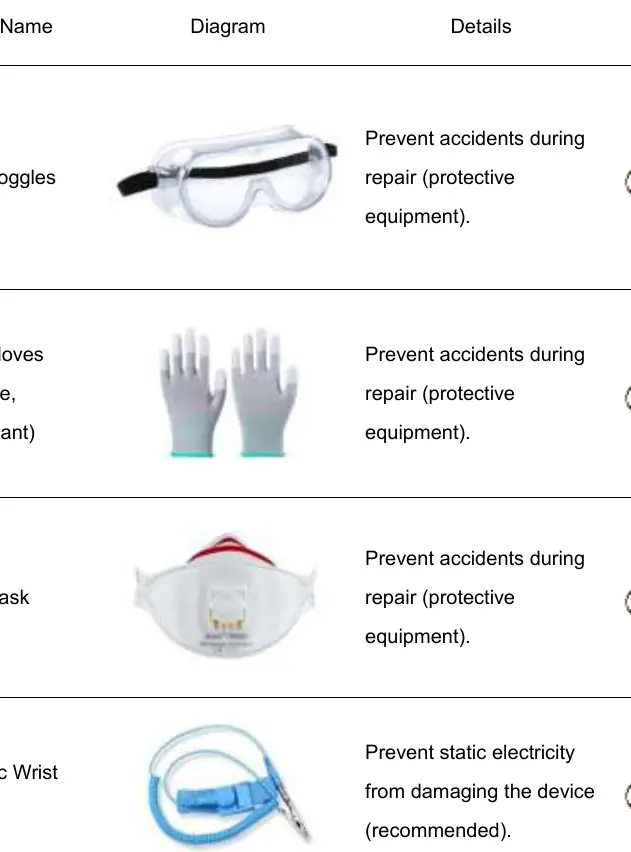
- Safety Goggles, Gloves, and Mask
- Anti-static Wrist Strap and ESD Safe Mat
- Ejection Pin (for SIM tray)
- Phillips Screwdriver
- Plastic Pry Bar and Plastic Pry Tool
- Suction Cup
- Heating Bag (or heating platform)
- Crimping Tool (for battery cover assembly)
- Air Tightness Tester
Disassembly Procedure
The disassembly process involves the following key steps:
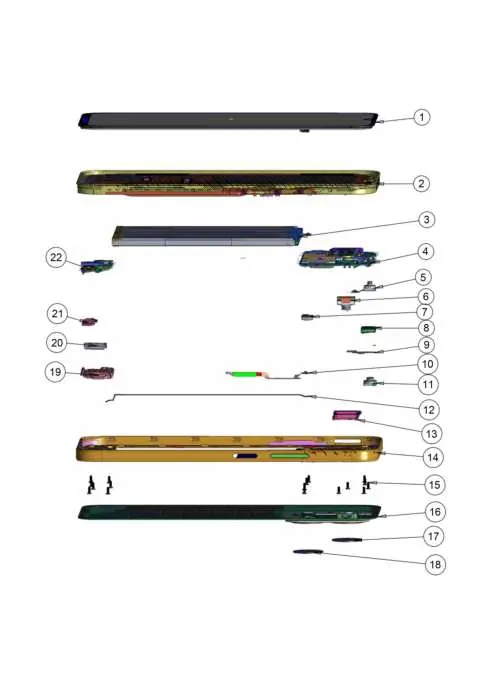
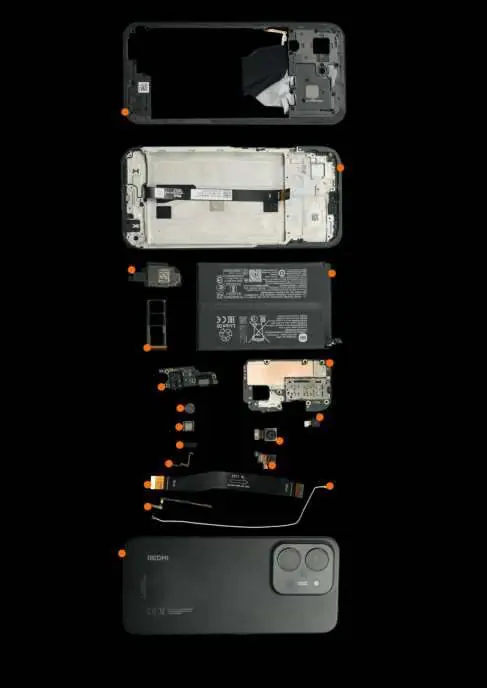
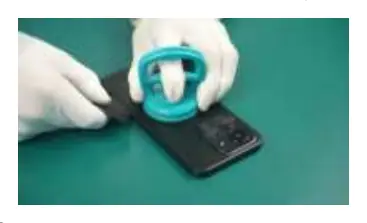
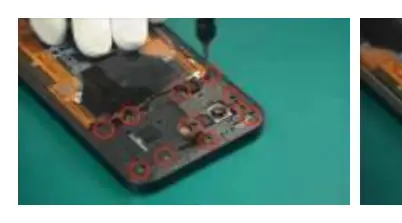
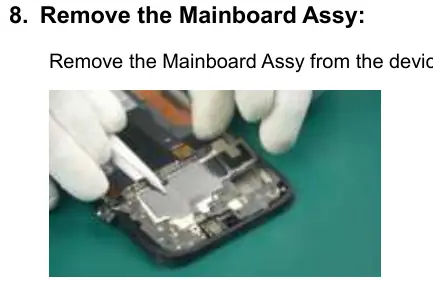
- Remove the SIM Card Tray.
- Heat the device using a heating bag or platform to soften the adhesive.
- Remove the Battery Cover Assembly using a suction cup and plastic pry tool.
- Remove the Middle Frame Assembly by unscrewing and unclipping.
- Disconnect internal cables, including the battery, main FPC, and display module.
- Remove the camera assembly, mainboard, receiver, sub-board, and vibrator.
- Remove the battery using the provided easy-release adhesive tabs.
Assembly Procedure
Assembly is performed in the reverse order of disassembly:
- Install the vibrator, sub-board, and coaxial cable.
- Connect the main FPC and speaker assembly.
- Install the receiver and side key FPC.
- Install the mainboard and camera assembly.
- Connect all cables and ensure they are properly seated.
- Install the middle frame and secure it with screws.
- Apply new adhesive and install the battery cover.
- Crimp the phone to ensure a secure fit.
- Test all phone functions (Wi-Fi, Bluetooth, sound, camera).
Calibration and Quality Inspection
After reassembly, it is recommended to perform calibration and quality inspection to ensure the device functions correctly. If any faults occur, please visit a Xiaomi Authorized Service Center for further assistance.
Manufacturer information
Xiaomi Corporation
Practical help
Common problems
Device damaged by heat
Do not heat the device in a microwave. Use a heating bag at 55-65°C for the recommended time.
Static electricity damage
Always use ESD-safe equipment, including antistatic wrist straps, gloves, and mats.
Adhesive not sticking properly
Ensure all old adhesive is thoroughly cleaned before applying new adhesive. Use the recommended assembly press device.
Internal components damaged during pry
Do not insert pry tools too deeply into the device to avoid damaging internal circuitry.
Before use
- Back up all important data.
- Turn off the device and disconnect from power.
- Wear appropriate safety equipment (goggles, gloves, mask).
- Ensure a clean, safe workspace.
- Prepare all necessary tools (screwdrivers, pry bars, heating bag).
Images and diagrams
- Exploded view diagrams show the location of all internal components.
- Step-by-step photos illustrate the disassembly and assembly process.
Model compatibility
- Use only OEM replacement parts.
- Waterproof/dustproof rating is not guaranteed after repair.

Manual page author
Emily Carter
User documentation editor
Prepares concise manual descriptions and highlights the most useful setup, operation, and maintenance information for readers.