Power / Batteries Chargers
User Guide for D'Addario XPND Pedal Power Battery Kit
A comprehensive guide for the D'Addario XPND Pedal Power Battery Kit, covering assembly, mounting options, daisy chain configuration, and battery safety instructions.
Table of contents
Important Safety Information
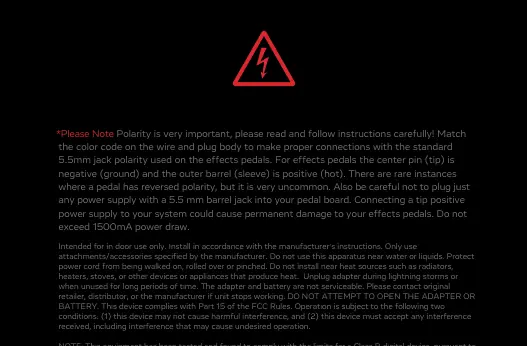
Polarity is critical. For effects pedals, the center pin (tip) must be negative (ground) and the outer barrel (sleeve) must be positive (hot). Connecting a tip-positive power supply can cause permanent damage to your effects pedals. Do not exceed 1500mA power draw. The adapter and battery are not serviceable; do not attempt to open them.
Included Parts
- Portable Power Cell
- USB-C Power Supply
- (2) USB-C Cables
- Pedal Power Gateway
- Adjustable Daisy Chain
- Hook Fasteners
Powering Your Pedals
You can power your pedals using the battery or a USB power supply.
Powering with Battery
Press and hold the power button on the side of the Power Cell to turn it on or off. The battery will display the charge level. When necessary, charge the battery using the included AC power adapter.
Powering with USB Power Supply
Alternatively, you can plug the gateway directly into a USB power supply using the long cable for non-battery use. If you experience noise or hum, place a Pedal Noise Isolator (sold separately) between the Adjustable Daisy Chain and the offending pedal.
Mounting the Power Cell
The Power Cell can be mounted on top of or underneath your pedalboard using the included hook fasteners.
- Top-Board Mounting: Apply hook strips to the back of the Power Cell and mount it perpendicular to the rails at the beginning of your pedal array.
- Under Mounting: Apply hook strips to the top face of the Power Cell and mount it parallel with the rails so the screen is visible between two pedals.
Adjustable Daisy Chain Assembly
The Adjustable Daisy Chain can be configured in two ways depending on your pedal layout.
Pass-Through Configuration
Ideal for scenarios where consecutive pedals' power inputs are located at the top of the pedal.
Fold-Over Configuration
Ideal for scenarios where a pedal's power input is located on its side or for neatly ending a daisy chain.
Assembly Steps:
- Assemble the insert into the cap.
- Insert the cable into the plug body, ensuring the red wire aligns with the red indicator.
- Screw the cap down firmly clockwise until flush.
- Ensure the red wire remains aligned and the cap is not cross-threaded.
Battery Maintenance and Safety
Lithium-ion batteries are sensitive. Misuse can pose a risk of fire or explosion.
- Do not overcharge or over-discharge.
- Always charge on a fire-proof surface and never leave unattended.
- Stop using immediately if the battery emits an unusual smell, feels hot, changes color/shape, or appears damaged.
- Storage: Store in a dry location at room temperature. Do not store fully charged or completely discharged. For optimal health, store at a partial charge (40–60%) if not used for several weeks.
Practical help
Common problems
Noise or hum in the signal chain
Place a Pedal Noise Isolator (PW-XPNDPNI-01, sold separately) between the Adjustable Daisy Chain and the offending pedal.
Battery does not turn off
The Power Cell does not automatically power down. You must press and hold the side power button to turn it off.
Polarity mismatch
Ensure the center pin is negative and the outer barrel is positive. Connecting a tip-positive supply can damage pedals.
Before use
- Charge the Portable Power Cell fully using the included power supply.
- Verify your pedals require center-negative polarity.
- Ensure total power draw does not exceed 1500mA.
- Choose the appropriate mounting location (top or under the board).
- Assemble the daisy chain plugs according to your pedal layout (Pass-through or Fold-over).
Images and diagrams
- Pass-through configuration: Used when pedal power inputs are at the top.
- Fold-over configuration: Used when pedal power inputs are on the side or to end the chain.
Model compatibility
- Only use D'Addario circuitry to ensure clean 9V power.
- Pedal Noise Isolator is sold separately.

Manual page author
Emily Carter
User documentation editor
Prepares concise manual descriptions and highlights the most useful setup, operation, and maintenance information for readers.