Electronics / Speakers & Soundbars
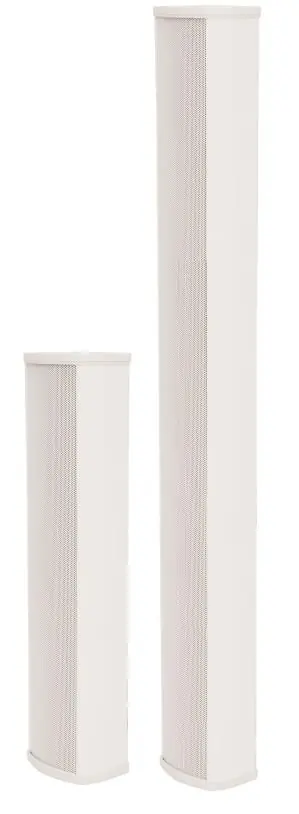
Adastra SC Series 100V Indoor Column Speakers
Quick guide for Adastra SC16V and SC32V column speakers. Learn how to install, wire for 100V or low-impedance systems, and adjust wattage settings.
Table of contents
Manual images
Click an image to enlargeQuick guide from the manual
The Adastra SC series column speakers are designed for sound reinforcement systems. They support both 100V line systems and low-impedance operation. Before installation, ensure you have the correct amplifier type and compatible cabling.
Installation
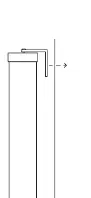
The speakers are supplied with top and bottom brackets for wall or upright support mounting. The top bracket can be extended to allow for a downward angle if the speaker is mounted at height. Lateral adjustment is achieved by pivoting the speaker on the brackets.
Wiring and Connection
The rear of each speaker is fitted with a speaker wire. Connect this wire to the output of a 100V amplifier as follows:
- White core: Connect to the 100V (or +) terminal.
- Black core: Connect to the COM (or -) terminal.
If you need to extend the cable, use 2-core double-insulated cable with power handling equal to or higher than the speaker wire.
Wattage and Impedance Settings
The rear of the speaker features a rotary volume adjustment switch. This allows you to set the maximum power for the speaker in a 100V system (tappings) or switch to a low-impedance setting for standard amplifiers:
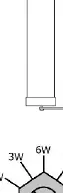
- 100V Tappings: Select the desired wattage setting for your 100V line system.
- Low Impedance: Switch to the impedance setting (8Ω for SC16V, 4Ω for SC32V) if using a standard non-100V amplifier.
Always check your amplifier manual for correct impedance and ensure you do not exceed the RMS power rating of the column speaker.
Specifications
SC16V: 16W RMS, 32W Max, 8Ω impedance, 105 x 410 x 90mm, 2.3kg.
SC32V: 32W RMS, 64W Max, 4Ω impedance, 105 x 620 x 90mm, 3.6kg.
Both models feature a 160° dispersion angle and a frequency response of 200Hz – 16kHz.
Disposal
The product is classed as Electrical or Electronic equipment and should not be disposed of with household or commercial waste. Follow local council guidelines for disposal.
Practical help
Common problems
Speaker not producing sound in 100V system
Verify that the white core is connected to the 100V (+) terminal and the black core is connected to the COM (-) terminal on your amplifier.
Incorrect volume or sound distortion
Check the rotary switch on the rear of the speaker. Ensure it is set to the correct wattage tapping for your 100V system or the correct impedance for your standard amplifier.
Before use
- Identify if your amplifier is a 100V line system or a standard low-impedance amplifier.
- Ensure you have 2-core double-insulated cable if extending the speaker wire.
- Check the RMS power rating of the speaker against your amplifier output.
- Verify the impedance requirements (8Ω for SC16V, 4Ω for SC32V) if using low-impedance mode.
Specs in practice
- 100V Tappings
- Power settings (e.g., 12W, 6W, 3W, 1.5W) used to balance volume in 100V line systems.
- Low Impedance
- Direct connection mode for standard amplifiers; requires matching the speaker's impedance (4Ω or 8Ω) to the amplifier.
Images and diagrams
- The rotary switch on the rear allows selection of wattage tappings for 100V operation or switching to low-impedance mode.
- The mounting brackets allow for vertical wall mounting and downward angling.
Model compatibility
- SC16V is compatible with 8Ω low-impedance amplifiers.
- SC32V is compatible with 4Ω low-impedance amplifiers.

Manual page author
Emily Carter
User documentation editor
Prepares concise manual descriptions and highlights the most useful setup, operation, and maintenance information for readers.