Power / Power Supplies
User Manual for AJAX 12V PSU for Hub/Hub Plus/ReX
Quick guide for installing the AJAX 12V PSU for Hub, Hub Plus, and ReX. Includes step-by-step replacement instructions, technical specifications, and safety requirements.
Table of contents
Manual images
Click an image to enlargeQuick guide from the manual
The AJAX 12V PSU is a power supply unit designed to connect Ajax Hub, Hub Plus, and ReX radio signal extenders to 12V DC sources. It replaces the standard 110/230V power supply unit. Important: This installation must be performed by a qualified electrician only. Never disassemble the device while it is under voltage.
Installation process
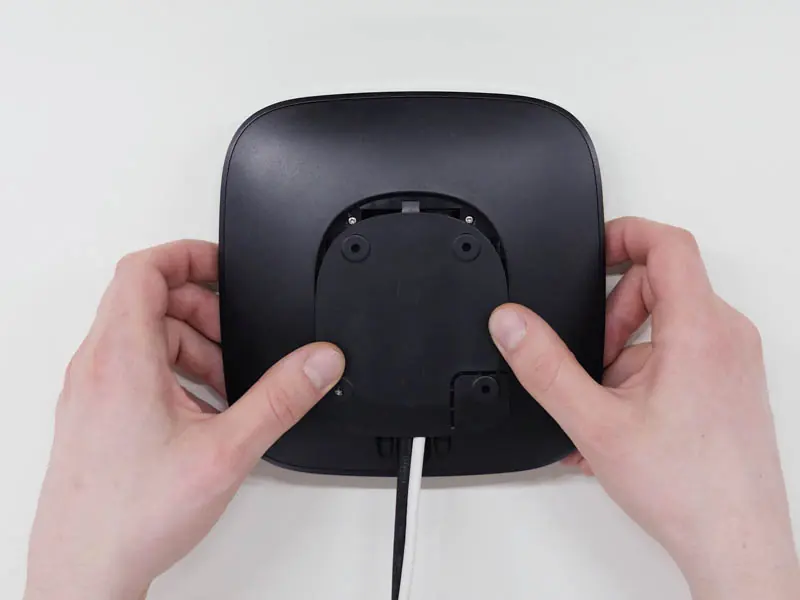
- Remove the screws and take off the device from the SmartBracket mounting panel by shifting it down with force.
- Switch off the device by holding the power button for 2 seconds.
- Disconnect power and Ethernet cables. Wait 5 minutes for the capacitors to discharge.
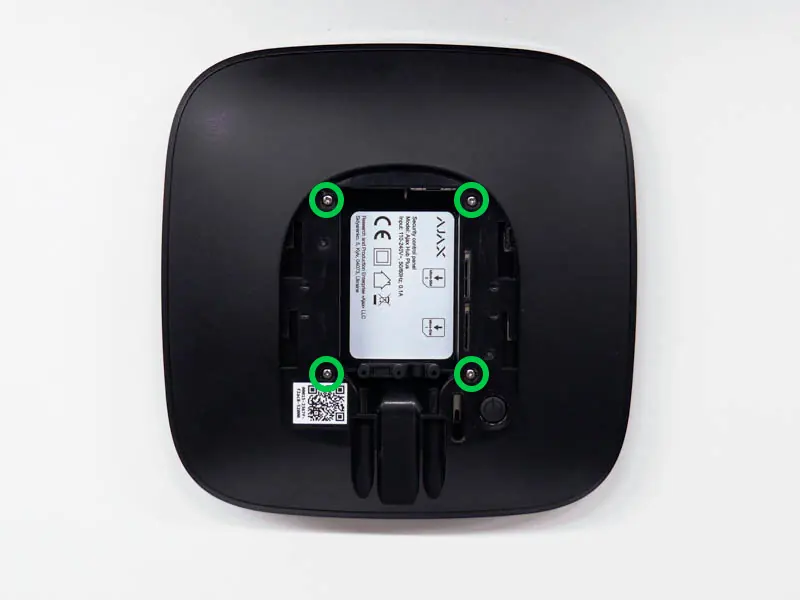
- Remove the four screws of the back lid and take it off.
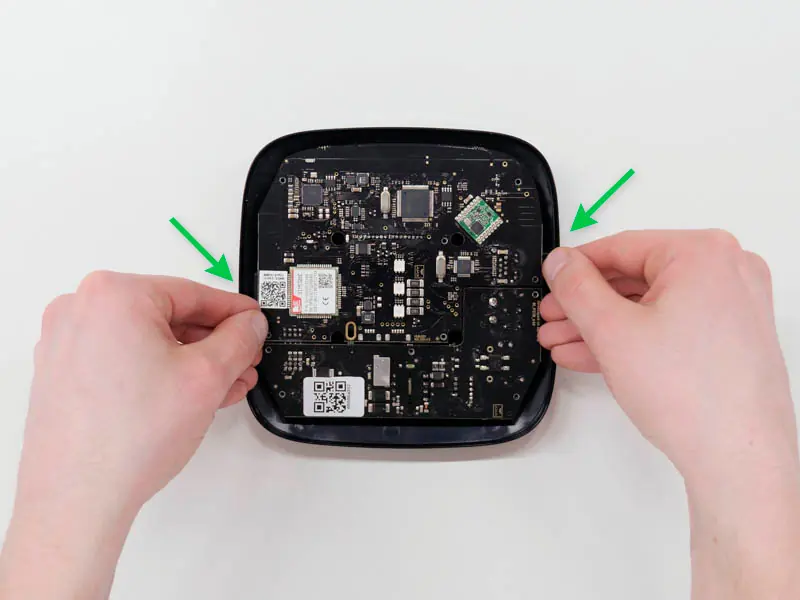
- Remove the screws attaching the boards to the device body.
- Carefully remove both boards, keeping them in the same plane and not disconnecting them. Be careful not to break the connector between the boards.
- Disconnect the existing power supply unit (the smaller board) from the mainboard.
- Connect the 12V PSU to the mainboard using the eight-pin connector. Do not warp or bend the antennas during this process.
- Reassemble the boards and the device body, then tighten the screws. Ensure the battery and cables are not clamped.
- Connect the power and Ethernet cables to the appropriate sockets.
- Switch on the 12V power source.
- Switch on the device by holding the power button for 2 seconds.
- Close and fix the SmartBracket mounting panel.
After installation, check the external power status in the Ajax app. If there is no power, check the polarity of the connected wires if using a terminal adapter.
Technical specifications
Input voltage: 8-20 V DCOutput voltage: 4.65 V DC ± 3%Switch on voltage: 8 V DC ± 2.5%Switch off voltage: 6.9-7.5 V (depending on load)Max input current:< 1 AMax output current: 1.5 AConnection to mains: Socket 6.5 x 2 mm, Plug 5.5 x 2.1 mmDimensions: 138 x 64 x 13 mmWeight: 30 g
Maintenance
The device does not require technical maintenance.
Support
If the device does not function correctly, please contact the Support Service first, as many technical issues can be solved remotely. Technical support email: [email protected]
Practical help
Common problems
No power after installation
Check the polarity of the connected wires if you are using a terminal adapter.
Device malfunction
Ensure antennas were not warped or bent during the board replacement process.
Boards do not fit correctly
Check that the battery and its cables are not clamped. Ensure boards stand firmly on all guides.
Before use
- Ensure the device is disconnected from the mains.
- Wait 5 minutes for the capacitors to discharge before opening.
- Verify the input voltage is between 8-20V DC.
- Ensure installation is performed by a qualified electrician.
- Use the special bundled sticker to update input voltage information on the device body.
Specs in practice
- Input voltage
- 8-20 V DC. Do not connect power with voltage exceeding this range.
- Max input current
- < 1 A.
- Max output current
- 1.5 A.
Images and diagrams
- The installation involves removing the back cover of the hub, unscrewing the internal boards, and swapping the standard power supply board for the 12V PSU board.
Model compatibility
- Compatible with Ajax Hub, Hub Plus, and ReX.

Manual page author
Michael Turner
Technical manual editor
Reviews PDF manuals for structure, safety notes, and practical product details so readers can find the right information quickly.