Lighting / Portable Lighting
User Manual for ANSMANN 1W14 LED Sidelight
Quick guide for the ANSMANN 1W14 LED Sidelight. Learn how to operate the light, use the remote control, select colors, and manage light effects safely.
Quick answers from the manual
Quick answer
- The ANSMANN 1W14 is an LED sidelight controlled via remote. It features 12 colors, 366 light effects, and a memory function for the last setting. p. 1
Key actions
- Connect the power adapter to the light and a wall outlet. p. 1
- Remove the battery protection tab from the remote control. p. 1
First start
- Remove the battery tab from the remote, plug in the power adapter, and use the remote to turn on the light. p. 1
Problems and fixes
Remote not responding
Replace the CR2025 battery.
p. 1Maintenance and reset
- Replace the CR2025 battery in the remote control if it stops working. p. 1
Technical specifications
| Parameter | Value | Meaning | Pages |
|---|---|---|---|
| Input Voltage | 100-240V AC | Standard power input | p. 1 |
| Power | 10W | Power consumption | p. 1 |
Where to find it in the PDF
- Product Overview and Operation p. 1
Table of contents
Important Information
The ANSMANN 1W14 LED Sidelight is designed for indoor room lighting. It is controlled via an included remote control. Before first use, ensure the battery protection tab is removed from the remote control. The device is intended for dry indoor environments only and must be kept away from water and moisture.
Product Description
The sidelight features 12 selectable colors and 366 different light effects. It is dimmable and includes an automatic mode. The device is powered by a standard power adapter.
Operation
The light is operated primarily through the remote control. Key functions include:
- Power: Turn the light on or off.
- Color Selection: Choose from 12 static colors.
- Light Effects: Cycle through 366 different dynamic light effects.
- Dimming: Adjust the brightness of the light.
- Automatic Mode: Enable automatic cycling of effects.
- Memory Function: The light remembers the last setting when turned off.
Safety Instructions
- Keep the device away from children.
- Do not open the housing or attempt to repair the device yourself.
- Use only the provided power adapter.
- Do not expose the device to extreme heat, cold, or moisture.
- If the device is damaged, disconnect it from the power supply immediately.
Maintenance and Battery
The remote control uses a CR2025 battery. If the remote stops responding, replace the battery by sliding out the battery compartment. Ensure the battery is inserted with the correct polarity (+ side up). Clean the device only with a dry, lint-free cloth; do not use aggressive cleaning agents.
Technical Specifications
- Input: 100-240V AC
- Power: 10W
- Remote Frequency: 433 MHz
- Battery: CR2025
Practical help
Common problems
Remote control does not work
Check if the battery protection tab has been removed. If it has, replace the CR2025 battery, ensuring correct polarity.
Light does not turn on
Ensure the power adapter is securely connected to both the light and a functioning wall outlet.
Before use
- Remove the battery protection tab from the remote control.
- Ensure the power adapter is connected to the light.
- Place the light on a stable, dry surface.
- Verify the power outlet is compatible with the adapter.
Specs in practice
- 12 Selectable Colors
- Allows you to set the light to one of 12 static colors.
- 366 Light Effects
- Dynamic modes that cycle through colors and patterns.
Images and diagrams
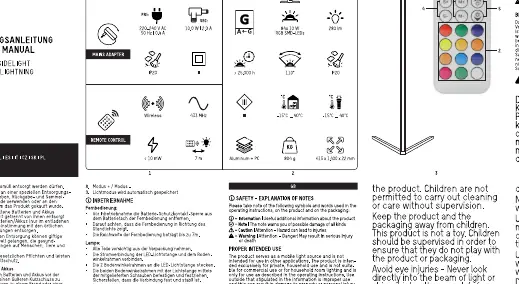
- The remote control layout includes buttons for power, color selection, mode selection, and brightness adjustment.
- The power adapter connects to the base of the light.
Model compatibility
- For indoor use only.
- Not suitable for use in damp or wet environments.

Manual page author
Emily Carter
User documentation editor
Prepares concise manual descriptions and highlights the most useful setup, operation, and maintenance information for readers.