Mobile / Smartphones
Apple Recycler Guide for iPhone 17 Pro and iPhone 17 Pro Max
Professional disassembly and recycling guide for iPhone 17 Pro and iPhone 17 Pro Max. Includes safety protocols, battery handling, thermal runaway procedures, and step-by-step component removal instructions for trained professionals.
Quick answers from the manual
Quick answer
- This guide provides professional disassembly instructions for the iPhone 17 Pro and iPhone 17 Pro Max, focusing on safe battery removal and component recovery. p. 3
Key actions
- Discharge battery to <25% before disassembly. p. 5
- Use sand to extinguish thermal runaway. p. 6
Problems and fixes
Thermal runaway signs (smoke, sparks, puffing, hissing)
Smother with sand immediately; do not use water or fire extinguishers.
p. 6Show 1 more answers Show less
Where to find it in the PDF
- Safety Considerations p. 5, 6
- Disassembly Instructions p. 7
- Product Components Diagram p. 8
Table of contents
Manual images
Click an image to enlargeQuick guide for recyclers
This document provides essential instructions for the safe disassembly of iPhone 17 Pro and iPhone 17 Pro Max. These procedures are intended exclusively for trained electronics recycling professionals. The primary focus is on resource recovery and safe handling of components, particularly the lithium-ion polymer battery.
Safety considerations
Before beginning any disassembly, ensure the following safety measures are in place:
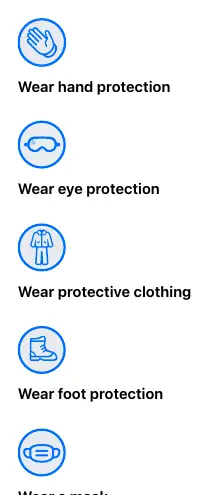
- Personal Protective Equipment (PPE): Always wear hand protection, eye protection, protective clothing, foot protection, and a mask.
- Battery Safety: If possible, discharge the battery to less than 25 percent before disassembly to reduce the risk of thermal runaway. Remove conductive items like jewelry or watches.
- Workspace Safety: Keep a sand dispenser (containing 1.9–2.4 L of clean, dry, untreated sand) within arm's reach. Maintain adequate ventilation and keep the battery at least 0.6 m away from combustible materials.
Handling a thermal runaway
If you notice signs of thermal runaway (smoke, sparks, soot, puffing, or hissing/popping sounds), act immediately:
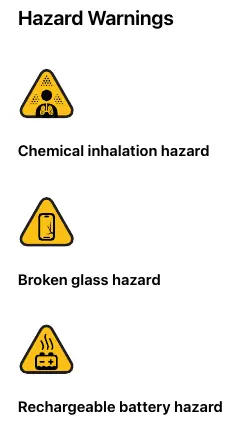
- Do not use water or ABC/CO2 fire extinguishers.
- Do smother the battery or device immediately with plenty of clean, dry sand.
- Do leave the room for 30 minutes if irritation occurs.
- Do wait 30 minutes before touching the battery.
Disassembly instructions
Follow these steps in order to disassemble the device:
- Remove the USB-C charge cable.
- With the screen facing up, insert a flat-blade screwdriver into the USB-C connector and push the handle down while holding the iPhone.
- Remove the OLED display by hand.
- Use a flat-blade screwdriver to pry off the two fasteners at the top of the Battery Plate over the Main Logic Board. Do not pry near the battery.
- Slide a miniature plastic pry bar between the battery and the Battery Plate to separate the adhesive.
- Use long nose pliers to grab the Battery Plate and separate it from the remaining fasteners.
- Remove the lithium-ion battery by hand.
- Use a flat-blade screwdriver to pry off the Main Logic Board from the enclosure.
Product components
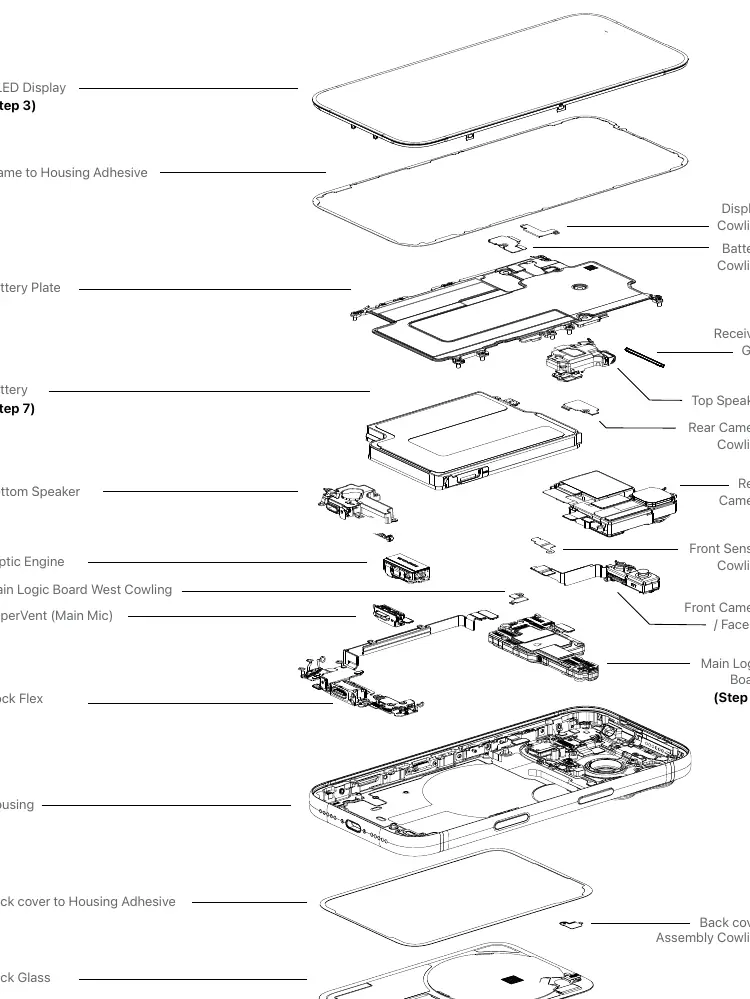
The device consists of various modules including the OLED display, Main Logic Board, Taptic Engine, speakers, and camera assemblies. Refer to the exploded view diagram in the document for the precise location of these components and their associated cowlings and adhesives.
Manufacturer information
Apple Inc.
Practical help
Common problems
Thermal runaway (smoke, sparks, puffing, hissing)
Do not use water or ABC/CO2 extinguishers. Smother immediately with clean, dry sand. Wait 30 minutes before touching.
Battery removal difficulty
Use a miniature plastic pry bar to separate the adhesive between the battery and the Battery Plate.
Before use
- Wear full PPE (hand, eye, body, foot protection, and mask).
- Ensure a sand dispenser (1.9–2.4 L) is within arm's reach.
- Discharge battery to below 25% if possible.
- Remove all conductive jewelry and watches.
- Ensure the workspace is well-ventilated and clear of combustibles.
Show more Show less
Images and diagrams
- Exploded view showing the arrangement of the OLED display, battery, Main Logic Board, and various cowlings/adhesives.
- PPE icons illustrating required safety gear.
- Hazard warning icons for chemical, glass, and battery risks.
Model compatibility
- Instructions apply to both iPhone 17 Pro and iPhone 17 Pro Max.

Manual page author
Michael Turner
Technical manual editor