Mobile / Smartphones
Recycler Guide for iPhone SE (1st generation)
Professional recycler guide for the iPhone SE (1st generation). Includes step-by-step disassembly instructions, safety protocols, required tools, and material categorization for recycling.
Quick answers from the manual
Quick answer
- This guide provides professional disassembly instructions for the iPhone SE (1st generation) to maximize resource recovery. It includes safety protocols, tool requirements, and material categorization. p. 3, 10
Key actions
- Disassemble the device following the 17-step procedure. p. 10, 21
Problems and fixes
Thermal runaway
Smother with sand immediately; do not use water or fire extinguishers.
p. 7Show 1 more answers Show less
Where to find it in the PDF
- Identification p. 4
- Safety Considerations p. 6, 7
- Disassembly Instructions p. 10, 21
Table of contents
Manual images
Click an image to enlargeImportant Information
This document provides guidance for electronics recyclers on how to disassemble the iPhone SE (1st generation) to maximize resource recovery. These procedures are intended to be performed only by trained electronics recycling professionals. The recycler is responsible for ensuring compliance with all applicable environmental, health, and safety laws.
Identification
The model number can be found on the back of the iPhone SE. Supported model numbers include: A1662, A1723, and A1724.
Safety Considerations
Recyclers must evaluate all activities to ensure compliance with health and safety laws. Personal Protective Equipment (PPE) must be worn during the entire process, including hand protection, eye protection, protective clothing, foot protection, and a mask.
Battery Safety
- Use heat-resistant gloves and safety glasses.
- Keep a sand dispenser (1.9–2.4 L) within arm's reach.
- Keep the battery at least 2 feet (0.6 m) from combustible materials.
- Do not puncture, strike, or crush the battery.
- Do not use sharp or conductive tools.
Handling a Thermal Runaway
If the battery begins to smoke, emit sparks, or puff out, or if you hear hissing/popping sounds:
- Do not use water or ABC/CO2 fire extinguishers.
- Smother the device immediately with plenty of clean, dry sand.
- Leave the room for 30 minutes if irritation occurs.
- Wait 30 minutes before touching the battery.
Recommended Tools
- Miniature plastic pry bar
- Miniature pry bar
- Nail-pulling screwdriver
- Screwdriver-handle pry bar
- Tweezers
Disassembly Instructions
Follow these steps to disassemble the device:
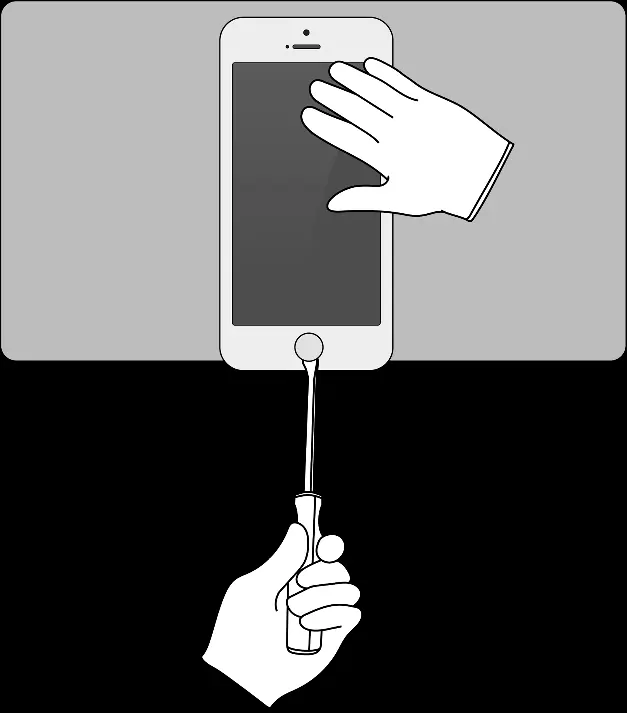
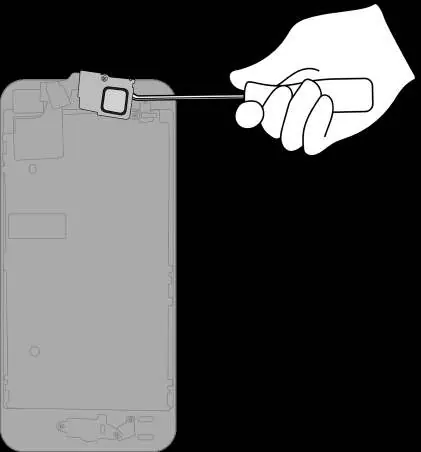
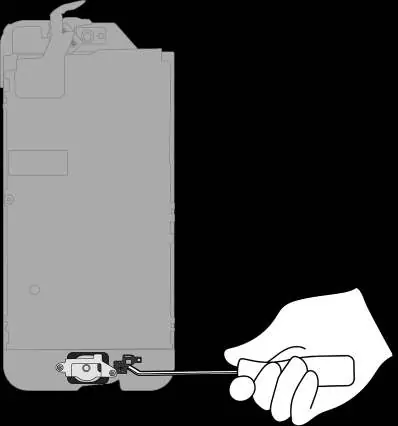
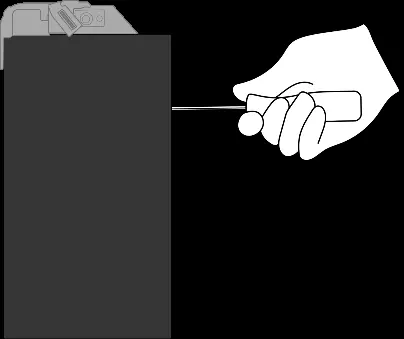
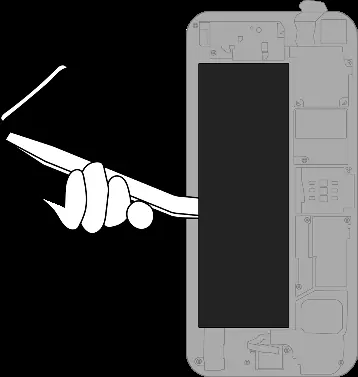
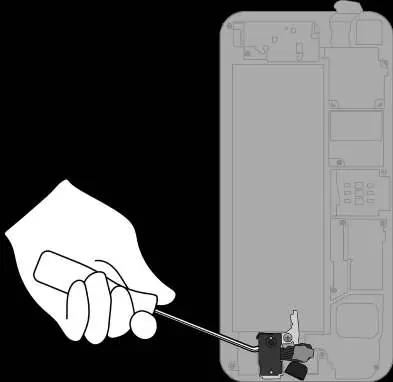
- Remove the power adapter and charge cable.
- Remove the display.
- Remove the front camera and the receiver.
- Pry off the Home button/Touch ID sensor.
- Pry off the display cover.
- Pry off the display films and the LED logic board.
- Remove the lithium-ion polymer battery using tweezers and a pry bar.
- Pry off the headphone jack.
- Pry off the Lightning connector.
- Pry off the speaker.
- Pry off the main logic board.
- Remove the SIM tray and separate the SIM card.
- Pry off the rear camera.
- Pry off the strobe.
- Pry off the ribbon cables.
- Pry off the microphone.
- Pry off the vibration motor.
Material Categorization
All outputs from the disassembly process must be managed and disposed of in accordance with applicable waste laws, including the Waste Framework Directive. Materials are categorized into fractions such as Aluminum, Batteries, Ferrous metals, Glass, Logic Boards, Mixed Electronics, Mixed Plastics, and Rare Earth Magnets for appropriate downstream processing.
Manufacturer information
Apple Inc.
Practical help
Common problems
Thermal runaway (smoke, sparks, hissing)
Do not use water or fire extinguishers. Smother with clean, dry sand immediately. Leave the room for 30 minutes if irritation occurs.
Battery handling
Ensure safe working procedures, discharge battery before disassembly, avoid sharp tools, and keep away from combustible materials.
Before use
- Ensure the iPhone is turned off.
- Wear required PPE: hand protection, eye protection, protective clothing, foot protection, and a mask.
- Prepare a sand dispenser (1.9–2.4 L) within arm's reach.
- Ensure adequate ventilation in the workspace.
- Remove jewelry and watches to avoid electric shock.
Show more Show less
Images and diagrams
- The guide provides step-by-step visual instructions for disassembling the iPhone SE (1st generation) to recover materials.
- Each step identifies the specific component being removed and the tools required.
Model compatibility
- Applies to iPhone SE (1st generation) models A1662, A1723, A1724.

Manual page author
Michael Turner
Technical manual editor