Lighting / Fixtures
Artika Skylight Pro 12 LED Ceiling Light User Manual
Quick guide for the Artika Skylight Pro 12 LED Ceiling Light (12FLPR-SP3-MB). Includes installation steps, wiring instructions, safety warnings, and warranty information.
Table of contents
Manual images
Click an image to enlargeQuick guide from the manual
The Artika Skylight Pro 12 is an LED ceiling light designed for indoor, residential use only. Before beginning installation, ensure the main electrical supply is turned off at the circuit breaker. This product should be installed by a certified electrician in accordance with local building and electrical codes. If you intend to use a dimmer switch, it must be compatible with LED lighting.
Included hardware
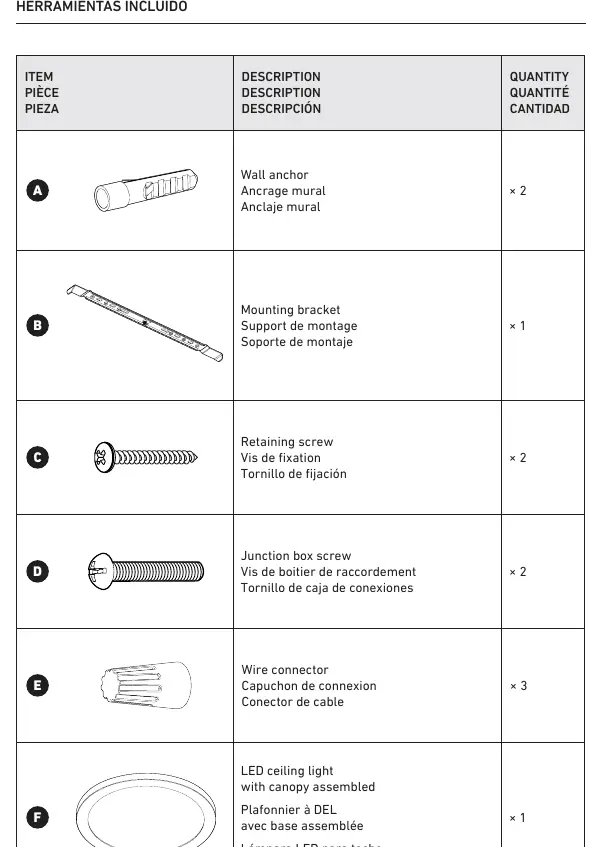
- Wall anchors (x2)
- Mounting bracket (x1)
- Retaining screws (x2)
- Junction box screws (x2)
- Wire connectors (x3)
- LED ceiling light with canopy assembled (x1)
Installation steps
Preparation
Ensure you have a screwdriver and a drill with a 1/4-inch (6.5 mm) drill bit ready before starting.
Mounting bracket installation
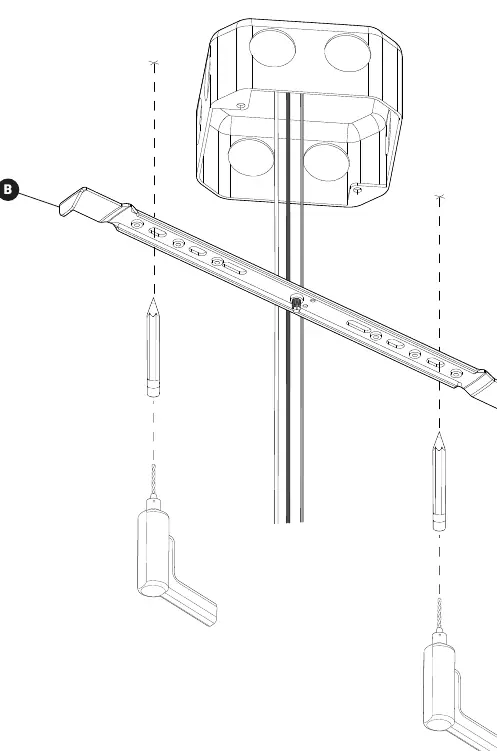
- Position the mounting bracket against the junction box.
- Mark the locations for the wall anchors.
- Drill holes at the marked locations and insert the wall anchors.
- Secure the mounting bracket to the junction box using the provided junction box screws and retaining screws.
Connecting the wires
Connect the wires from the ceiling light to the house supply wires using the provided wire connectors:
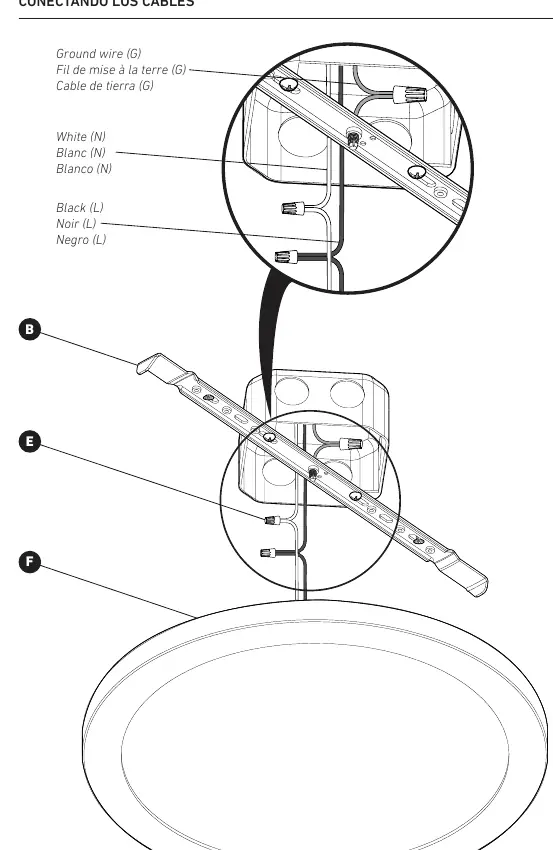
- Connect the black (L) wire from the light to the black (L) supply wire.
- Connect the white (N) wire from the light to the white (N) supply wire.
- Connect the ground (G) wire from the light to the ground (G) supply wire.
Final installation
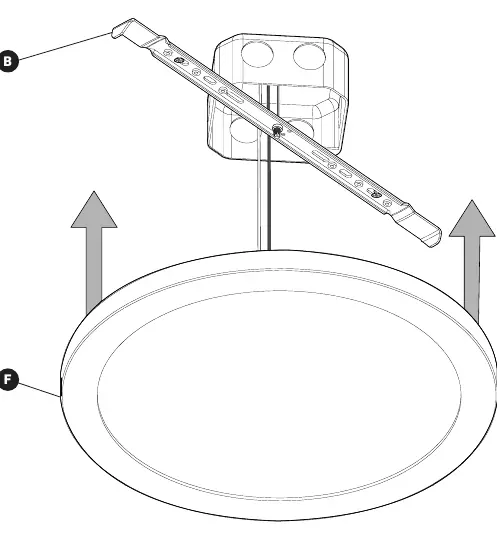
Align the ceiling light with the mounting bracket and secure it in place as indicated in the installation diagrams.
Safety and warnings
This unit is for indoor and residential use only. Do not use outdoors. Always switch off the main electrical supply from the fuse box or circuit breaker before installing the unit or performing any maintenance. Failure to follow these instructions may void the warranty.
Warranty and support
Artika For Living Inc. offers a five-year limited warranty on manufacturing defects for residential use. The warranty is non-transferable and requires the original sales receipt. For support, you can contact Artika at 1-866-661-9606 or via email at [email protected]. Customer service is available Monday to Friday, 9 a.m. to 5 p.m. EST.
Manufacturer information
Artika
Practical help
Common problems
Light flickering or not working with a dimmer
Ensure the dimmer switch being used is specifically compatible with LED lighting.
Installation difficulties
The manufacturer recommends installation by a certified electrician to ensure compliance with local building codes.
Before use
- Turn off the main electrical supply at the circuit breaker.
- Verify all included hardware is present (anchors, bracket, screws, connectors).
- Ensure you have a screwdriver and a drill with a 1/4-inch (6.5 mm) bit.
- Confirm the installation location is indoors and residential.
Specs in practice
- Dimmer compatibility
- If using a dimmer, it must be LED compatible to prevent malfunction.
- Usage environment
- Indoor and residential use only; do not install outdoors.
Images and diagrams
- Wiring: Connect Black (L) to Black (L), White (N) to White (N), and Ground (G) to Ground (G) using the provided wire connectors.
Model compatibility
- Requires LED-compatible dimmer if dimming is desired.
- Not for outdoor use.
- Not for commercial use.

Manual page author
Emily Carter
User documentation editor
Prepares concise manual descriptions and highlights the most useful setup, operation, and maintenance information for readers.