Software / Apps Services
User Guide for Aruba Central (on-premises) 2.5.4.x
Comprehensive user guide for Aruba Central (on-premises) 2.5.4.x. Learn how to provision devices, manage groups, configure access points, switches, and controllers, handle user roles, and monitor network health.
Quick answers from the manual
Quick answer
- Aruba Central (on-premises) is a network management platform that allows you to provision, configure, and monitor Aruba network devices (APs, switches, controllers) through a centralized dashboard. p. 11, 45
Key actions
- Onboard devices to the inventory p. 49
- Create and manage groups p. 48, 144
- Configure user roles and permissions p. 58, 590
First start
- Log in to the portal, create a group, onboard devices, assign devices to groups, and configure communication ports. p. 45, 46
Show 3 more answers Show less
Problems and fixes
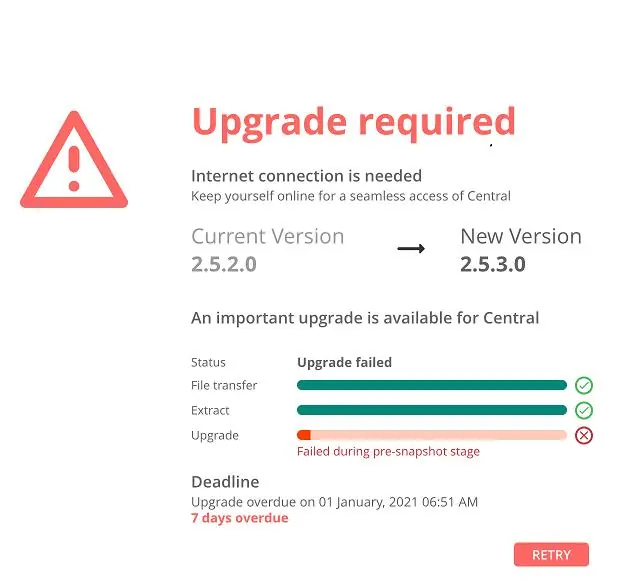
Upgrade failed
Check internet connection and retry the upgrade process.
p. 354Maintenance and reset
- Perform scheduled backups to maintain system integrity. p. 629
Where to find it in the PDF
- Getting Started p. 45
- Managing APs p. 172
- Managing AOS-CX Switches p. 390
Table of contents
Manual images
Click an image to enlargeQuick guide from the manual
Aruba Central (on-premises) is a centralized network management platform. The core workflow involves provisioning devices, organizing them into groups, and monitoring them through various dashboards. Before starting, ensure you have a valid Aruba Central account and that your network devices are compatible with the current software version.
Getting Started
The provisioning workflow is the foundation of your network setup. Follow these steps to get started:
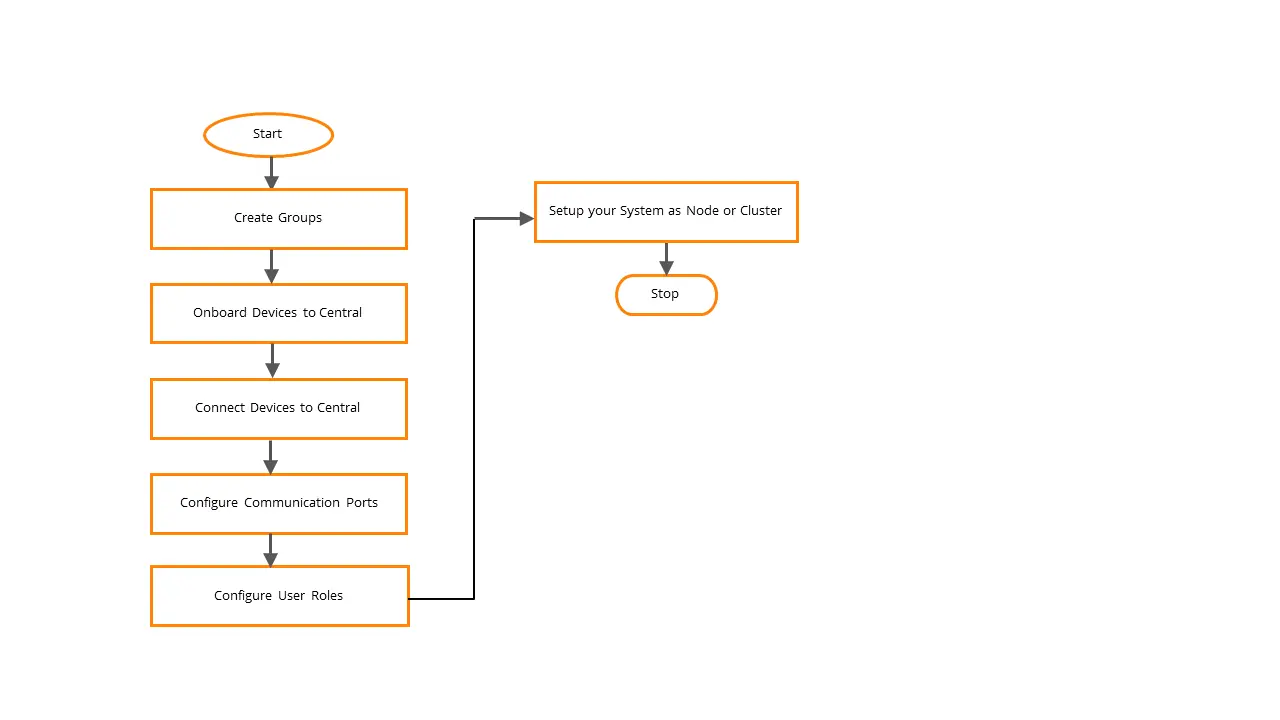
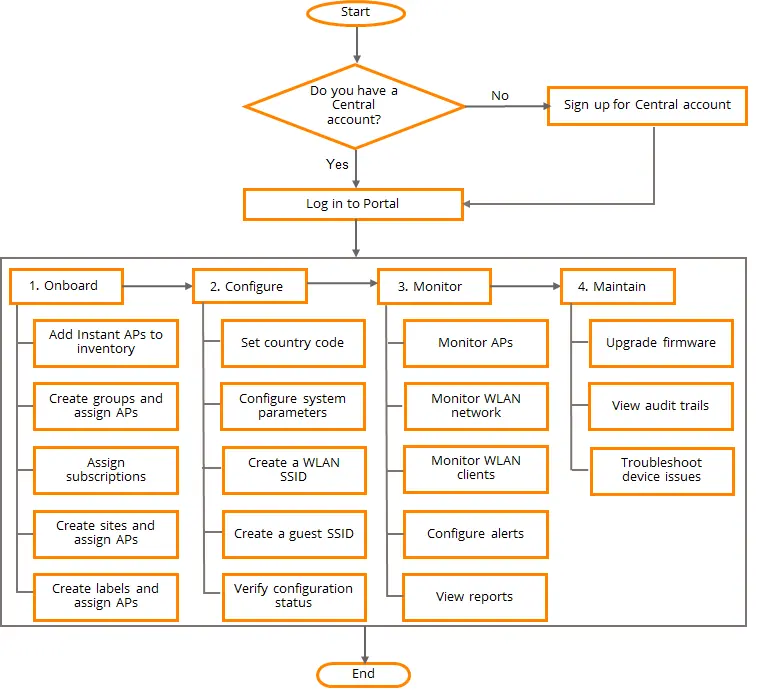
- Create a Group: Organize devices based on configuration requirements.
- Onboard Devices: Add your access points, switches, and controllers to the inventory.
- Assign Devices: Move onboarded devices into the appropriate groups.
- Configure Communication: Set up necessary ports and user roles for secure access.
Device Management
The platform provides specific management workflows for different hardware types:
- Access Points (APs): Configure radio settings, SSIDs, and monitor client connectivity.
- AOS-CX Switches: Use configuration templates or UI groups to manage switch stacks and individual units.
- Controllers: Add mobility controllers and manage WebSocket connections for centralized control.
Dashboards and Monitoring
The Network Operations App provides several dashboards to visualize your network health:
- Global Dashboard: High-level view of the entire network.
- Device Dashboards: Detailed metrics for specific APs, switches, or controllers.
- Client Dashboard: Insights into connected clients and their performance.
- Site and Label Dashboards: Organize and monitor devices based on physical location or custom labels.
Users and Roles
Manage administrative access to the platform:
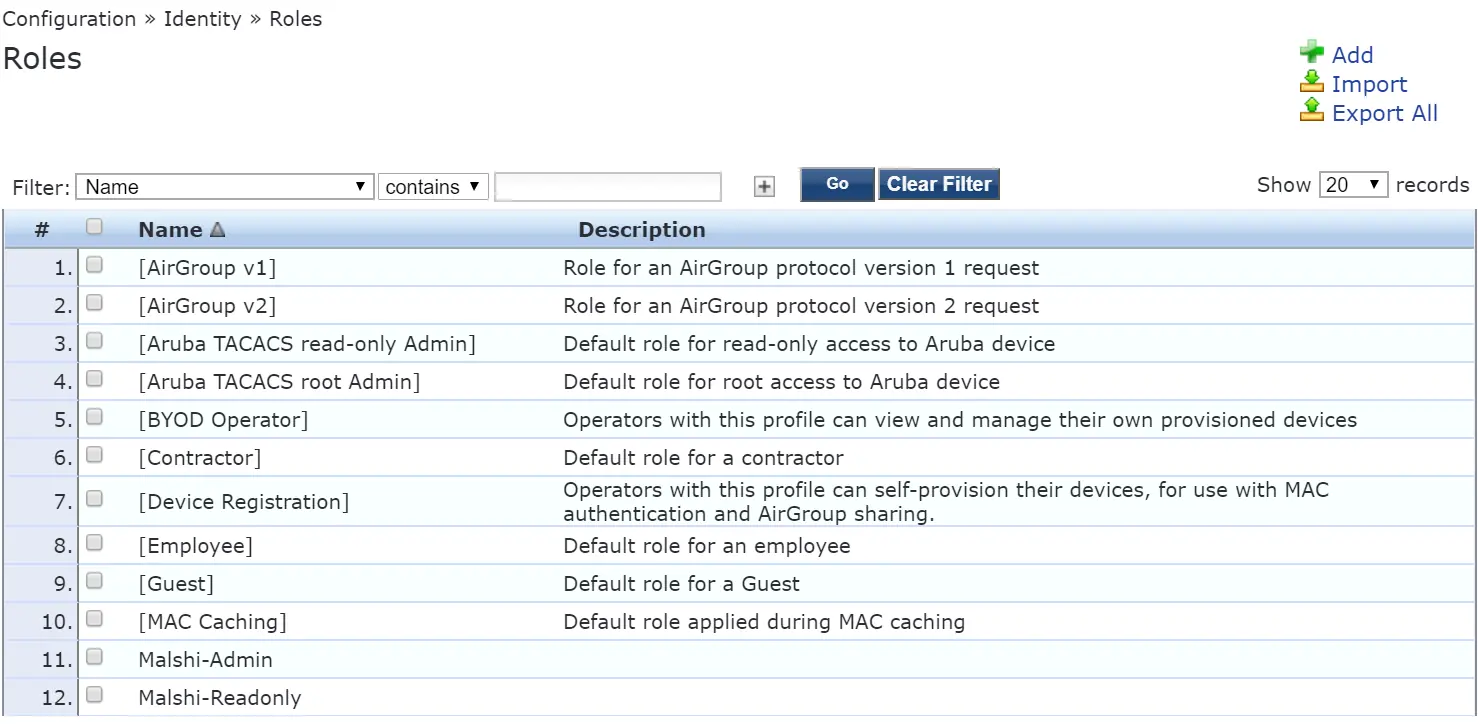
- Predefined Roles: Use built-in roles for common tasks.
- Custom Roles: Define specific module permissions for granular control.
- Authentication: Configure two-factor authentication and external authentication services for enhanced security.
System Maintenance
Keep your system running smoothly with these maintenance tasks:
- Certificates: Manage device and appliance certificates to ensure secure communication.
- Licenses: Monitor and assign licenses to ensure continued service.
- CLI Access: Use the Command Line Interface for advanced configuration and troubleshooting.
- Backups: Schedule regular backups to prevent data loss.
Practical help
Common problems
Device fails to onboard
Verify network connectivity, ensure the device is not already provisioned, and check if the subscription is valid.
Configuration sync failure
Check the device configuration status in the group dashboard and verify that the template or UI settings are applied correctly.
Authentication issues
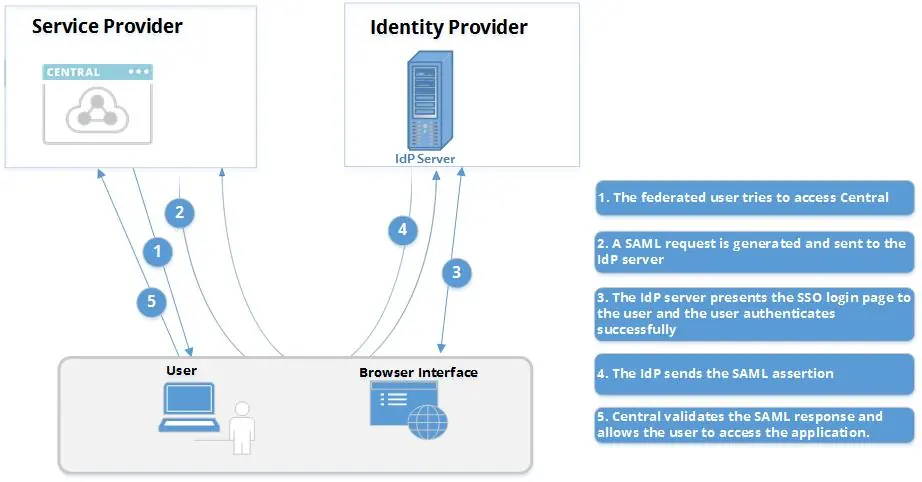
Verify SAML/SSO configuration, check certificate validity, and ensure user roles are correctly assigned.
Before use
- Ensure network connectivity to the Aruba Central server.
- Verify that your web browser is supported.
- Confirm you have a valid Aruba Central subscription.
- Ensure devices are powered on and reachable.
- Check for any mandatory firmware upgrades.
Show more Show less
Specs in practice
- Template Group
- A group where configuration is managed using CLI-based templates.
- Node vs Cluster
- System setup mode; determines the scalability and redundancy of the Aruba Central deployment.
Images and diagrams
- The provisioning workflow diagram illustrates the sequence from creating groups to configuring user roles.
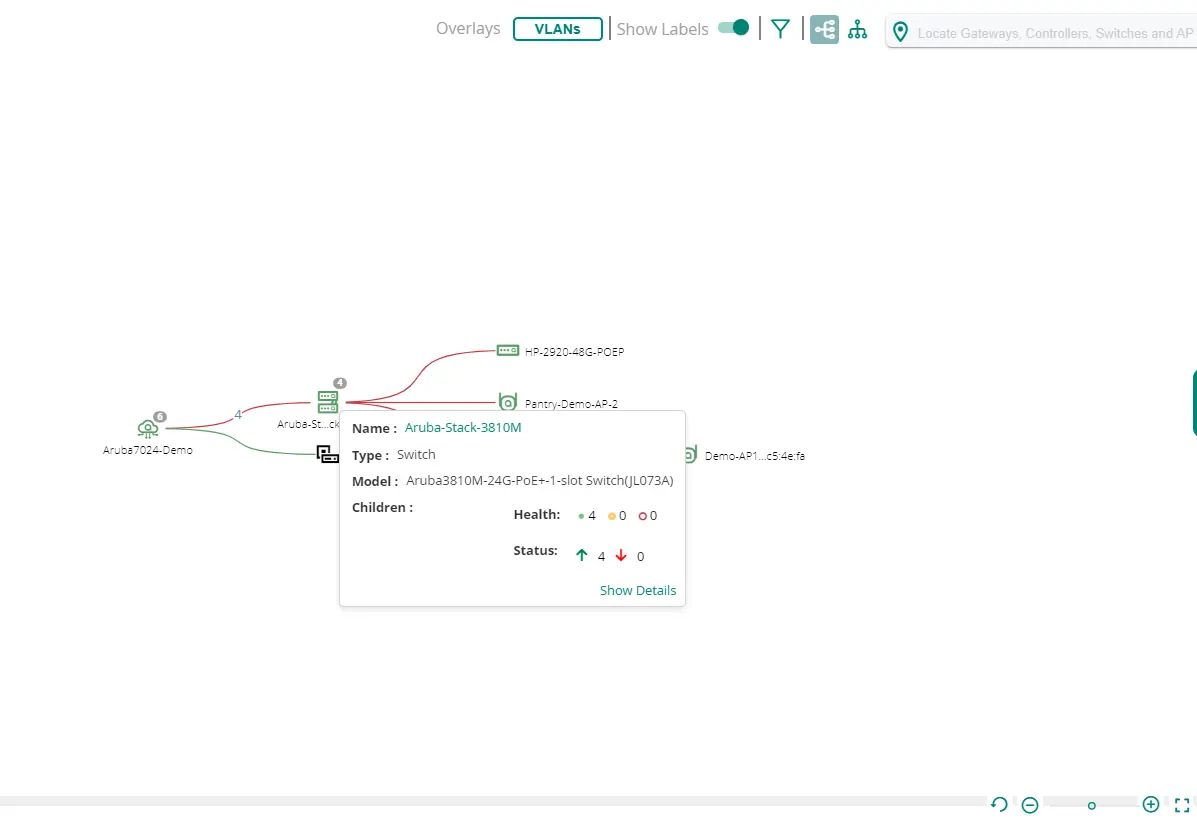
- Network topology diagrams show the relationship between gateways, controllers, and switches.
- SAML/SSO flow diagrams explain the authentication process between the user, identity provider, and service provider.
Model compatibility
- Supports various Aruba APs, AOS-CX switches, and Mobility Controllers.
- Requires a compatible web browser for the Network Operations App.

Manual page author
David Miller
Documentation analyst