Music / Bass Amplifiers
User Manual for Blackstar Polar 2 Audio Interface
Quick guide for the Blackstar Polar 2 audio interface. Learn about hardware controls, Polar Control software, connectivity for instruments and mics, iOS setup, and technical specifications.
Quick answers from the manual
Quick answer
- The Blackstar Polar 2 is a 2-channel audio interface for guitarists and producers. It features FET instrument inputs, tube-amp emulation via the 'Enhance' switch, and dedicated Polar Control software for routing and mixing. It supports high-resolution recording up to 192 kHz and is compatible with Windows, macOS, and iOS devices. p. 2, 6, 24
Key actions
- Setting up for recording p. 11, 12, 13
- Using Direct Input Monitor p. 16
First start
- Initial connection p. 4, 13
Problems and fixes
Audio feedback or doubling
Disable software monitoring in your DAW if using Direct Input Monitor.
p. 16, 20Maintenance and reset
- Resetting presets p. 18
Technical specifications
| Parameter | Value | Meaning | Pages |
|---|---|---|---|
| Sample Rates | 44.1kHz - 192kHz | Supported audio sampling frequencies. | p. 24 |
Where to find it in the PDF
- Hardware Overview p. 6
- Connectivity p. 13, 14
- Polar Control Software p. 15, 16, 17, 18
- Specifications p. 24, 25, 26
Table of contents
Manual images
Click an image to enlargeQuick Guide
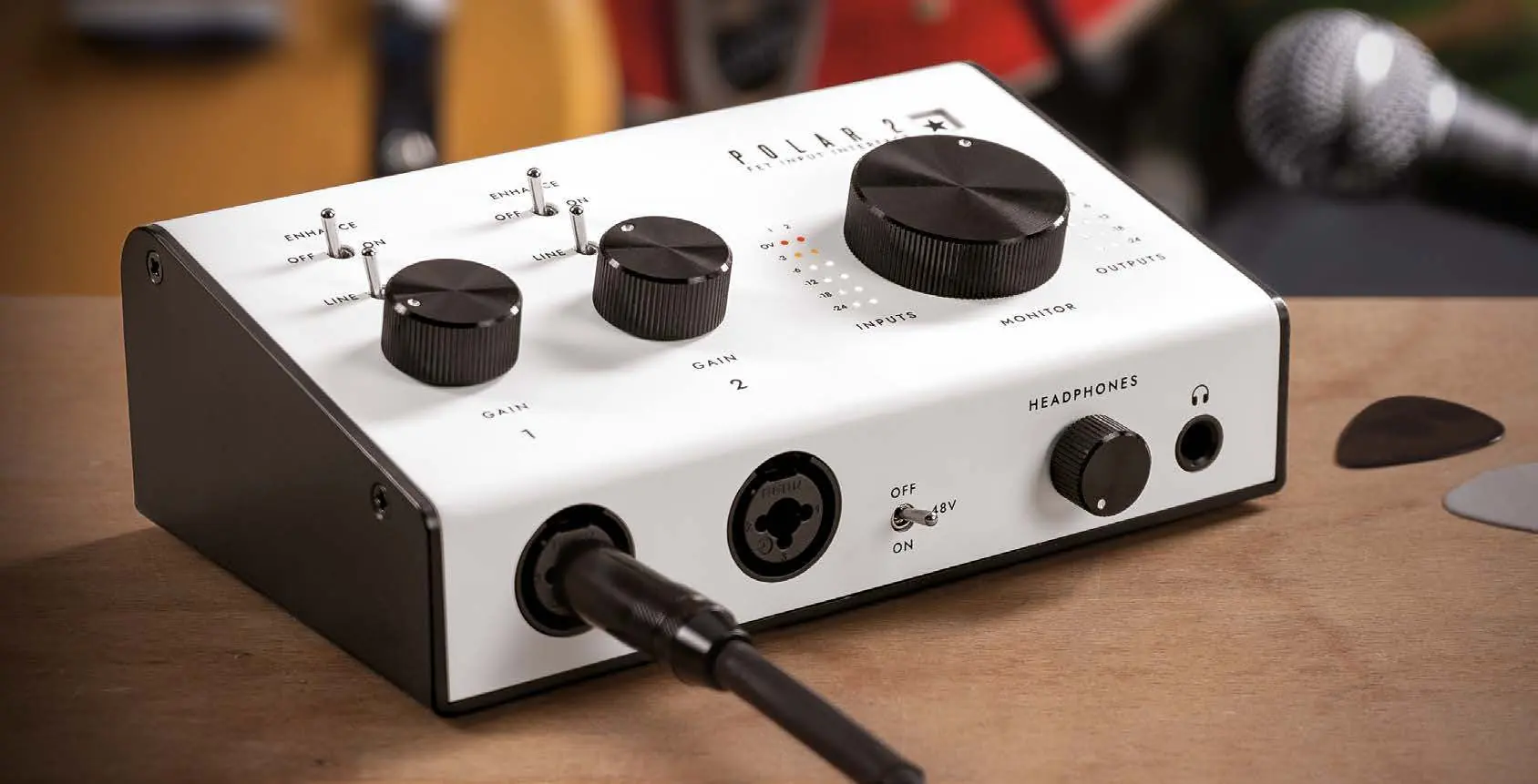
The Blackstar Polar 2 is a 2-channel audio interface designed for guitarists and vocalists. It features FET instrument inputs, studio-quality mic preamps, and a unique 'Enhance' circuit that emulates tube amplifier input stages. The interface is managed via the Polar Control software, which provides professional-level mixing and routing.
In the Box
- Polar 2 Interface
- Quick Start Guide
- USB-A to USB-C cable
- USB-A to DC cable
- Safety information sheet
Hardware Overview
Front Panel
- Inputs 1 & 2: Combi jacks for instruments, microphones, and line-level devices.
- +48V Switch: Phantom power for condenser microphones.
- Gain Controls: Adjust input levels for each channel.
- Line/Instrument Switch: Toggle between line and instrument input modes.
- Enhance Switch: Engages tube amp emulation (instrument) or high-frequency boost (mic).
- Headphone Output & Level Control: 6.35mm (1/4") stereo jack.
Rear Panel
- Balanced Outputs (1/L & 2/R): For studio monitors.
- DC 5V Input: Optional power input for high-power setups.
- USB-C Port: Connection to computer for data and power.
- Kensington Lock: Security slot.
Polar Control Software
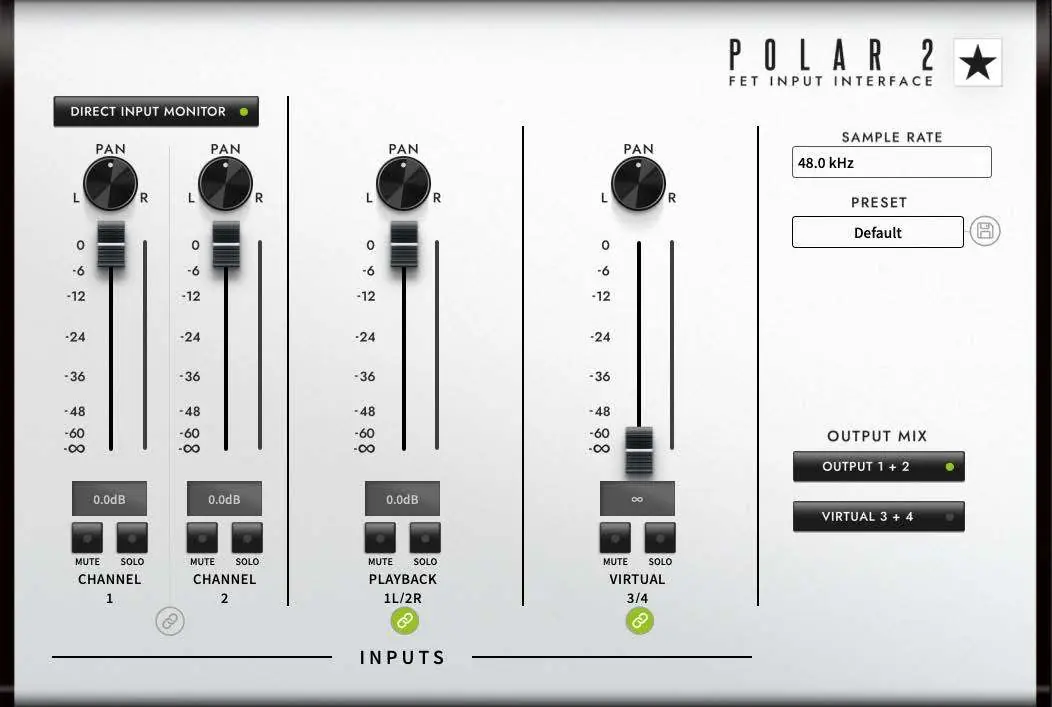
The Polar Control software acts as a virtual mixer. Key features include:
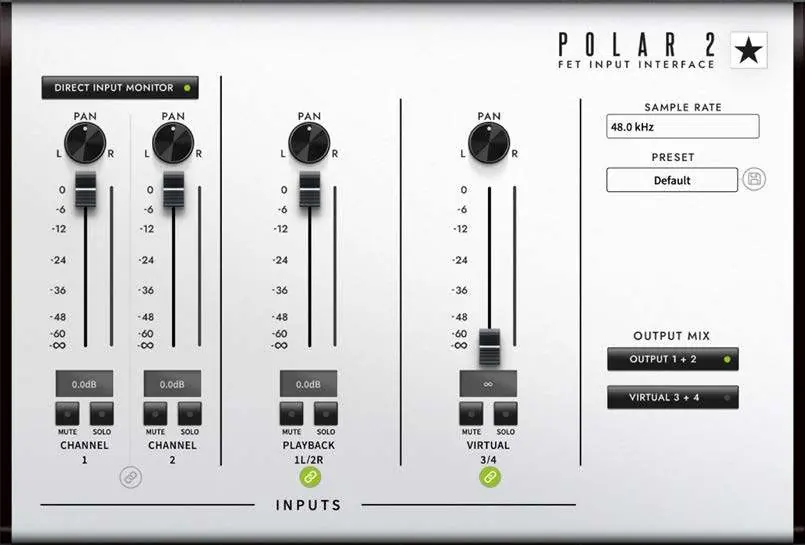
- Direct Input Monitor: Enables zero-latency monitoring of input signals.
- Channel Controls: Pan, level fader, mute, solo, and stereo link.
- Output Mix: Manage routing for monitor/headphone outputs and virtual channels (e.g., for loopback).
- Presets: Save and load custom mixing configurations.
- Sample Rate: Adjustable up to 192 kHz.
Connectivity
Instrument and Microphone Setup
- Connect your instrument (1/4" jack) or microphone (XLR) to the inputs.
- If using a microphone requiring phantom power, enable the +48V switch.
- Select 'INST' for guitars/basses or 'LINE' for keyboards/studio gear.
- Use the 'Enhance' switch to optimize the signal for your source.
Pedalboard Setup
You can connect your guitar pedalboard directly to the Polar 2 inputs. The 'Enhance' circuit is designed to handle guitar signals, providing an authentic tube-amp feel.
iOS Compatibility
The Polar 2 is compatible with iOS devices (iPhone/iPad). Note that external power is required.
- Required Accessories: Apple Lightning to USB Camera Adapter (or USB 3 version) and a 5V USB power supply.
- Setup: Connect the DC 5V port on the Polar 2 to a 5V power source, then connect the interface to the iOS device via the camera adapter.
Specifications
- Resolution: 24-bit/192 kHz
- Inputs: 2x Mic/Instrument/Line
- Outputs: 2x Balanced Line, 1x Headphone
- Connectivity: USB-C (USB 2.0 protocol)
- Loopback: Supported
Manufacturer information
Blackstar Amplification
Practical help
Common problems
Audio latency during recording
Enable 'Direct Input Monitor' in the Polar Control software to hear the input signal with near-zero latency.
Doubled or echoed vocals
Disable software monitoring in your DAW if 'Direct Input Monitor' is active in Polar Control.
No sound from monitors
Ensure the correct output mix is selected in Polar Control and that the channel is not muted or soloed.
Interface disconnecting during heavy use
The USB port may not provide enough power. Connect an external 5V power supply to the DC 5V input.
Before use
- Ensure your computer meets the OS requirements (macOS 10.15+, Windows 8+).
- Connect the Polar 2 directly to your computer's USB-C port (avoid USB hubs).
- Set your DAW's audio device settings to 'Polar Audio Interface'.
- Adjust input gain so peaks sit between -12dB and -6dB.
- If using a condenser mic, ensure +48V is enabled.
Specs in practice
- 24-bit/192 kHz
- High-resolution audio quality for professional recording.
- Enhance Switch
- Circuit that emulates tube amplifier input stages for instruments or adds clarity to vocals.
Images and diagrams
- The signal flow diagram shows how inputs from the Polar 2 and DAW/Computer audio are routed through the Polar Control mixer to the physical outputs and back to the DAW.
- The connectivity diagram illustrates the standard setup: Guitar/Mic to inputs, Headphones to headphone jack, and Monitors to balanced outputs.
Model compatibility
- Requires external 5V power when used with iOS devices.
- Compatible with all DAWs supporting ASIO (Windows) or Core Audio (macOS).
- Not compatible with USB hubs.

Manual page author
Michael Turner
Technical manual editor
Reviews PDF manuals for structure, safety notes, and practical product details so readers can find the right information quickly.