Electronics / Speakers & Soundbars
User Manual for boAt Aavante 2.1 1600D Soundbar
Quick guide for the boAt Aavante 2.1 1600D soundbar. Learn how to set up, mount, connect via Bluetooth, HDMI ARC, Optical, USB, or AUX, and operate your system.
Table of contents
Manual images
Click an image to enlargeQuick Guide
The boAt Aavante 2.1 1600D is a 160W RMS soundbar system with a wired subwoofer. It supports multiple input modes including Bluetooth v5.4, HDMI (ARC), Optical, USB, and AUX. To get started, connect the power cable, place the soundbar on a flat surface or mount it on the wall, and select your preferred input mode using the remote control or the soundbar buttons.
Safety Instructions
To ensure safe operation and prevent damage:
- Do not dismantle the product or expose it to rain, moisture, or direct heat sources.
- Ensure proper ventilation by keeping at least 20 cm of space above and 5 cm on each side of the unit.
- Do not place the unit near water sources, strong magnetic fields, or on top of other amplifiers.
- Use only original or certified cables.
- If the power cord is damaged, it must be replaced by qualified personnel.
- Clean only with a dry cloth; do not use chemical solvents.
Installation
The soundbar can be placed on a flat surface or mounted on a wall.
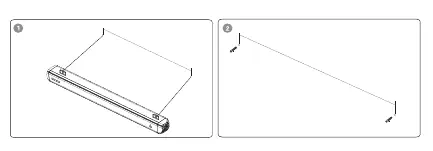
Free Standing
Place the soundbar horizontally on a flat surface like a TV unit or shelf. Align it centrally with the TV screen and ensure there is space between the soundbar and the wall for optimal sound output.
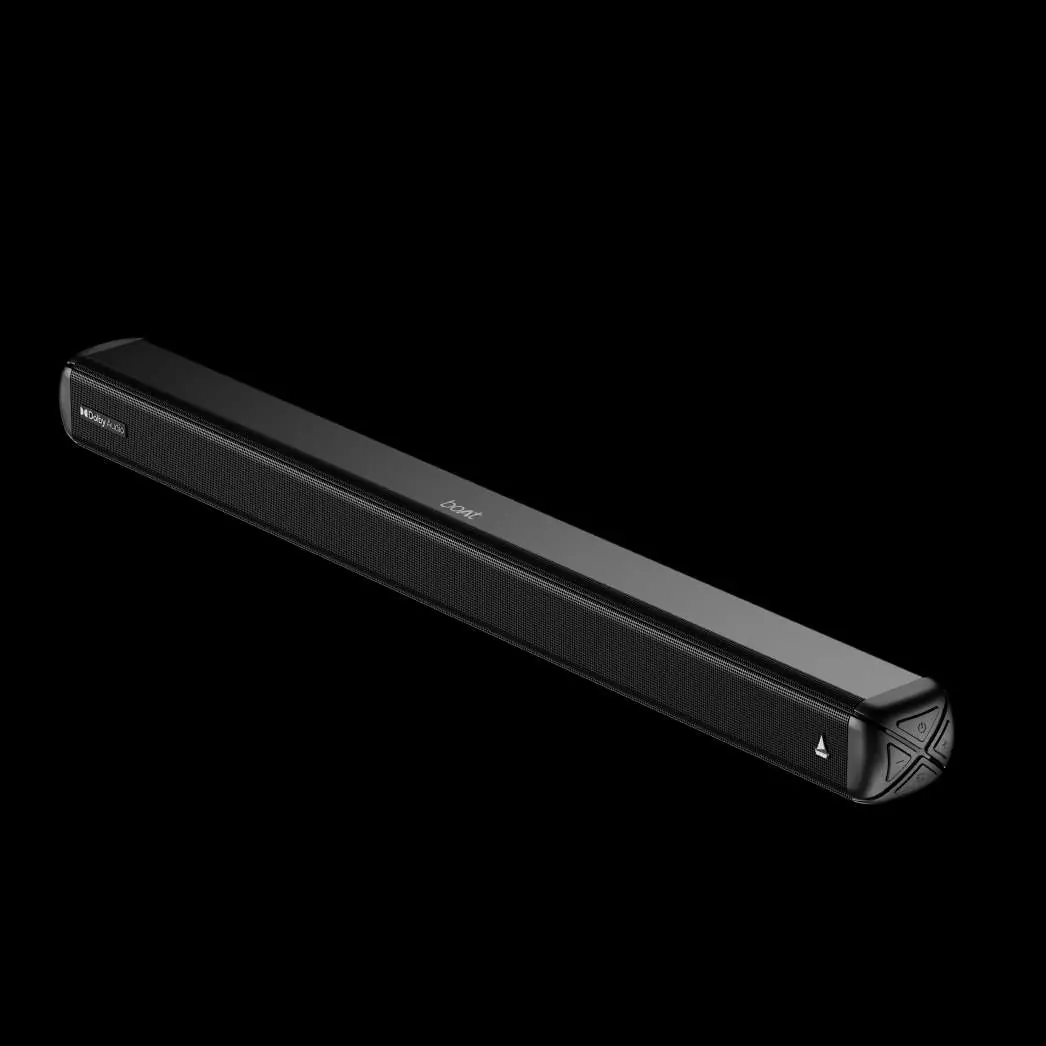
Wall Mounting
If you are not confident in mounting the unit, seek professional assistance. Ensure the wall is vertical and reinforced. Use the wall bracket holes to mark and drill two holes. Insert plastic anchors, secure screws (leaving some space), and attach the provided EVA pads to the bracket to ensure a minimum 15mm clearance from the wall. Hang the soundbar securely on the screws.
Controls and Connections
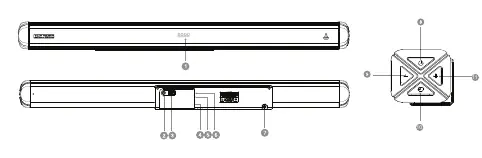
The soundbar features an LED display and physical buttons for Power, Volume (+/-), and Input selection. The rear panel includes ports for SUB OUT, USB, AUX, Optical, and HDMI (ARC).
Remote Control
The remote control allows full operation of the system:
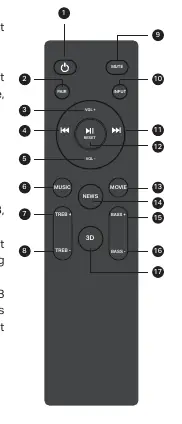
- Power: Standby ON/OFF.
- Input: Switch between Bluetooth, USB, AUX, HDMI(ARC), and Optical modes.
- EQ Effects: Dedicated buttons for MUSIC, MOVIE, NEWS, and 3D effects.
- Playback: Play/Pause, Previous/Next track, and Volume/Treble/Bass adjustments.
- Reset: Press and hold the Play/Pause button for more than 2 seconds to reset to default settings.
Operation Modes
To switch modes, press the Input button on the remote or the soundbar control panel.
- Bluetooth: Select Bluetooth mode (display shows 'bt'). Search for 'Aavante 2.1 1600D' on your device. If prompted, use password '0000'.
- USB: Insert a USB drive containing MP3 files. The unit switches automatically.
- AUX: Connect via 3.5mm cable to the AUX port.
- Optical: Connect via optical cable to the OPTICAL port. Ensure the TV output is set to PCM.
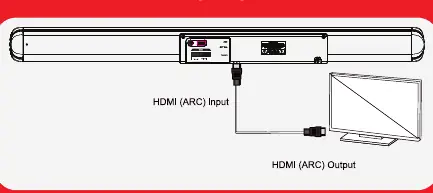
- HDMI (ARC): Connect via high-speed HDMI cable to the HDMI (ARC) port. Ensure your TV supports HDMI-CEC and ARC, and set the TV audio output to PCM Stereo or Stereo 2.0.
Specifications
- Output Power: 160W R.M.S
- Bluetooth: v5.4 (up to 10m range)
- Frequency Response: 20Hz-20kHz
- Working Voltage: AC 110V-240V
- Dimensions: Soundbar: 800x74.5x65.5mm; Subwoofer: 150x275x370mm
Manufacturer information
boAt Lifestyle
Practical help
Common problems
No sound output
Check volume levels, ensure the correct input mode is selected, and verify all cable connections.
Bluetooth pairing failure
Ensure the device is within 8 meters, remove obstacles between the soundbar and device, and clear the Bluetooth history on your device before trying again.
TV audio not working via HDMI
Ensure your TV supports HDMI-CEC and ARC, both functions are enabled in TV settings, and the TV audio output is set to PCM.
Before use
- Check that your local power supply voltage matches the unit requirements (110-240V).
- Remove all packing materials from the soundbar.
- Install two AAA batteries into the remote control.
- Ensure the soundbar is placed on a stable, dry surface with adequate ventilation.
- Verify that the USB drive contains only MP3 files if using USB mode.
Show more Show less
Specs in practice
- Output Power
- 160W R.M.S provides the total audio power output.
- Bluetooth v5.4
- Latest wireless standard for stable connection up to 10 meters.
Images and diagrams
- Wall mounting: Use the provided bracket holes, plastic anchors, and EVA pads to maintain a 15mm gap from the wall.
- Remote control: Includes specific EQ buttons (Music, Movie, News, 3D) for sound customization.
Model compatibility
- TV must support HDMI-CEC and ARC for HDMI audio functionality.
- USB mode only supports MP3 audio files.
- Optical and HDMI connections require the TV audio output to be set to PCM.

Manual page author
David Miller
Documentation analyst