Tools / Drills
User Manual for Bosch GSR 18 V-EC and GSB 18 V-EC Cordless Drill/Driver
Quick guide and user manual for the Bosch GSR 18 V-EC and GSB 18 V-EC cordless drill/drivers. Includes setup, operation, safety, and maintenance instructions.
Table of contents
Quick guide from the manual
This manual provides essential information for operating the Bosch GSR 18 V-EC and GSB 18 V-EC cordless drill/drivers. Always read the safety instructions before use.
Product Description
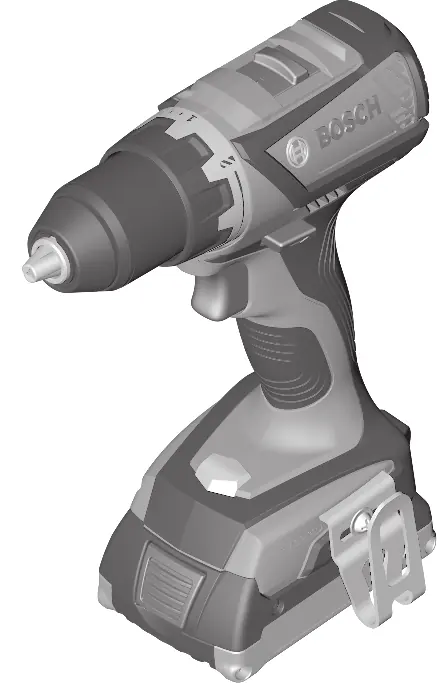
The drill/driver features a keyless chuck, torque presetting ring, gear selector, and an LED worklight. The GSB model includes an additional mode for impact drilling.
Assembly
- Battery Removal: Press the battery release button and pull the battery out of the tool. Do not use force.
- Tool Change: Ensure the tool is switched off. The drill spindle locks when the on/off switch is not pressed, allowing for easy tool changes in the keyless chuck.
Operation
Inserting the Battery
Set the rotational direction switch to the middle position to prevent accidental activation. Insert the charged battery into the handle until it engages.
Setting Rotational Direction
Use the rotational direction switch to change the direction. Only operate this switch when the tool is at a standstill.
Operating Modes
- Drilling: Set the torque presetting ring (or mode selector on GSB) to the drilling symbol.
- Screwdriving: Set the torque presetting ring to the desired torque.
- Impact Drilling (GSB only): Set the mode selector to the impact drilling symbol.
Speed and Torque
Adjust the speed by varying the pressure on the on/off switch. Pre-select the torque using the torque presetting ring (20 stages).
KickBack Control
The rapid shut-off function (KickBack Control) provides better control and user protection by switching off the tool if it suddenly rotates around the drill axis. If this function is faulty, the tool cannot be switched on.
Maintenance and Cleaning
Always remove the battery before performing any work on the tool. Keep the tool and ventilation slots clean for safe and efficient operation.
Manufacturer information
Bosch
Practical help
Common problems
Tool does not start
Check battery charge, ensure battery is fully inserted, or check if KickBack Control is faulty.
Tool stops during operation
Check for overload or battery temperature (LED 11 will light up red).
Before use
- Ensure battery is fully charged
- Check for correct bit installation
- Set correct rotation direction
- Select correct gear for the task
- Set correct operating mode
Specs in practice
- 0-600 / 0-1900 min-1
- No-load speed for 1st and 2nd gear.
- KickBack Control
- Rapid shut-off function for user protection.
Images and diagrams
- (1) Tool holder
- (2) Keyless chuck
- (3) Torque presetting ring
- (4) Mode selector switch
- (5) Gear selector switch
Model compatibility
- Compatible with Bosch 18V GBA and ProCORE18V batteries.

Manual page author
David Miller
Documentation analyst
Organizes user manual content into clear summaries, with attention to model details, product context, and everyday usability.