Tools / Impact Wrenches
User Manual for Bosch Professional GDR 18V-210 C, GDX 18V-210 C, GDS 18V-210 C Impact Wrenches
Quick guide for Bosch Professional 18V-210 C series impact wrenches. Learn how to install the GCY42 Bluetooth module, connect to the app, and utilize specific operating modes (A and B) for self-tapping and wood screws.
Table of contents
Manual images
Click an image to enlargeQuick Guide for Bosch Professional 18V-210 C Series
This guide covers the operation of the Bosch Professional 18V-210 C series impact wrenches (GDR, GDX, GDS). These tools feature advanced connectivity and customizable operating modes to optimize performance for specific fasteners.
Bluetooth Connectivity and GCY42 Module
To enable smart features and advanced mode customization, the tool requires the GCY42 Bluetooth Low Energy Module.
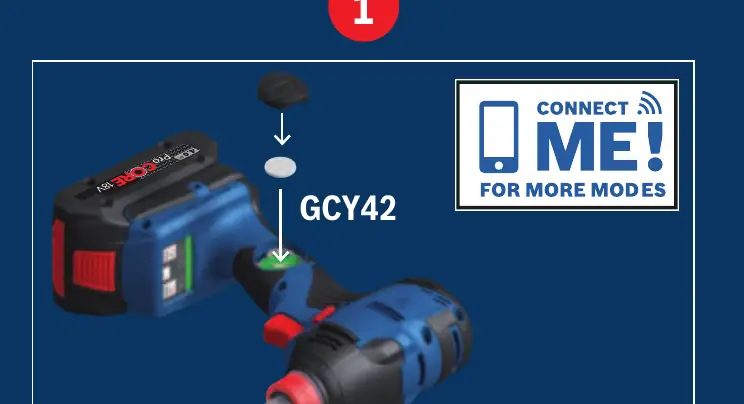
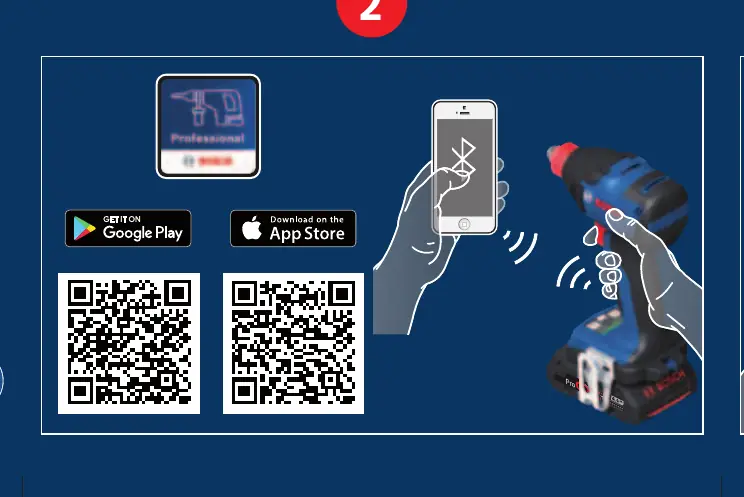
- Installation: Locate the module slot on the tool body. Insert the GCY42 module securely into the designated port.
- Connectivity: Download the Bosch Professional app on your smartphone. Enable Bluetooth on your device and pair it with the tool to access additional modes and settings.
Operating Modes A and B
The tool features two specialized modes (A and B) designed to prevent over-tightening and damage to materials.
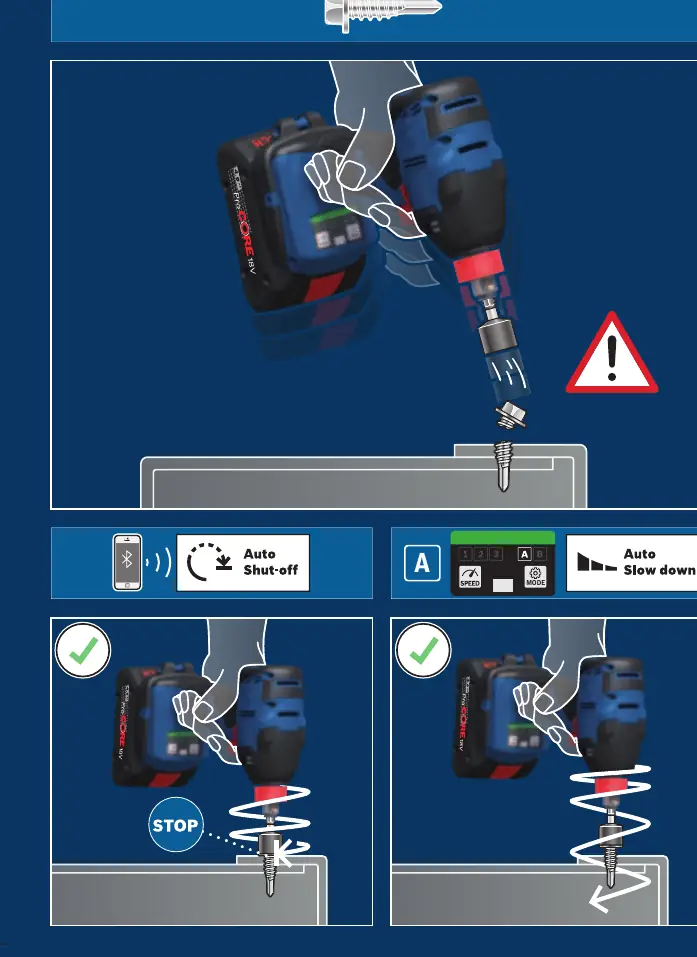
- Mode A (Self-Tapping Screws): Optimized for metal self-tapping screws. The tool automatically detects resistance and slows down or stops to prevent stripping the screw head or damaging the material.
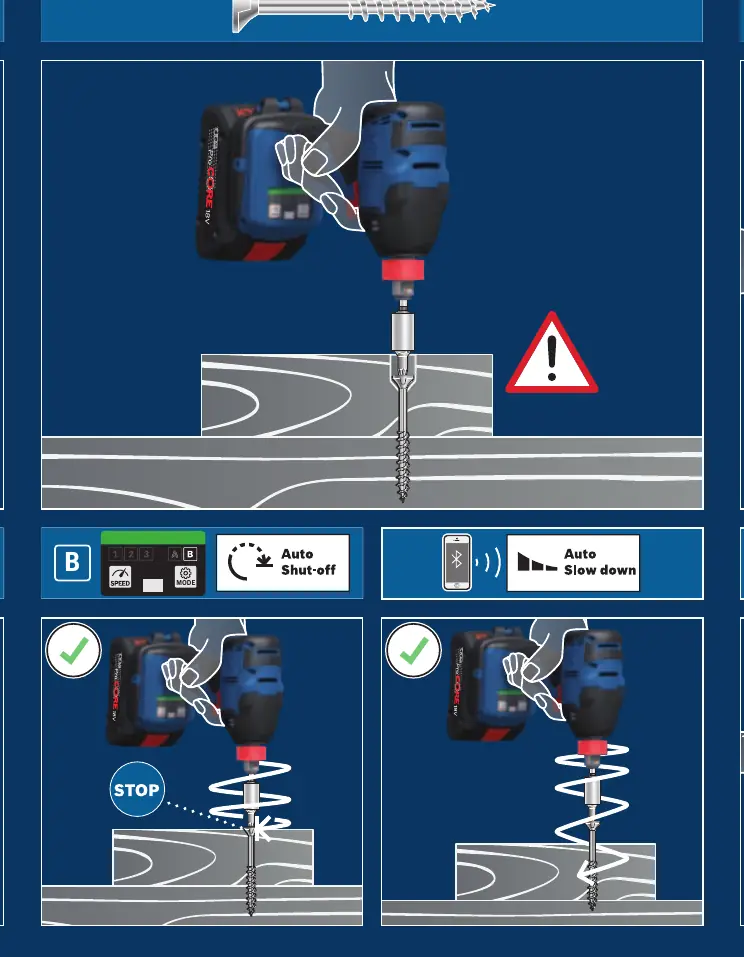
- Mode B (Wood Screws): Optimized for wood screws. The tool manages torque and speed to ensure the screw is driven flush without splitting the wood or over-driving.
Auto-Stop and Safety Features
The tool includes intelligent auto-stop and auto-slow-down functions to enhance precision and safety:
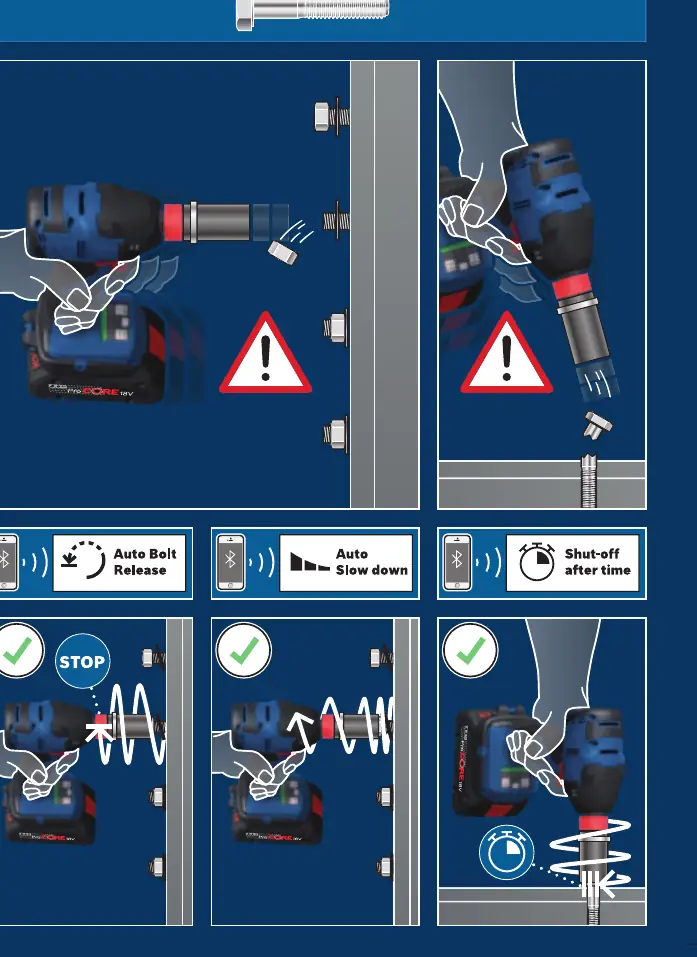
- Auto Shut-off: Automatically stops the tool when the fastener is fully seated or when a specific torque threshold is reached.
- Auto Slow Down: Reduces the impact speed as the fastener approaches the surface to ensure a clean finish.
- Auto Bolt Release: Specifically for bolt applications, this feature stops the tool immediately upon detecting that the bolt is loose, preventing it from falling off.
Manufacturer information
Bosch
Practical help
Common problems
Tool does not connect to the app
Ensure the GCY42 Bluetooth module is correctly installed and that Bluetooth is enabled on your smartphone.
Fastener is over-tightened
Ensure the correct mode (A or B) is selected for the specific fastener type (self-tapping vs. wood screw).
Before use
- Install the GCY42 Bluetooth module into the tool.
- Download and install the Bosch Professional app.
- Ensure the battery is fully charged.
- Select the appropriate mode (A or B) based on the fastener type.
Images and diagrams
- The control panel allows switching between speed settings (1, 2, 3) and specialized modes (A, B).
- The app interface provides visual feedback on the fastening process and allows for mode customization.
Model compatibility
- Compatible with Bosch 18V Professional battery system.
- Requires GCY42 module for full smart functionality.

Manual page author
Emily Carter
User documentation editor
Prepares concise manual descriptions and highlights the most useful setup, operation, and maintenance information for readers.