Power / Portable Power Stations
User Manual for BougeRV Portable Power Station SYZ-200
Quick guide for the BougeRV Portable Power Station SYZ-200. Learn how to operate, charge, understand display indicators, troubleshoot error codes, and maintain your power station.
Table of contents
Quick guide from the manual
The BougeRV Portable Power Station SYZ-200 is a 220Wh power source designed for portable electronics and small appliances. Key operational notes include:
- Power Management: The device features an automatic sleep mode after 1 hour of inactivity. If the device enters sleep mode, double-click the power button to reactivate it.
- Charging: The unit supports USB-C, solar, car, and AC adapter charging.
- Safety: Do not leave the battery in a closed environment (like a car) if temperatures exceed 140°F (60°C).
Product Overview
The front panel of the SYZ-200 includes the following controls and ports:
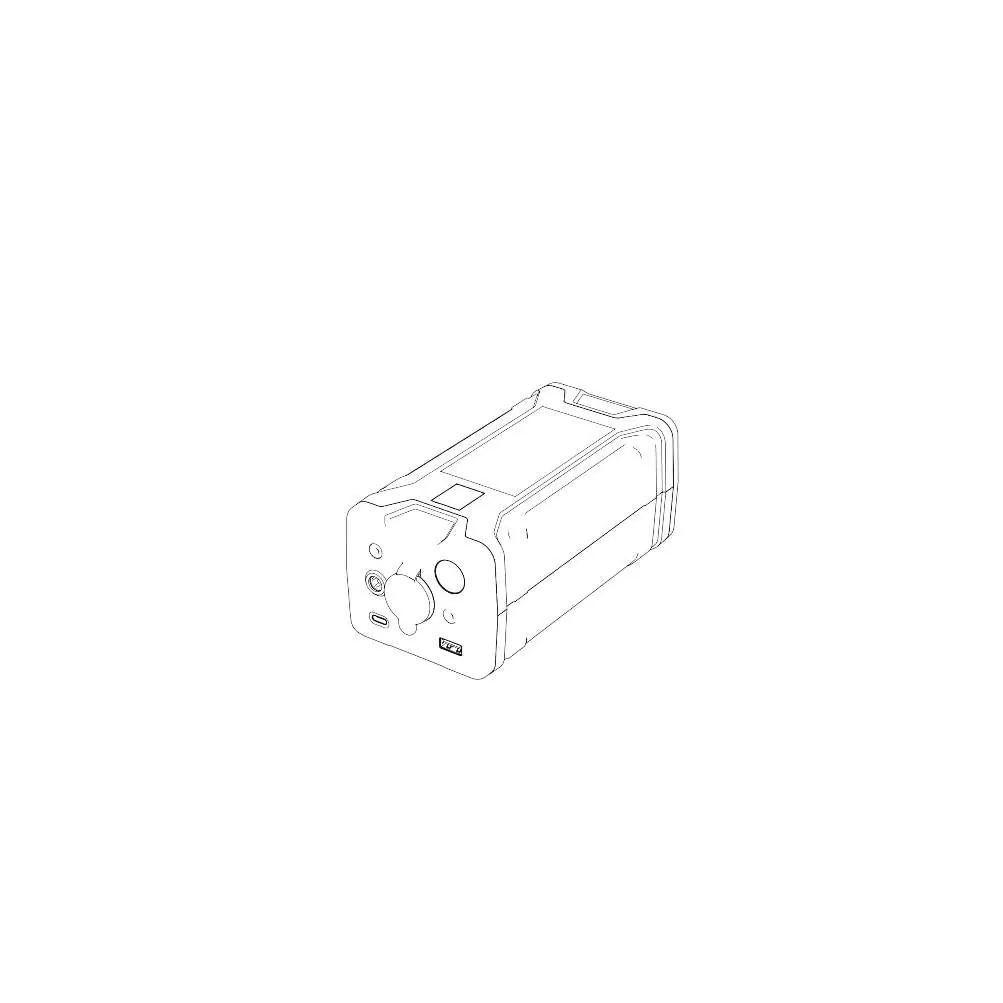
- Power Button: Used to turn the unit on/off.
- Light Button: Controls the integrated LED light.
- USB-C Port: Used for both input and output.
- Cigarette Lighter Output: Provides power for compatible 12V devices.
- LED Display: Shows battery capacity, input/output power, and error codes.
Usage Instructions
Powering On/Off: Long press the power button to turn the unit on or off. The display will illuminate when the unit is active.
Lighting: With the unit powered on, press the light button to toggle the lighting mode.
USB-C Usage: The USB-C port can be used for charging devices. Note that the power station will automatically turn off after 1 hour of inactivity.
Recharging Methods
The SYZ-200 can be recharged using several methods:
- USB-C Recharging: Connect a compatible USB-C cable.
- Solar Panel Recharging: Connect compatible solar panels.
- Car Charging: Use the cigarette lighter port in your vehicle.
- AC Adapter Recharging: Use a compatible AC adapter.
Troubleshooting and Error Codes
If the device encounters an issue, an error code will appear on the display. Most error codes (11-52) can be cleared by restarting the SYZ-200. If the error persists, contact BougeRV support.
Maintenance and Safety
To ensure longevity, avoid exposing the unit to extreme temperatures. If the cigarette lighter port is not working, ensure the unit is powered on and not in sleep mode. The device is covered by a 2-year warranty for manufacturing defects.
Manufacturer information
BougeRV
Practical help
Common problems
Device turns off automatically
The device enters sleep mode after 1 hour of inactivity. Double-click the power button to wake it up.
Cigarette lighter port not working
Ensure the power station is turned on. If it has been inactive for over 1 hour, it may be in sleep mode; double-click the power button to reactivate.
Error codes on display
Restart the device to clear codes 11-52. If the problem persists, contact customer support.
Before use
- Check package contents for the power station and cables.
- Ensure the device is fully charged before first use.
- Verify that your devices are compatible with the output specifications.
- Read all safety warnings regarding temperature limits.
Show more Show less
Specs in practice
- Operating Temperature
- Charging: 32-104°F (0-40°C); Discharging: 14-104°F (-10-40°C).
Images and diagrams
- The front panel features the Power Button, Light Button, USB-C port, and Cigarette Lighter output.
- The LED display provides real-time feedback on battery percentage and power flow.
Model compatibility
- Use only BougeRV compatible adapters.
- Do not use with devices exceeding the output power limits.
- Solar panels must be compatible with the DC7909 input.

Manual page author
David Miller
Documentation analyst