Power / Portable Power Stations
BougeRV JuiceGo 240Wh Portable Power Station Quick Start Guide
Quick start guide for the BougeRV JuiceGo 240Wh Portable Power Station. Includes setup, charging instructions, display explanations, error code troubleshooting, and technical specifications.
Table of contents
Quick Guide
The BougeRV JuiceGo 240Wh is a portable power station designed for mobile power needs. This guide covers the essential operation, charging methods, and troubleshooting steps for the device.
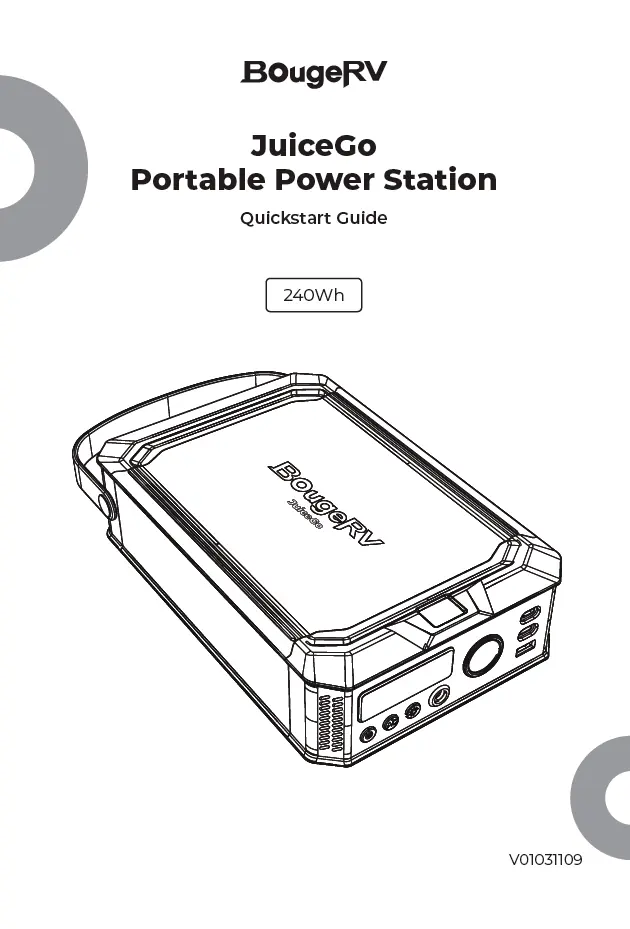
Product Overview
The device features the following components:
- 1. LCD Display: Shows battery status and output/input information.
- 2. LED Light: Built-in illumination.
- 3. Power Button: Turns the unit on/off.
- 4. AC Button: Controls AC output.
- 5. LED Button: Controls the LED light.
- 6. DC Input: For charging the unit.
- 7. Cigarette Port: 12V output.
- 8. USB-C Input/Output: Primary charging port.
- 9. USB-C2 Output: Secondary USB-C output.
- 10. USB-A Output: Standard USB output.
- 11. AC Output: AC power outlet.
Display
The LCD screen provides real-time data:
- Battery Capacity: Percentage of remaining charge.
- Error Code: Displays codes if a fault occurs.
- Input Power: Current wattage being received.
- Output Power: Current wattage being delivered.
Usage
Power On/Off: Long press the power button to turn the unit on or off. Short press to toggle the screen on/off.
LED Light: With the unit powered on, press and hold the power button to turn the light on/off. Short press to switch between light modes.
AC Output: With the unit powered on, press the AC button to toggle AC output on/off.
Recharging
The JuiceGo can be recharged via three methods:
- USB-C Charging: Connect a USB-C cable to the USB-C input port.
- Solar Panel Charging: Connect compatible solar panels to the DC7909 input.
- Car Charging: Use the cigarette lighter adapter to charge via a vehicle.
Note: USB-C and DC7909 cannot be used simultaneously. If power consumption falls below 5W for 1 hour, the unit will automatically shut off.
Troubleshooting
If the unit encounters an issue, an error code will appear on the display. Common codes include:
- 11: Output high temperature protection.
- 12: Output low temperature protection.
- 13: Output high temperature protection for charging.
- 14: Input high temperature protection for charging input.
- 31: Overvoltage/undervoltage and short circuit protection for cigarette lighter output.
- 42: Overcurrent protection for cigarette lighter output.
- 51: Overcurrent and short circuit protection for USB-C port output.
- 52: Overcurrent and short circuit protection for USB-A port output.
- 61: High temperature protection for AC output.
- 62: Overload and short circuit protection for AC output.
If an error occurs, try restarting the unit. If the problem persists, contact customer support.
Technical Specifications
Key technical parameters:
- Battery Capacity: 15000mAh 16V/240Wh.
- DC7909 Input: 11-32V 10A (100W Max).
- USB-C Input: 5V-3A/9V-3A/12V-3A/15V-3A/20V-5A.
- USB-C Output: 5V-3A/9V-3A/12V-3A/15V-3A/20V-5A.
- USB-A Output: 5V-3A/9V-3A/12V-1.5A.
- AC Output: 100-120V 60Hz (150W Max).
- Total Output: 410W Max.
- Charging Temperature: 32-104°F (0-40°C).
- Discharging Temperature: -4-104°F (-20-40°C).
Manufacturer information
BougeRV
Practical help
Common problems
Charging stops after a few seconds
The device might be fully charged or incompatible with the power source.
Cigarette lighter port not working
Ensure the unit is powered on. If it enters sleep mode, double-click the power button to wake it.
USB-C and DC7909 cannot be used simultaneously
This is a hardware limitation; use only one charging method at a time.
Before use
- Check battery level on the LCD screen.
- Ensure the correct charging cable is used for the input source.
- Verify that the device being powered is within the 150W AC output limit.
- Ensure the unit is within the operating temperature range (-20°C to 40°C).
Show more Show less
Specs in practice
- 15000mAh 16V/240Wh
- Total battery capacity of the power station.
- 150W Max AC Output
- The maximum power the AC outlet can provide to connected devices.
- 100W Max DC Input
- The maximum power the unit can accept when charging via the DC7909 port.
Images and diagrams
- The front panel contains the LCD display, power buttons, and all input/output ports.
- The LCD screen displays battery percentage, input/output wattage, and error codes.
- The side panels contain ventilation for cooling.
Model compatibility
- USB-C and DC7909 input ports cannot be used at the same time.
- The unit automatically shuts off if output power is below 5W for 1 hour.

Manual page author
Emily Carter
User documentation editor