Home Appliances / Personal Care
User Manual for Conair 146RX Ionic Turbo Styler Hair Dryer
Quick guide for the Conair 146RX Ionic Turbo Styler. Learn how to use the ALCI safety feature, styling tips, maintenance, and troubleshooting for your 1875W hair dryer.
Table of contents
Quick Guide and Safety
The Conair 146RX is an 1875-watt ionic hair dryer designed for household use. Before using the device, it is critical to understand the ALCI (Appliance Leakage Circuit Interrupter) safety feature. This device is designed to shut off automatically if it comes into contact with water. You must test this feature before every use to ensure it is functioning correctly.
Getting to Know Your Dryer
The dryer features several components to assist with styling:
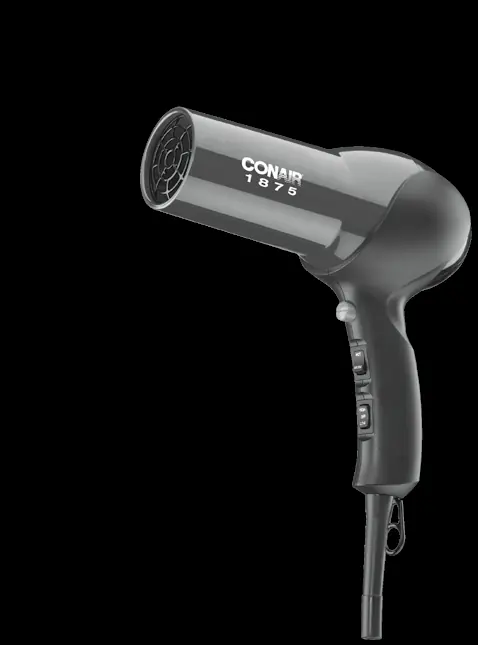
- Heat/Speed Settings: 2 heat settings and 2 speed settings.
- Cool Shot: Button to set your style with cool air.
- Attachments: Includes a concentrator for precise airflow and a finger diffuser for creating texture and waves.
- Filter: Hinged filter for maintenance.
- Hang Ring: For convenient storage.
Operating Instructions
ALCI Safety Test:
- Plug the appliance into an outlet.
- Press the Test button on the plug. The dryer should stop working, and the Reset button should pop out.
- To reset, unplug the unit, push the Reset button in, and reinsert the plug into the outlet.
- If the unit does not function as expected, return it to an authorized service center.
General Usage:
- Always unplug the appliance immediately after use.
- Do not use the dryer while bathing or in the shower.
- Do not wrap the power cord around the dryer, as this can damage the cord at the entry point.
Styling Guide
For best results, towel dry hair to remove excess moisture before using the dryer. Use the concentrator attachment to direct airflow for precise styling. When creating curls or waves, dry hair almost completely on a low heat setting, then use the cool shot button to set the style. Use the diffuser attachment for curlier or wavier styles, but always use it on low heat/speed settings to prevent heat buildup.
Maintenance
The dryer is virtually maintenance-free. To ensure proper performance:
- Keep the air intake vents clean and free of lint, hair, and dust.
- Use a small brush or the brush attachment of a vacuum cleaner to clean the vents.
- Wipe the outer surface with a clean cloth only.
- If the dryer overheats, an automatic safety device will shut it off. Unplug the unit and allow it to cool for 10 to 15 minutes before restarting.
Manufacturer information
Conair LLC
Practical help
Common problems
Dryer stops working or fails to turn on
Check the ALCI safety plug. Press the reset button. If it still does not work, return to a service center.
Dryer overheats
The air intake vents may be blocked. Unplug the unit, clean the vents, and let it cool for 10-15 minutes.
Plug does not fit into the outlet
The dryer has a polarized plug (one blade is wider). Reverse the plug. Do not force it into the outlet.
Before use
- Inspect the cord for any damage or twisting.
- Ensure the air intake vents are free of lint and hair.
- Test the ALCI safety plug by pressing the Test button.
- Verify the outlet is 110-125V AC.
- Ensure hair is towel-dried before starting.
Specs in practice
- Ionic Technology
- Generates ions to reduce static and frizz, increasing shine.
Images and diagrams
- The ALCI plug features a Test button to simulate a fault and a Reset button to restore power.
- The concentrator attachment snaps onto the nozzle for precise airflow.
- The diffuser attachment is used for creating texture and waves.
Model compatibility
- Do not use with a voltage converter.
- Use only on 110-125V AC outlets.
- Always use the diffuser on low heat/speed settings only.

Manual page author
David Miller
Documentation analyst
Organizes user manual content into clear summaries, with attention to model details, product context, and everyday usability.