Home Appliances / Washing Machines
User Manual for Costway FP10243DE Portable Air Conditioner
Quick guide for the Costway FP10243DE portable air conditioner. Includes installation steps, operation modes, maintenance, troubleshooting, and WiFi setup.
Table of contents
Manual images
Click an image to enlargeQuick Guide
This portable air conditioner provides cooling, heating, dehumidifying, and ventilation. Before first use, ensure the unit has stood upright for at least 24 hours. The unit requires proper ventilation to the outside via the included exhaust hose. It is compatible with the Smart Life app for remote control.
Product Overview
The unit features a control panel, adjustable air outlet, air filter, recessed handle, air exhaust, drain opening, and wheels for mobility.
Installation
Unpacking: Remove the unit and accessories (exhaust hose, hose connector, window kit adapter, remote control, window kit, drainage pipe) from the carton. Check for damage.
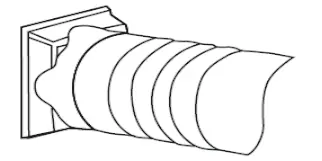
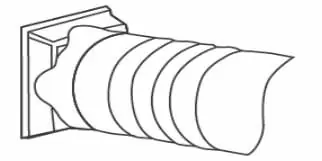
Location: Place the unit on a firm, level surface with at least 50cm of free space around it. Do not install near heat sources, direct sunlight, or in unventilated spaces smaller than 13 m².
Exhaust Hose: Connect the hose connector to one end of the exhaust hose and the window kit adapter to the other. Extend the window kit to fit your window, secure it, and attach the exhaust hose. Ensure the hose is not bent or extended unnecessarily.
Operation
Control Panel: Use the buttons to power the unit, select modes (Cool, Heat, Fan, Dry, Sleep), adjust temperature, set fan speed, and control the timer. The unit defaults to Fan mode upon startup.
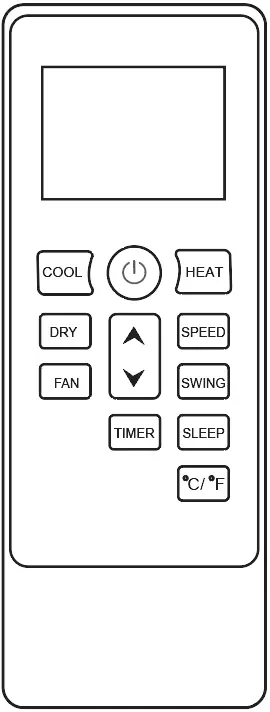
Modes:
- Cool: Lowers room temperature (16°C - 32°C).
- Heat: Raises room temperature.
- Fan: Circulates air without cooling.
- Dry: Removes moisture; fan speed is fixed to low.
- Sleep: Adjusts temperature automatically for comfort.
Drainage and Maintenance
Drainage: The unit uses a self-evaporating system. For continuous operation in dry or heating modes, connect the drainage pipe to the drain outlet.
Cleaning: Clean the air filter every two weeks. Switch off the unit, remove the filter, vacuum dust, rinse under running water, and let it air dry completely before reinstalling.
Troubleshooting
If the unit is not operating, check the power connection and water level. If performance is reduced, check for blocked air ducts or open windows. Error codes include E0 (communication fault), E1/E2 (sensor failure), and Ft (high water level).
WiFi Connection
Download the "Smart Life" app. Activate WiFi on the unit (long press the Timer button if needed) and follow the app instructions to add the device.
Storage and Disposal
For long-term storage, drain all water, clean and dry the filter, and store in a dry, ventilated area. Do not dispose of the unit as unsorted municipal waste; use separate collection facilities.
Manufacturer information
Costway
Practical help
Common problems
Unit not operating
Check power connection, ensure the water level indicator is not lit (empty drain pan if necessary), and verify room temperature is within 5-35°C.
Reduced performance
Clean the air filter, clear air duct obstructions, close doors and windows, and ensure the exhaust hose is securely attached.
Water leakage
Empty the water tank before moving the unit and ensure the drain hose is not kinked or bent.
Excessive noise
Ensure the unit is on a level, firm surface and tighten any loose parts.
Error codes (E0, E1, E2, Ft)
E0: Check PCB wiring. E1/E2: Check/replace temperature sensor. Ft: Empty the drain pan.
Before use
- Let the unit stand upright for at least 24 hours before plugging in.
- Ensure the unit is on a flat, stable surface.
- Check that the exhaust hose is securely attached.
- Verify the room size exceeds 13 m².
- Ensure the power outlet is grounded.
Specs in practice
- Self-evaporating system
- Uses collected water to cool condenser coils, improving efficiency.
Images and diagrams
- 1. Control panel
- 2. Air outlet with adjustable louver
- 4. Air filter
- 6. Air exhaust
- 7. Drain opening with sealing plug
Model compatibility
- Requires WiFi for app control.
- Compatible with the 'Smart Life' app for Android and iOS.

Manual page author
Michael Turner
Technical manual editor
Reviews PDF manuals for structure, safety notes, and practical product details so readers can find the right information quickly.