Lighting / LED Lamps
User Manual for EcoSmart 14A19060M6CCT01 Adjustable White A19 Motion Sensor Bulb
Quick guide for the EcoSmart 14A19060M6CCT01 motion sensor bulb. Includes installation tips, color temperature settings, motion sensor operation, and troubleshooting steps.
Table of contents
Important Information
This EcoSmart A19 bulb features an integrated microwave motion sensor and adjustable color temperature. It is designed for indoor use only and is not intended for emergency exits. The sensor is sensitive and may detect motion through thin walls or glass.
Safety Information
- For indoor use only. Do not use where directly exposed to water.
- This device is not intended for use with emergency exits.
- Turn off power before inspection, installation, or removal.
- Do not open the bulb; there are no user-serviceable parts inside.
Installation
- Turn off power to the fixture.
- Select the desired color temperature using the switch on the bulb (2700K to 6500K).
- Install the light bulb into the fixture.
- Turn power on to the light fixture.
Tips for best performance:
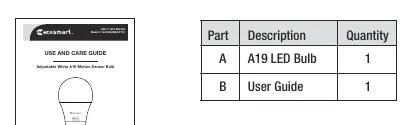
- Install the bulb facing downwards in a fixture that is 9ft high.
- Recommended installation height is 9ft to 16ft.
- Install at least 2ft away from other motion sensor bulbs.
- The bulb can be installed on its side, but detection range may vary.
Operation
Upon powering on, the bulb will turn on for 5 seconds, then after approximately 2 seconds, it will be controlled by the internal motion sensor.
- Motion Detection: The bulb turns on when motion is detected and stays on for 2 minutes after motion is no longer detected.
- Color Temperature: Adjustable via the switch on the bulb (2700K, 3000K, 3500K, 4000K, 5000K, 6500K).
Disabling the Motion Sensor
You can turn off the motion sensor if you want to use the bulb as a regular light bulb:
- Turn the bulb on and wait for 5 seconds.
- Turn the bulb on and off quickly 10 times.
- Wait 20 seconds.
- The bulb will remain on, and the motion sensor will be disabled.
To re-enable the motion sensor, follow the same steps.
Troubleshooting
If the bulb is intermittently blinking, the sensor may be detecting motion through thin walls, glass, or movement from trees/plants outside. If the bulb never turns on, ensure it is not installed facing upwards, as this reduces detection range. The bulb is designed to turn on when detecting motion regardless of the time of day.
Specifications
The bulb operates at 120V (AC) at 60Hz. It consumes 9.5W, provides 800 Lumens, and has a CRI of 90.
Manufacturer information
EcoSmart
Practical help
Common problems
Bulb is intermittently blinking
The sensor may be detecting motion through thin walls, glass, or triggered by trees/plants moving in the wind. Ensure the bulb is at least 2ft away from other motion sensor bulbs.
Bulb never turns on
If the bulb is installed facing upwards, the detection range is greatly reduced. Ensure it is installed facing downwards.
Bulb turns on during the day
The bulb is working as designed. It detects motion regardless of the time of day. You can disable the motion sensor if you prefer it to act as a standard bulb.
Before use
- Ensure the fixture is for indoor use only.
- Verify the fixture is not exposed to water.
- Check that the installation height is between 9ft and 16ft.
- Ensure the bulb is at least 2ft away from other motion sensor bulbs.
- Select desired color temperature using the switch on the bulb before installation.
Specs in practice
- Input Volts (AC)
- 120V
- Input Frequency
- 60Hz
Images and diagrams
- The bulb features a switch to select color temperature (2700K-6500K).
- The motion sensor is a microwave type, capable of detecting movement through walls.
Model compatibility
- Compatible with most LED rated dimmers.
- Not compatible with motion sensing fixtures.
- Not intended for use with emergency exits.

Manual page author
David Miller
Documentation analyst
Organizes user manual content into clear summaries, with attention to model details, product context, and everyday usability.