Industrial / Commercial Timers
User Manual for Finder 12.B2 Toolbox App
Quick guide for configuring the Finder 12.B2 annual time switch using the Toolbox app. Learn how to set up communication via NFC or Bluetooth, configure functions like Astro, Pulse, and Cyclic, and associate external channels and inputs.
Table of contents
Manual images
Click an image to enlargeQuick guide from the manual
The Finder 12.B2 annual time switch is configured using the Finder Toolbox app on your smartphone. You can choose between two communication channels:
- NFC: Allows configuration without powering the device. Note that external channel and input interface association is not possible via NFC.
- Bluetooth: Requires the device to be powered. Provides access to all functions. Ensure Bluetooth and Location (GPS) are enabled on your smartphone.
Device Configuration
To begin, open the Toolbox app and select 12.B2 from the list. Select Communication channel to proceed. If using Bluetooth, push the joystick down on the device when prompted. If using NFC, place your smartphone against the face of the device.
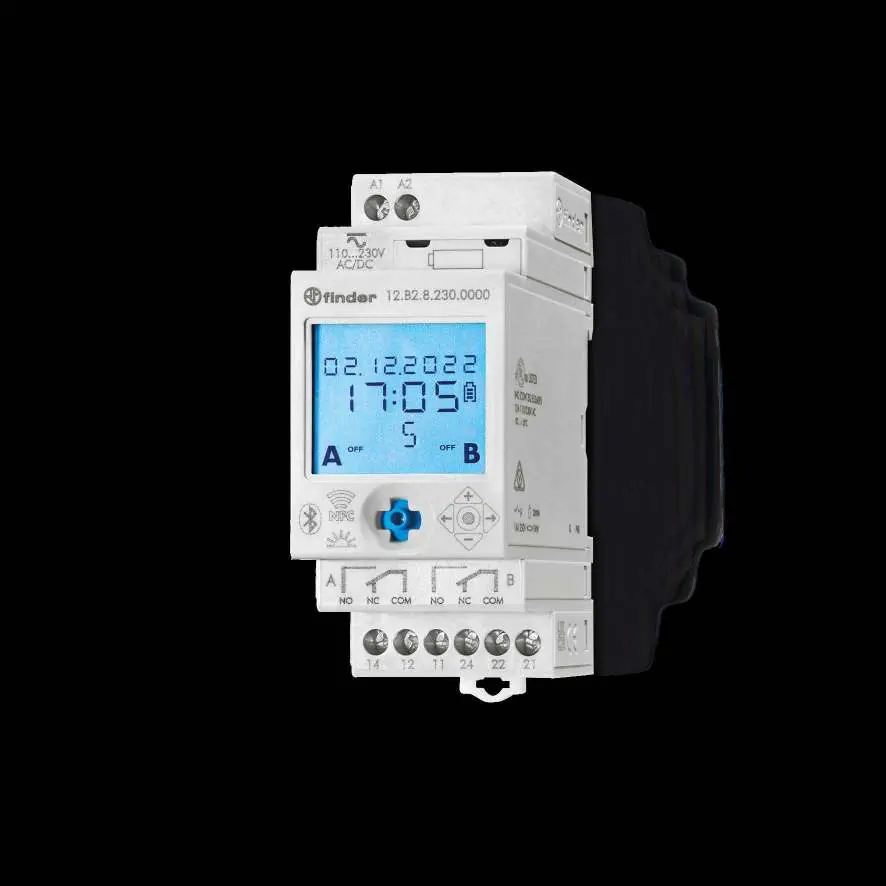
Configuration General Parameters
The configuration page allows you to set:
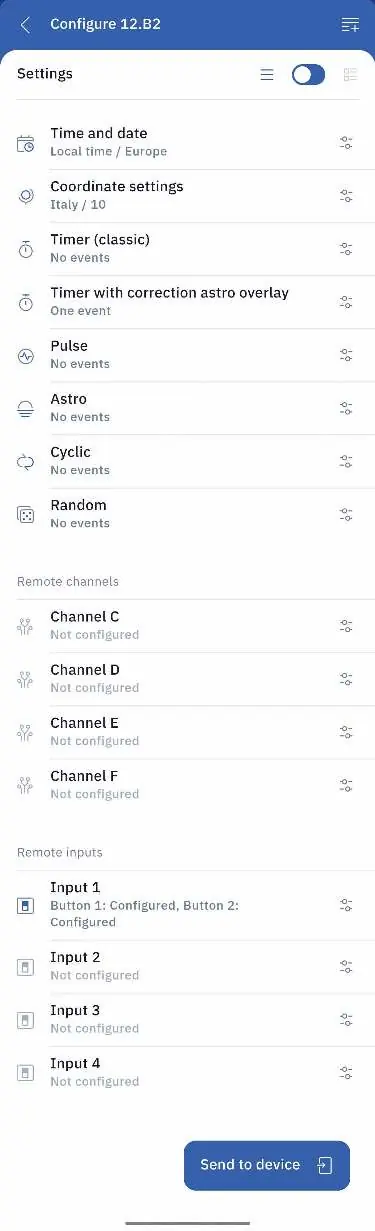
- Time and Date: Set local time and daylight saving time rules (Europe, Australia, Brazil, North America).
- Coordinate Settings: Identify geographical location by entering the country and postal code, or by manually entering latitude and longitude.
Configurable Functions
The app supports various programming functions:
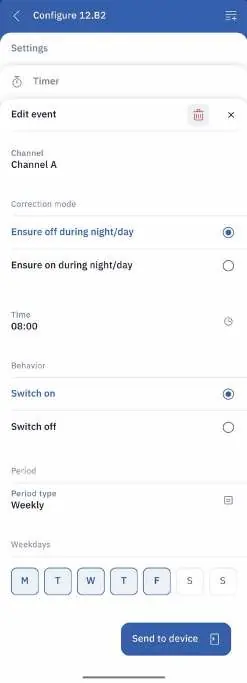
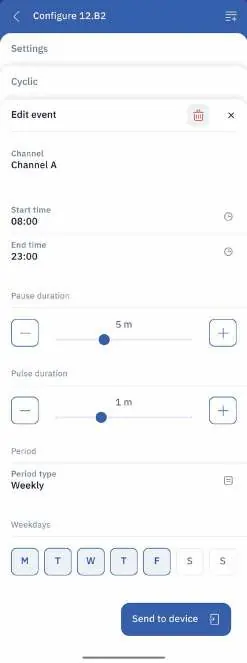
- Timer (Classic): Standard switching at specific times.
- Timer with Correction Astro Overlay: Ensures on/off priority at specific times, useful for dawn/dusk switching.
- Pulse: Activates the channel for a specific duration (1 second to 90 minutes).
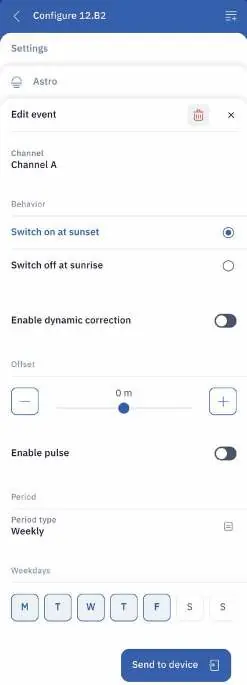
- Astro: Light-dependent management based on sunrise and sunset times, with optional dynamic offset.
- Cyclic: Pause and work cycle configuration.
- Random: Random switching to simulate presence.
Configuration Management
Once configuration is complete, press Send to device. You can choose to send only time and date, or the full configuration. You can also save configurations within the app for future use.
External Channels and Inputs
The 12.B2 can be associated with external devices:
- External Channels (Type 13.21-B000): Associate channels C, D, E, and F. Requires wiring a button between terminals L and P1 for association.
- External Inputs (Type 1Y.P2): Associate external inputs to control internal or remote channels with functions like ON, OFF, Toggle, or Pulse.
Manufacturer information
Finder S.p.A.
Practical help
Common problems
Bluetooth connection fails
Ensure Bluetooth and Location (GPS) are enabled on your smartphone.
Configuration transfer not immediate (Bluetooth)
Press the joystick down on the 12.B2 device to initiate the transfer.
Cannot associate external channel/input
Ensure the device is powered and you are in close proximity to the device.
External device association fails
Ensure the external device has been reset to factory settings before attempting association.
Before use
- Download the Finder Toolbox app.
- For Bluetooth: Ensure the 12.B2 device is powered.
- For Bluetooth: Enable Bluetooth and Location/GPS on your smartphone.
- For NFC: No power is required for the 12.B2 device.
- For external devices: Ensure they are reset to factory settings before association.
Specs in practice
- Astro Function
- Light-dependent management based on sunrise and sunset times.
- Pulse Duration
- Configurable from 1 second to 90 minutes.
Model compatibility
- Compatible with external channels Type 13.21-B000.
- Compatible with external inputs Type 1Y.P2.

Manual page author
Emily Carter
User documentation editor
Prepares concise manual descriptions and highlights the most useful setup, operation, and maintenance information for readers.