Power / Solar Inverters
User Manual for GoodWe ET Series 15-30kW Commercial and Industrial Inverter
Comprehensive user guide for the GoodWe ET Series 15-30kW commercial and industrial inverter system. Includes installation, wiring, system configuration, maintenance, and troubleshooting procedures.
Table of contents
Manual images
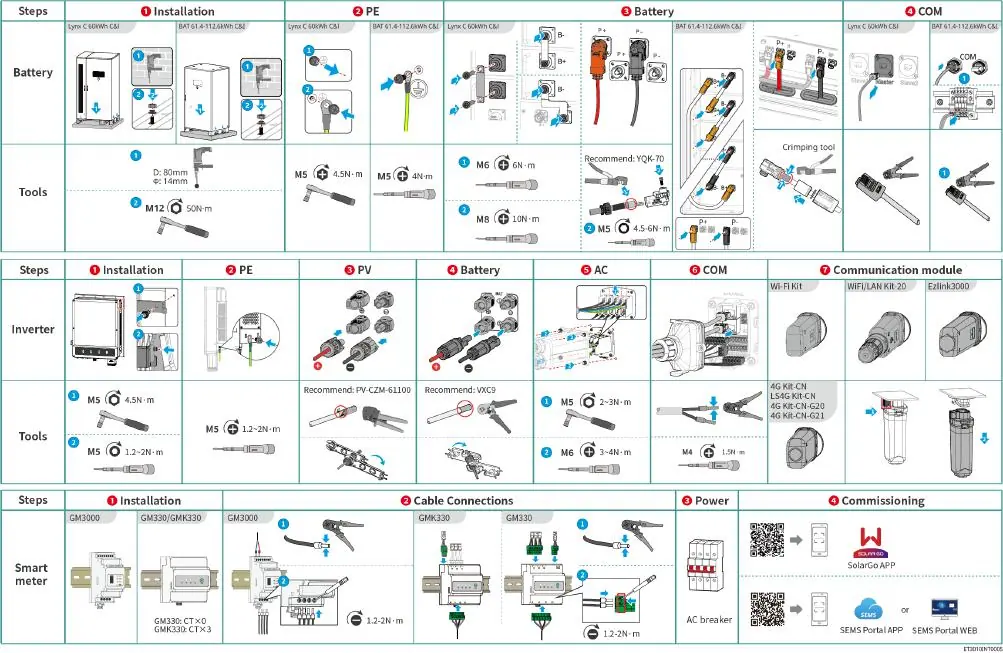
Click an image to enlargeQuick guide from the manual
This manual provides essential information for the installation, operation, and maintenance of the GoodWe ET Series 15-30kW commercial and industrial energy storage system. Always ensure that installation and maintenance are performed by qualified electrical technicians. Before starting, verify that the equipment is powered off and that all safety precautions are followed.
System Overview
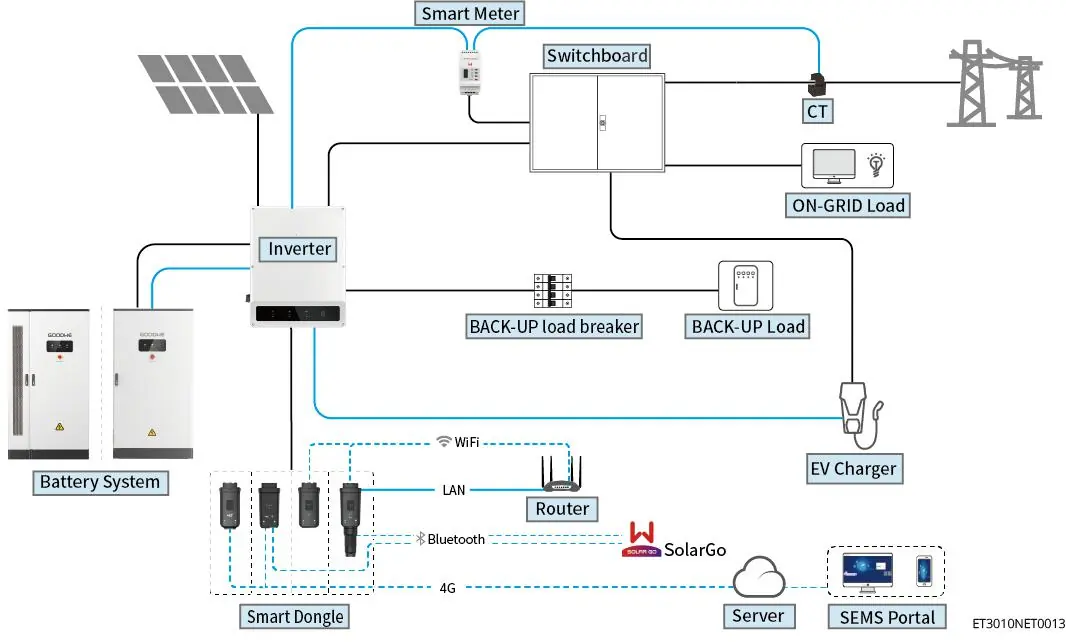
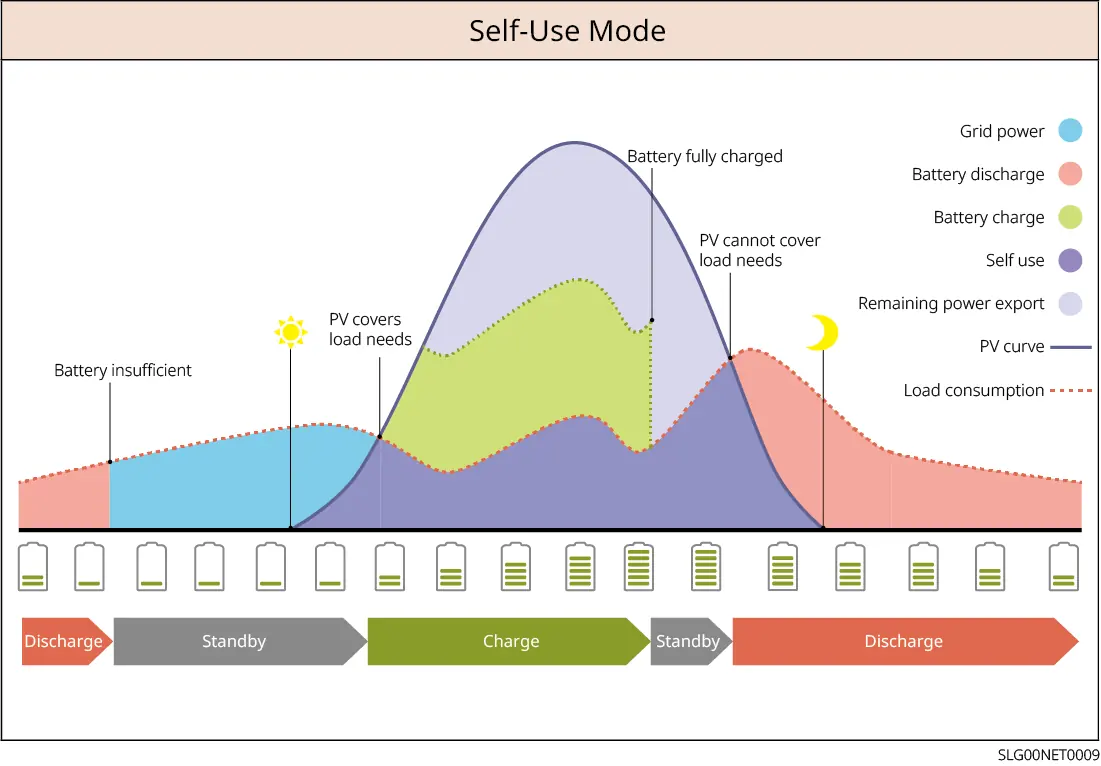
The system integrates an inverter, battery system, smart meter, and communication module to manage energy flow. It converts solar energy for commercial and industrial use, allowing for self-consumption, battery storage, or grid export.
Installation Requirements
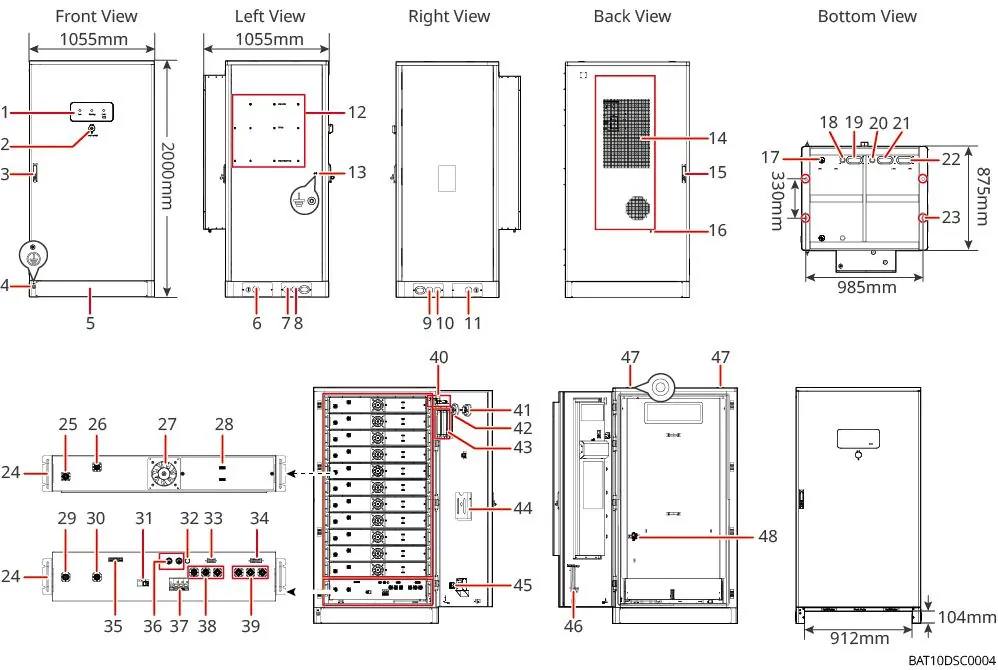
The equipment must be installed in a clean, dry, and well-ventilated environment. Ensure the foundation is level and capable of supporting the system's weight. Maintain adequate clearance around the unit for heat dissipation and maintenance access. Avoid installation in areas with high magnetic fields or direct sunlight.
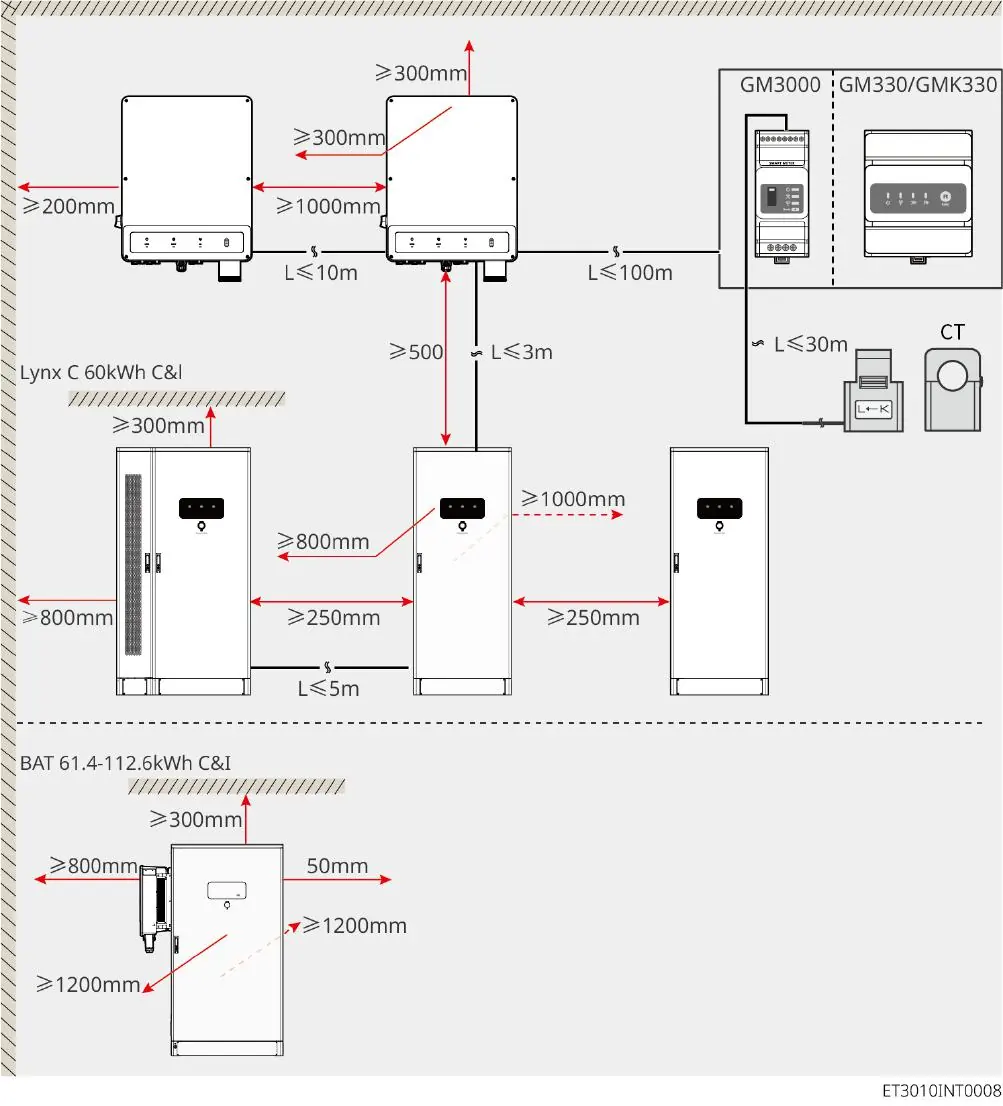
System Wiring
Proper wiring is critical for system safety and performance. Ensure all DC and AC connections are tight and secure. Use the provided connectors for PV and battery connections. The system supports various grid configurations (TN-S, TN-C, TN-C-S, TT). Always follow the specific wiring diagrams provided in the manual for your system configuration (monobloc or parallel).
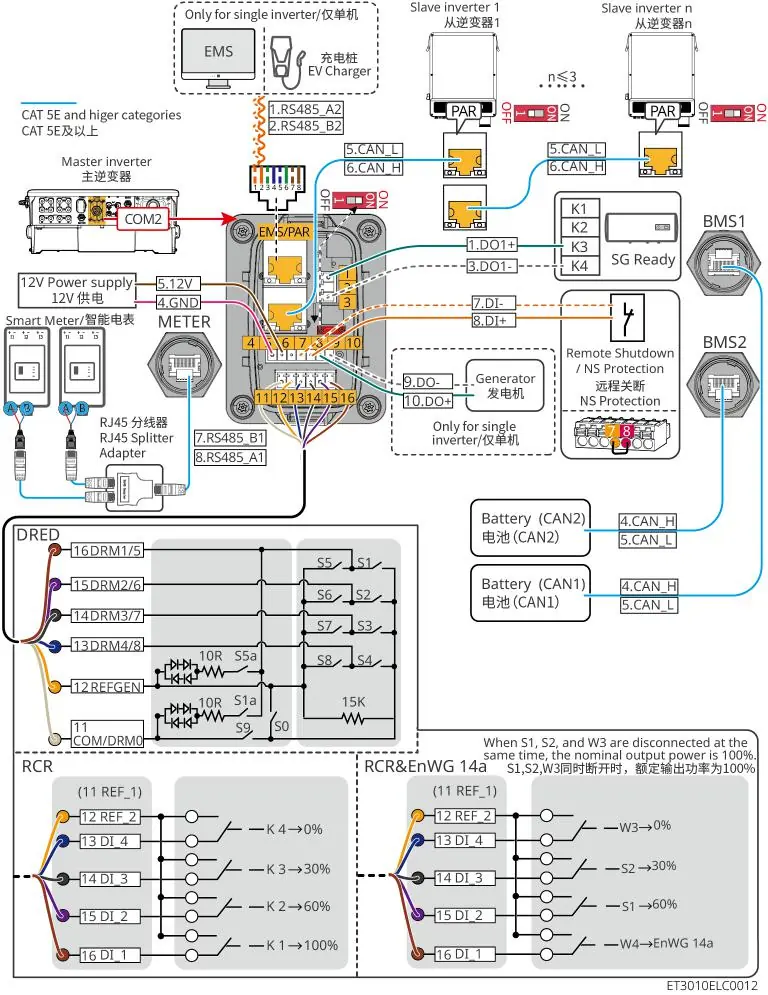
Commissioning and Configuration
Before powering on, perform a thorough pre-power check, including verifying all cable connections and ensuring the system is properly grounded. Use the SolarGo app for system configuration, including Bluetooth or WLAN connection, communication settings, and safety standards selection. The app allows for quick setup and monitoring of system parameters.
Maintenance and Troubleshooting
Regular maintenance, such as cleaning and checking connections, is required to ensure system longevity. If a fault occurs, the system will display error codes. Refer to the troubleshooting section in the manual to identify the cause and follow the recommended corrective actions. If the issue persists, contact your local service center.
Technical Specifications
The manual includes detailed technical parameters for the inverter (input/output voltage, current, power) and battery systems (capacity, voltage, charge/discharge rates). Refer to these tables for system design and compatibility verification.
Manufacturer information
GoodWe Technologies Co., Ltd.
Practical help
Common problems
Inverter not detecting Smart Stick
Check power supply to the stick, ensure it is within signal range, and update the SolarGo app to the latest version.
Communication failure between Smart Stick and router
Verify WiFi/LAN settings, check signal strength, and restart the router and inverter.
AFCI fault
Check PV connections, cables, and connectors for damage or loose contacts.
Before use
- Verify packaging for damage upon delivery.
- Ensure the installation environment is clean, dry, and free of flammable materials.
- Check that all cable connections are tight and secure.
- Verify battery State of Charge (SOC) is within the safe operating range.
- Ensure all safety labels and warning signs are visible.
- Confirm that qualified personnel are performing the installation.
Specs in practice
- Nominal Output Power
- The rated power output of the inverter (15kW to 30kW depending on the model).
- Battery Voltage Range
- The operating voltage range for connected battery systems.
- Max. Input Current
- The maximum current the MPPT input can handle from PV strings.
Images and diagrams
- System Wiring Diagram: Illustrates the connections between PV strings, battery system, inverter, smart meter, and the utility grid.
- Battery Connection: Details the connection of battery power and communication cables to the inverter.
Model compatibility
- Battery compatibility must be verified via the official GoodWe compatibility list.
- Inverter firmware must be updated to support specific communication modules.

Manual page author
Emily Carter
User documentation editor
Prepares concise manual descriptions and highlights the most useful setup, operation, and maintenance information for readers.