Tools / Soldering Stations
User Manual for JBC DDSD 2-Tool Rework Station with DT530
Quick guide for the JBC DDSD 2-Tool Rework Station with DT530. Includes packing list, installation instructions, connection diagrams, and technical specifications.
Quick answers from the manual
Quick answer
- The JBC DDSD is a 2-Tool Rework Station with DT530. It includes a DDE control unit, T245 handle, DT530 desoldering iron, MSE module, and necessary stands. p. 1, 2
Key actions
- Connect the DDE control unit to the MSE module and stands using the provided cables. p. 3
Technical specifications
| Parameter | Value | Meaning | Pages |
|---|---|---|---|
| Weight | 11.10 kg | Total package weight | p. 4 |
Show 1 more answers Show less
Where to find it in the PDF
- Title Page p. 1
- Packing List p. 2
- Installation p. 3
- Specifications p. 4
Table of contents
Manual images
Click an image to enlargeQuick Guide
The JBC DDSD is a 2-Tool Rework Station designed for professional soldering and desoldering tasks. This guide provides the necessary information to identify the components included in the package and how to correctly install and connect the system.
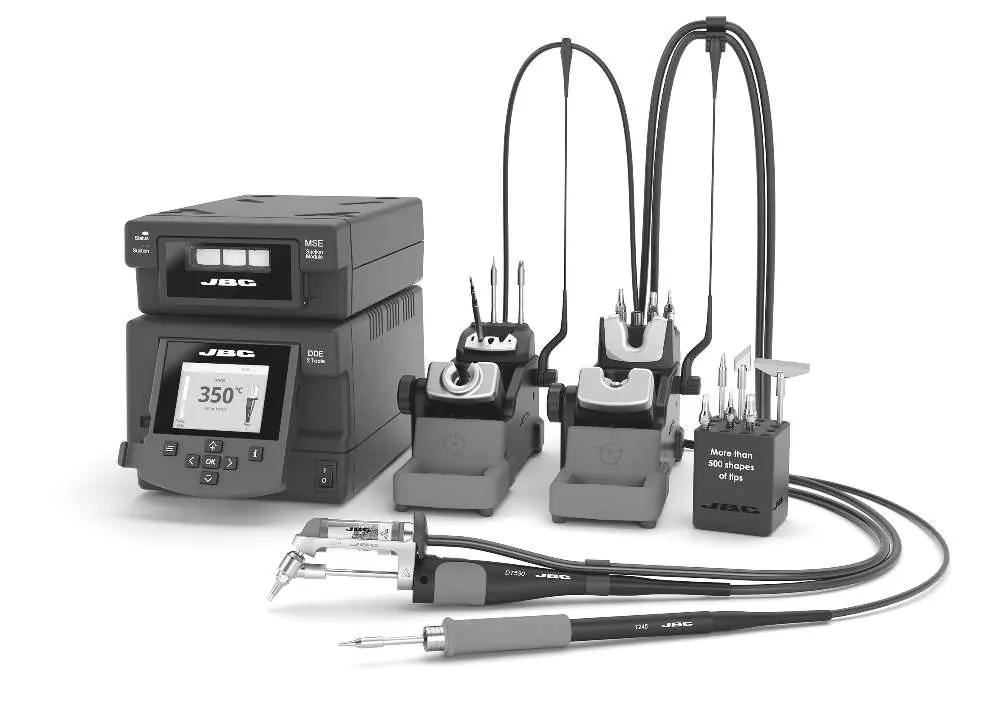
Packing List
The following items are included with the station (depending on the specific reference purchased):
- DDE: 2-Tool Control Unit (Ref. DDE-9D, DDE-1D, or DDE-2D)
- T245: General Purpose Handle (Ref. T245-A)
- DT530: Angled Desoldering Iron (Ref. DT530-A)
- MSE: Electric Desoldering Module (Ref. MSE-B)
- ADS: Stand for T210 & T245 Handles (Ref. AD-SF)
- DTS: Stand for DT530 (Ref. DT-SB)
- SCH: Cartridge Holder (Ref. SCH-A)
Installation and Connections
To set up the station, follow these steps:
- Place the DDE Control Unit on a stable surface.
- Connect the MSE Electric Desoldering Module to the DDE Control Unit.
- Connect the stands (ADS and DTS) to the appropriate ports on the DDE Control Unit using the provided stand cables (Ref. 0024227).
- Connect the T245 handle and DT530 desoldering iron to their respective stands.
- Use the module cable (Ref. 0024228) to connect the MSE module to the DDE unit.
- Ensure all connections are secure before powering on the unit.
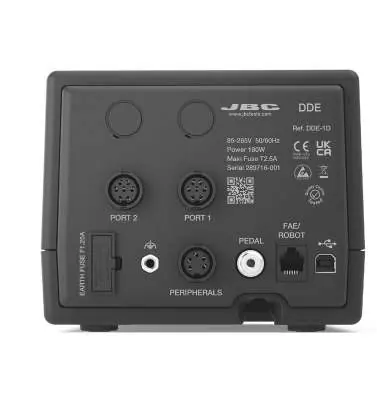
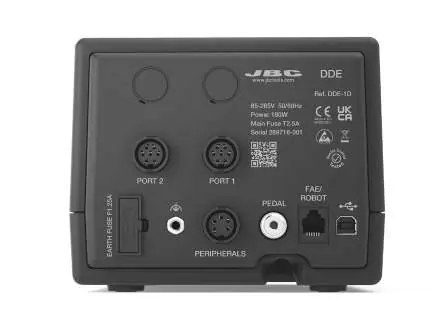
The back panel of the DDE Control Unit features ports for peripherals, pedals, and FAE/Robot connections, as well as the main power input.
Technical Specifications
The DDSD station is designed for efficiency and safety:
- Package Dimensions: 495 x 415 x 395 mm
- Package Weight: 11.10 kg
- Compliance: Complies with CE standards
- Safety: ESD safe
Safety and Compliance
This product is ESD safe. In accordance with European directive 2012/19/EU, electronic equipment at the end of its life must be collected and returned to an authorized recycling facility. Do not dispose of this product in regular household garbage.
Practical help
Before use
- Verify the station reference (100V, 120V, or 230V) matches your local power supply.
- Ensure all components (DDE, T245, DT530, MSE, stands) are present as per the packing list.
- Connect the DDE control unit to the MSE module using the module cable.
- Connect the stands and handles to the appropriate ports on the DDE unit.
- Ensure the power cord is connected to the DDE Control Unit.
Specs in practice
- Package Dimensions
- 495 x 415 x 395 mm (L x H x W)
- Package Weight
- 11.10 kg / 24.47 lb
Show more Show less
Images and diagrams
- The installation diagram illustrates the connection path between the DDE Control Unit, the MSE module, the stands, and the handles.
- The DDE back panel diagram identifies ports for Port 1, Port 2, Peripherals, Pedal, and FAE/Robot.
Model compatibility
- Compatible with C245 cartridge range (sold separately).
- Compatible with D530 tip range (sold separately).

Manual page author
David Miller
Documentation analyst