Tools / Power Tools
User Manual for KIMO 13811T 20V MAX Cordless Drill Driver
Quick guide for the KIMO 13811T 20V MAX Cordless Drill Driver. Includes setup, battery charging, operation modes, torque settings, and troubleshooting tips.
Table of contents
Manual images
Jump to the sectionQuick guide from the manual
The KIMO 13811T is a 20V cordless drill driver designed for drilling and driving applications. Before first use, ensure the battery is fully charged. Always wear eye protection and keep the work area clean. To operate, insert the battery, select the desired gear and mode, and use the variable speed trigger to control the drill.
Product overview
The drill consists of the following main components:

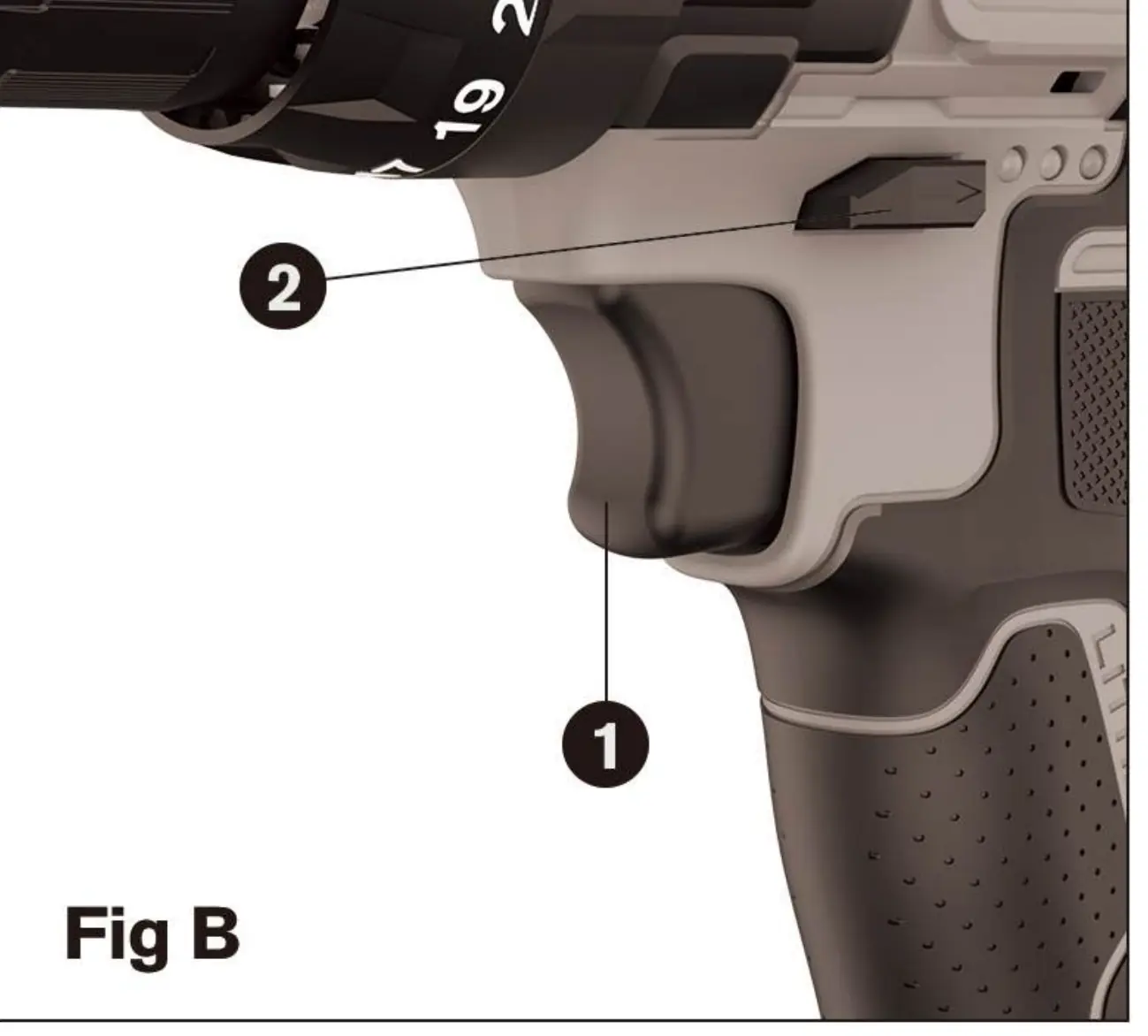
- Variable Speed Switch: Controls the speed of the drill.
- Forward/Reverse Button: Determines rotation direction and acts as a lock-off button.
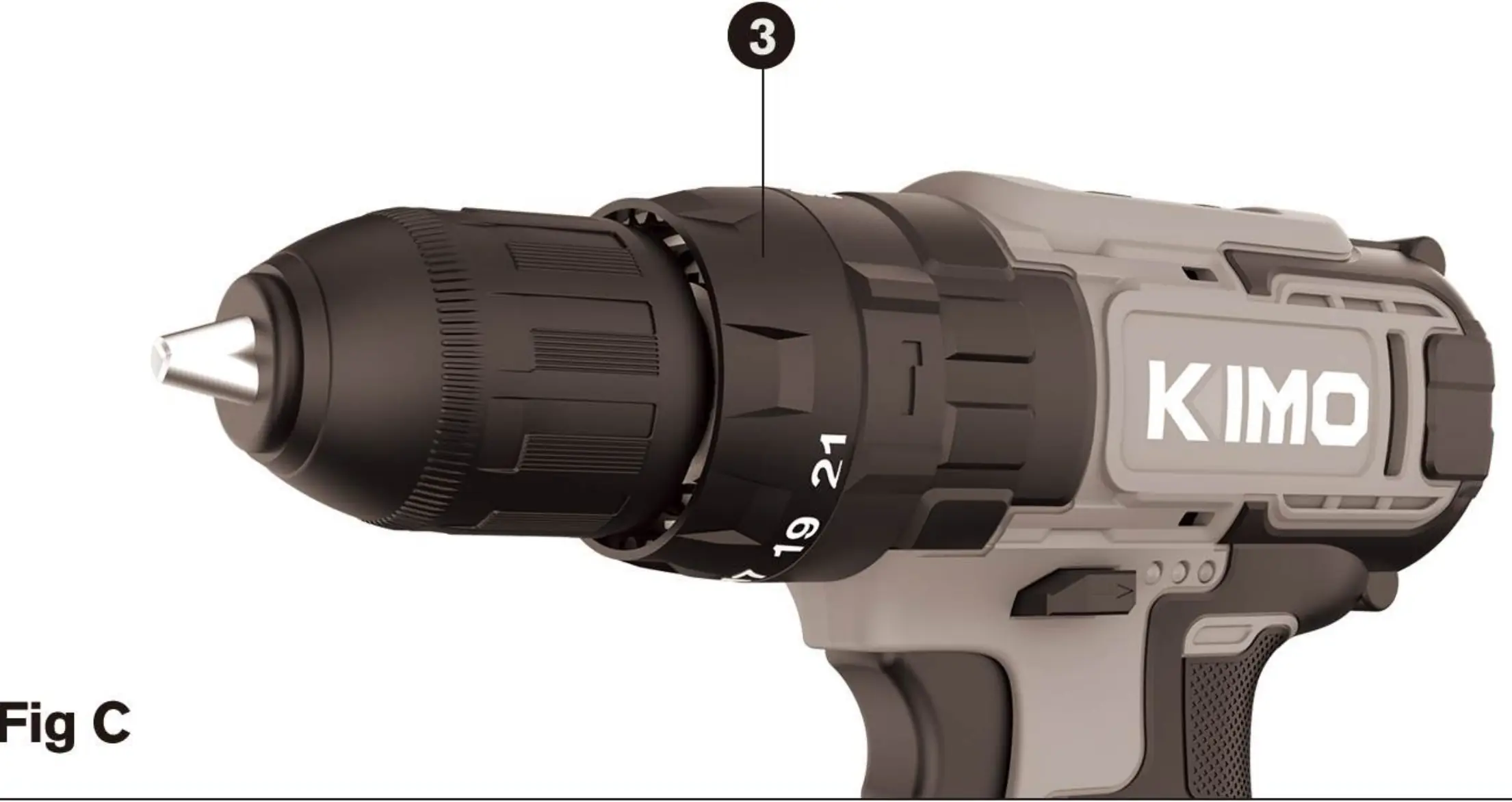
- Torque Adjustment Collar: Sets torque for tightening screws.
- Keyless Chuck: Holds drill bits and accessories.
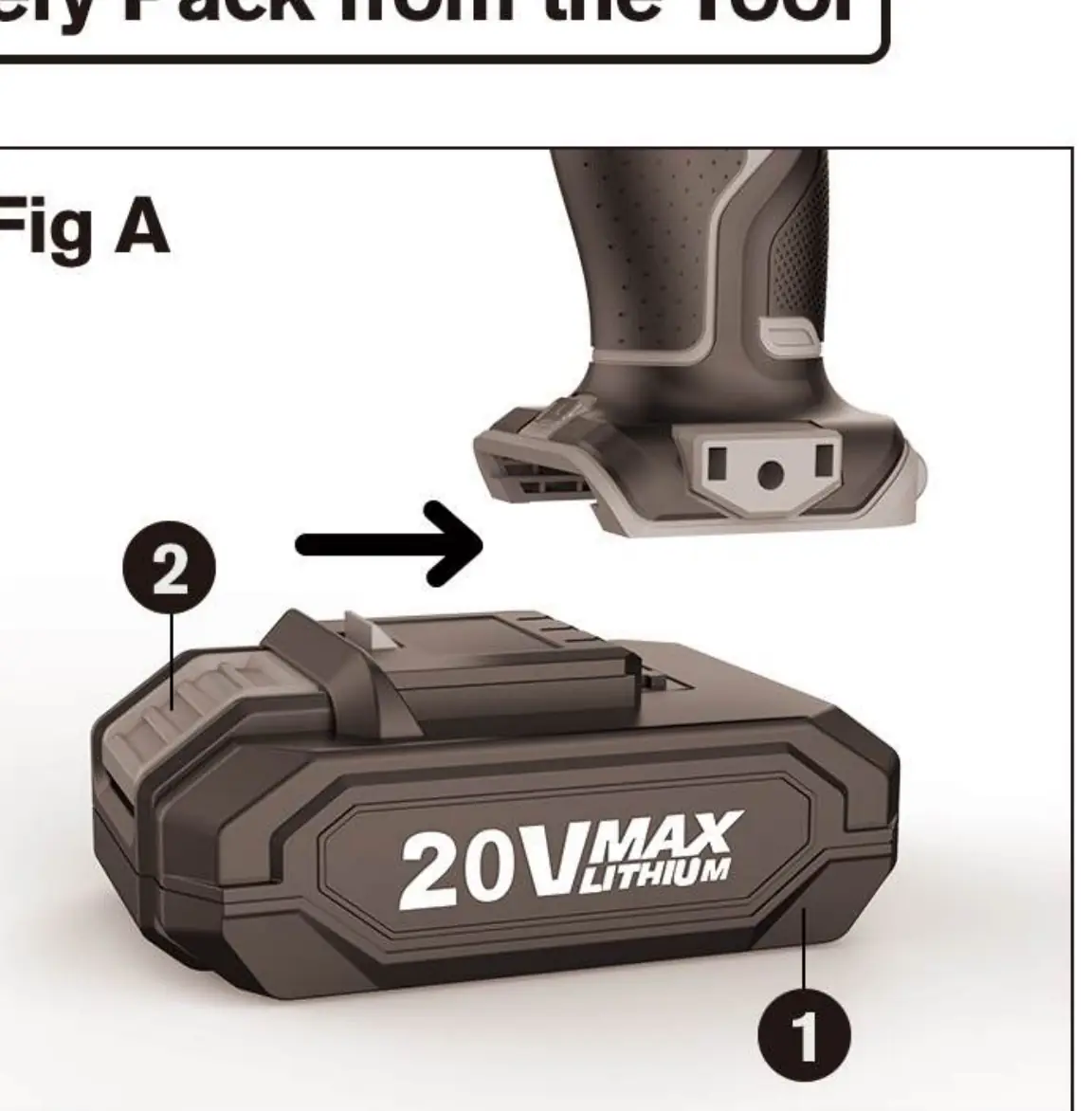
- Battery: 20V power source.
- Battery Release Button: Used to remove the battery.
- Charger: For recharging the battery.
- Mode Selecting Collar: Switches between driving, drilling, and hammer drilling.
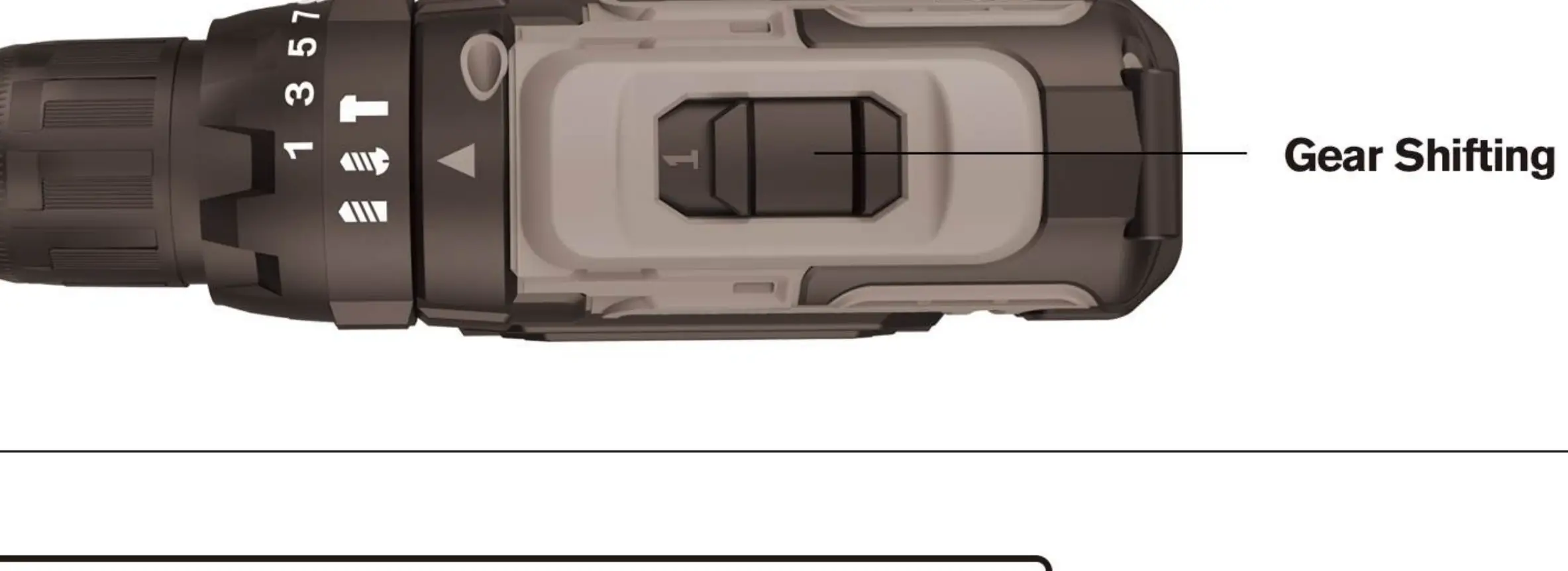
- Gear Shifter: Switches between low and high gear ranges.
Specifications
- Voltage: 20V
- Battery Capacity: 2.0 Ah
- Charging Time: 60-90 minutes
- Chuck Size: 3/8 inch
- Max Torque: 350 in-lbs
- Low Speed: 350 RPM
- High Speed: 1350 RPM
- Weight (Tool + Battery): 2.41 lbs
Safety rules
- Work Area: Keep clean and well-lit. Do not operate in explosive atmospheres. Keep bystanders away.
- Electrical Safety: Do not expose to rain or wet conditions.
- Personal Safety: Stay alert, wear eye protection, and avoid loose clothing or jewelry.
- Tool Use: Use clamps to secure work pieces. Do not force the tool.
Operation
Battery installation
Insert the battery pack into the tool until an audible click is heard. To remove, depress the battery release button and pull the pack out.
Forward/Reverse control
The control button determines rotation direction. Release the trigger switch before changing direction. The center position locks the tool.
Starting and speed control
Pull the trigger switch to turn the tool on. The LED light turns on automatically. Vary pressure on the trigger to control speed.
Torque and mode selection
Use the adjustment collar to set torque for screws. Use the mode selecting collar to choose between driving, drilling (wood/metal), or hammer drilling (concrete/hard materials).
Gear shifting
Use the gear shifter to select between low gear (mark 1, for low torque/slower speeds) and high gear (mark 2, for faster speeds).
Attaching accessories
Grasp the rear half of the chuck and rotate the front half counterclockwise to open. Insert the bit, then rotate clockwise to tighten securely.
Charging procedure
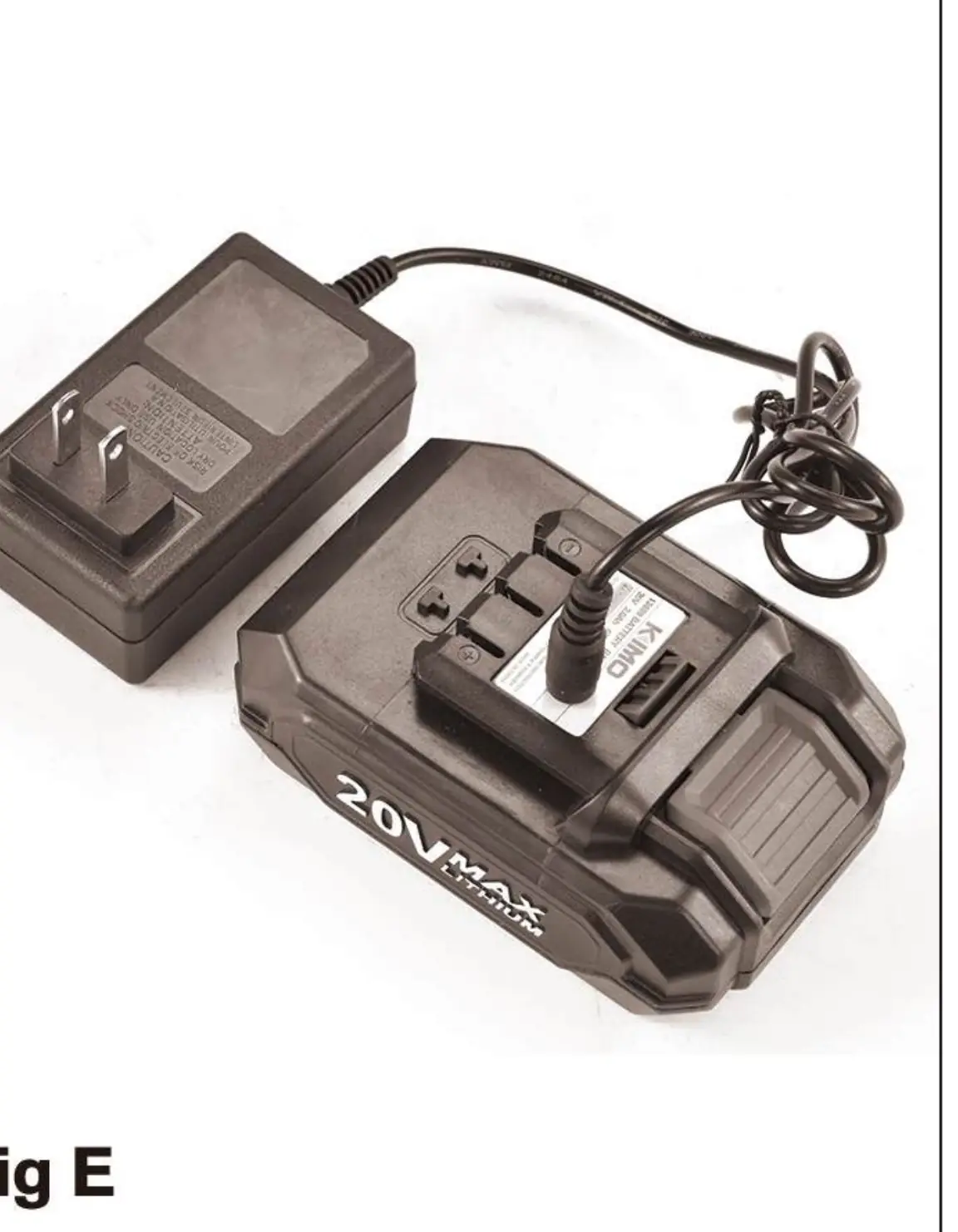
Insert the charger into the battery pack and plug into an outlet. Charging takes 60-90 minutes. Red light indicates charging, green light indicates charged, and no lights indicate a short circuit.
Maintenance
Keep air vents and motor housing free of dirt. Clean with a moist cloth and soft soap. Do not use solvents. Repairs should be performed by a KIMO factory service center.
Troubleshooting
- Unit will not operate: Check battery installation and charge status.
- Battery will not charge: Ensure battery is inserted properly, charger is plugged in, and ambient temperature is between 40°F and 105°F.
- Unit shuts off abruptly: Battery may have reached thermal limit (allow to cool) or is out of charge.
Manufacturer information
Zhejiang Kimo Power Tools Co., Ltd.
Practical help
Common problems
Unit will not operate
Check if the battery pack is installed correctly and fully charged.
Battery will not charge
Ensure the battery is inserted into the charger properly, the charger is plugged into a working outlet, and the surrounding air temperature is between 40°F and 105°F.
Unit shuts off abruptly
The battery may have reached its thermal limit; allow it to cool down. Alternatively, the battery may be out of charge.
Before use
- Ensure the battery pack is fully charged.
- Wear eye protection and appropriate safety gear.
- Check that the forward/reverse button is not in the locked (center) position.
- Ensure the switch is off before inserting the battery.
- Check for loose clothing or jewelry that could get caught in moving parts.
Specs in practice
- Charging Time
- 60-90 minutes for a full charge.
Images and diagrams
- 1: Variable Speed Switch
- 2: Forward/Reverse Button
- 3: Torque Adjustment Collar
- 4: Keyless Chuck
- 8: Mode Selecting Collar
Model compatibility
- Use only accessories recommended by the manufacturer.
- Warranty applies to products sold in the U.S.A. only.

Manual page author
Michael Turner
Technical manual editor
Reviews PDF manuals for structure, safety notes, and practical product details so readers can find the right information quickly.