Health / Medical Devices
User Manual for Lafayette Instrument 01165A Hand-Held Dynamometer
Quick guide for the Lafayette Instrument 01165A Hand-Held Dynamometer. Learn how to operate, configure test settings, manage data, and maintain your device for accurate muscle strength measurements.
Table of contents
Manual images
Click an image to enlargeQuick Start and Important Information
The Lafayette Hand-Held Dynamometer (HHD) is designed for objectively quantifying muscle strength. Upon initial receipt, charge the device for 2 hours. The device is powered by a rechargeable lithium-ion battery and should be charged at least once every six months to prevent damage. Always ensure consistent placement of the HHD during repeated tests to maintain accuracy.
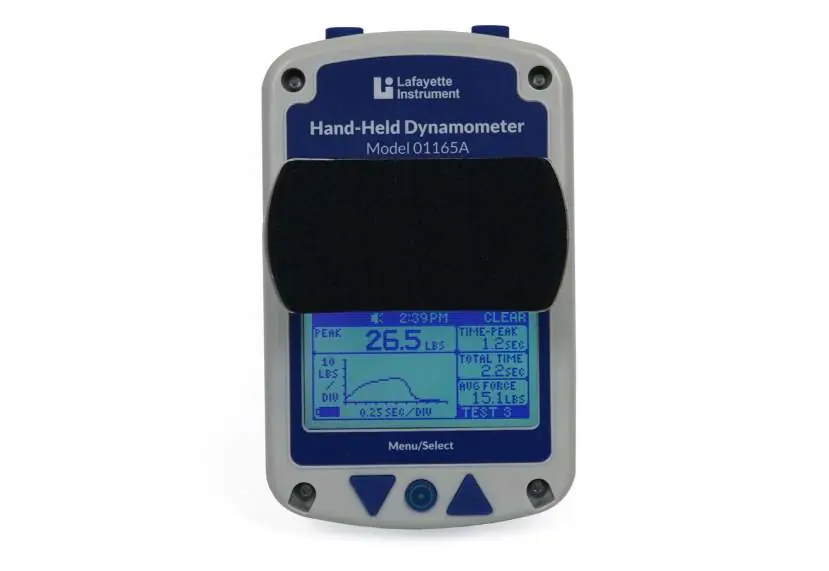
Device Overview and Buttons
The HHD features a graphical LCD display and five function buttons:
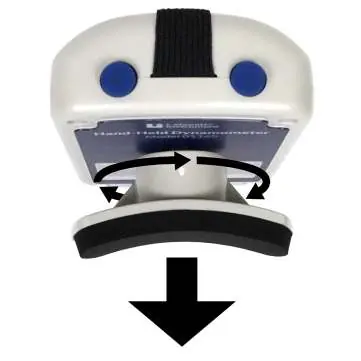
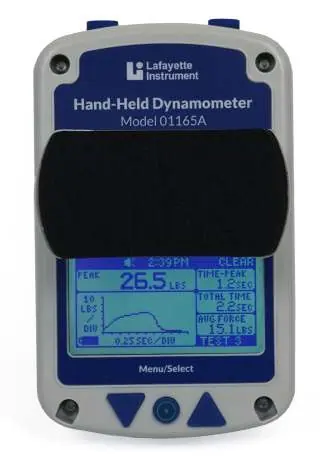
- POWER/MENU/SELECT Button: Located at the bottom middle. Press and hold to power on. Hold for 5 seconds to power off. Use this to enter the Menu screen.
- NAVIGATION Buttons: Used to enlarge graphs, scroll through tests, or navigate menu screens.
- TOP Buttons: Used to CLEAR and START tests on the main screen, or to navigate BACK/TEST in menus. Button orientation can be flipped in the OPTIONS menu for left or right-hand use.
Test Setup
The Test Setup menu allows you to configure testing parameters:
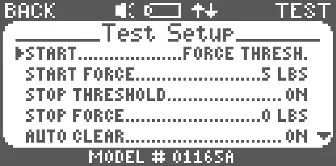
- Default Settings: Pre-configured settings that cannot be changed.
- Custom Settings: Nine slots available to save and review custom configurations.
- Start Options: Tests can be triggered by a Force Threshold, a Time Delay, or manually via the top button.
- Stop Options: Tests can end when force drops below a set threshold or after a specific test time.
- Auto Clear: If enabled, data clears automatically after a test.
Performing Tests
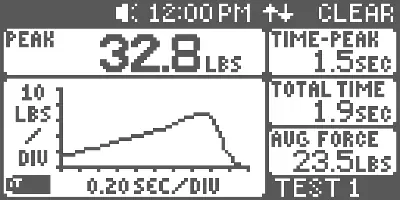
The Test Screen displays real-time measurement information. The device records peak force, time to peak, total test time, and average force. The graph area automatically scales to maximize the viewing area. You can select units in pounds (lbs), kilograms (kg), kilopascals (kPa), or Newtons (N).
Maintenance and Cleaning
Keep the device clean to ensure longevity:
- Clean hard surfaces with a bleach-free sanitizing wipe or alcohol wipe.
- Clean cloth or foam surfaces with anti-bacterial soap and water; allow to air dry.
- Do not allow water to penetrate the enclosure.
- Disposable sanitary covers are available for the stirrup pad.
Upgrading and Data Management
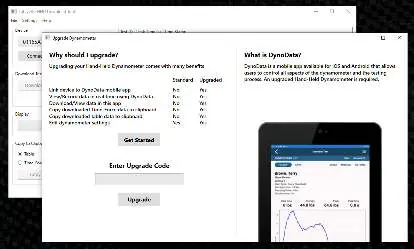
The 01165A can be upgraded to the 01165APP model using the Lafayette Hand-held Dynamometer Utility. Upgrading provides access to advanced features like data export, real-time recording, and mobile app connectivity. Saved data can be managed directly on the device via the Saved Data menu.
Troubleshooting and Resets
If the device freezes, perform a Hard Reset by pressing the lower down arrow and the upper right button simultaneously until the unit powers off and back on. To restore factory defaults, navigate to the Information screen, press and hold MENU/SELECT, then press the upper left button consecutively until the screen prompts for a factory reset.
Practical help
Common problems
Device freezes
Perform a hard reset by pressing the lower down arrow and the upper right button until the unit powers off and back on.
Low battery indicator
Charge the device via the USB connector. A full charge takes approximately 3 hours.
Inconsistent test results
Ensure consistent placement of the HHD against the limb during repeated tests.
Force limit exceeded
Do not exceed 300lbs/136kg/9999kPa/1335N, as this may permanently damage or invalidate the calibration.
Before use
- Charge the device for 2 hours if it is new.
- Ensure the correct stirrup is attached.
- Check the battery level on the LCD display.
- Verify test settings (units, thresholds) in the Test Setup menu.
- Ensure the device is not being used as a floor scale.
Specs in practice
- Battery Life
- 12 hours powered on; 30 minutes after low battery condition.
- Data Storage
- Up to 250 tests in on-board memory.
Images and diagrams
- The device features a graphical LCD screen, a Menu/Select button at the bottom, and navigation/top buttons for controlling tests and menus.
Model compatibility
- Kilopascals can only be measured accurately using the included algometer attachment.
- 01165A can be upgraded to 01165APP for advanced features via the Lafayette Hand-held Dynamometer Utility.

Manual page author
Michael Turner
Technical manual editor
Reviews PDF manuals for structure, safety notes, and practical product details so readers can find the right information quickly.