Computers / Laptops
LG 16T90R Series Notebook User Guide
Essential safety, operation, and maintenance instructions for the LG 16T90R series notebook, including battery care, environmental precautions, and disposal guidelines.
Table of contents
Product Overview and Support
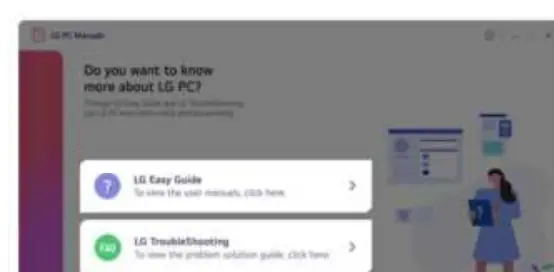
The LG 16T90R series notebook is designed for efficient data processing and visual display. Users can access the built-in LG Easy Guide and LG TroubleShooting tools directly from the Windows Start menu under LG PC Manuals to get detailed assistance with their device.
Safety Precautions
To ensure safe operation and extend the lifespan of your notebook, please adhere to the following guidelines:
- Environment: Use the device in a clean, dust-free, and stable environment. Maintain at least 15 cm of clearance around the PC for proper ventilation.
- Magnetic Interference: Keep the device away from magnetic objects (e.g., wallets, speakers, memo boards) to prevent storage device damage.
- LCD Care: Do not press or scratch the screen with sharp objects. If the screen is damaged, avoid touching it. Always ensure the power is off before closing the lid.
- Power and Cables: Use only the provided AC adapter. Do not bend power cables excessively or use damaged cords. Always pull the plug, not the cord, to disconnect.
Battery and Power Management
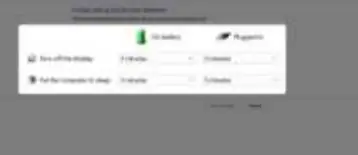
The notebook features a system protection feature that stops charging if the system becomes too hot. For battery longevity, keep the charge level at approximately 50% if the device will not be used for an extended period. Never disassemble or short-circuit the battery, and avoid exposing it to extreme temperatures or high humidity.
Maintenance and Troubleshooting
If you encounter issues, such as strange noises or smoke, disconnect the power source immediately and contact an authorized service center. Do not attempt to disassemble or modify the machine yourself, as this may void the warranty and cause electric shock or fire. Always back up important data frequently, as the manufacturer is not responsible for data loss due to user error or storage device failure.
Disposal and Recycling
This product contains components that may be hazardous to the environment. Please dispose of the device and its battery according to local regulations. Look for the crossed-out wheeled bin symbol, which indicates that electrical and electronic waste (WEEE) must be disposed of separately from municipal waste.
Related manuals
Related manuals from the same brand or category.
Computers / Laptops
LG Gram 14T90S 2-in-1 Laptop Overview
LGElectronics / Monitors
LG 17MB15T-B Touch Screen Monitor Quick Start Guide
LGComputers / Laptops
ASUS VivoBook Pro 16X OLED N7600PC-L2029T Laptop Overview
ASUSComputers / Laptops
Alienware 16X Aurora AC16251 Owner's Manual
AlienwareComputers / Laptops
Welcome to Your Acer Predator Helios Neo 16S AI
ACERComputers / Laptops
Acer Nitro V 16S User's Manual
ACERComputers / Laptops
Seeed Studio reComputer 16GB Edge AI Device
Seeed StudioComputers / Laptops
DELL Inspiron 14 Plus 7430 Owner's Manual
DELL
Manual page author
David Miller
Documentation analyst
Organizes user manual content into clear summaries, with attention to model details, product context, and everyday usability.