Lighting / Stage Lighting
User Manual for Light Sky 0102-MINI-LASER-AQUA-CMY-100W Stage Light
Quick guide for the Light Sky 0102-MINI-LASER-AQUA-CMY-100W stage light. Includes installation, DMX connection, menu settings, troubleshooting, and maintenance instructions.
Table of contents
Manual images
Click an image to enlargeQuick guide from the manual
This manual provides essential instructions for the Light Sky 0102-MINI-LASER-AQUA-CMY-100W. Key operations include proper installation with safety chains, DMX512 signal configuration, and regular maintenance of optical lenses. Always disconnect power before servicing or cleaning.
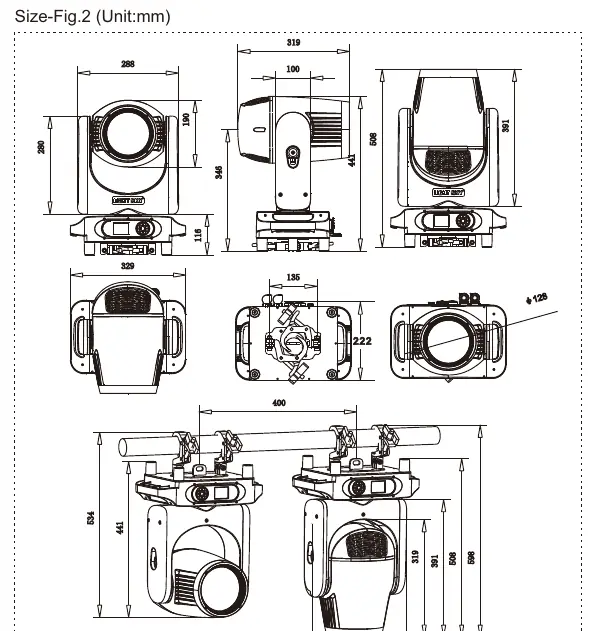
Safety instructions
- Do not allow children to operate the fixture.
- Ensure the installation surface can hold 10 times the weight of the unit.
- Always install a safety cable capable of holding at least 12 times the weight of the fixture.
- Maintain a minimum distance of 20cm from adjacent surfaces for ventilation.
- Keep a minimum distance of 0.5m from inflammable objects and 12m from surfaces.
- Do not touch the housing during operation as surface temperatures can reach 80°C.
- Disconnect from mains before starting any maintenance operation.
Installation
The fixture must be fixed on a clamp. Ensure the unit is firmly fixed to avoid vibration and slipping. The light source should only be replaced by the manufacturer or a qualified service agent. Always cut off the power supply before replacing the light source.
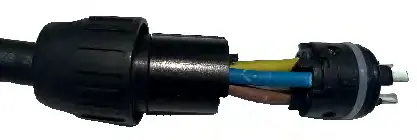
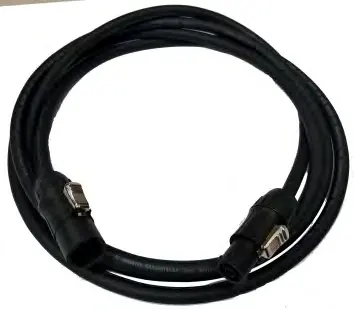
Technical specifications
- Light source: White laser, 12000 hours life expectancy.
- Beam angle: 1.1°.
- Control: DMX512, RDM protocol.
- Channels: 17CH or 19CH.
- Power: AC 100-240V, 50/60Hz, 212W max.
- Protection level: IP66.
DMX connection and control
Connect units in a daisy chain using XLR cables. The last unit in the chain must be terminated with a 120-ohm resistor between pin 2 and pin 3. Each unit requires a unique DMX address (1-512) to receive data from the controller.
Menu settings
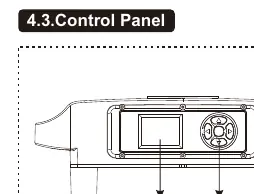
The control panel allows access to various functions. Use the OK button to confirm selections and the Up/Down/Left/Right buttons to navigate. The main menu includes DMX Address, Information, Personal settings (Pan/Tilt, Display, Dimmer/Fan), Manual Control, and Service options.
Troubleshooting
- Light source not bright: Check power supply, cooling fan speed (must be >500RPM), and DMX signal. Ensure the unit has cooled down if it was running abnormally.
- Beam dim or uneven: Clean optical parts, check light source life, or adjust calibration via the Service menu.
- Not accepting DMX instructions: Verify address settings, check cable length, ensure signal termination, and check for signal interference.
- Movement issues: Check drive belts and sensors, or reset the unit.
Maintenance and cleaning
Regular cleaning is essential for maximum light output. Clean the external optical lens at least every 20 days and the internal optical lens every 30 days. Use a soft, lint-free cloth moistened with glass cleaning fluid. Do not use solvents.
Practical help
Common problems
Light source is not bright
Check power supply, ensure cooling fans are running above 500RPM, and verify the light source is not damaged or at the end of its life.
Beam appears dim and uneven
Clean accumulated dust from optical parts and check if the light source needs replacement.
Fixture does not accept DMX instructions
Verify the DMX address, check for cable interruptions, ensure the signal is terminated at the last unit, and check for signal interference.
X or Y movement issues
Check if drive belts are detached or broken, and inspect the photoelectric sensors.
Before use
- Unpack and inspect for transportation damage.
- Ensure the installation surface can support 10x the fixture weight.
- Install a safety cable capable of holding 12x the fixture weight.
- Verify power voltage matches specifications (AC 100-240V).
- Ensure adequate ventilation (at least 20cm from surfaces).
Specs in practice
- Light source
- White laser with 12000 hours life expectancy.
- DMX Channels
- Supports 17CH or 19CH modes for control.
- Protection level
- IP66 rating, suitable for various environments.
Images and diagrams
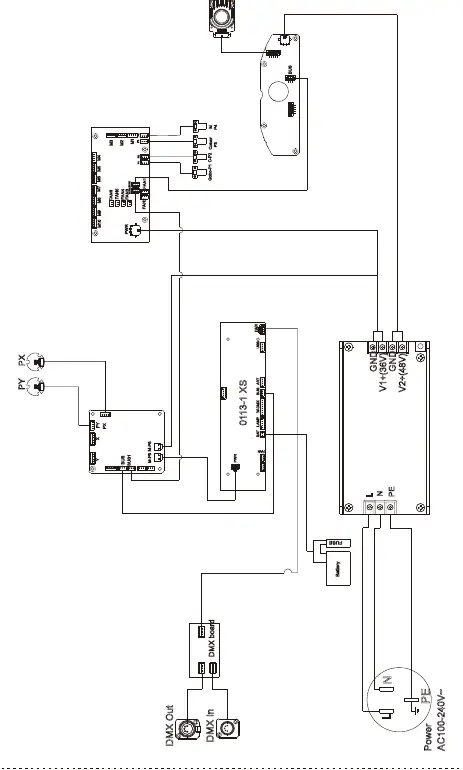
- Wiring diagram illustrates power and DMX signal connections.
- Illumination diagram shows lux output at distances from 10m to 50m.
- Control panel diagram identifies the display and navigation buttons.
Model compatibility
- Requires DMX512 controller.
- Compatible with 3-pin or 5-pin XLR DMX cables.

Manual page author
Emily Carter
User documentation editor
Prepares concise manual descriptions and highlights the most useful setup, operation, and maintenance information for readers.